





Tips Index
iLivid is a top-notch download manager that simplifies downloading videos from various streaming sites. The program can download videos by just putting the video URL. However, this program is great, compatible to any Windows version but many people also experienced frequent crashes and errors so they’re looking for better alternatives that can grab online videos from various streaming sites. So is there any better alternative for iLivid? Yes, there is a lot of it. And I introduce you one of the best video downloader, VideoPower Red.
VideoPower RED is capable of downloading videos from various streaming sites such as Youtube, Vimeo, DailyMotion, Vevo, etc. It has the same feature of iLivid and with more features package on it. It is the best video downloader in mac and windows. So no matter what Windows OS you are using, you can install it without a problem. With the beautiful interface, it’s easier for you to use and adapt easily.
VideoPower RED has more features that placed into one. This software can convert multiple formats such as MP4, 3GP, FLV, WMV, WEBM, MOV, etc. which is better for device compatibility issues. It can also edit/cut/combine a video/audio, has built-in browser universal search-download, PC recording, etc.
It’s an all-in-one video downloader and converter, etc at the same time. So, I must say this is the best video downloader and best iLivid alternative.
Hit that download button below to give it a try!
Method 1: Copy and Paste
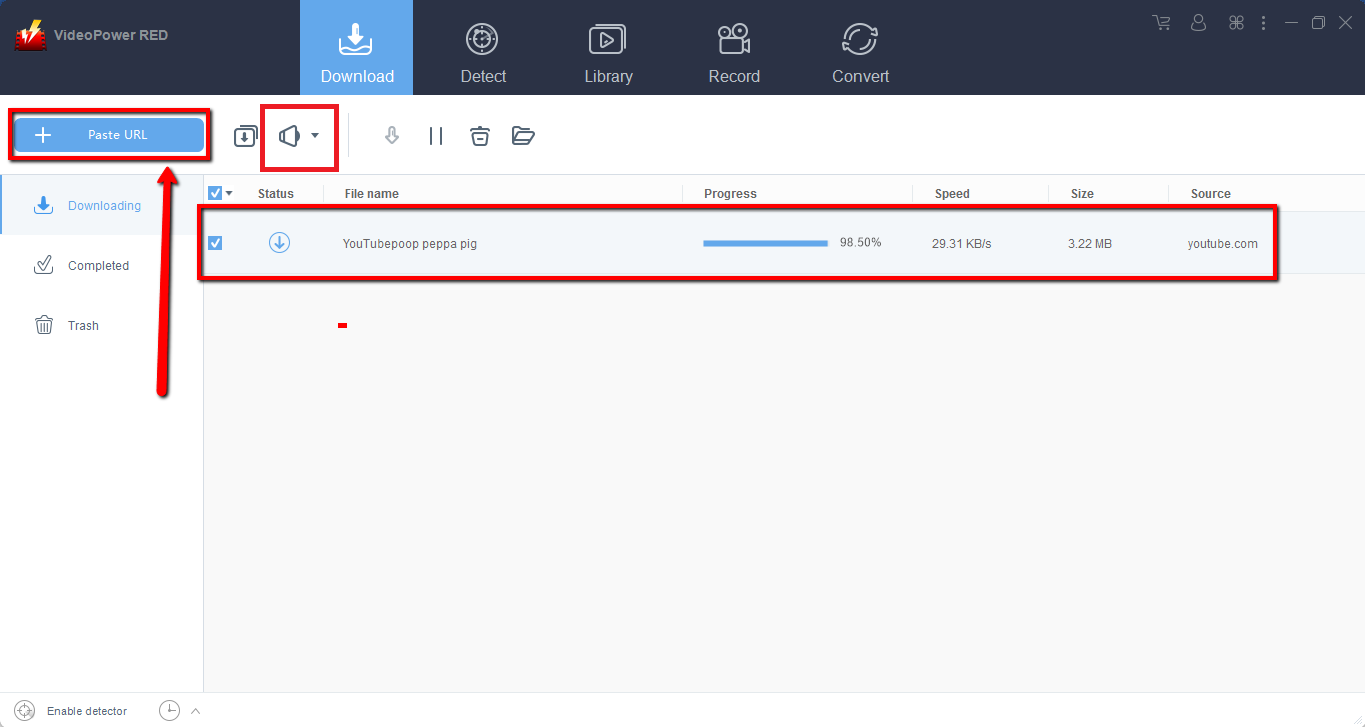
Step 1: Paste URL and download video
Copy the link of the video that you want to download from your browser and then paste it into the program by clicking the “Paste URL” button. After that, you will see the video is downloading in the download section.
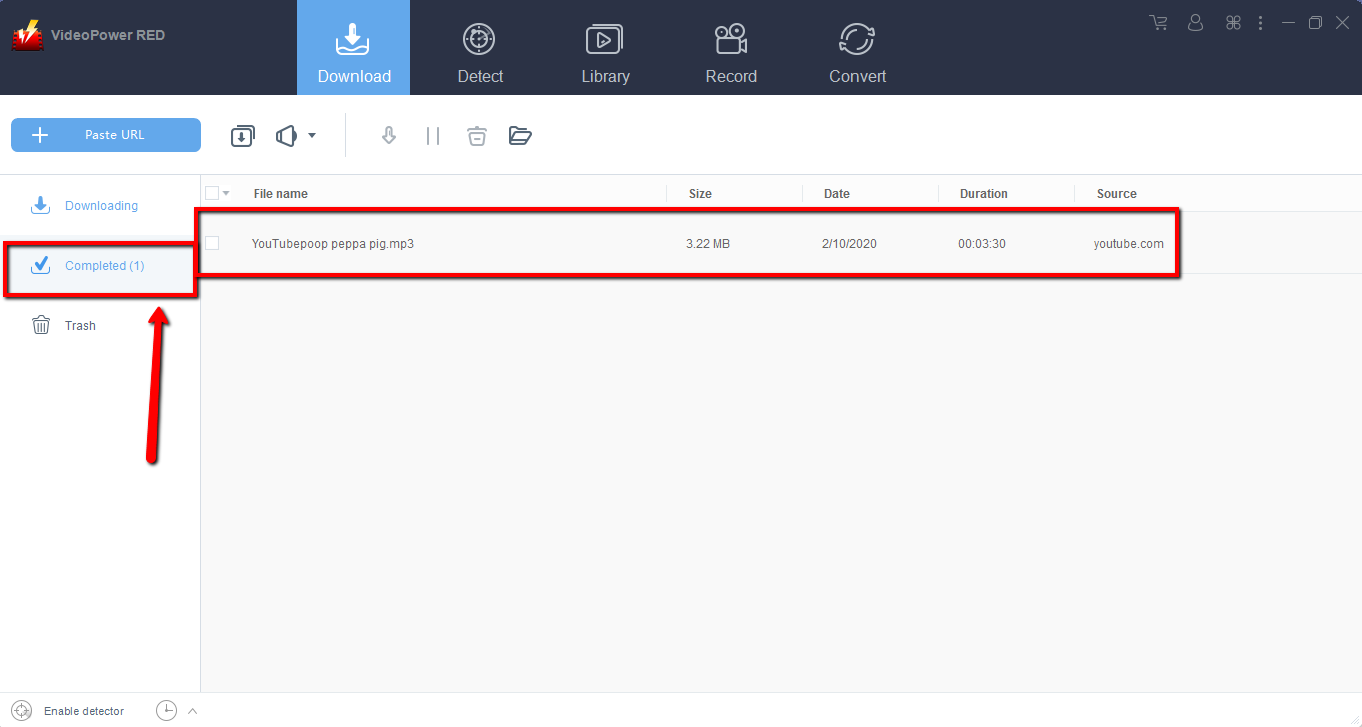
Step 2: Check the downloaded file
Wait for the download to finish, and then go to the “Completed” section to find the downloaded video.
Method 2: Use the Embedded Browser
Open the video page via an embedded browser.
If the program supports the site, the video will be downloaded by clicking the download button below.

Wait for the download to finish, and then go to the “Completed” section to find the downloaded video.
Method 3: Record video
Sometimes because of the web update or slow internet connection, the program can’t download the video anymore but you can still save the video by using the recording function.
Step 1: Record video
Click the “Record” tab to record the video and Select from “Region, Fullscreen, around mouse or Web camera” as preferred.

Step 2: Check the recorded video.
After recording, the recorded file can be seen in the record interface.

Conclusion:
VideoPower RED is not limited as a downloader, its also a converter and video editor. It has a built-in video editor that will enable you to merge multiple videos into one single file. This software will allow you to edit slideshows or videos, apply watermarks, effects, and other basic video editing options such as trimming or cropping.
Moreover, it has a split-screen tool for your photos and videos and a screen recorder which allows you to capture any on-screen activity on your computer with audio.
Download VideoPower RED now to experience its full features.


