





Tips Index
YouTube is a free video-sharing website that is now one of the most popular sites on the Web.
YouTube is so popular because it’s all about user-generated content. Instead of videos from major TV networks and movie studios, you’ll find amazing and creative videos made by people just like you. It isn’t a one-way street—you can jump in, record and share your own videos, and become a part of the community.
YouTube has higher quality standards for video so mostly you’ll watch a high-definition video. But watching high-quality videos has drawbacks because it consumes so much internet data.
It will take too much time to load and we understand that patience is a virtue but if you can download it and watch videos offline anytime you want without interruptions?
One of the best tools you can use to download YouTube videos in HD is VideoPower RED.
VideoPower RED is a flexible video downloader. is a multi-faceted software that has a lot of functions. These functions include recording screen activity, basic video, and audio editing, and file conversions. This program downloads YouTube in HD easily and fast that you can even have batch downloads.
This software is easy to use, offers a lot of features, and lets you download online videos from more than 1,000 websites including YouTube, Vimeo, Dailymotion, Lynda, Vevo, Udemy, and more. The good thing about this tool is that it can detect and download videos such as RTMP, HTTP, HTTPS, and FTP. In addition to that, it has many helpful tools that you can use such as video conversion, screen recording, and music editing.
Step 1. Paste URL to download
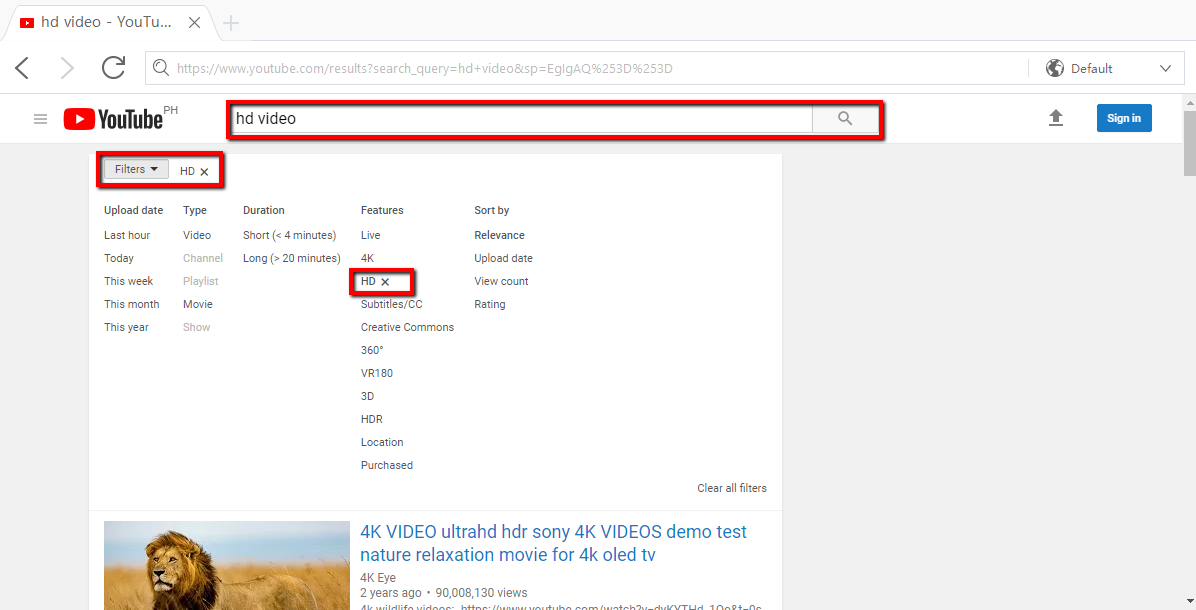
Go to YouTube and look for an HD Video or any content that you would like to Download
Use the Keyword HD and filter it.
Copy the URL from the address bar and click “Paste URL” in the main Interface.
Example: https://youtu.be/Bey4XXJAqS8
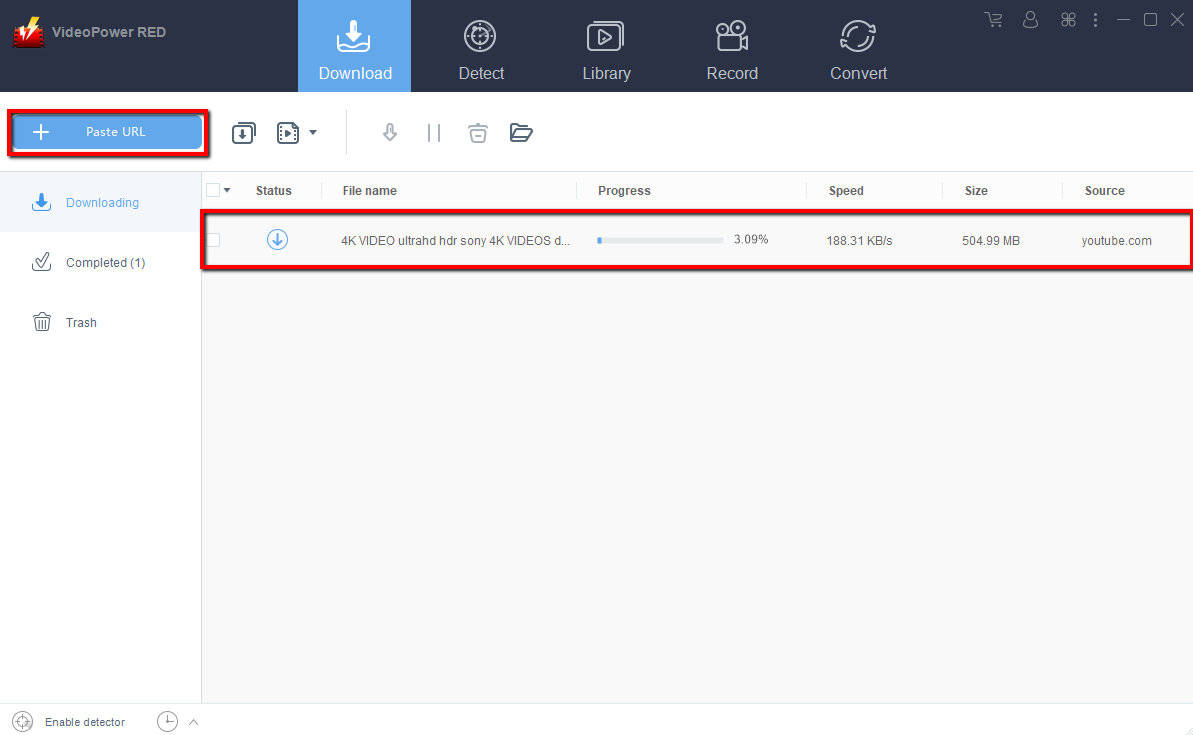
Step 2: Check Downloading and Downloaded file
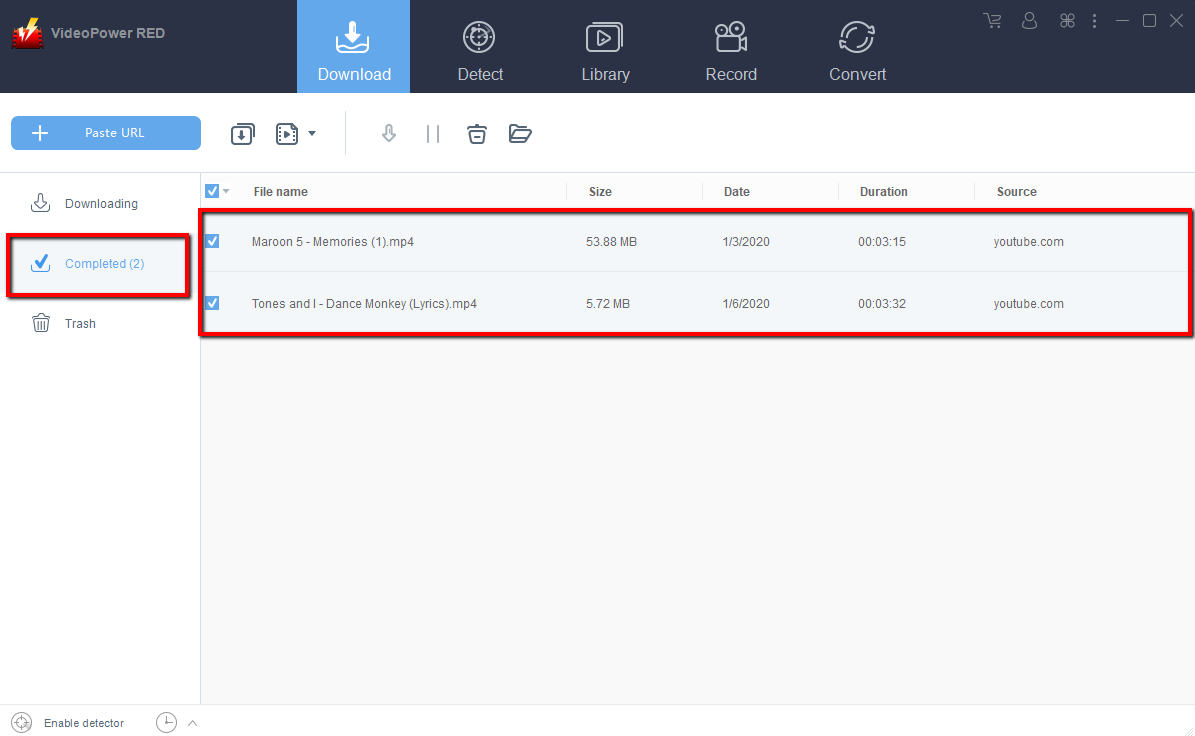
Wait for the download to finish, and then go to the “Completed” section to find the downloaded video.
Step 3: Output Folder
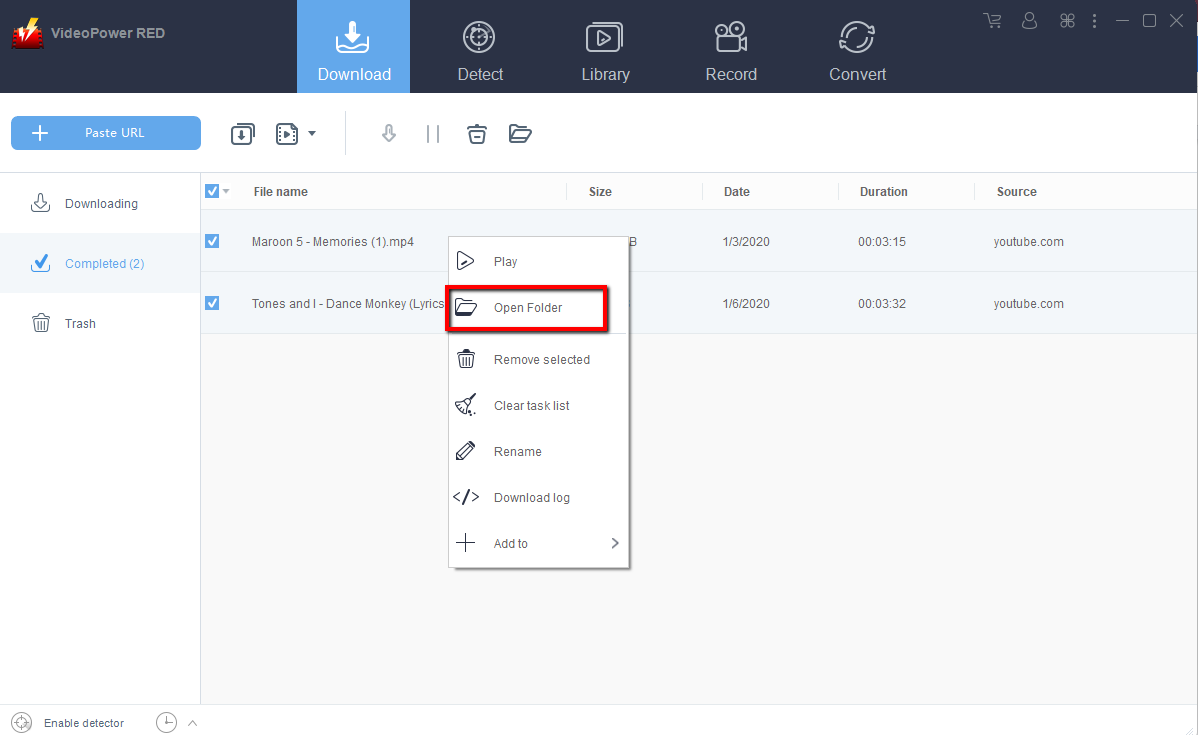
After Downloading YouTube HD video is completed you can “Right-click” the file and click “Open Folder”, a dialog will appear where you’re saved YouTube HD video is in.
Conclusion:
VideoPower RED stands out as a unique product from the rest of the video downloading software available out there partly because of this one unique feature. There are not a lot of video downloading programs that offer a conversion function – and this one can convert audio and videos to boot.
You can now enjoy watching your YouTube HD video offline. With VideoPower RED, Downloading YouTube HD videos is quick and easy. VideoPower RED is one of the best software you can download for free.
Other Features:
1) Library search.
2) Search, preview, and download keywords from video sites around the world.
3) Automatic detection.
4) Open the video page with this app’s built-in browser and it can download immediately. Automatic detection can also detect videos to download even if you use an external browser.
5) Easy download.
6) You can easily download by copying and pasting the video URL.
7) Batch download.
8) Just copy and paste the video list URL or playlist URL.


