





Tips Index
YouTube is one of the best sources of music in the world. You can almost find anything like albums, live performances, awesome beats, latest songs, featured artists, and playlists. From local singers to popular ones, they always have their own official channels where you can watch and listen to their famous and awesome songs.
However, enjoying music on our iPhone, Android, or any gadget while we’re on the go is very convenient. We find it more convenient to just download and listen to it anytime, anywhere. Play it when you’re exercising, cooking, cleaning, or just play it whenever you feel like listening to it. In case you’re having a hard time to download YouTube Videos to M4A format, then we got you covered.
A recommended software, VideoPower YELLOW, is one of the best and reliable software that is capable of downloading YouTube to M4A format. Not just M4A, it can also download other formats such as MP3, AAC, AC3, and many more.
VideoPower YELLOW can also record audio with ID3 identifier and editor, rip and burn music to CDs. So what are you waiting for? Just click the link below to download this free app and follow through the guides below on how to download YouTube to M4A format.
Step 1: Launch Audio Converter
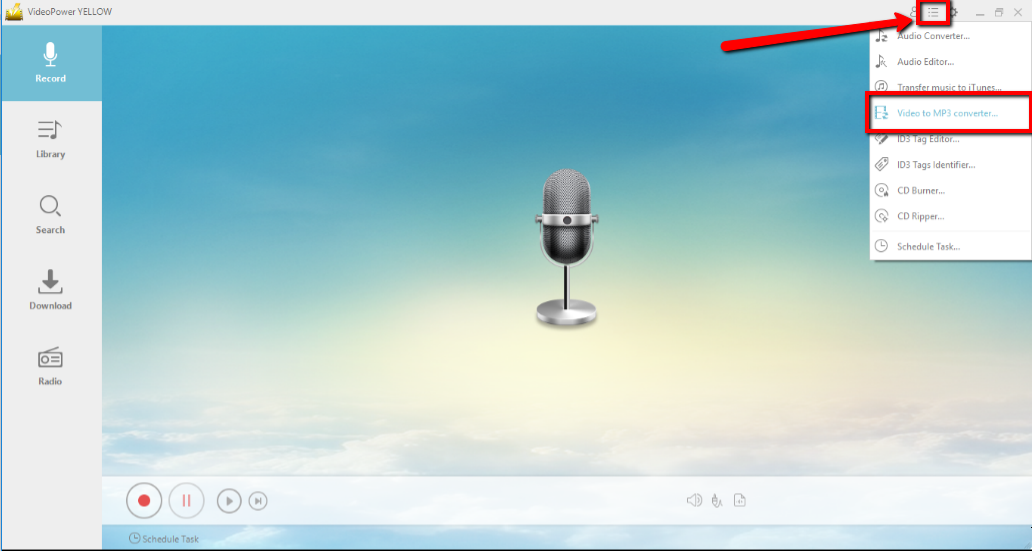
Run VideoPower YELLOW if you have installed it on your PC. Click the menu tab at the upper right part of the main interface and click “Video to MP3 converter” to convert your downloaded YouTube video to M4A
Step 2: Copy and Paste
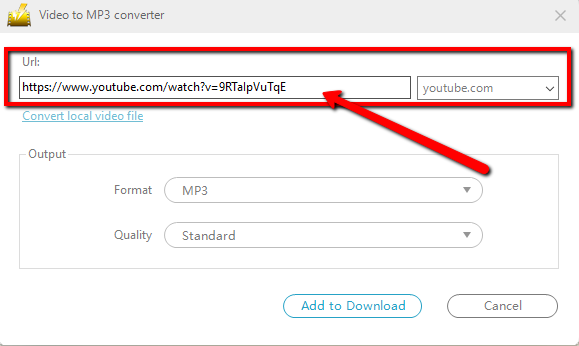
Copy and paste the YouTube Url at the “Url tab” TO convert it to M4A
Step 3: Convert YouTube video to M4A
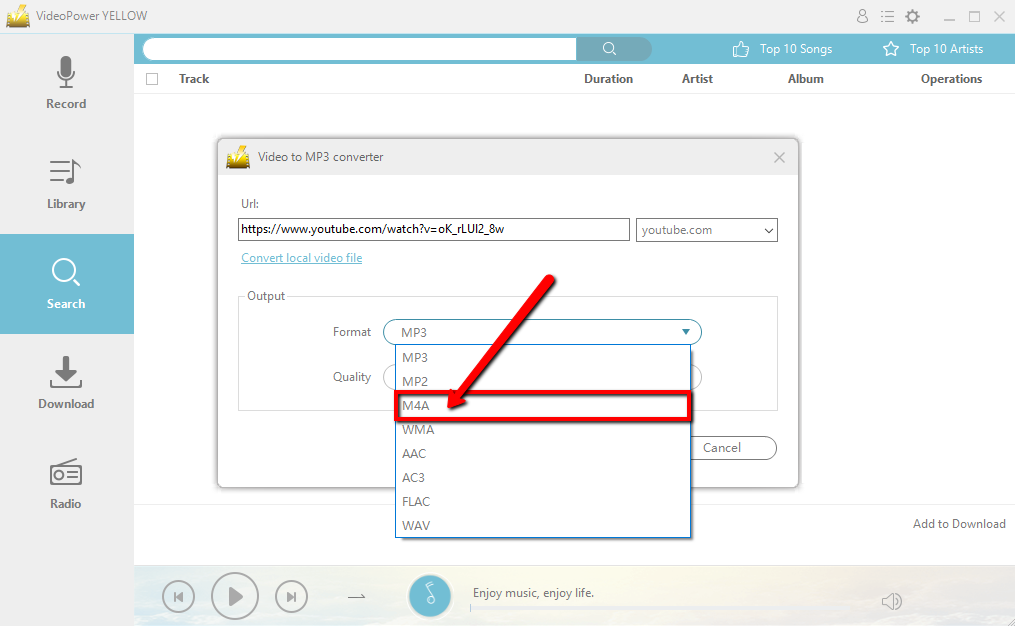
3.1 Set output format
Set the Output format to M4A, You can also choose another format for your file to MP2, WMA, AAC, MP3, etc.
3.2 Start Conversion
Click the “Add to Download” button to start conversion.
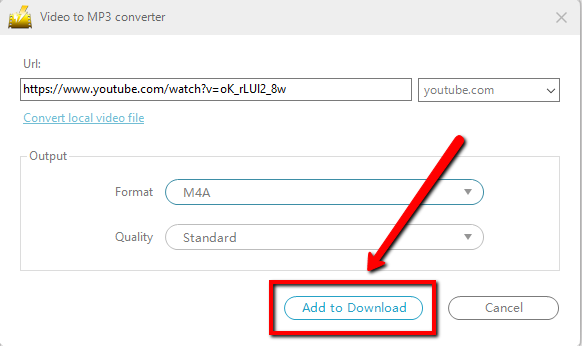
You will get directed to the “Download” panel

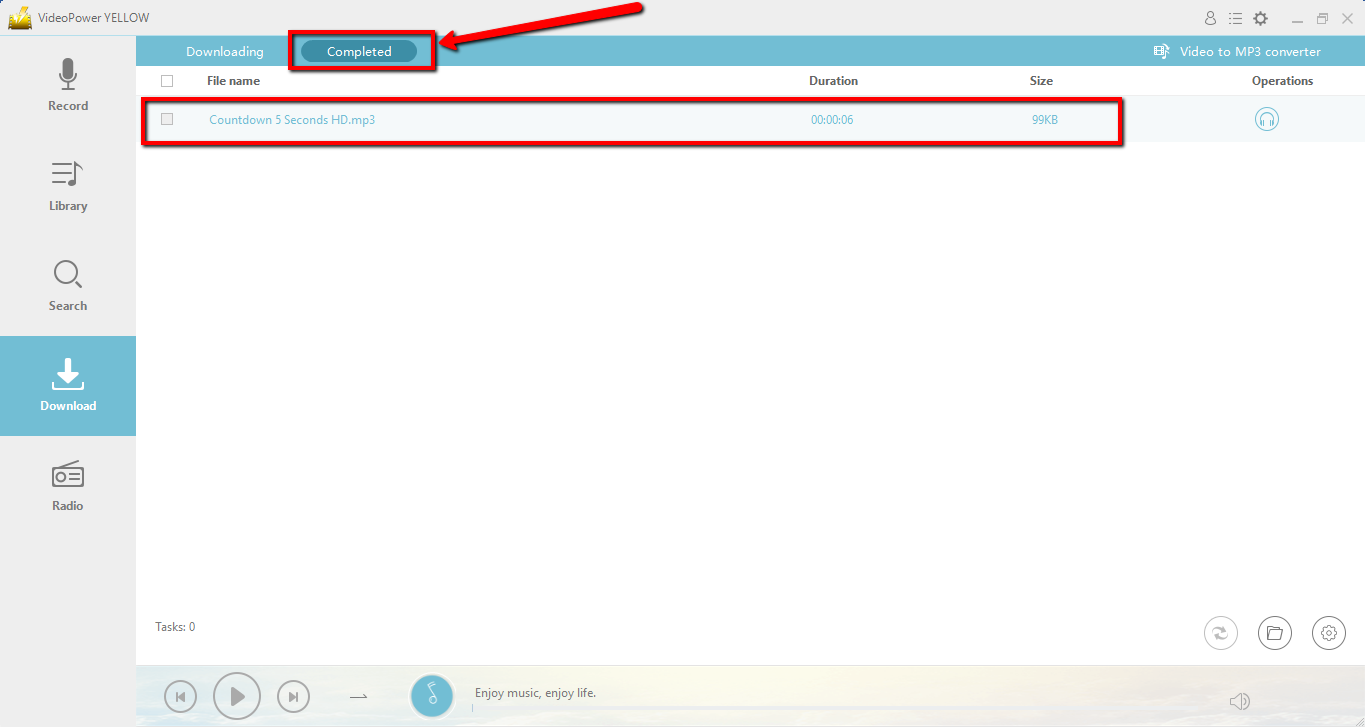
After the process is finished, you can check the converted file by clicking the “Completed” tab in the download interface.
Conclusion:
VideoPower YELLOW provides the Best and easy way to convert any video including Youtube videos to M4A format. This is a powerful and versatile software that offers a lot more than just conversion.
The app also has the capability of recording audios with ID3 tag identifier and editor as well, downloading music, ripping, or burning of music to a CD.
This is a great tool where you can enjoy your music live from the hip! Download VideoPower YELLOW to experience its full features now.


