





Tips Index
iPod is a series of portable multi-function digital multimedia player designed and sold by Apple.
The iPod family provides a user-friendly interface that is easy to use. Apart from the iPod touch and the 6th-7th generation of the iPod nano, they are operated by a circular roller.
In the early days, most iPod products used built-in hard disk storage media, while the iPod nano, iPod shuffle, and iPod touch already used flash memory. iPod (except iPod Touch) can also be used as an external data storage device for computers, which empowers users to transfer music from the local computer to the device.
To download MP3 to iPod, you can use VideoPower YELLOW.
VideoPower YELLOW is a great tool that has a lot of features and functions. One of these functions is you can download the audio to your devices, record audio, or edit the audio.
Step 1: Search for either the artist name or song title of the audio you want to download
Launch the program after a successful installation. Go to the “Search” function and search for the song title or artist name of the audio that you want to download.
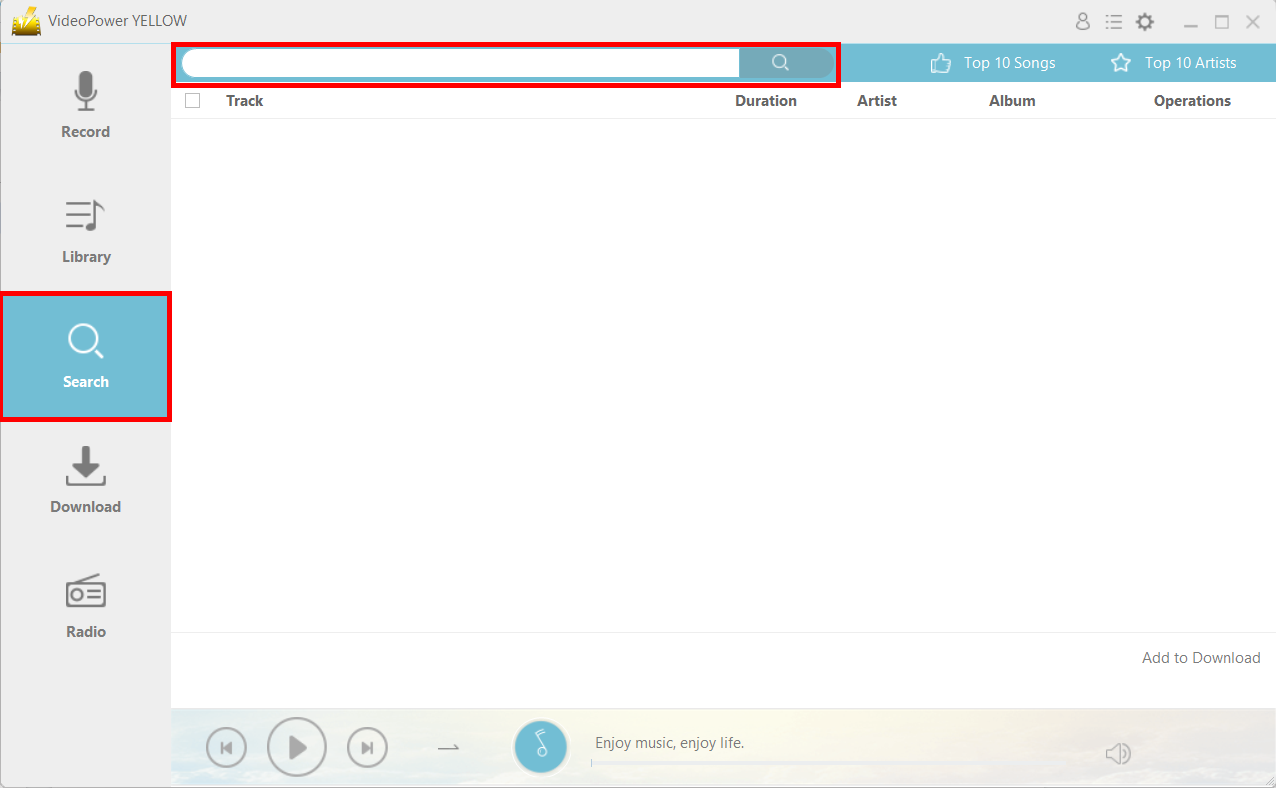
Step 2: Start Downloading
Click on the “Download” icon on the right side of the audio file to start downloading.
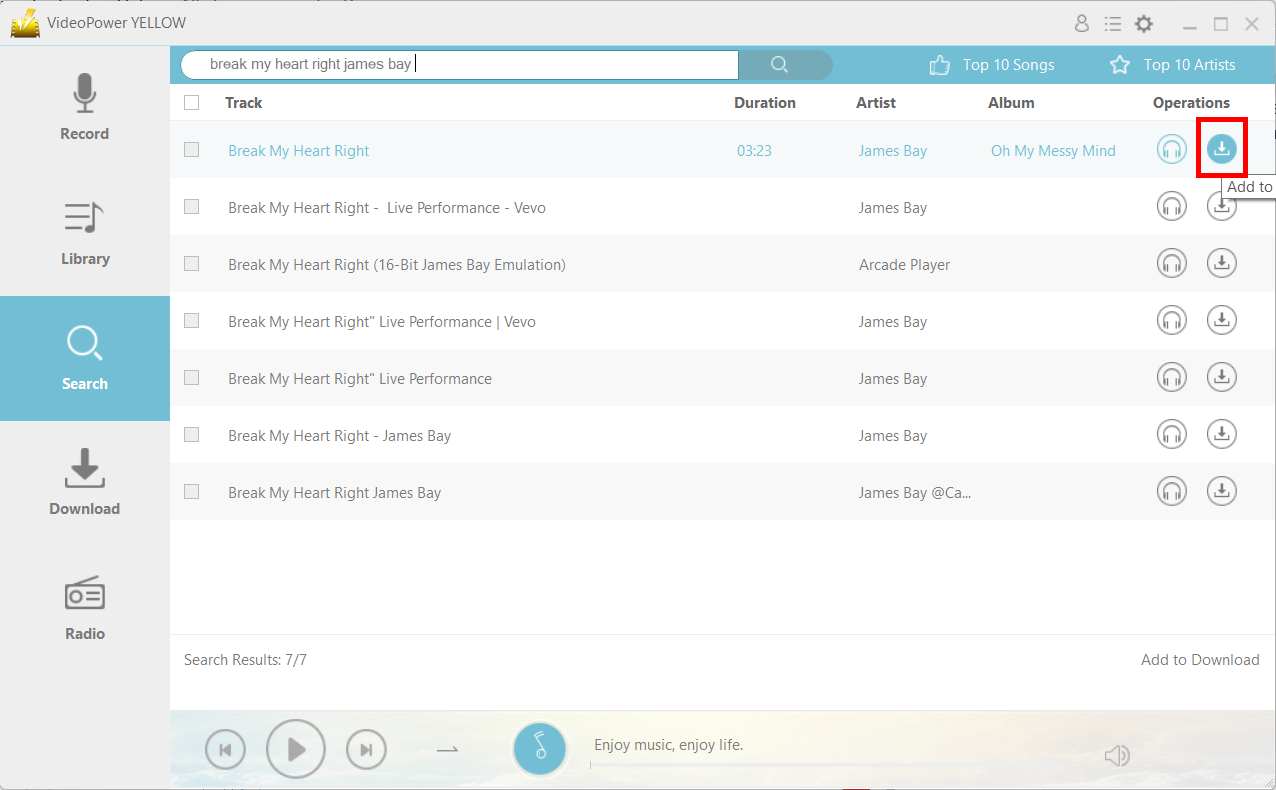
Step 3: Process Download
After clicking the download button, the file will be immediately placed in the “Download” section. Wait for it to finish.
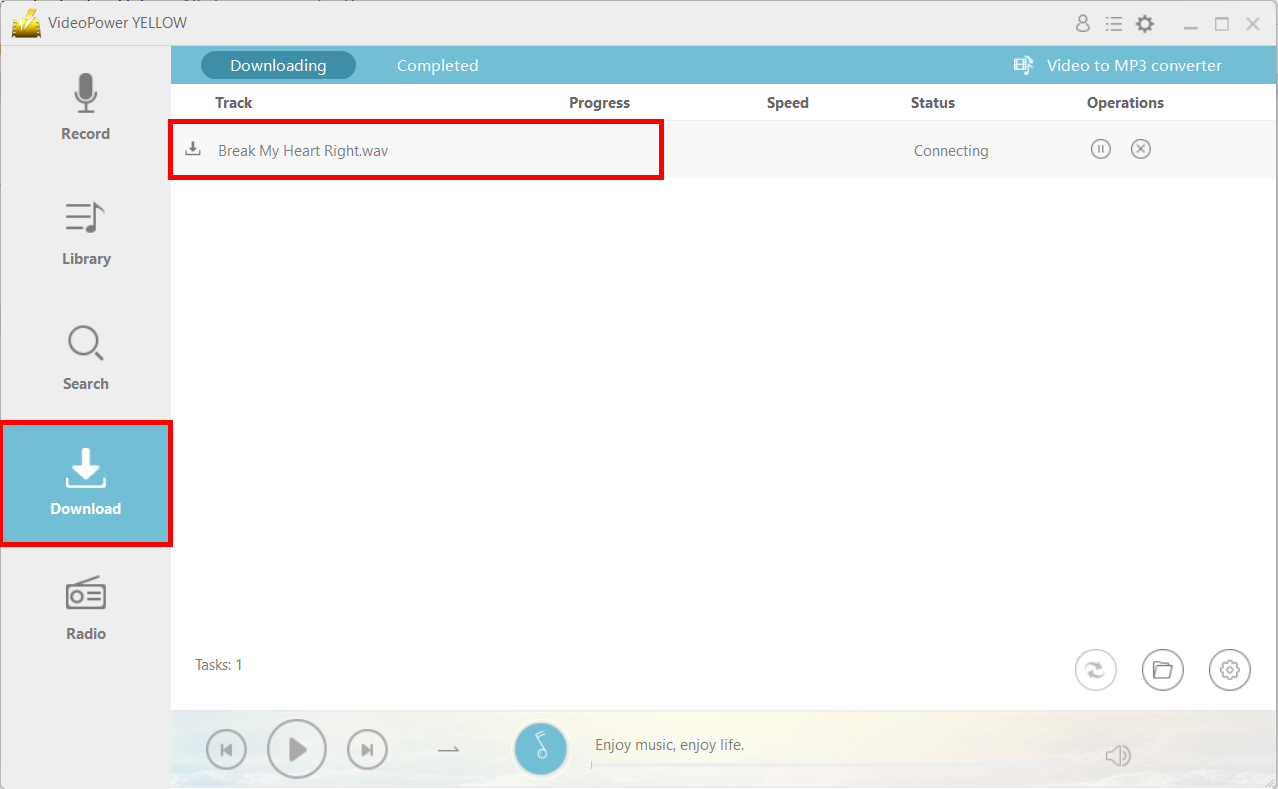
Step 4: Navigate to the Output File Location
After downloading, the file will be in the “Completed” tab in the “Download” section. You can find the location of the file by clicking on the “File location” icon on the lower-right corner of the interface.
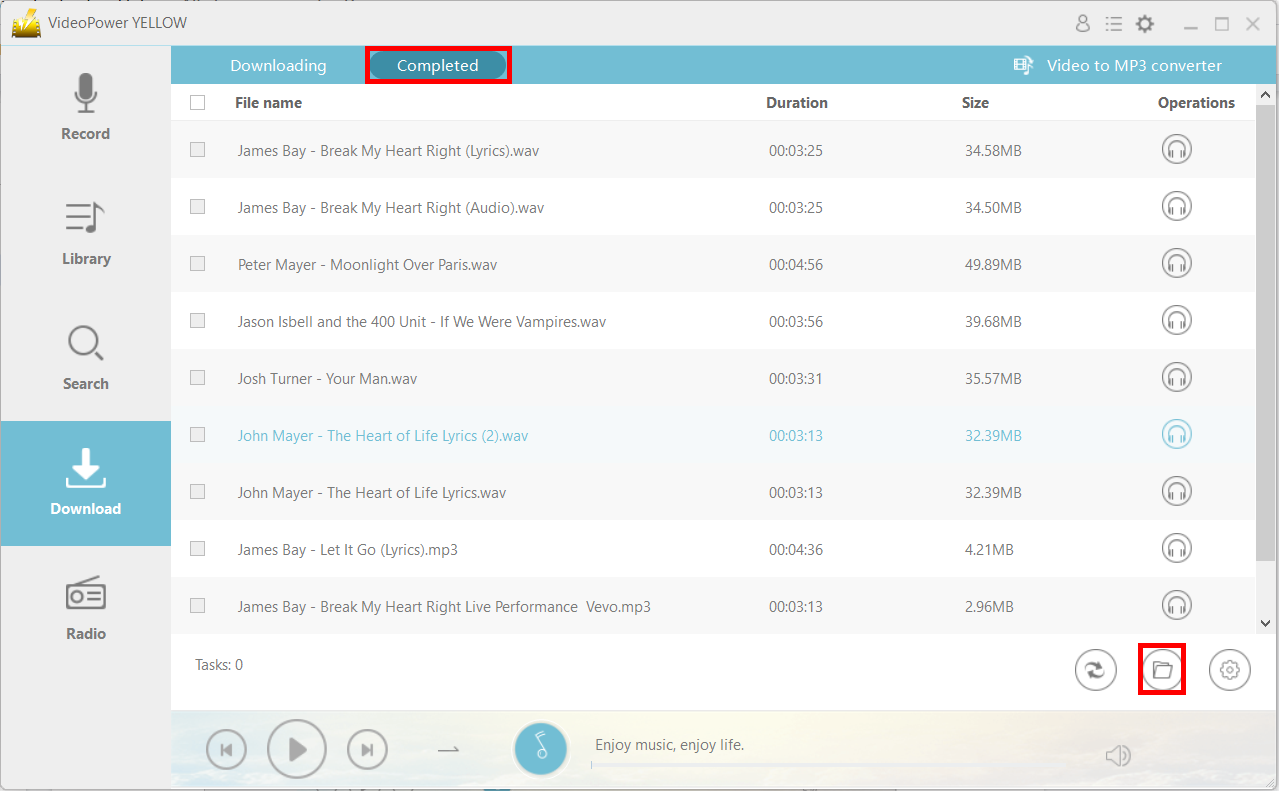
Conclusion:
Apple is known for its devices’ incompatibility with formats and other devices. If you want to play an MP3 song on your iPod, you can use VideoPower YELLOW to download the MP3 file and save the downloaded file on your iPod. In addition, it can do much more than this, such as record live radio, convert Vevo to MP3, and edit audio.


