





Tips Index
Video DownloadHelper is a tool for taking video streams, capturing media galleries, and saving images from websites. It can also download video files in any quality available and directly record live streams. It also has an option for converting videos to different file formats.
Video DownloadHelper is originally a plug-in for the browser Mozilla Firefox for free. Google Chrome also has a Video DownloadHelper version that has been available since 2015. However, for technical reasons, the Video DownloadHelper can’t download more videos if used in Firefox.
It has been popular for a long time due to its uniqueness, and fastest downloading software which allows you to download a wide array of videos from different distinct websites. The program usually is intuitive that even newbies can use without a hassle and tends to work effectively at simply a button’s touch.
People who experienced trouble downloading those videos that they want to download from a certain website may find that DownloadHelper is the key to all of their problems.
The fact that this Video DownloadHelper has versions that are compatible with both Chrome and Firefox helps to widen the hue cycle so that it can be used with different popular operating systems. Users may just simply locate their favorite videos from those websites that they regularly check out and click on a button to start downloading those videos
A handy toolbar will show the download in progress, despite videos that are particularly big or displayed in HD can take an extensive amount of time to download in some cases, while other videos may be blocked.
But just in case you prefer to download videos on browsers or need a more inclusive download manager, then we recommend you to download VideoPower RED. A fast and easy to use software and the best bet for DownloadHelper Alternative.
Just click the link below to download this free app and follow through the steps on how to use The Best Alternative for Video DownloadHelper.
You can try to use the software for free by downloading its trial version below.
Method 1: Copy and Paste to Download
Step 1: Copy and Paste URL and download video.
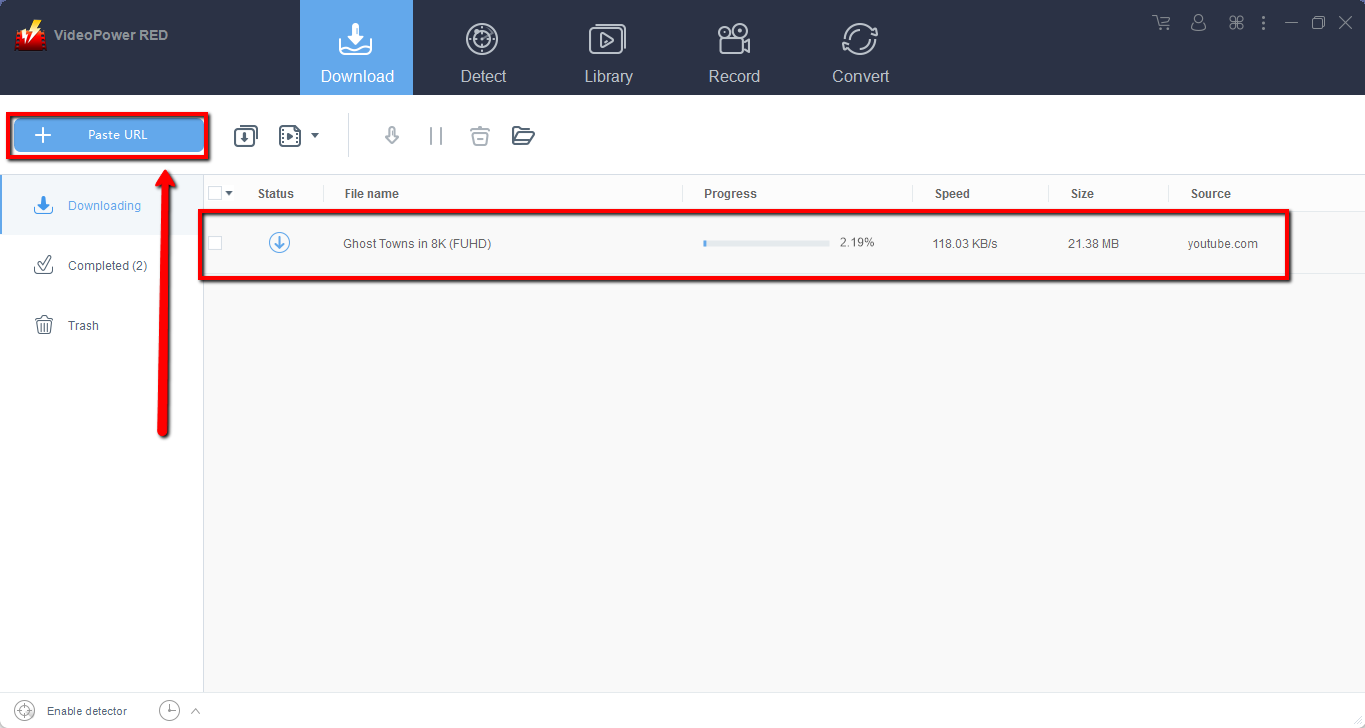
Copy the link of the video that you want to download and then paste it into the program by clicking the “Paste URL” button. After that, you will see the video is downloading in the download control panel.
Step 2: Check the downloaded video file
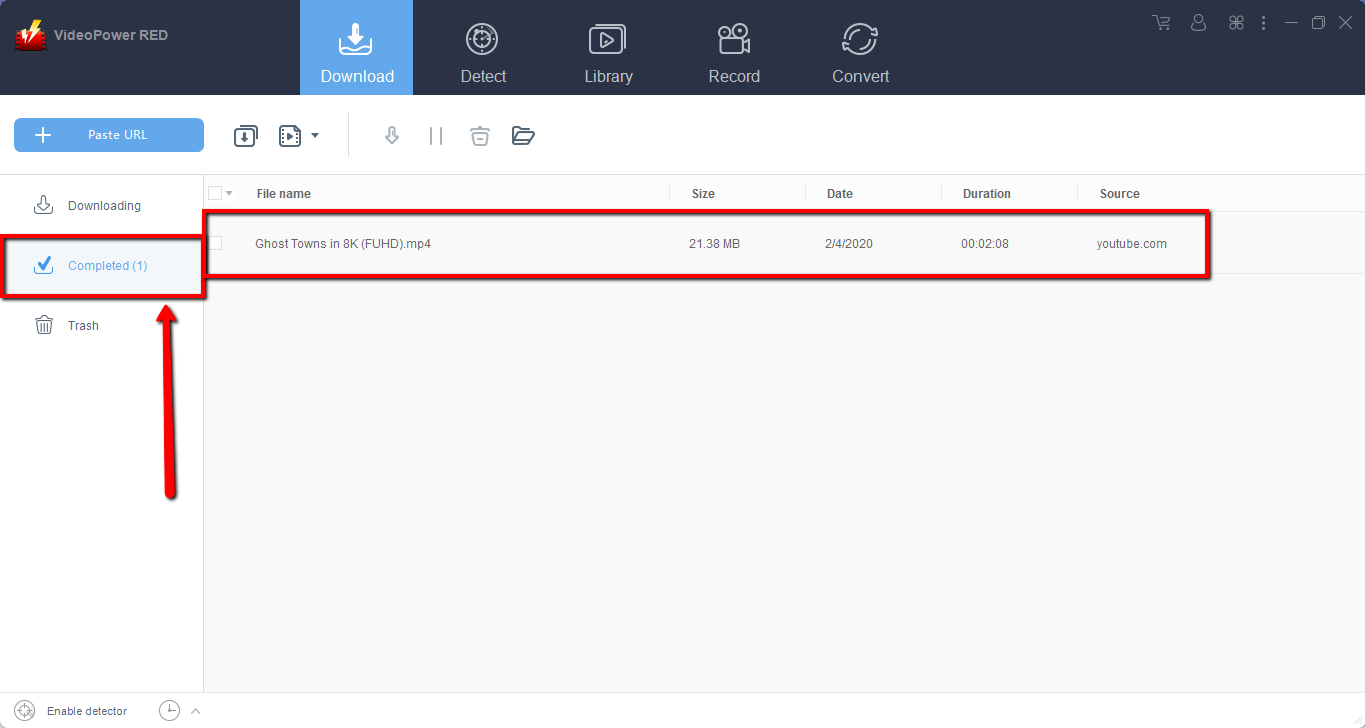
Wait for the download to finish, and then go to the “Completed” section to find the downloaded video. Right-click to do more operations and double-click to preview.
Method 2: Use the Embedded Browser
Step 1: Open the video page via an embedded browser
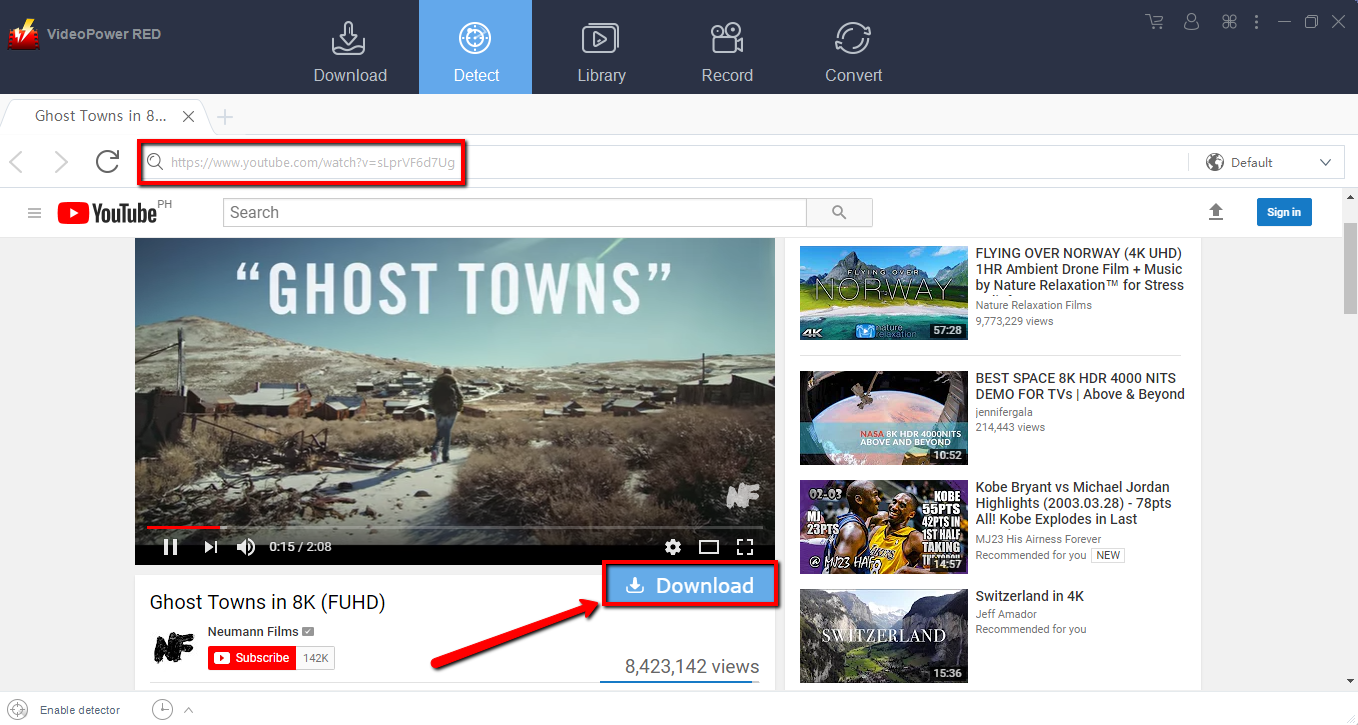
For YouTube site, the video will be downloaded by clicking the download button below.
Step 2: Check the downloaded video
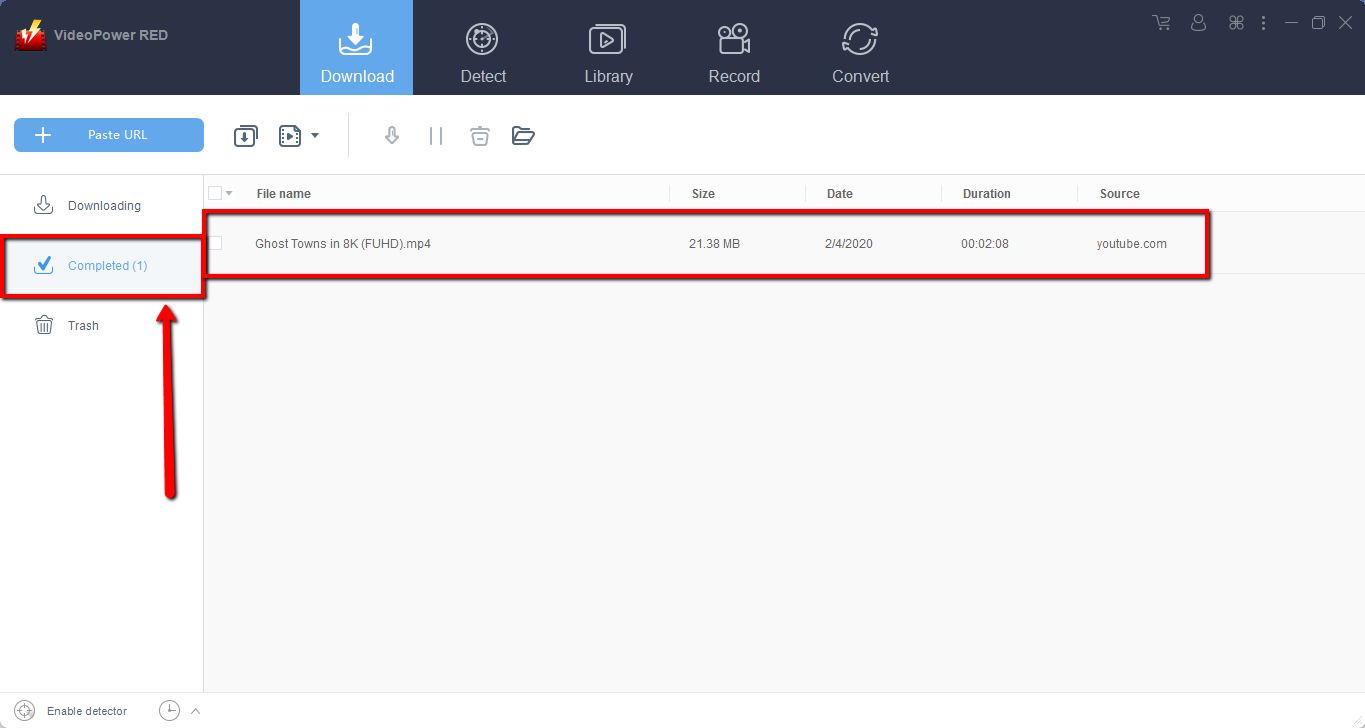
Wait for the download to finish, and then go to the “Completed” section to find the downloaded video. Right-click to do more operations and double-click to preview.
Method 3: Screen Record video
Sometimes because of the web update or slow internet connection, the program can’t download the video anymore but you can still save the video by using the recording function.
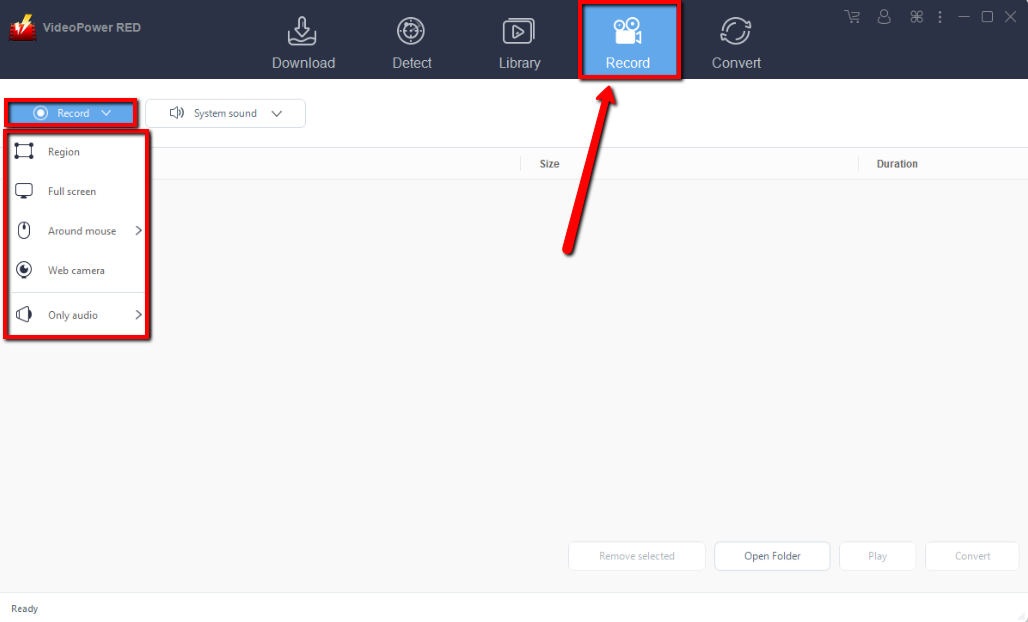
Step 1: Set Recording Mode
Click the “Record” tab to open the record window and select among the following recording modes such as “Region, Fullscreen, around mouse, and Web camera” to capture the exact and desired range of your screen. Click the preferred one and start recording.
Step 2: Check the recorded video.
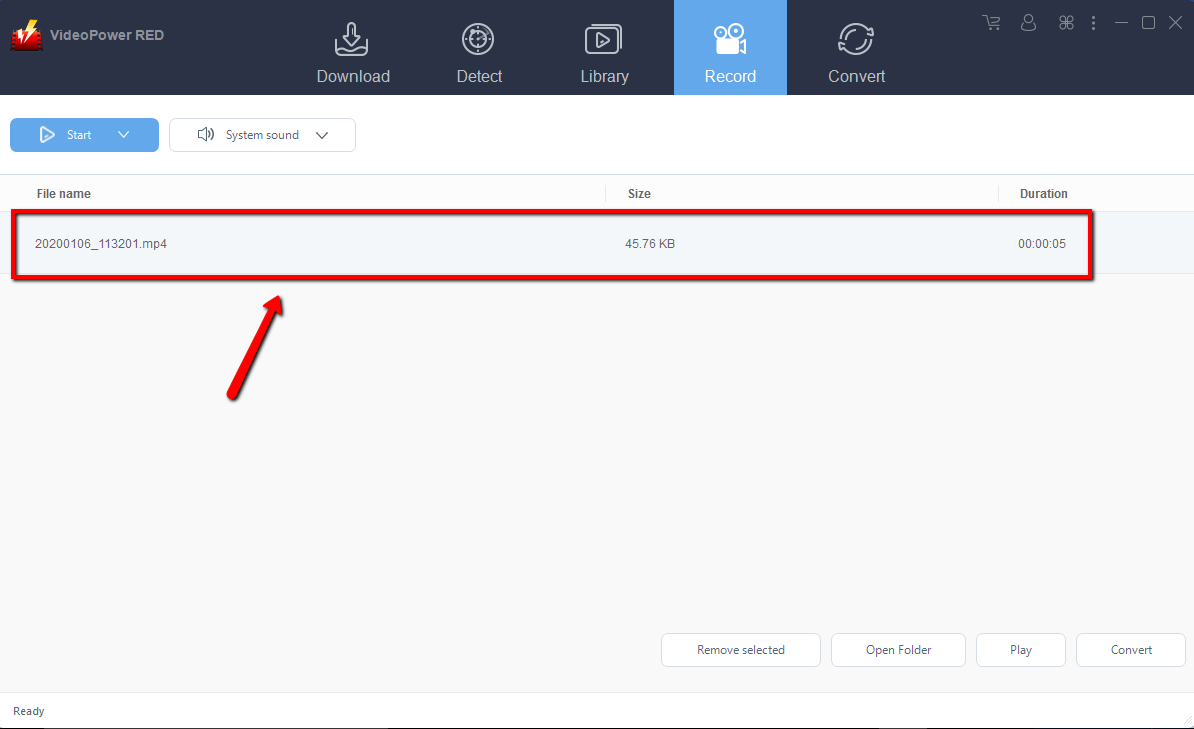
After recording, the recorded file can be seen in the record interface. Right-click to do more operations and double-click to preview.
Conclusion:
Video DownloadHelper tends to glitch from time to time, but the fact that it is available free of charge means this program is worth checking before committing to paying out for another program of this type. But Video DownloadHelper doesn’t have extensions for Safari, IE, and etc. you may still have to find utilities to download videos on those browsers, so VideoPower RED is the best bet for DownloadHelper Alternative. This software has browsers you can choose from. It also has a detect feature, you can stream videos while downloading. It also has to convert features and recording videos in different regions. Download now and experience downloading videos in HD.


