





Tips Index
SoundCloud, is online-based music sharing website that provides music uploaded by users or members of the site.
Users can upload music online or through software clients. There is no file size limit, but the free version limits the total length of uploaded audio cannot exceed 2 hours.
You can record or upload any audio online to SoundCloud and share it with others. It supports various audio formats such as FLAC, OGG, MP3, MP2, AAC, AIFF, and WAVE.
However, only a few music files on SoundCloud can be downloaded without permission. Most of them have copyright restrictions so you can’t download sound at your will, no matter how you desire it.
You need to have an appropriate tool for this. The best way to download sounds from SoundCloud fore free is with VideoPower YELLOW. This software has a user-friendly interface, provides the smoothest high-quality audio output. It’s like having an original audio stream.
With VideoPower YELLOW, you can download audio from SoundCloud easily.
To install the program, you must first download the software by clicking the link below.
Step 1: Set Sound Source
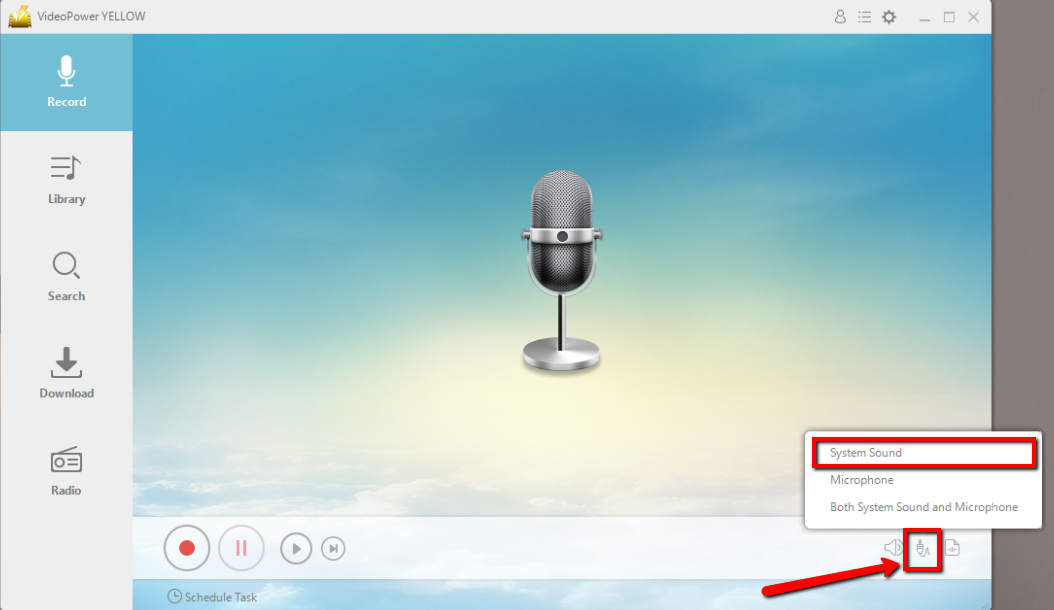
Before recording the SoundCloud track, set the sound source first. Click the audio jack icon bellow and choose from the sound sources such as “System Sound”, “Microphone”, “System Sound and Microphone”. In recording SoundCloud track, “System sound” is recommended.
Step 2: Set File Format
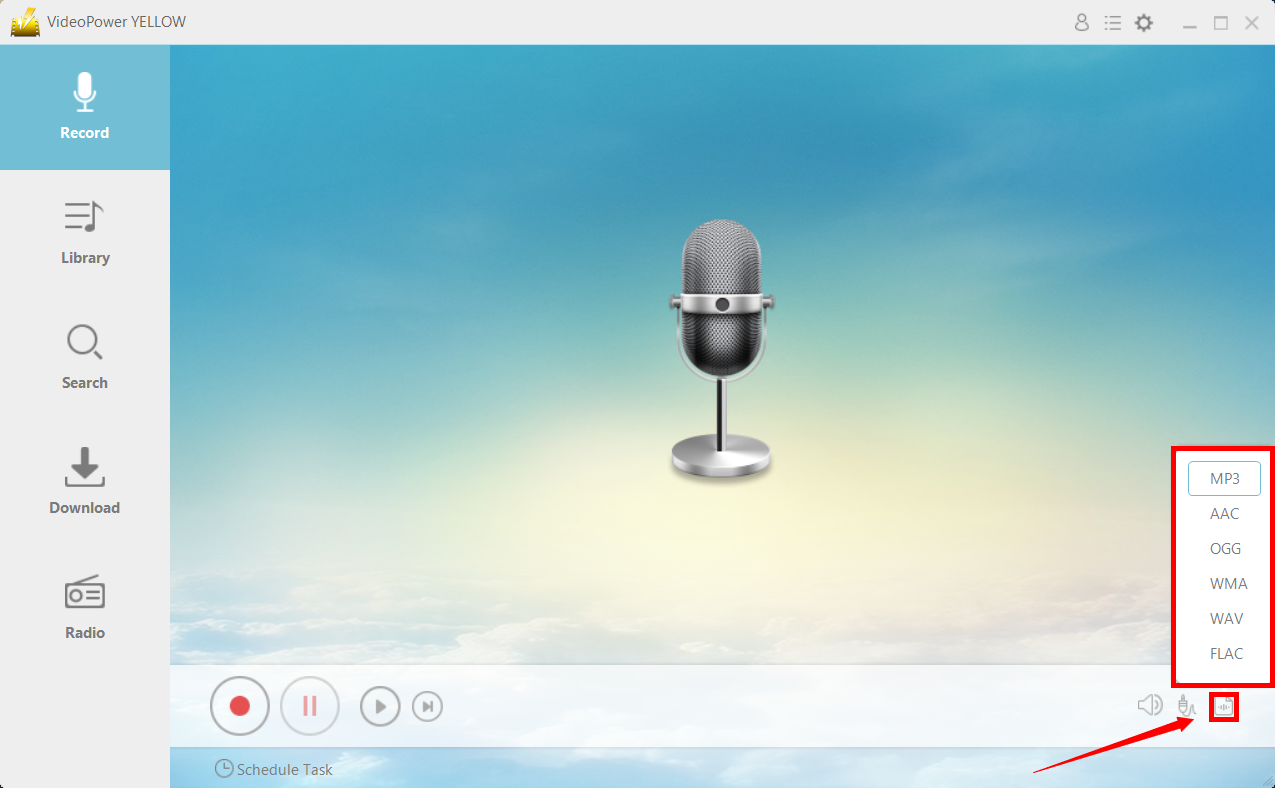
Make sure that the recording is set in the format of “MP3” or whatever format you deem appropriate. Click the icon below to set the format desired.
Step 3: Record SoundCloud
Click the “Record” button to start recording.

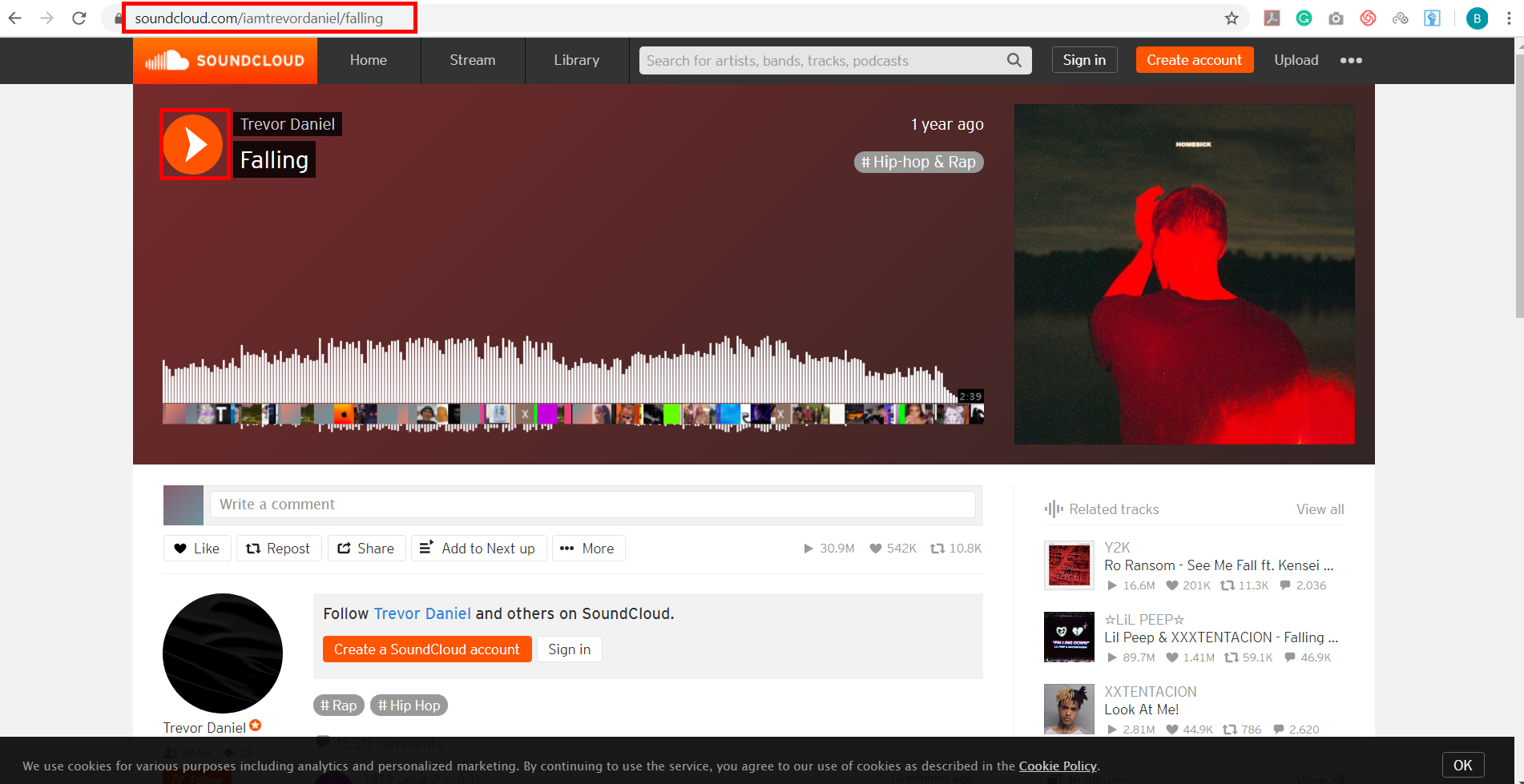
Go to the SoundCloud track that you want to record and play the track.
Step 4: Redirect to Output Location
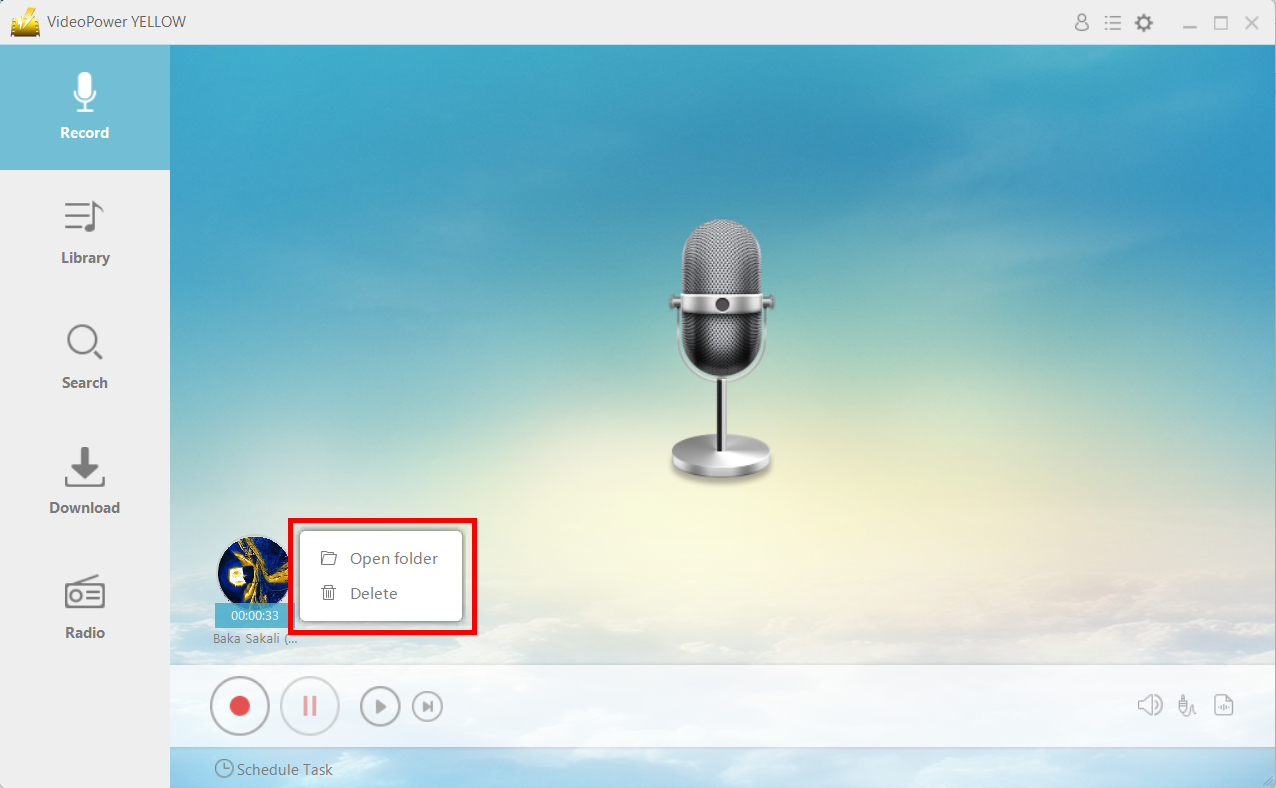
After recording, right-click the recorded track icon and click “Open folder” to open the storage location of the recorded audio file or click “Delete” if you want to delete the file and record again.
Conclusion:
Because most online audio streaming platforms do not provide a download feature, it can be quite a hassle to listen to music offline. With VideoPower YELLOW, you can easily save unlimited audio from SoundCloud.
Once recorded, you can check the quality of the music by listening to it with the built-in player before the next step. If you are satisfied with the result, simply save it to your hard drive, or you may start with a new recording over again.



