





Tips Index
Social media sites that focus on videos have been ever-growing in the past recent years. Even Facebook has turned itself into a video-centric social media platform with the advent of video monetization. The most popular of them, YouTube, is still gaining growth in the years to come.
Whether you’re a content creator or just a novice user, if you want to use videos as tools for expression on social media, you will need to have at least a basic video editing software handy.
VideoPower BLUE is a multi-faceted software that has a lot of functions. These functions include recording screen activity, basic video, and audio editing, and file format conversions. Due to its wide array of features, it is the best video editor out there.
Step 1: Add the video you want to cut
Run the program if you have installed the VideoPower BLUE successfully on your PC. You can directly import the Video that you want to cut by clicking the “Add files” button or by drag-and-drop to the interface.

Step 2: Cut the video using the editing feature
The imported file is displayed in the list.
Click the “Edit” button on the right side of the file.

You can do the following steps to cut your video:
1) Click “Add Trim Marker” to add a trim marker to the progress bar, you can also add multiple trim markers by clicking this button multiple times.
2) Drag the slider to select the part you want to hold.
3) You can click the up or down button to set the start and end time as well.
4) Now you can choose to keep or delete the selected section.

You can do the following steps to adjust your video:
1) Rotate your video position.
2) Crop video screen size.
3) Synchronize the video and audio.

After done with all the editing, click the “Convert” button, then the software will start to convert and save the edited video to the default output folder.
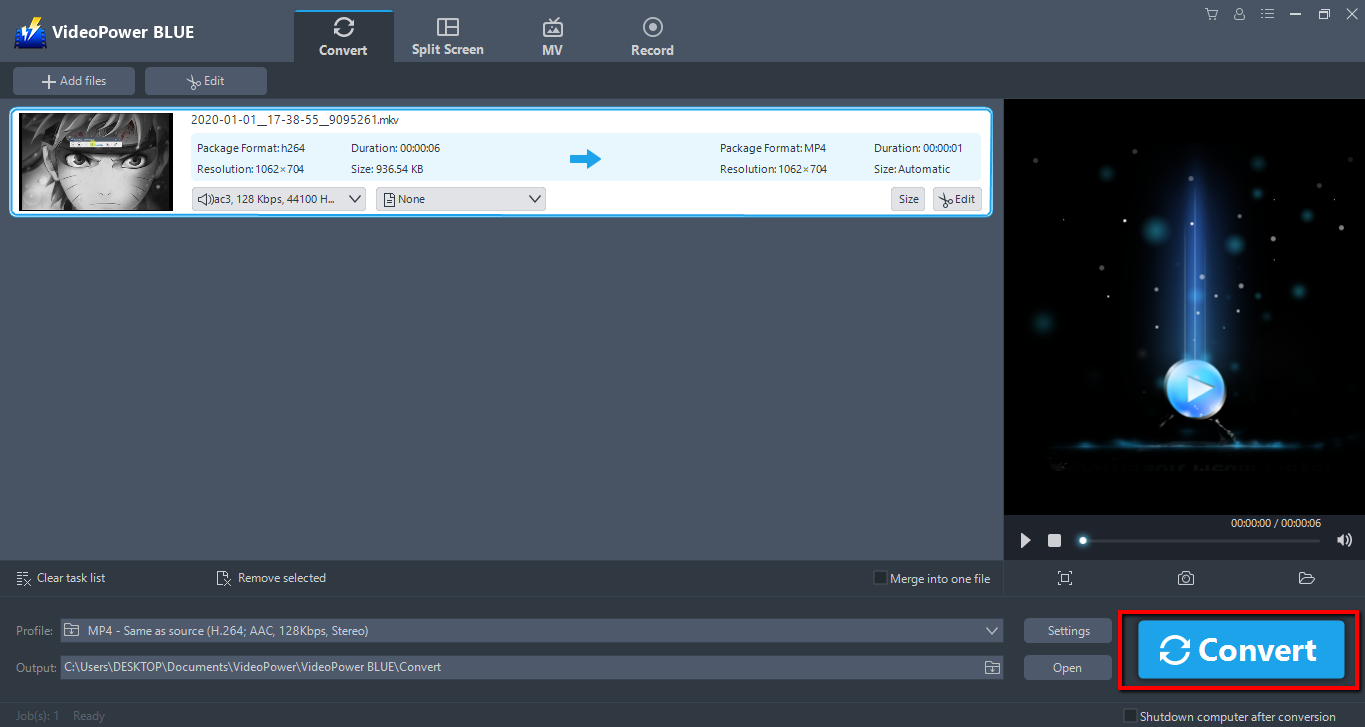
Note: The edited video will be saved as a new file, and the original file still exists without anything changed.
Conclusion:
In the ever-changing and developing world of technology, there is software that is not reliable and will just con its users. One of the most popular and recommended video cutting software today is VideoPower BLUE and its reputation has exceeded the negative first impressions on converters.
It’s not a con software, it’s real with its amazing features. What’s great about this tool is that aside from being a powerful file converter, the additional functionalities not seen elsewhere make it worth the installation.
Its video editing tool will allow you to cut and trim videos and convert it to whatever file format you’d like.


