





Tips Index
Because of the emergence of technology such as the smartphone, taking and storing images is now easier than ever. However, if you just put the photos on your hard drive or your mobile phone, it’s too monotonous, what a waste!
Why don’t you pick out some of your most interesting and favorite photos to make a slideshow video so that you can play your memories like a movie? Create slideshows in minutes without any design skills required, make your own slideshow presentations and grab the attention of your audience with this easy to use but amazing software – VideoPower BLUE.
VideoPower BLUE , great software to make a photo slideshow with BGM. Use the simple and intuitive visual interface to animate your slideshows. It can create a slideshow with music in simple steps, you can join slides with dynamic transitions, add stylish animated titles, and adjust color enhance picture quality. No coding skills required, just simply drag and drop your pictures or visuals into this slideshow maker.
Download the software and follow the simple tutorial below.
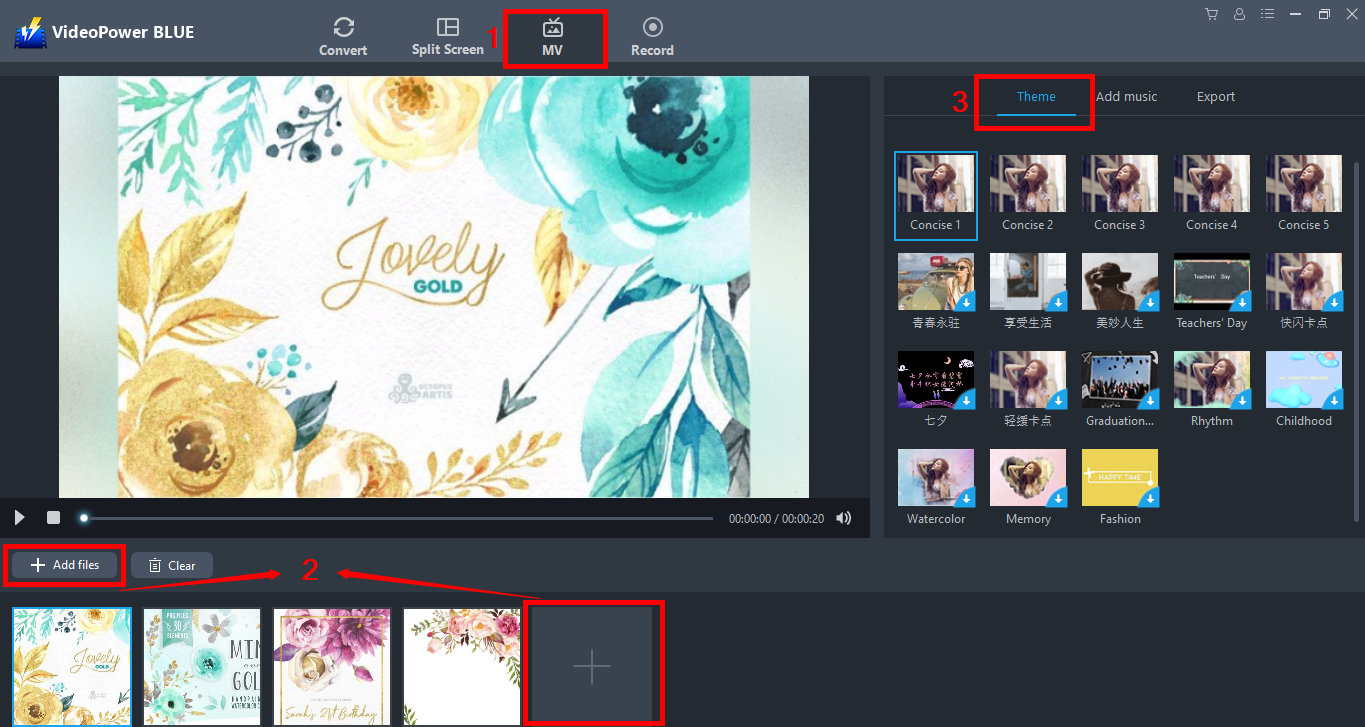
Step 1: Add Photos or video files
1) Click MV at the top of the interface.
2) Click “add files” or the + button below
3) Choose the theme for your slideshow.
There are a lot of transitions in the themes available for you to choose from. Add a transition effect to each photo as per your preference. You can be able to change the order of pictures by drag-and-drop.
If you want to delete a picture, click on the circle icon appearing at the top right of it when the mouse is on the picture.
Step 2. Add music
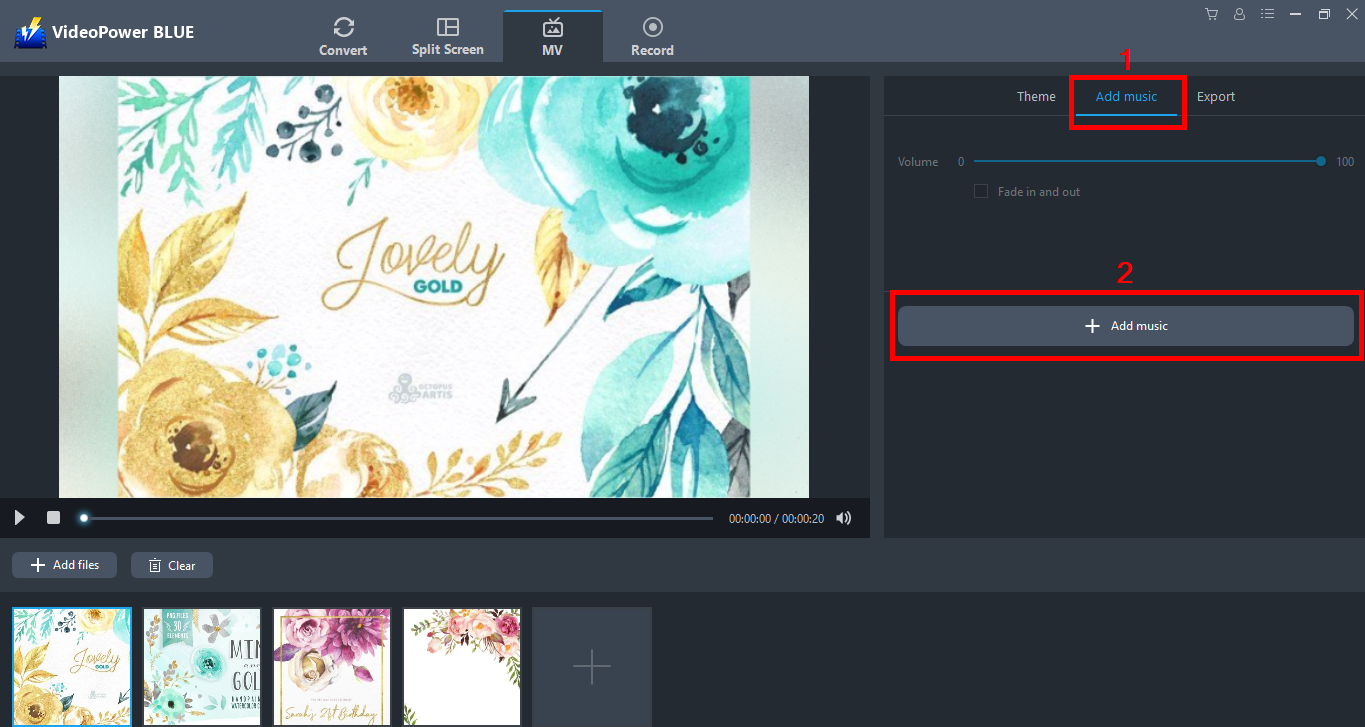
You can add background music to the slideshow to make your movie more lively.
1) Click “Add music” from the features.
2) Add music to your slideshow from your local storage.
Step 3. Export the photo slideshow
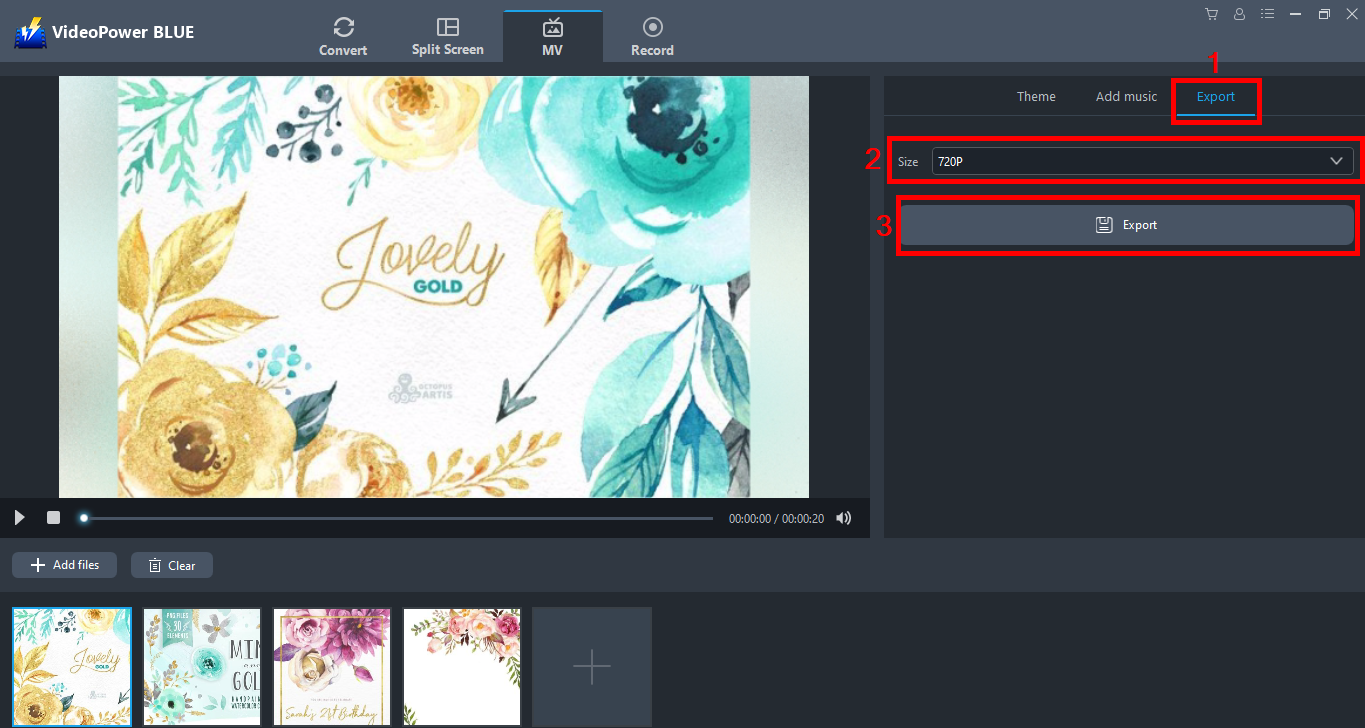
1) Click “Export” tab.
2) Choose your desired quality from”360p, 720p, 1080p”
3) You can now click the “Export” button to choose where to save your output file.
Conclusion:
With this simple guide, you can now enjoy making and watching slideshow movies with your friends.
VideoPower BLUE is definitely perfect for you. It’s fast and flexible with a built-in video editor that will enable you to merge multiple videos into one single file. This software will allow you to edit slideshows or videos, apply watermarks, effects, and other basic video editing options such as trimming or cropping. Moreover, it has a split-screen tool for your photos and videos and a screen recorder which allows you to capture any on-screen activity on your computer.


