





Tips Index
Christmas season is the time to be merry and be creative. We can create something new and be the first one to lead the trend by sending out Christmas greetings, not through cards but through videos you have personally made!
We seldom or even no longer make paper Christmas greeting cards because it would take too long through the mail post. While throwing our concerns and greetings through Christmas videos is easy and be done in just a few clicks.
Compared to the old-fashioned paper cards, greeting videos may contain more emotions that characters cannot express because you can put pictures, recordings, and many digital designs.
So how can you make a wonderful and merry Christmas blessing videos?
A reliable and efficient MV maker can help you make it. Presenting to you the VideoPower BLUE, a fantastic Christmas Video Maker, which is able to help you make photo video with background music and edit the video without hassle.
You can try to use the software for free by downloading its trial version below.
Step 1: Add Photos or video files to VideoPower BLUE.
Run the program if you have installed the Video Converter software successfully on your PC.
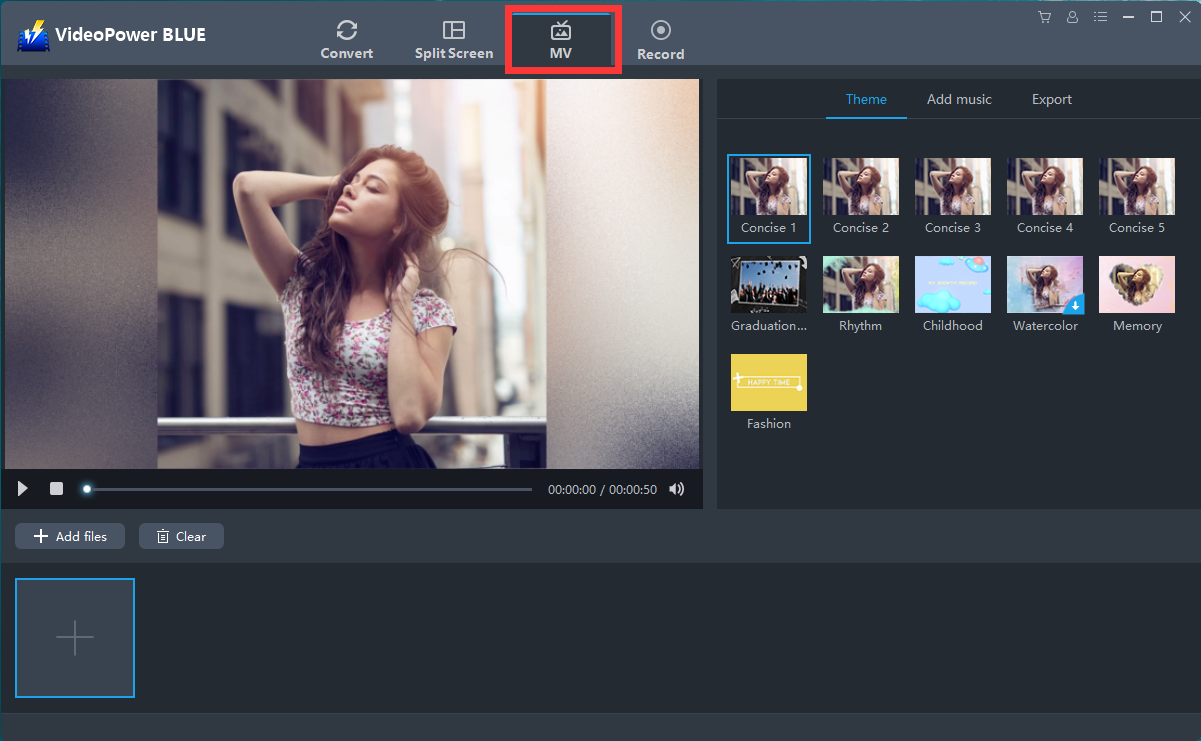
You can directly import the photos and videos to the program by clicking “MV” at the top middle of your screen and click the “Add files” button or drag-and-drop the file to the interface.
Choose a theme style you like most.
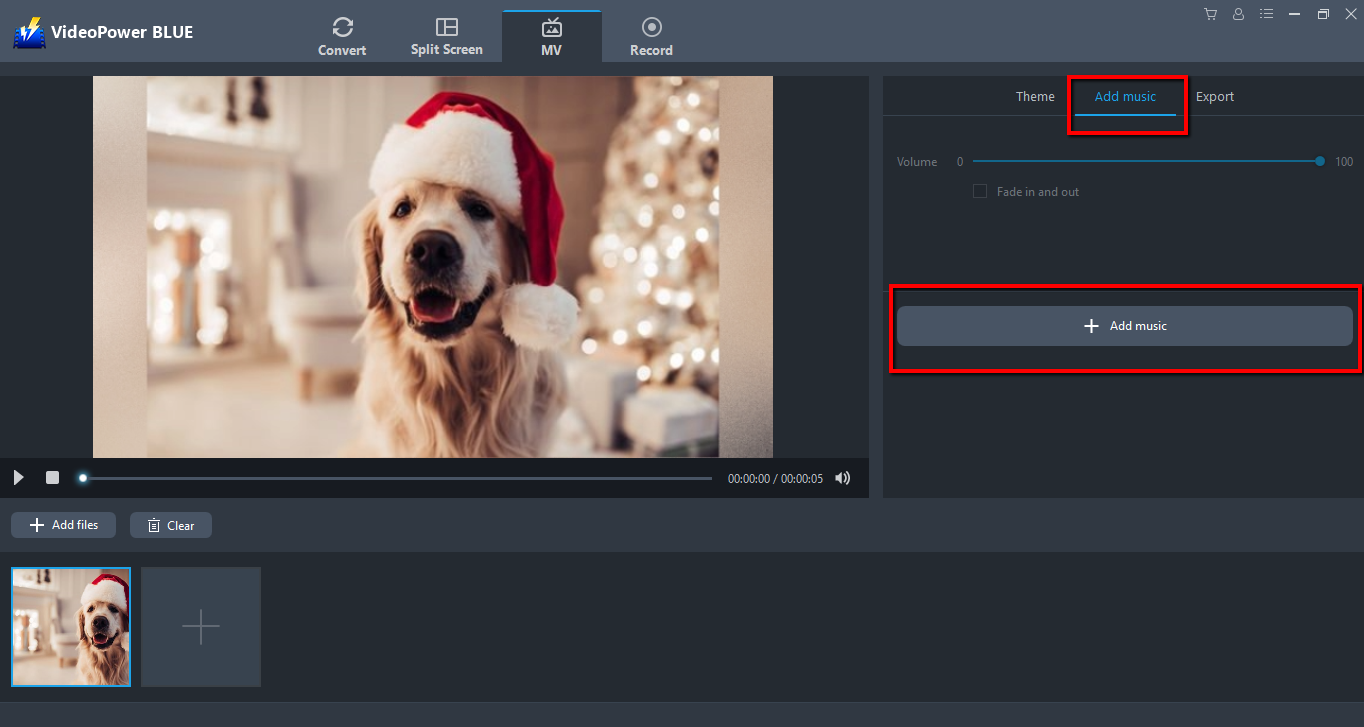
Step 2: Add music
You can also add background music to the slideshow for the improvement of your movie.
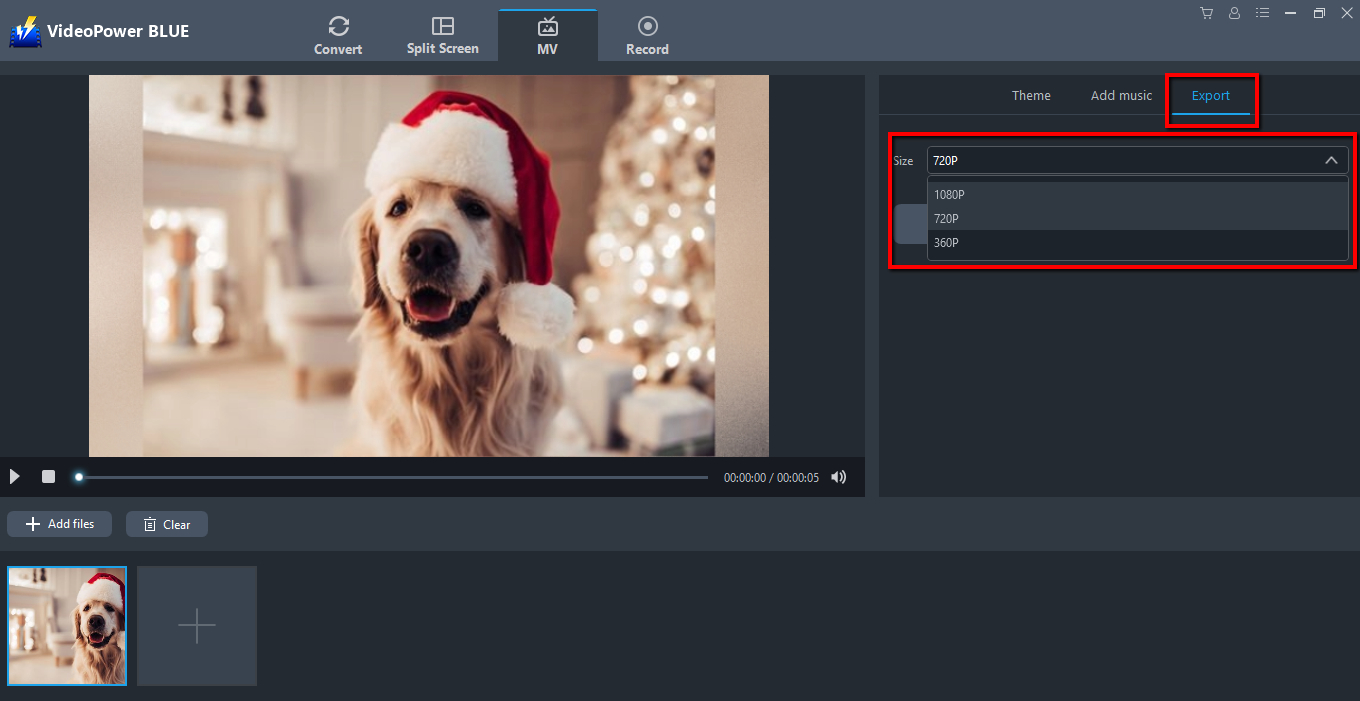
Step 3. Export the photo slideshow.
Select the resolution of your exported slideshow to be 360P, 720P, or 1080P.
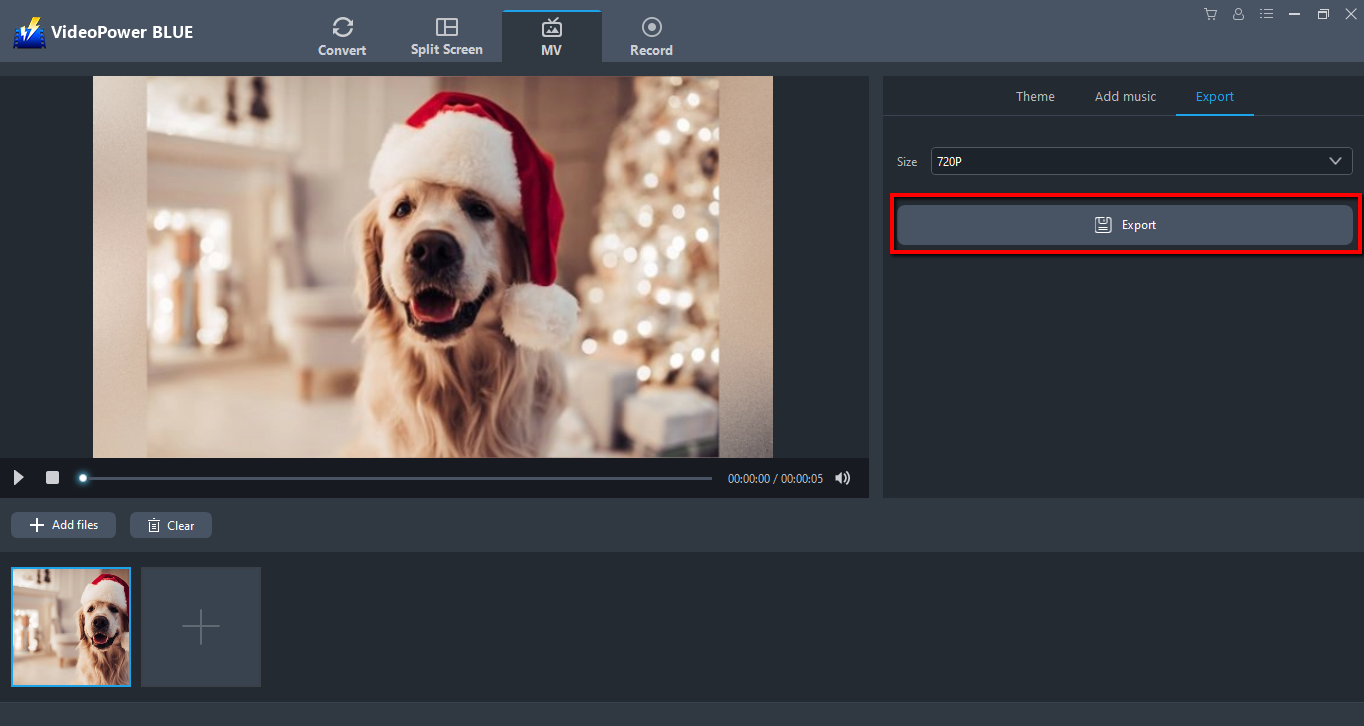
Now click “Export” to save the video in MP4 by default.
Conclusion:
With this simple guide, you can now enjoy creating and sending video greetings to your friends this Christmas! Video maker softwares are very popular especially on holiday season like Christmas.
VideoPower BLUE possess basic video and audio editing such as effects, watermarks, subtitles, trimming and cropping which is perfect for making that perfect holiday video. Add photos and background music to make it even more joyful and creative looking.


