





Tips Index
Videos, game commentaries, concert streaming, movies and of course TV series are some of the ways and means for people to enjoy and clear their minds about problems and many other thoughts. It is said to be a preferred way for most of the people nowadays to relax. Watching a few episodes of the desired TV series can kill enough time to clear one’s mind and heart by just having fun watching TV shows without thinking anything.
As for today’s generation, TV shows are continuously growing and the number of viewers is also rapidly increasing day by day every year. Many people become fond of dramas and other shows on TV and ought to keep track of each episode every day.
However, watching shows on TV isn’t actually their priority. People need to study, work and take care of themselves and other people important to them. As for these reasons, users cannot continue keeping track of the shows they like. But then, it is not impossible at all. Keeping track of the TV shows is possible with the best TV series downloader third-party tool.
It is truly hard to download the latest episodes from TV series but VideoPower RED, an amazing hassle-free and trusted downloader application software can help users take their worries away and answers their question on how to download free TV series from sites so they can enjoy watching it locally on their PC, laptop, tablet, or mobile phones.
Try to use the product for free by downloading its trial version below and enjoy unlimited downloads.
Method 1: Copy and Paste Video URL
Step 1: Paste URL to download video
Open your browser, locate the video you want to download and copy its link. Launch VideoPower RED and click “Paste URL” button at the upper left most part of the “Download” section and video will be processed in the “Downloading” tab.

Step 2: Check the Downloaded Task
Go to the “Completed” tab to check if the download process is done. Right-click the file if you want to do more operations like “Play” to watch the video playback.

Method 2: Use the Embedded Browser
An auto detector in the embedded web browser could analyze any video file online and automatically download the video.
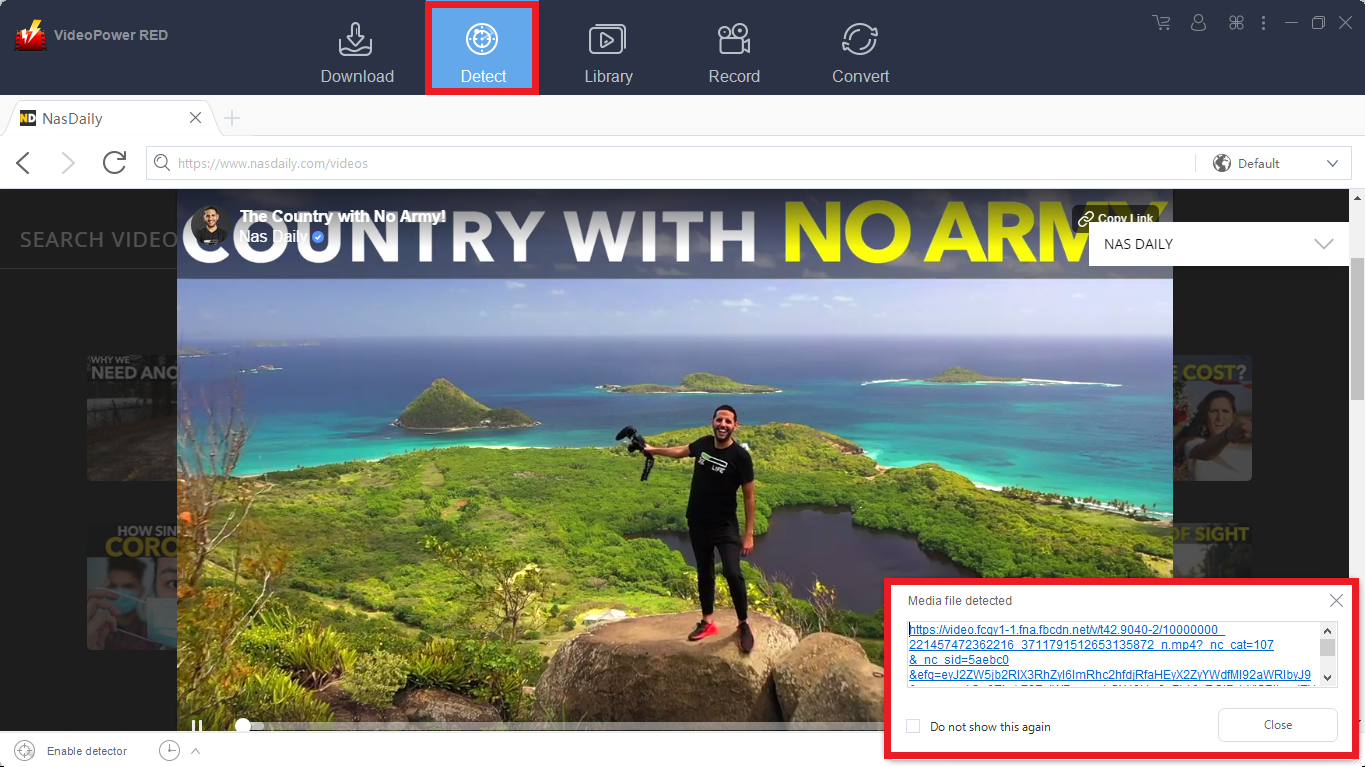
1) Click “Detect” on the top of the interface.
2) Using the built-in web browser, open the website site and play the video that you want to download.
2) A “Media File Detected” notice will pop-up notifying the user that the chosen file has been detected and will be downloaded automatically.
For Youtube Videos:
Use the built-in web browser to easily download YouTube videos.
1) Click “Detect” on the top of the interface.
2) Using the built-in web browser, open the YouTube video you want to download.
3) Click the “Download” button below the video to start the download.

Go to the “Completed” section to find the downloaded videos.

Method 3: Record video
Sometimes because of the web update or slow internet connection, the program can’t download the video anymore but you can still save the video by using the recording function.
Step 1: Record video
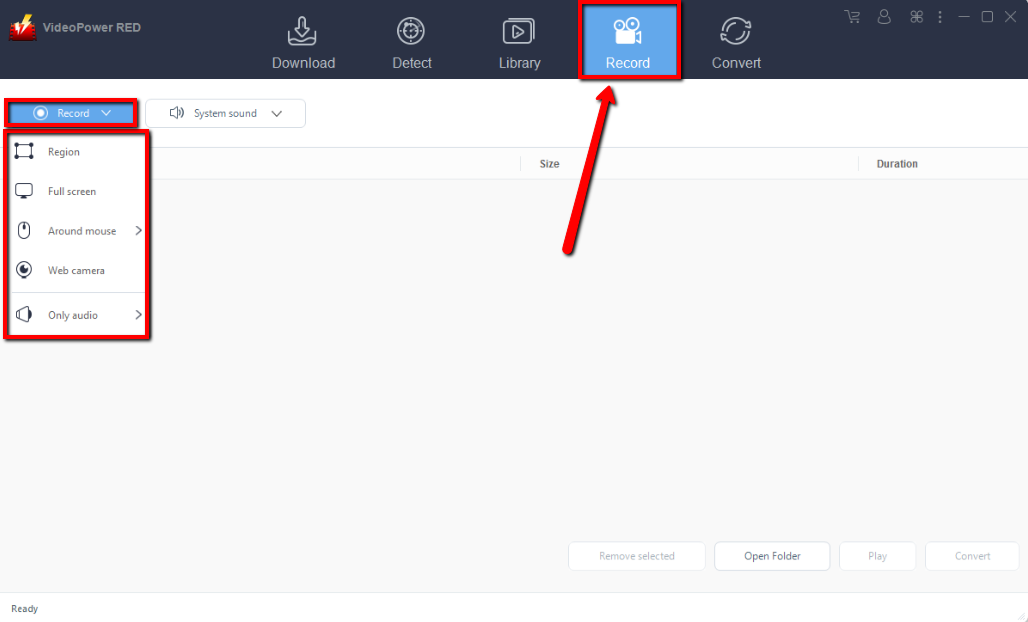
Click the “Record” tab to record the video and Select from “Region, Fullscreen, around mouse or Web camera” as preferred.
Step 2: Check the recorded video.
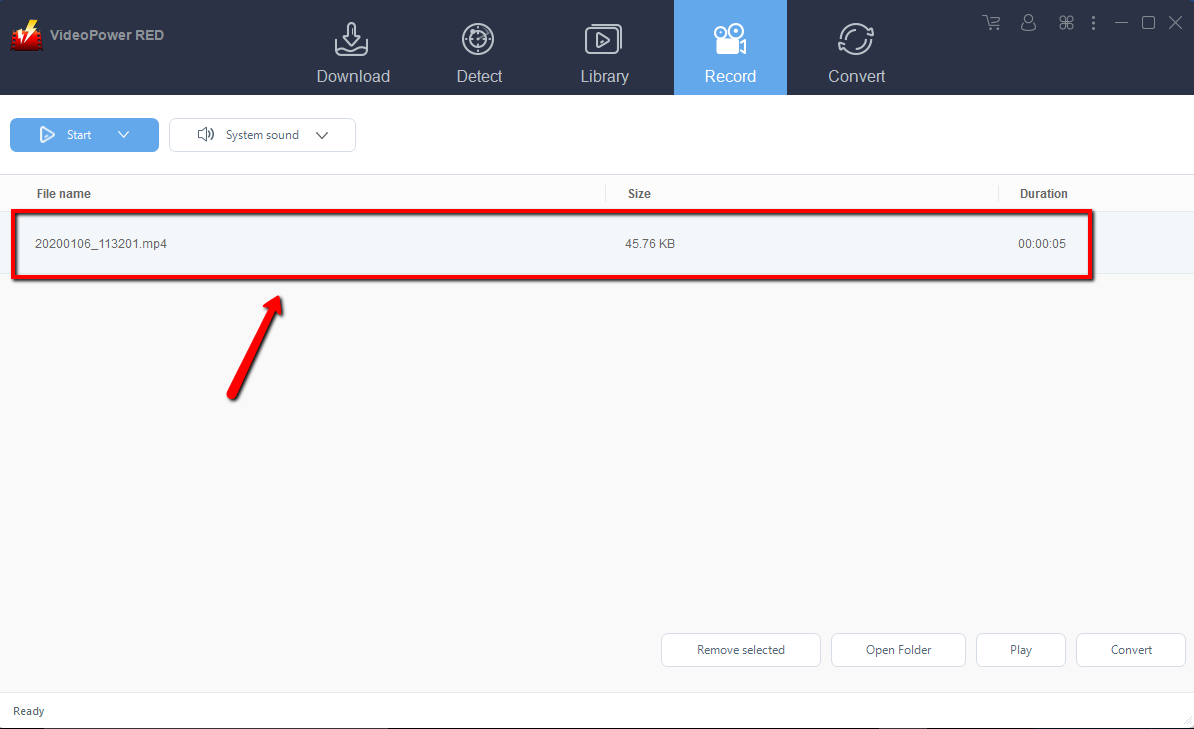
After recording, the recorded file can be seen in the record interface.
Conclusion:
As TV shows were discovered and developed, many people became more connected with it and ought to keep track of their favorite shows. However, keeping track of those shows would be problematic for someone who studies, works, and runs some errands during the scheduled time of the show to air on TV and just gets enough time to relax. Downloading the episodes of the desired show would be the smart choice for it and VideoPower RED would be the right application software to make it possible. Moreover, VPR isn’t only good at downloading videos and shows online but it also possesses various useful and professional features like screen recording and video converting.


