





Tips Index
Bearshare is a powerful file-sharing software which lets you share files with anyone in the world. You can share pictures, music, and chat with others.
Bearshare allows you to search and download music for free as long as the owner of the music is also online. Otherwise, it’s not available to download.
Most importantly, it’s not safe if others are trying to add a third-party application to your system in order to download things from your side.
To avoid this issue, A good alternative to this software is VideoPower YELLOW, where you can download Bearshare music safely.
This Music Downloader lets users search, listen and download any music from the Internet anytime without worrying about the security.
Method 1: Record the song.
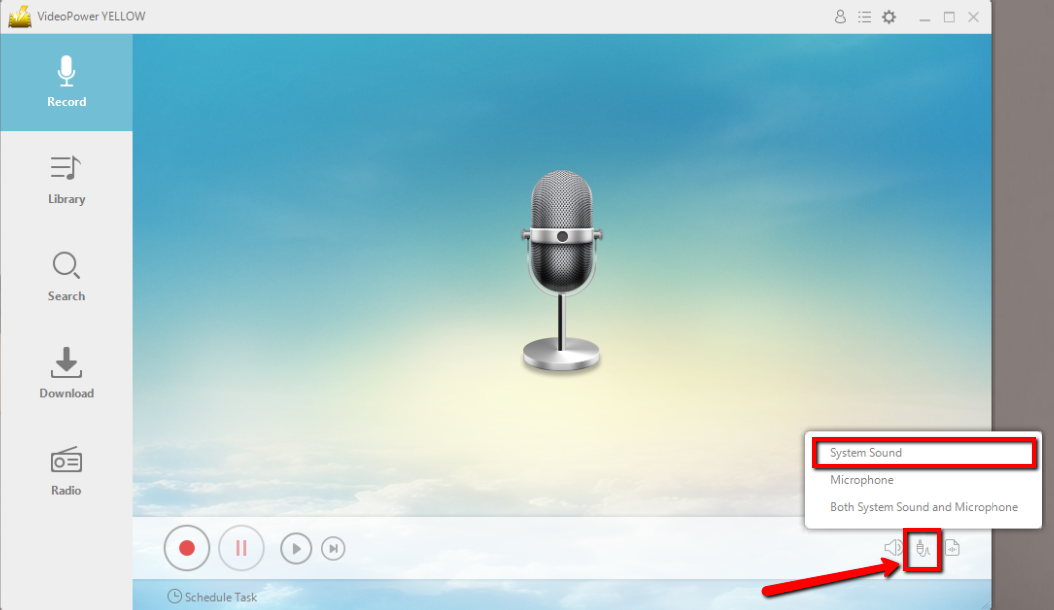
Step 1: Set the sound source.
Before recording the track, make sure that the sound source is set to “System sound.”
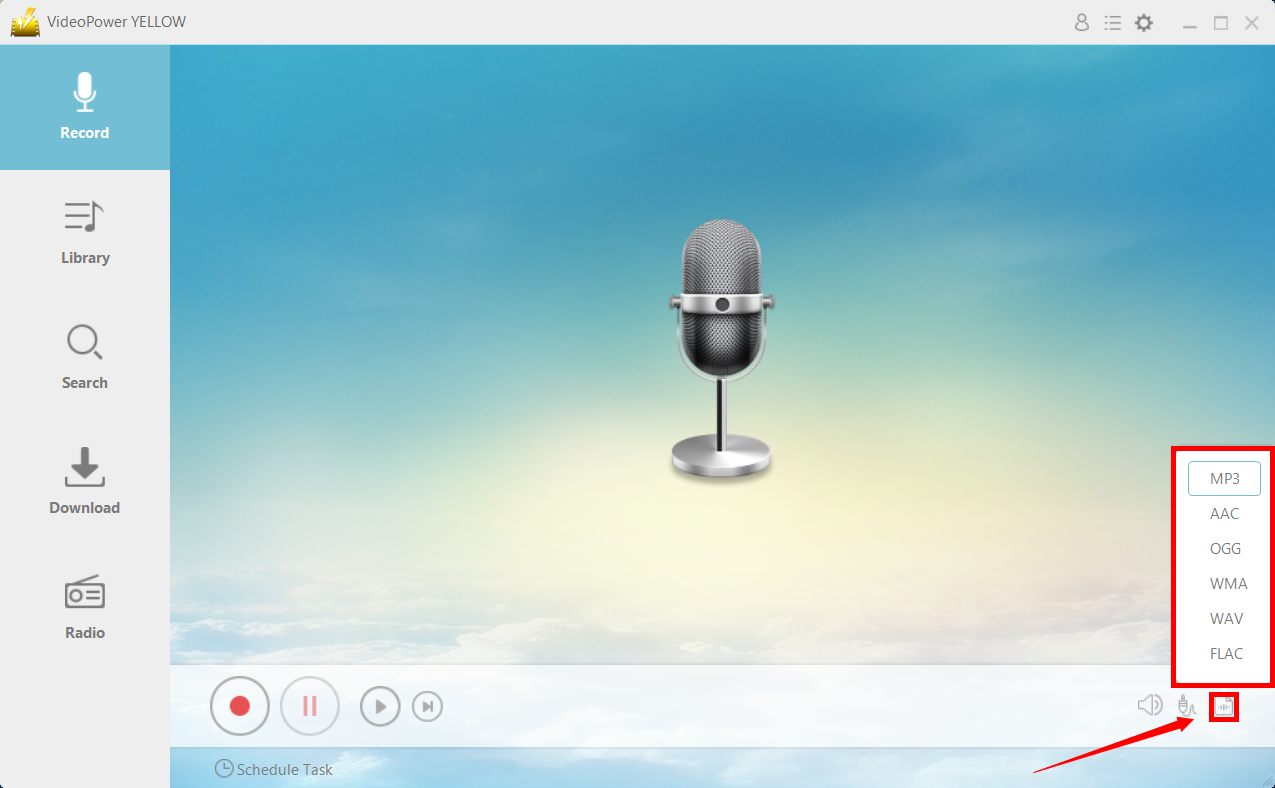
Step 2: Set the file format.
Make sure that the recording is set in the format of “MP3.” – or whatever format you deem appropriate.
Step 3: Record.
Click the “Record” button to start recording and click the same button when you are done recording.

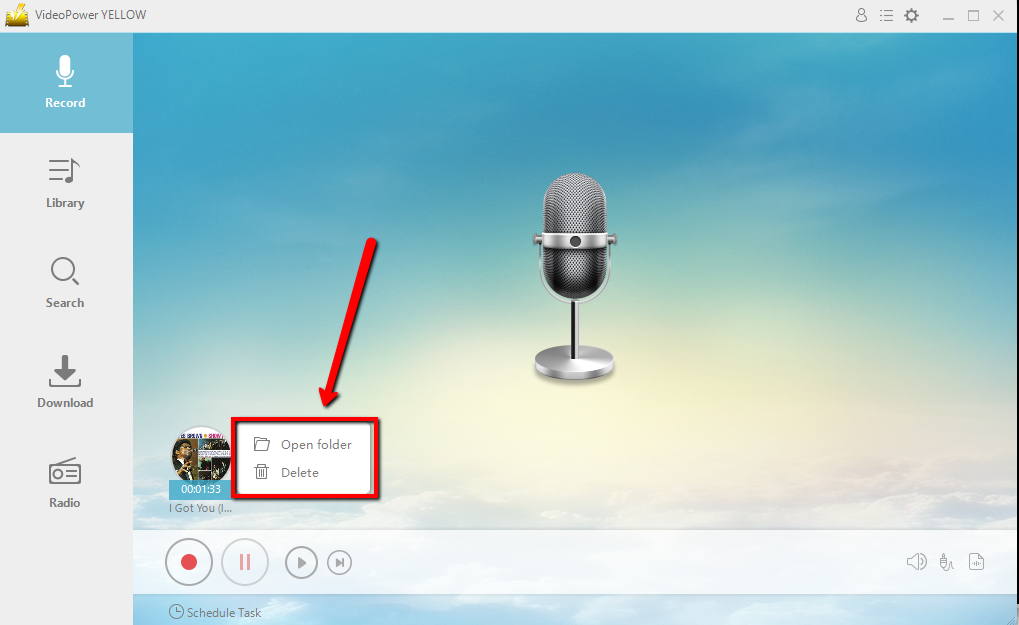
Step 4: File location.
After recording, right-click the recorded track icon and click “Open folder” to open the storage location of the recorded audio file or click “Delete” if you want to delete the file and record again.
Method 2: Search and download.
Step 1:
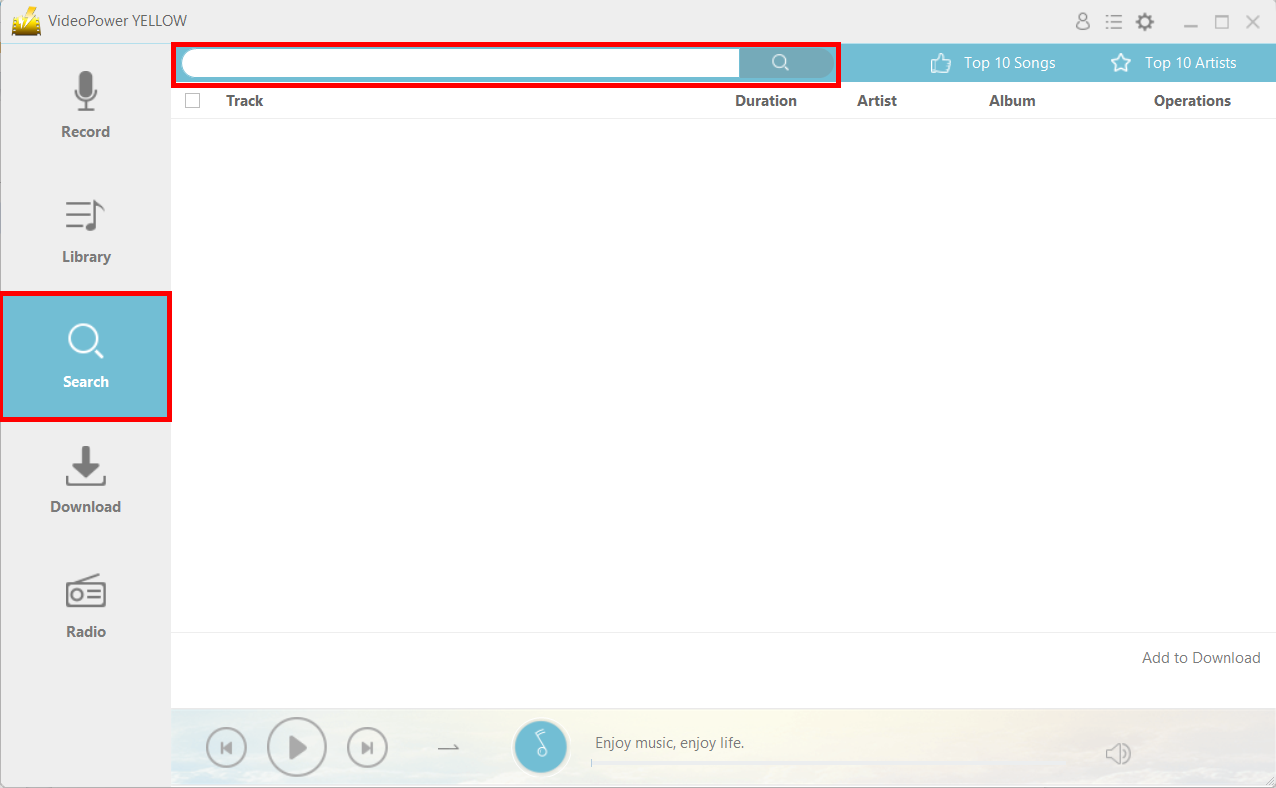
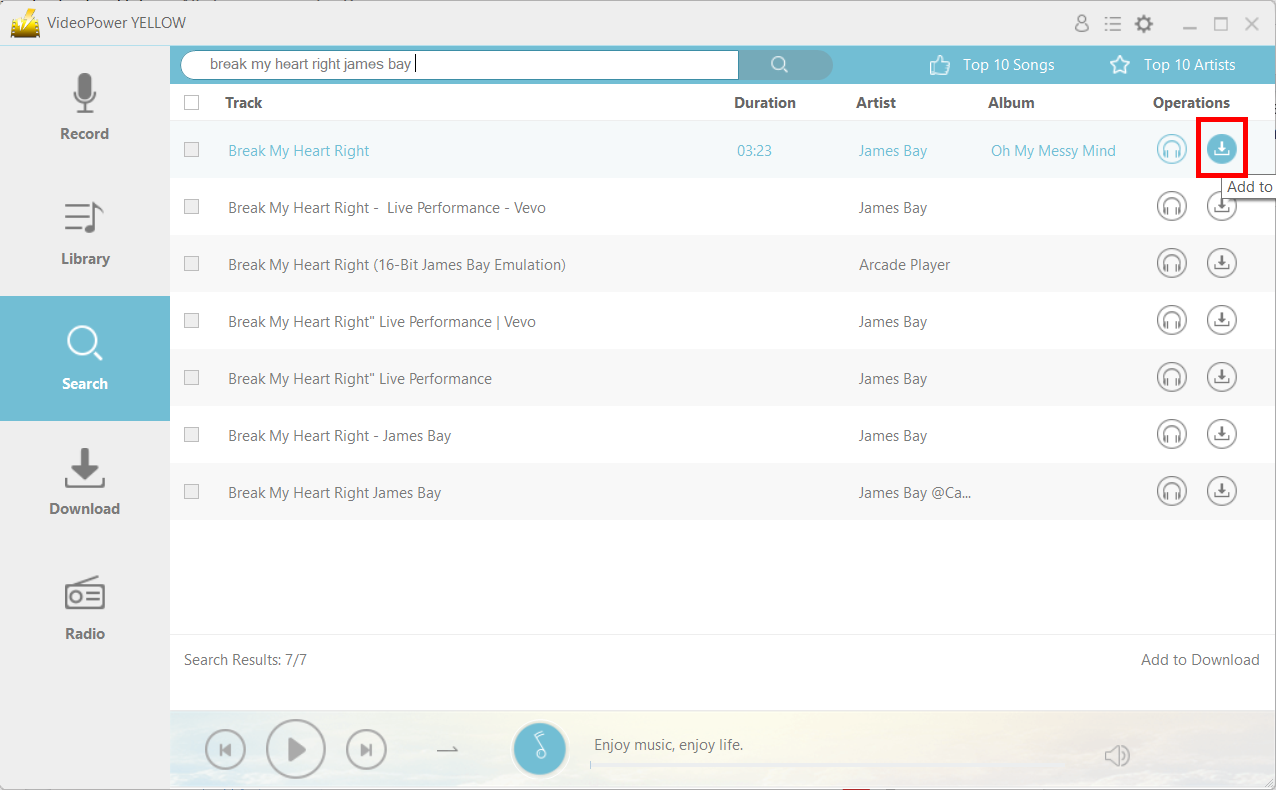
Launch the program after a successful installation. Go to the “Search” function and search the song that you want to download.
Step 2:
Click on the “Download” icon.
Step 3:
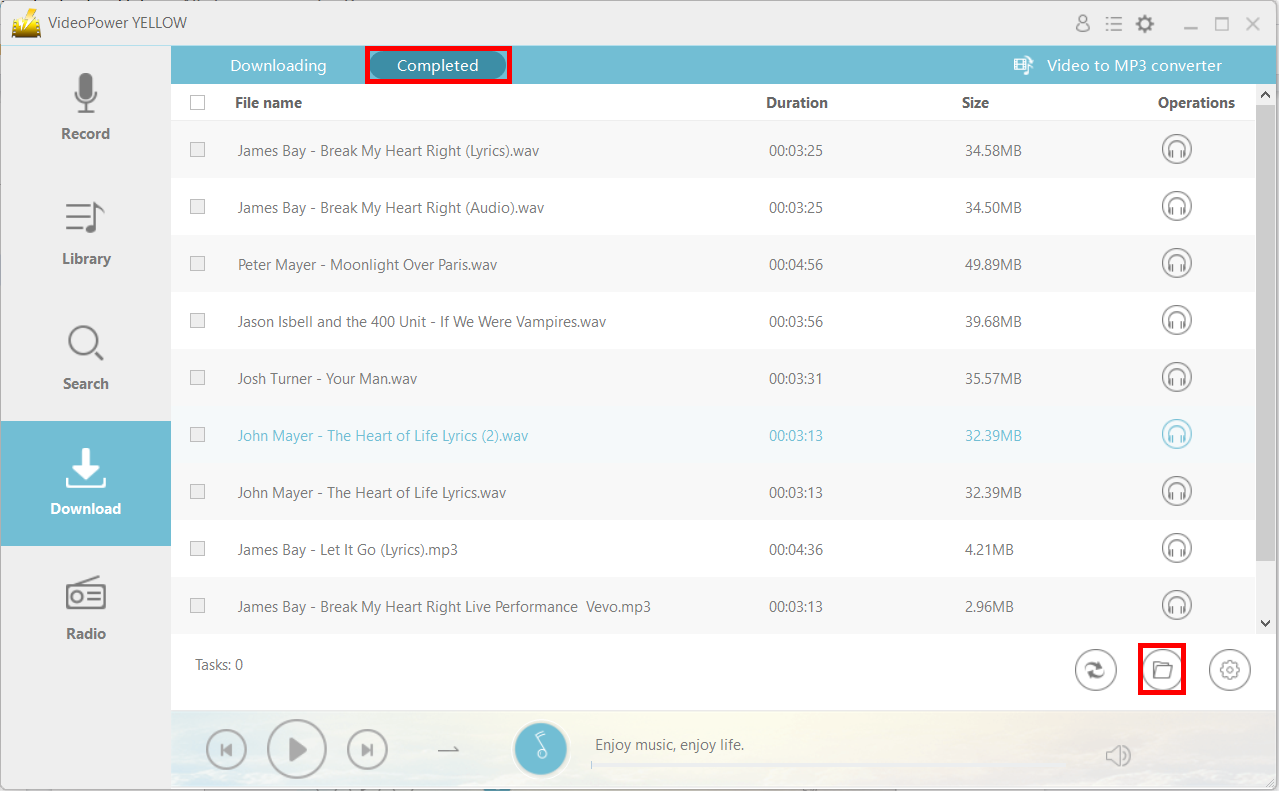
The file will be immediately placed in the “Download” section.

Step 4:
After downloading, the file will be in the “Completed” tab in the “Download” section. You can find the location of the file by clicking on the “File location” icon on the lower-right.
Conclusion:
VideoPower YELLOW has some of the best features for an external software that you can find – you can record songs using multiple settings such as system sound, microphone sound, or both, you can convert different formats of audio, and you can edit audio with basic tools. With it, you have a good Bearshare alternative.



