





Tips Index
Naver launched in 1999, and since then it has continued as being the rank one online platform in South Korea, with over a seventy percent foothold on the country’s search engine market. It’s the first to introduce the inclusive search service, which developed to include different segments such as blogs, Question and Answer Database, and news.
Naver also is the first to introduce user-generated content, this allows users to browse an array of rich media content tailored to their likes. Fundamentally, Naver isn’t just a web portal, it is also a social search engine that helps users to find more significant results to their searches easily.
Its usefulness has seen success with the South Korean market, like Naver Blog, one of the most valuable digital platforms in the country right now. With its own part on the Naver search engine, South Korean users congregate to this page for product reviews, food culture, online travel research, and many more.
Plus, numbers of influencers are on the service, so it is a very important platform for marketing strategy influence.
Naver is like a Google search engine browser that is committed to showing news, videos, and websites from South Korea. In 1999 Naver was published by Naver Corporation as the first web portal in Korea. And it is known to be the first website that has a wide range of categories and shows them on a single page in Korea.
It has a Naver Webtoons that grants visitors to read digital comics from Korea. Users can also create their internet communities with its Naver Cafe feature. If you are an avid fan of Korean Drama, you can search and find different kinds of popular Korean TV series with Naver. But, this website doesn’t allow you to download videos that easily. You will need a video downloader software to download the video you like.
Therefore, we recommend you download VideoPower RED, a video downloader software that can download YouTube, Instagram videos, Naver, Facebook, and many more. It can download twitter videos as well.
When you download a video or videos from any website with VideoPower RED application software, you’ll be given 4 methods on how to do it easily. It is through, “Copy and Paste”, “Embedded Browser”, “External Browser” and “Screen Record” methods. In downloading Naver Videos, “Copy and Paste” and “Screen Record” methods are recommended. To learn more about it, read the steps below.
Method 1: Copy and Paste Url To Download Naver Videos
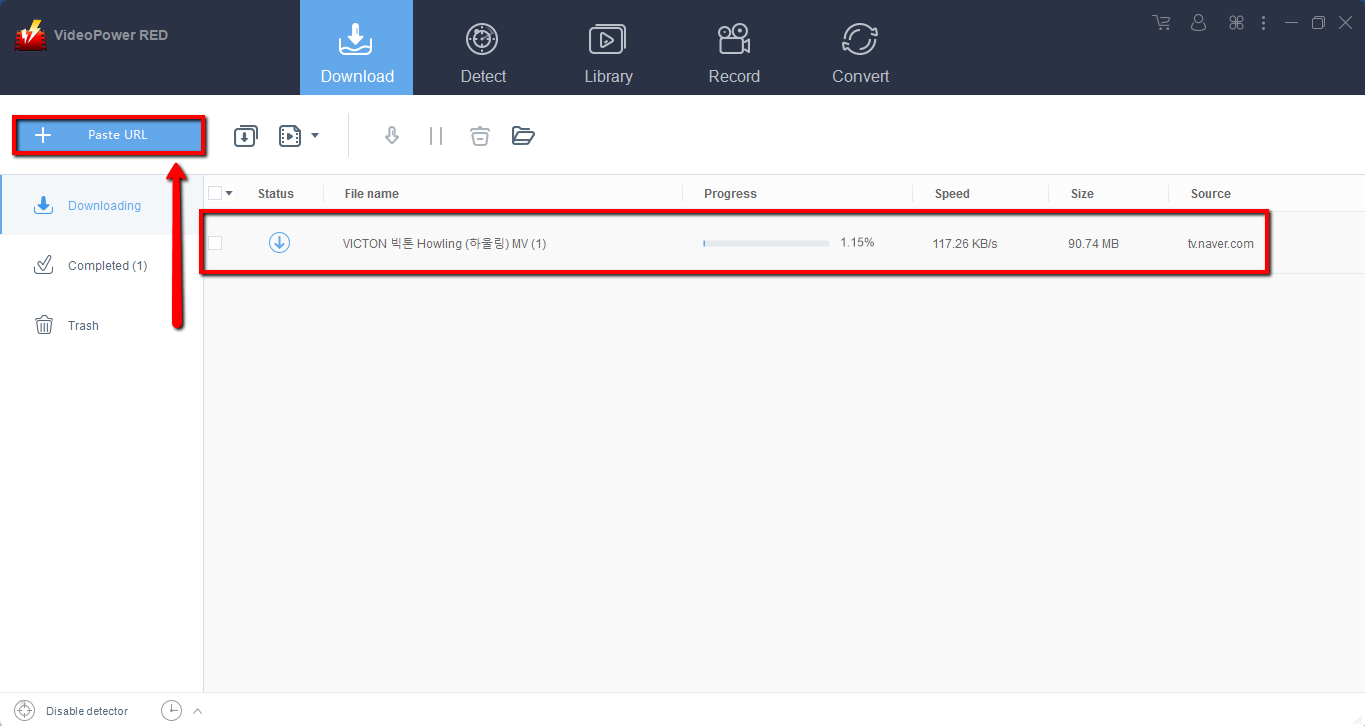
Step 1: Paste URL and download video.
Copy the link to download the Naver video and then paste it into the program by clicking the “Paste URL” button. After that, you will see the video is downloading in the download control panel.
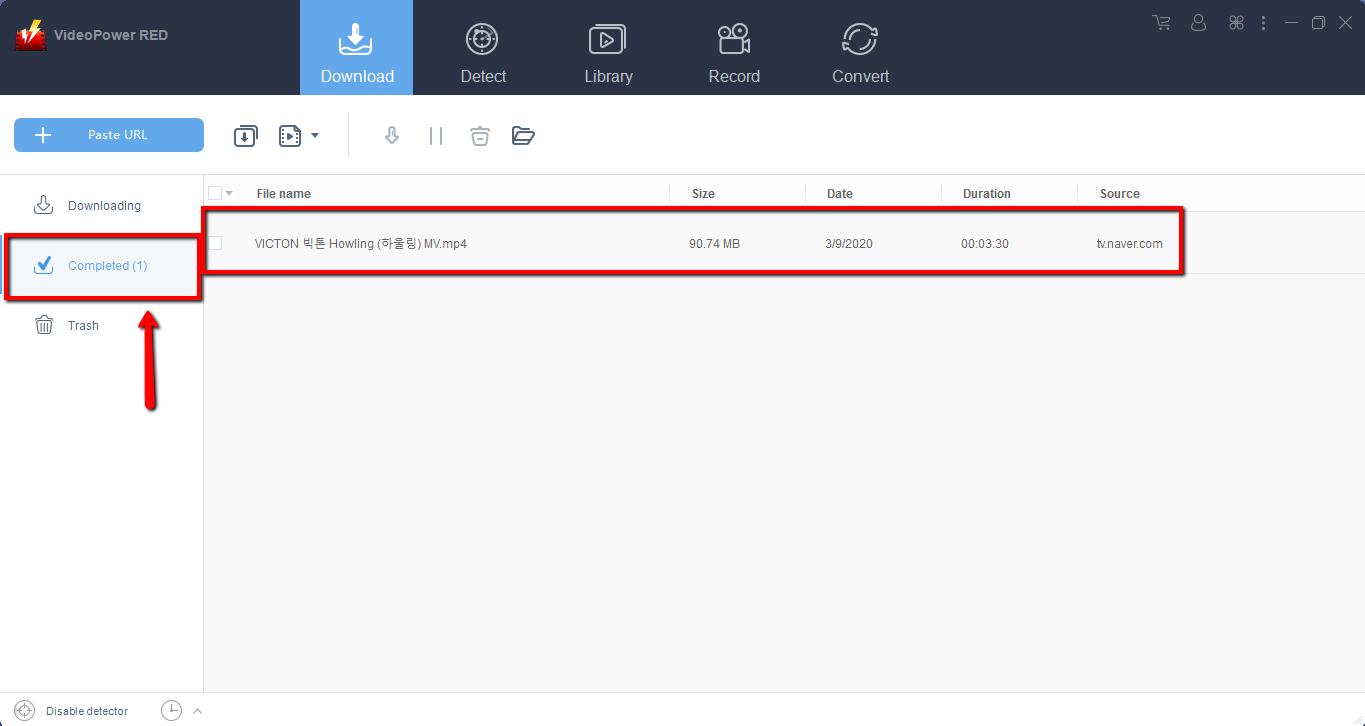
Step 2: Check the downloaded file Naver Video files
Wait for the download to finish, and then go to the “Completed” section to find the downloaded video. Right-click to do more operations and double-click to preview.
Note: You can also use Method 1 to download twitter videos, download youtube Instagram videos and many more.
Method 2: Record Naver Video
Sometimes because of the web update or slow internet connection, the program can’t download the video anymore but you can still save those Naver videos by using the recording function.
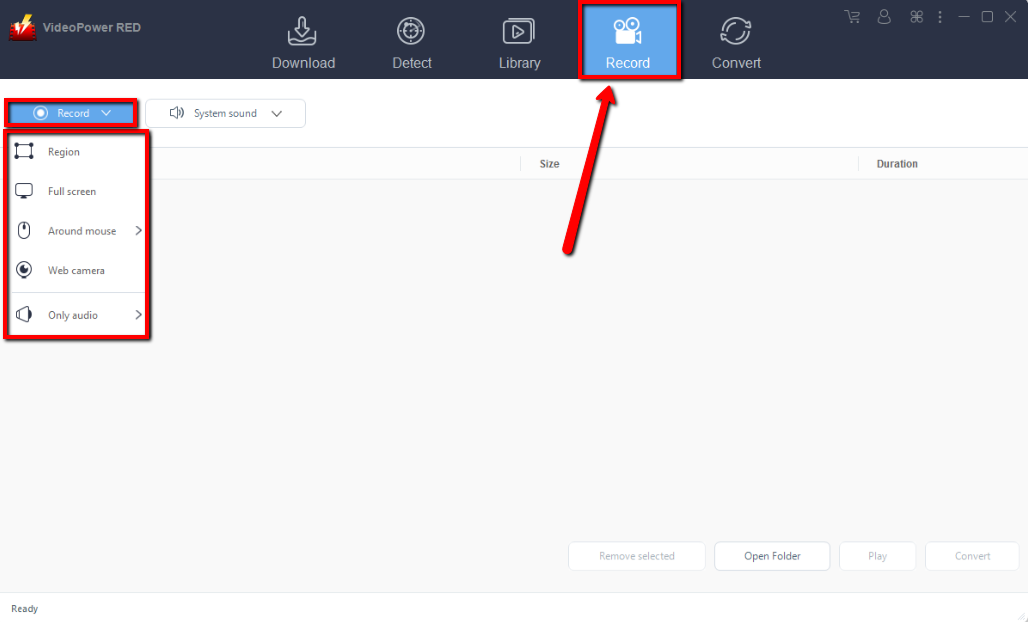
Step 1: Set Recording Mode
Click the “Record” tab to open the record window and select among the following recording modes such as “Region, Fullscreen, around mouse, and Web camera” to capture the exact and desired range of your screen. Click the preferred one and start recording.
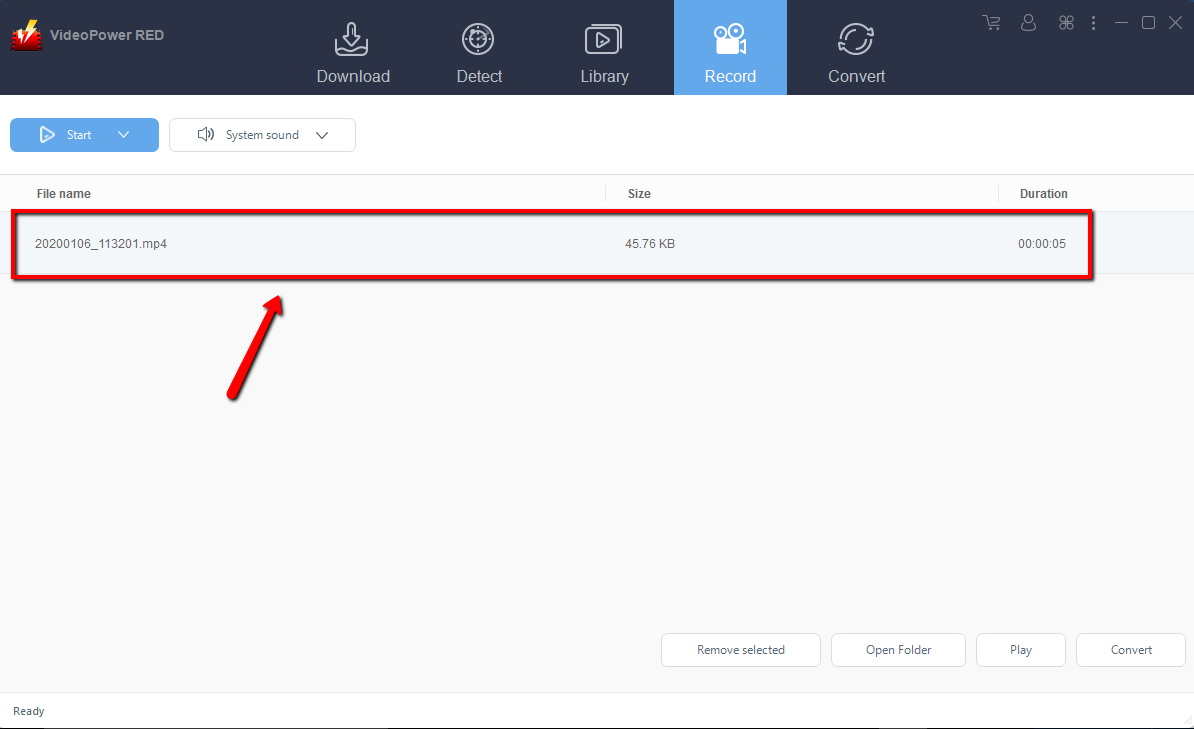
Step 2: Check the recorded video.
After recording, the recorded file can be seen in the record interface. Right-click to do more operations and double-click to preview.
Conclusion:
Download Naver video, download twitter videos, and download youtube, Instagram videos with VideoPower RED. Download from any video sharing site including TED, Vevo, Facebook, Dailymotion, and many more. This powerful tool can also convert your downloaded videos into a wide array of formats like MKV, AVI, MOV, FLV, and the likes to play on any device. For you to download videos, you just need to get the URL of the video from Naver or the Url of those videos from the sites mentioned above, and this tool will do the rest for you. Download now!


