





Tips Index
VideoPower RED is a fast, versatile, and one-stop video downloader that can download video automatically. It can download videos from any video sharing sites including Dailymotion, Lynda, YouTube, Never, Vevo, Vimeo, Crunchyroll, etc. What makes this tool particularly fascinating is that it can detect and download videos automatically.
Furthermore, it has many built-in tools such as Screen Recorder, Video, and Audio Editor, Video Converter, and many more.
VideoPower RED frequently delivers compelling changes for its users as it assimilates an advanced feature that makes your downloading experience more convenient and faster. With its built-in detector, you can now download your favorite videos while streaming for other videos to download.
This software can detect the video you are watching and will show it to the download queue. You won’t have to do anything, just sit back, surf some more videos, and relax while waiting for it to finish downloading. And before the movie or video will end, the downloaded video will be saved straight right onto your Desktop.
It can download a maximum of 20 videos simultaneously when it is activated. And by using the built-in browser, you can open as many tabs as you like, open a new video sharing sites and play videos to download them.
Now you won’t have to bother about opening limited and restricted sites because this software supports thousands of them.
You will have to just copy and paste a video URL to this program and it recognizes the video name and will download it for you. However, there are times that a red exclamation mark with a circle on it will appear.
This will only show when your download has failed. It is often caused by changing of the video site in order to block others from downloading their videos freely. Tons of video sites will always do some changes in their encryption.
As to this problem, you should better use the auto detector feature and try to play and check if the video can be detected.
Just click the link to download this free video downloader software and follow through the guide on how to download videos with the auto detector.
Method 1: Use the Embedded Browser
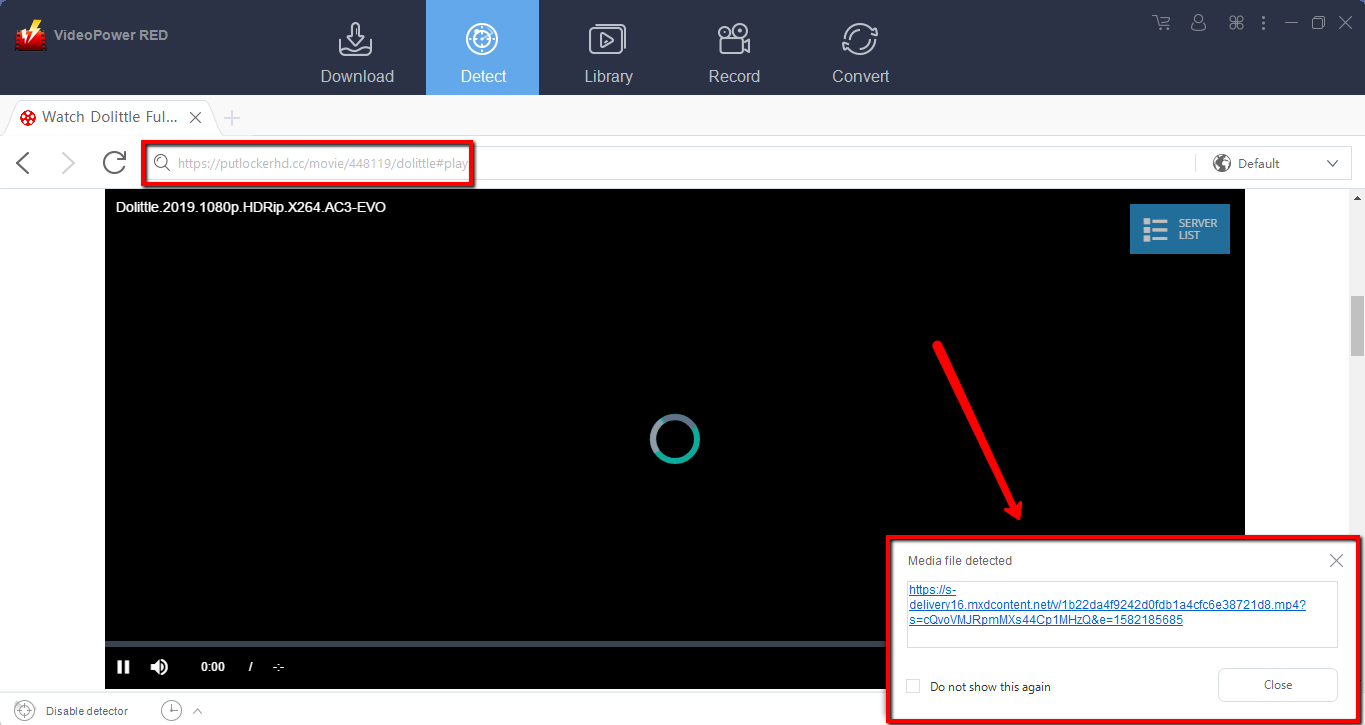
Step 1: Open the video page via an embedded browser
If the program supports the site, the software can download videos automatically using its Auto-detector feature.
Step 2: Check Downloaded File
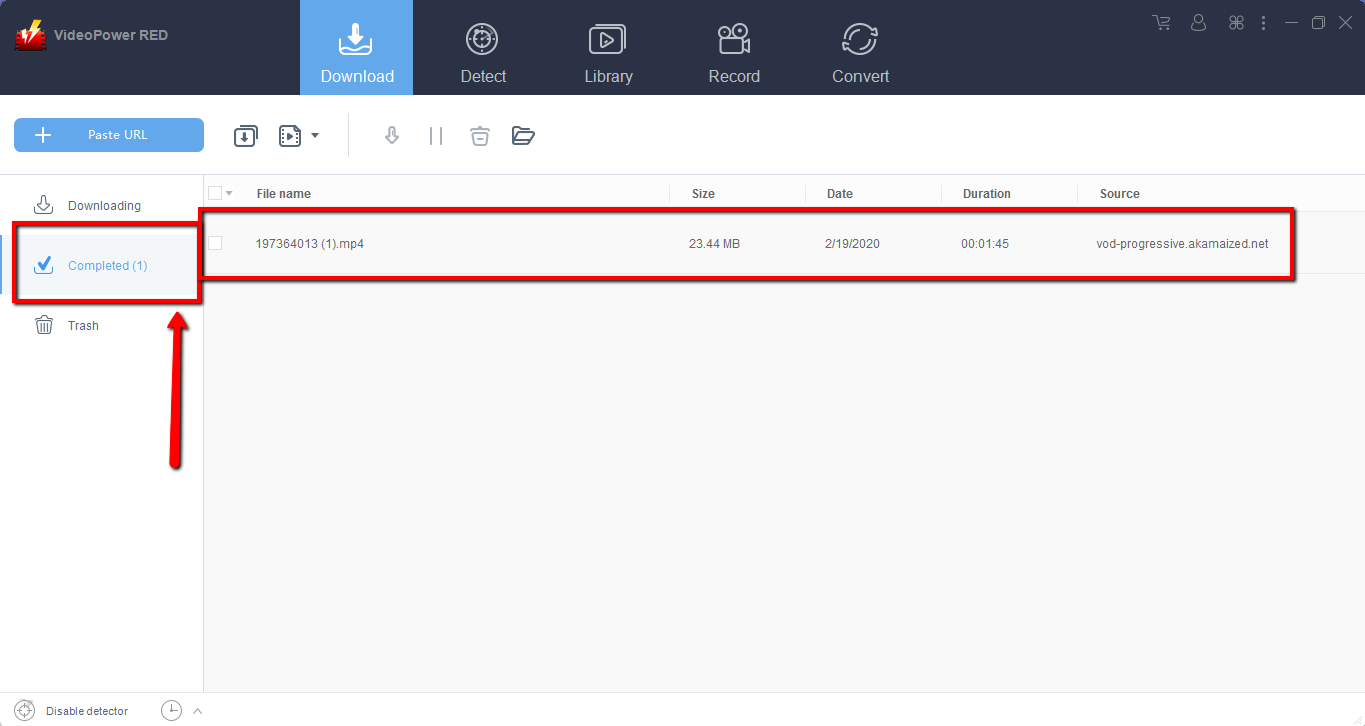
Wait for the download to finish, and then go to the “Completed” section to find the downloaded video.
Method 2: Copy and Paste
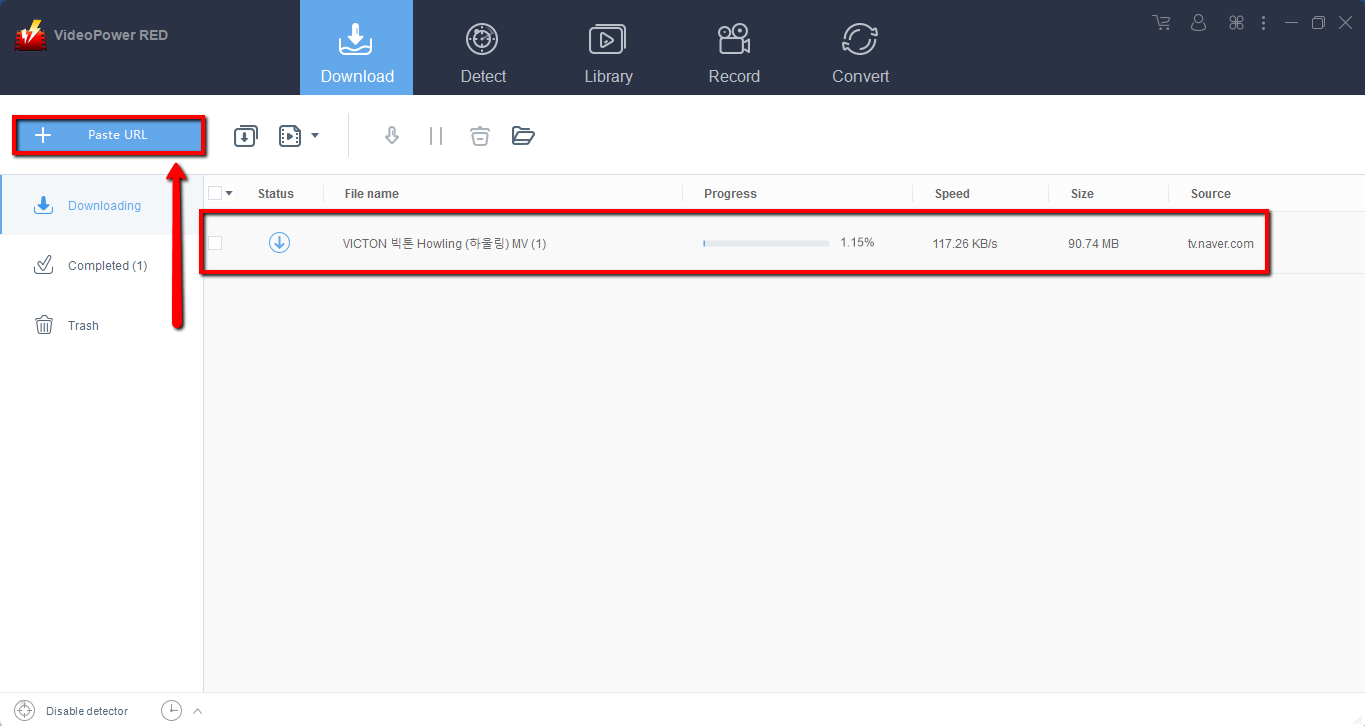
Step 1: Copy and Paste URL and download video.
Copy the link of the video that you want to grab and then paste it into the video downloader by clicking the “Paste URL” button. After that, you will see the video is downloading in the download control panel.
Step 2: Check the downloaded file
Wait for the download to finish, and then go to the “Completed” section to find the downloaded video.

Conclusion:
Using VideoPower RED is not difficult since the developer of this product has made it very intuitive that even a newbie can use it without a sweat. You just have to enter the URL of the video and then download the video automatically to your device. Once saved, you can watch it anytime at your convenience. Download now!


