





Tips Index
Since the emergence of online streaming platforms like YouTube, information dissemination has taken a huge turn for the better – large chunks of information can now be spread through audio and can be accompanied by visuals. In line with this, there has been ever-growing popularity of educational YouTube videos that contain a lot of useful information.
In research, one of the most important aspects is citing references and sources. This helps add validity to your paper and lets peer reviewers know that your research was done in a scientific manner – unplagiarized and authentic. Not citing references and sources, especially in academic papers, may spell trouble for the author.
YouTube is a pool of these information sources. However, people do not readily associate YouTube videos as references for valid research – perhaps mainly due to the cluttered nature of video streaming websites where the information is susceptible to invalid changes and manipulation. Nonetheless, YouTube is a great source of valid information for research not limited to academics or scientific in nature, for that matter, you just need to know how to find and use them properly. If you get information from YouTube, you need to cite it for recognition and of course to give credit to the owner of the information.
So, how to cite a youtube videos? Firstly, before citing sources, it’s important that the video files are saved on your computer drive. This is just to make the information easier to review. To do the initial step, you would need software that can save video files. VideoPower RED can do just that. This software has a lot of functions and features such as recording, converting, and downloading. By downloading the videos first, it will help you cite YouTube videos.
Part 1: Download Video
Download first the video you need. You can download the video through 4 methods of downloading through VideoPower RED; the Copy and Paste URL, Embedded Detector, External Detector, and Recording methods. To cite a YouTube video as a reference, you can use the Copy and Paste URL method to download a YouTube video to cite as a reference.
Step 1: Copy and Paste URL
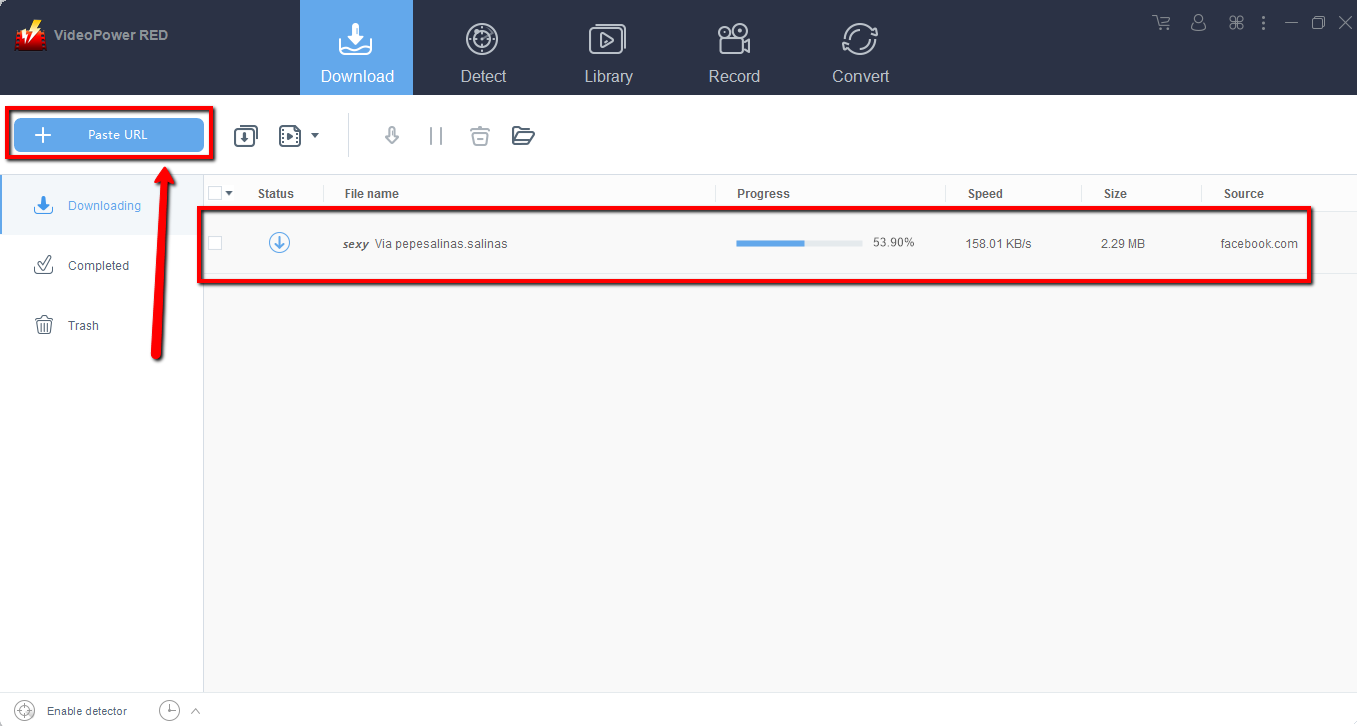
Copy the link of the YouTube video that you want to download and then paste it into the program by clicking the “+ Paste URL” button. After that, you will see the video is downloading in the download control panel. Wait for the download to finish.
Step 2: Check the downloaded file
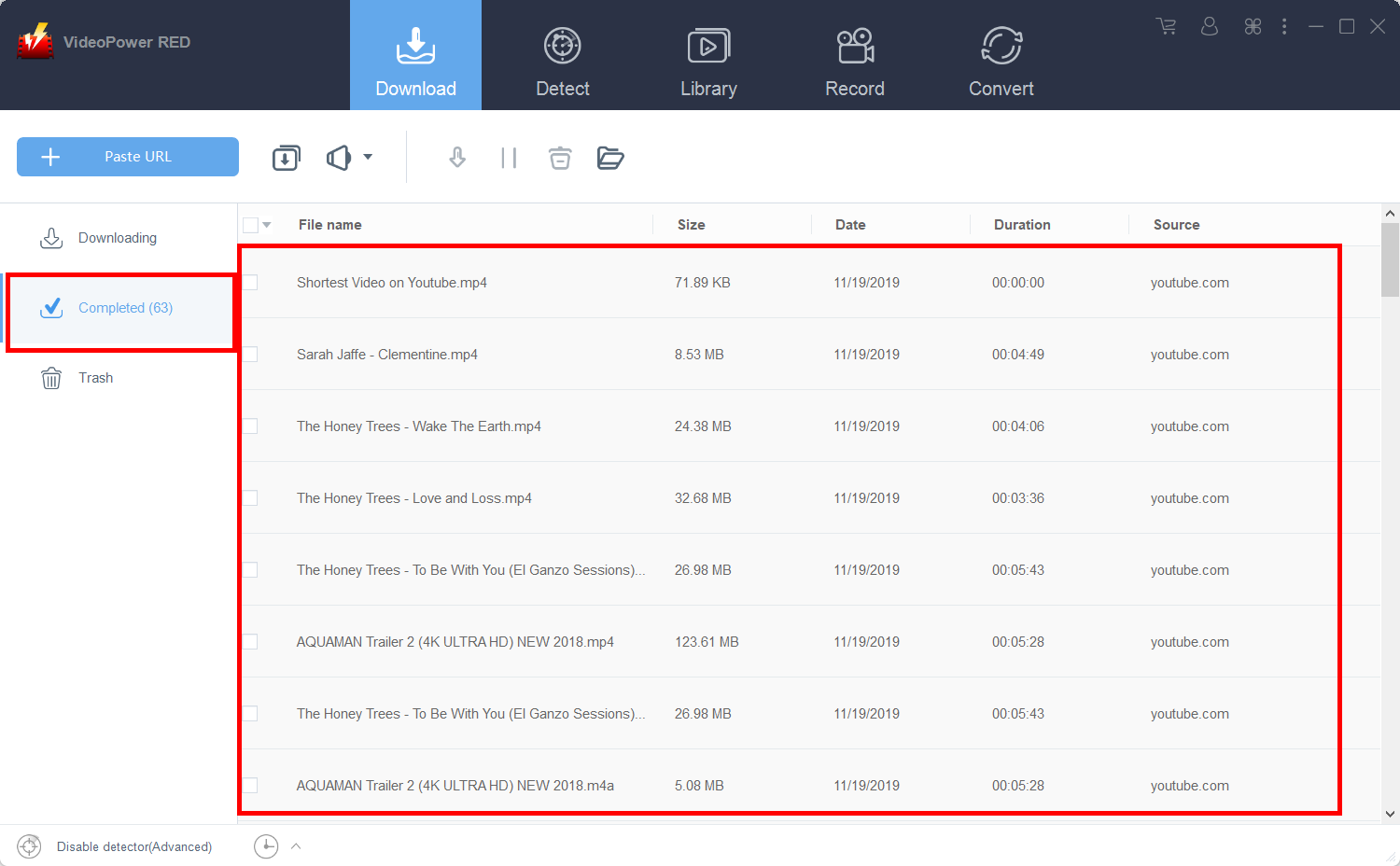
After downloading, go to the “Completed” section to find the downloaded video. Right-click to do more operations and double-click to preview.
After the video that you want to cite is saved, you can proceed to the next steps.
Part 2: Citing the videos
To cite YouTube video resources, there are various formats available. We’re going to discuss two of the most common formats that you can use. Pick whichever suits you better.
MLA Format
- Begin with the author. If you can’t find the author’s name, just use the username of the YouTube channel that uploaded the video.
- The next line should be the title of the video in quotation marks and end with a period.
- Always insert this line – Online video clip. YouTube.
- Type the name of the publisher – that would be YouTube, followed by the date when the video was uploaded.
- Indicate that it is a web source by typing Web.
- Lastly, indicate the date when it was accessed.
Example:
For this example, the numbers beside the line will indicate which part it is. In writing an actual reference link, do not insert these.
Guerrero, Rufina. (2) “A 7-Minute Beginner’s Guide To Budget Home Recording Equipment (Updated) | Rufina Guerrero.” (3) Online video clip. YouTube. (4) YouTube, 15, December 2019. (5) Web. (6) 15 January 2020.
APA Format
- Begin with the author. If you can’t find the author’s name, just use the username of the YouTube channel that uploaded the video.
- The next line should be the title of the video in quotation marks and end with a period.
- Always insert this line – Online video clip. YouTube.
- Type the name of the publisher – that would be YouTube, followed by the date when the video was uploaded.
- Indicate that it is a web source by typing Web.
- Lastly, indicate the date when it was accessed.
Example:
Again, for this example, the numbers indicate the parts mentioned above. When citing references, do not include these.
(1)Rufina. (2) (2019, December 15). (3) A 7-Minute Beginner’s Guide To Budget Home Recording Equipment (Updated) | Rufina Guerrero. (4) [Video]. (5) YouTube. (6)https://www.youtube.com/watch?v=N0DgGddvym8
Conclusion:
Not only is it of paramount importance that you have references when writing about a topic but also writing these references properly. An improperly written reference will invalidate the authenticity of your research – and might expose you as a sloppy writer.
It also helps that you save these references on your computer using VideoPower RED. Doing so will lessen the amount of time that you would need to revisit the information online. With VideoPower RED, saving YouTube videos and then using them for citation becomes easy.
It’s fast and flexible with a built-in video editor that will enable you to edit slideshows or videos, apply watermarks, effects and other basic video editing options such as trimming or cropping. Moreover, it has a split-screen tool for your photos and videos and a screen recorder which allows you to capture any on-screen activity on your computer.


