





Tips Index
Comedy is a literary genre and a type of dramatic work that is amusing and mostly having a cheerful ending. The motif of this dramatic work is triumph over unpleasant circumstances by creating comic effects, resulting in a happy or successful conclusion.
With the advancement of many things around us, comedy is one of those that evolve over the years. It’s not only found on literal pieces but it’s almost anywhere on the world wide web as videos.
Watching it offline would be a good choice for viewers to relieve stress after a hard day’s work or to cheer up when they are feeling blue. Most video sites, provides streaming service but no download option available. So what to do if you want to have a copy on your PC and watch it anytime you want? Therefore, a powerful and easy-to-use video downloader comes as a necessity.
Well, you have come to the right place. VideoPower RED is a versatile and powerful app that can get you comedy videos to download for free. It can also download videos from different video sharing sites like YouTube, Facebook, Instagram, Twitter and many more.
Just click the link below to download this free app and follow through the guide on How to Download Comedy Videos on YouTube.
You can try to use the software for free by downloading its trial version below.
Method 1: Copy and Paste to Download YouTube Video
Step 1: Copy and Paste URL
Copy the link of the YouTube video that you want to download and then paste it into the program by clicking the “Paste URL” button. After that, you will see the video is downloading in the download control panel.
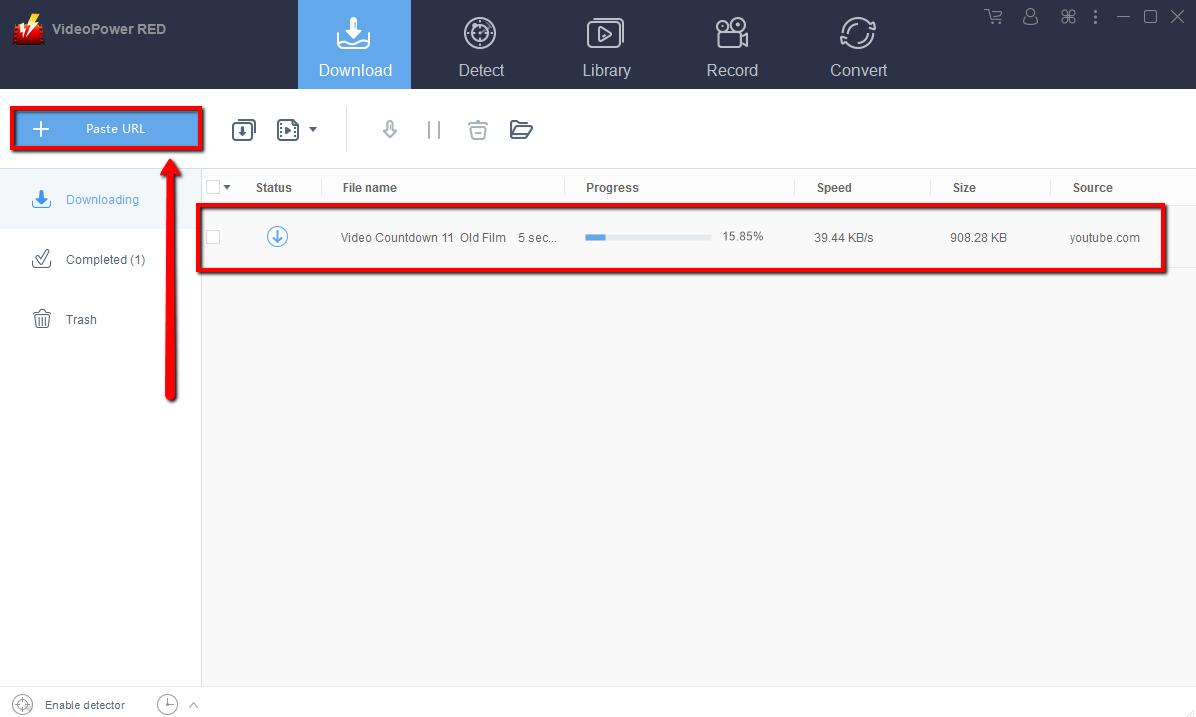
Step 2: Check the downloaded file
Wait for the download to finish, and then go to the “Completed” section to find the downloaded video.
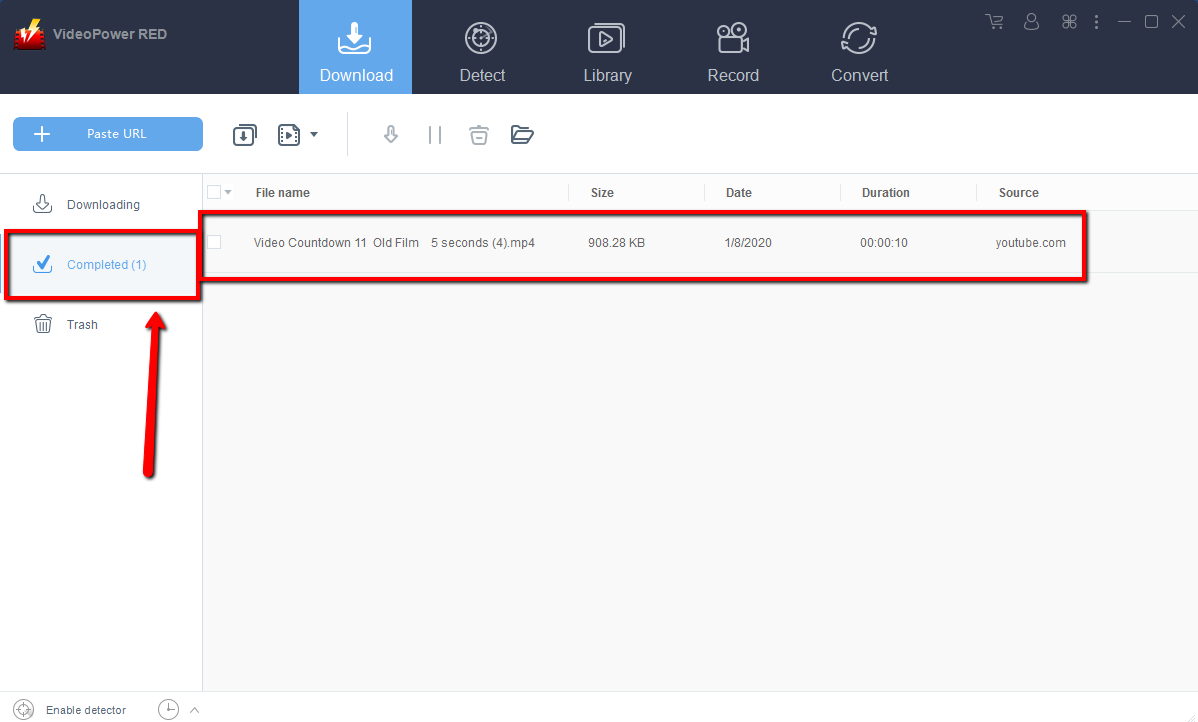
Method 2: Use the Embedded Browser
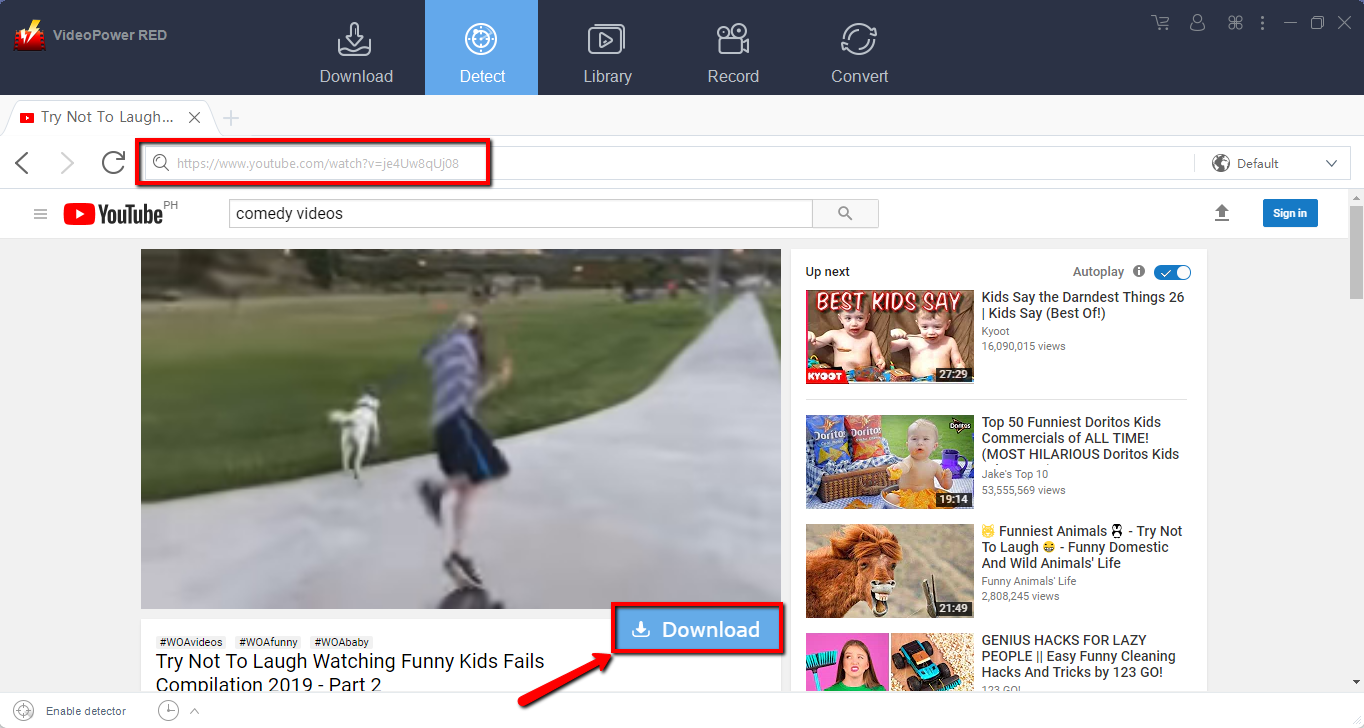
Open the video page via an embedded browser.
If the program supports the site, the video will be downloaded by clicking the download button below.
Wait for the download to finish, and then go to the “Completed” section to find the downloaded video.
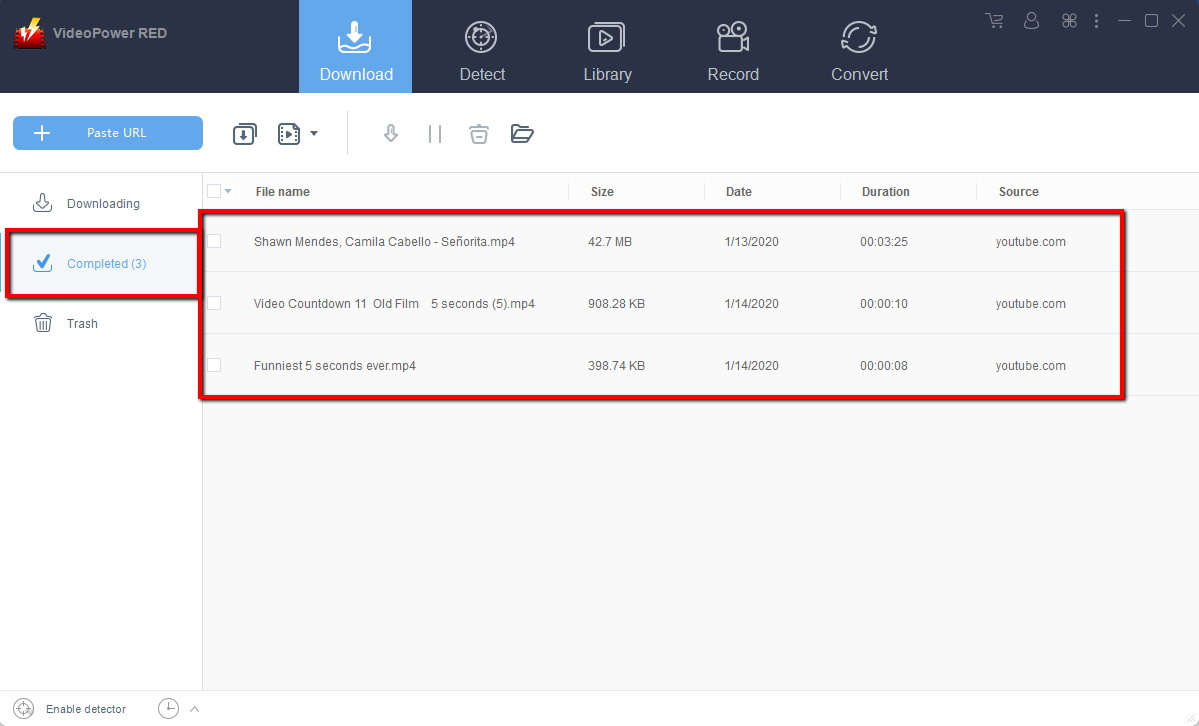
Method 3: Record video
Sometimes because of the web update or slow internet connection, the program can’t download the video anymore but you can still save the video by using the recording function.
Step 1: Record video
Click the “Record” tab to record the video and Select from “Region, Fullscreen, around mouse or Web camera” as preferred.

Step 2: Check the recorded video.
After recording, the recorded file can be seen in the record interface.

Conclusion:
VideoPower RED is one of the easiest and fastest video downloader software with satisfying results. The app is also capable of recording videos in webcam and in different regions. It can also convert files into different kinds of formats like MP4, MP3, VOB, MKV, AVI, WMV, and etc. Isn’t it amazing to have VideoPower RED? Now, downloading videos is very easy. So what are you waiting for? Download now.


