





Tips Index
Dirpy is a simple YouTube video and MP3 download tool that can help you download and convert any video on YouTube website into an MP3 format.
It works by pasting the target video URL and click to download it.
However, it only supports an output file in MP3 format, no other options. Besides, sometimes Dirpy doesn’t work since it is still in beta. Some of the users also complained about the instability issue.
In this case, we would like to introduce VideoPower YELLOW, the best alternative to Dirpy. It is a desktop “YouTube to audio” tool that can solve the above problems perfectly. What’s more, the software can record live radio, download music from the Internet and many other functions.
Let’s take a look at how it works. Download the software for free from the below link and follow the simple guide.
Step 1: Open “Video to MP3 Converter” Window
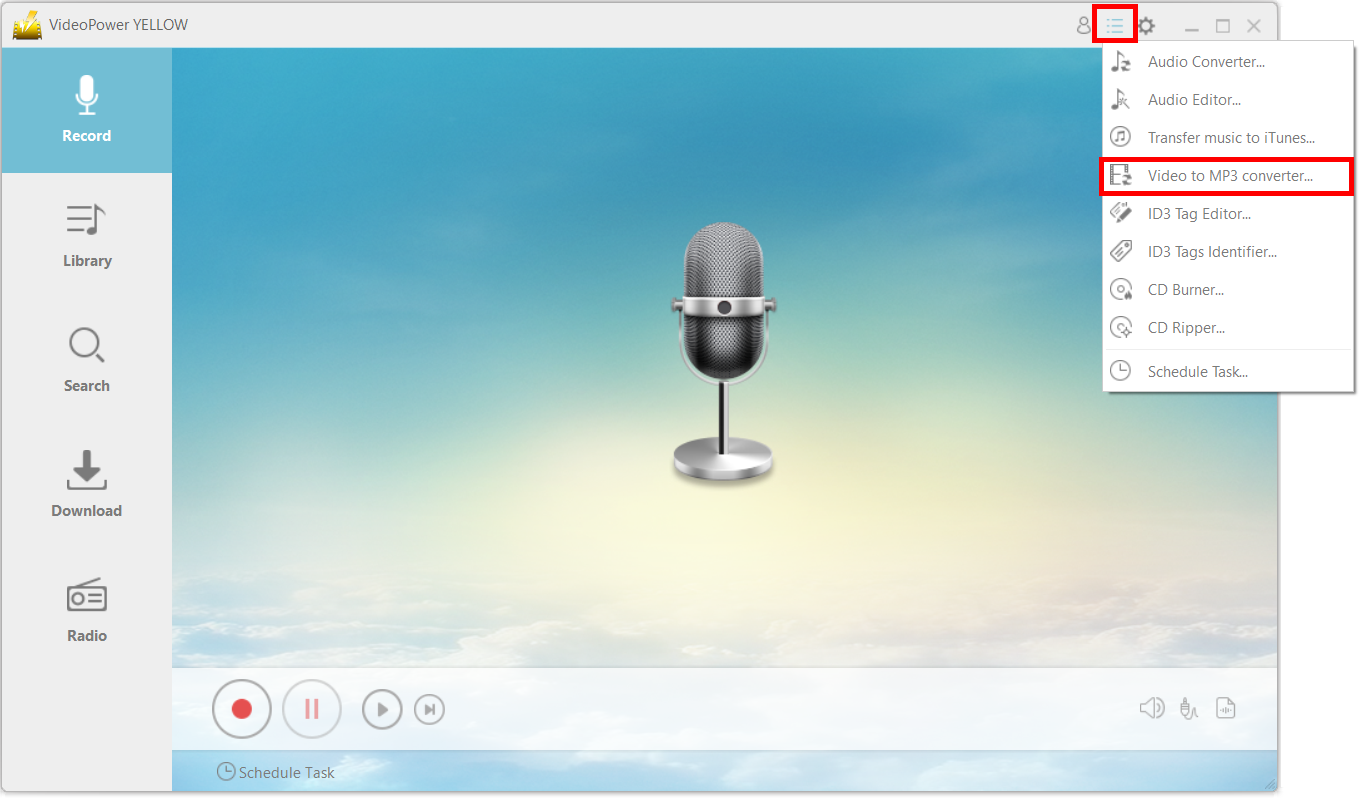
After opening the app, click on the main menu icon and choose “Video to MP3 Converter.” Click it to start downloading the video you want to convert to an MP3 file.
Step 2: Copy and Paste URL
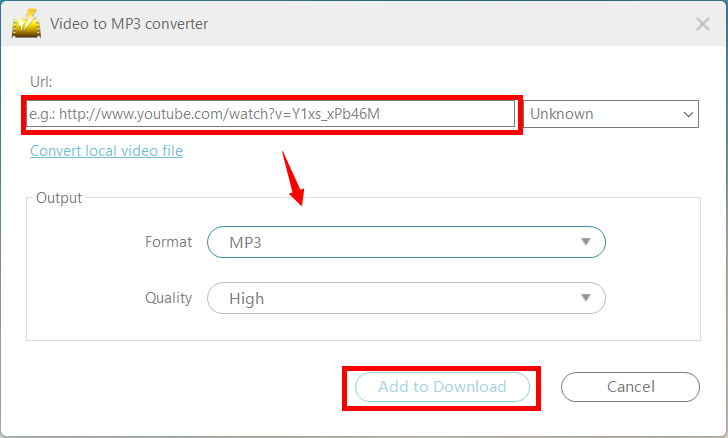
Copy and paste the URL of the video you want to convert on the “Video to MP3 Converter Video” window. Make sure that you set the output format to “MP3”.
Step 3: Process Download
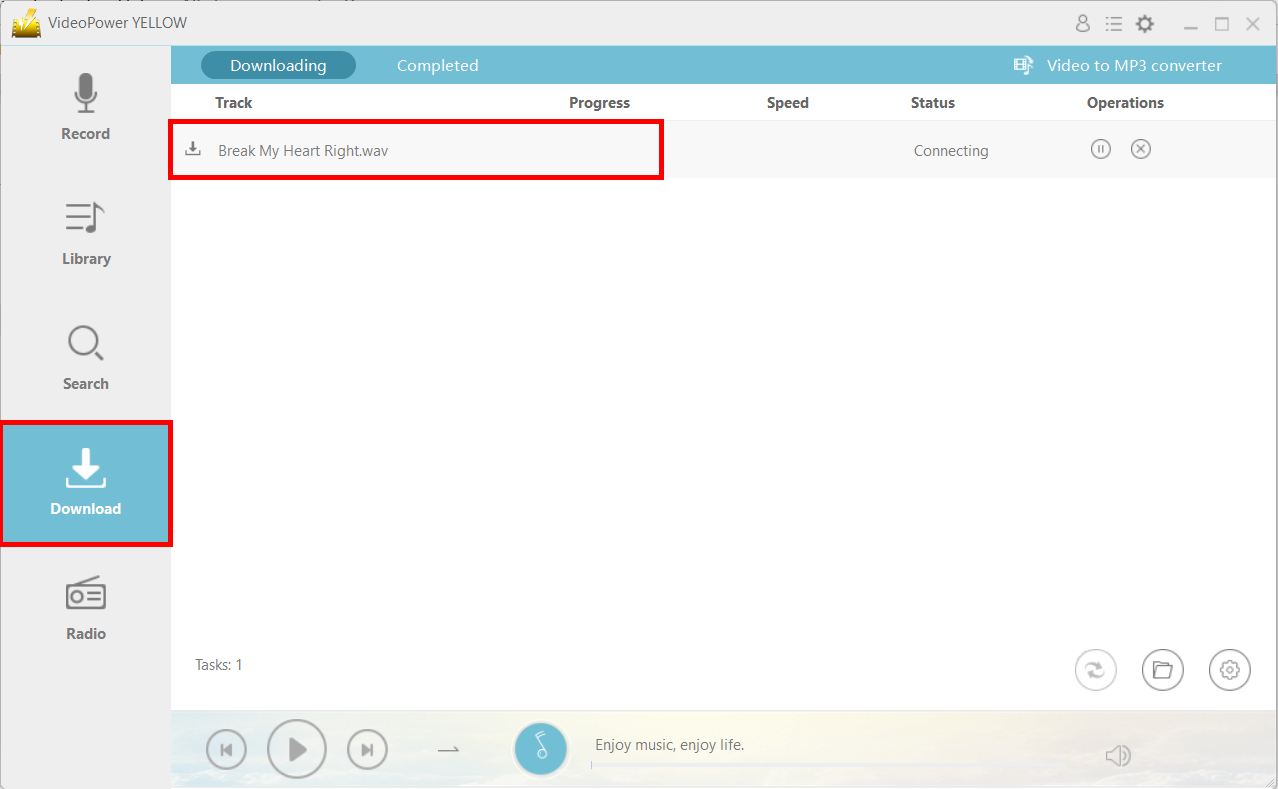
After clicking the “Add to Download” button from the “Video to MP3 Converter” window, you will be navigated automatically to the downloading window and you will see that the file is being processed on the “Downloading” tab. Wait for it to finish.
Step 4: Navigate to the Output Folder Location
After downloading, the file will be in the “Completed” tab. You can open the file location by clicking on the folder icon on the bottom-right corner of the interface.

Conclusion:
Dirpy is a great tool to download and convert YouTube to MP3. However, for people that are looking for a good alternative to Dirpy, VideoPower YELLOW is highly recommended. It has a lot of functions and features besides converting videos such as audio editing, recording, and downloading.


