





Tips Index
Some users complained that they can’t play the MKV video file downloaded format from the Internet using their default Media Player on the computer.
MKV is a free and open standard multimedia container format that can contain different types of encoded video, audio and subtitle streams. It is often used to rip DVDs and Blu-ray discs.
However, many players and video editing tools don’t support the MKV format. As a result, more and more people have the demand for converting MKV to other file formats like AVI, MP4 and so on so that they can enjoy watching the videos and movies they downloaded in MKV format.
The amazing Video Converter below, VideoPower RED, provides tons of useful functions, including downloading online videos in various formats, converting video into a different video format or even into an audio file. Just click the link below to download this free amazing app and follow through the simple steps on how to convert your MKV to AVI.
Step 1: Convert MKV to AVI format
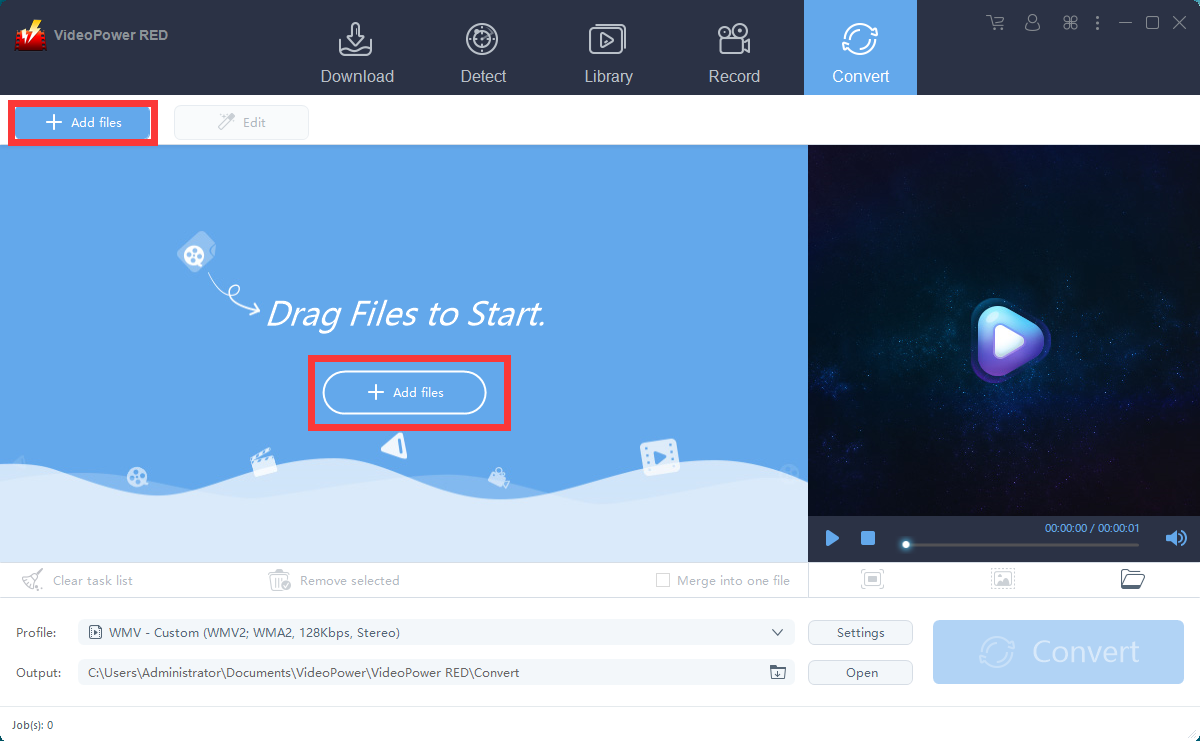
Import the MKV file to the program for conversion. Click the “Add files” button or drag and drop files from the local drive.
Step 2: Set the output profile
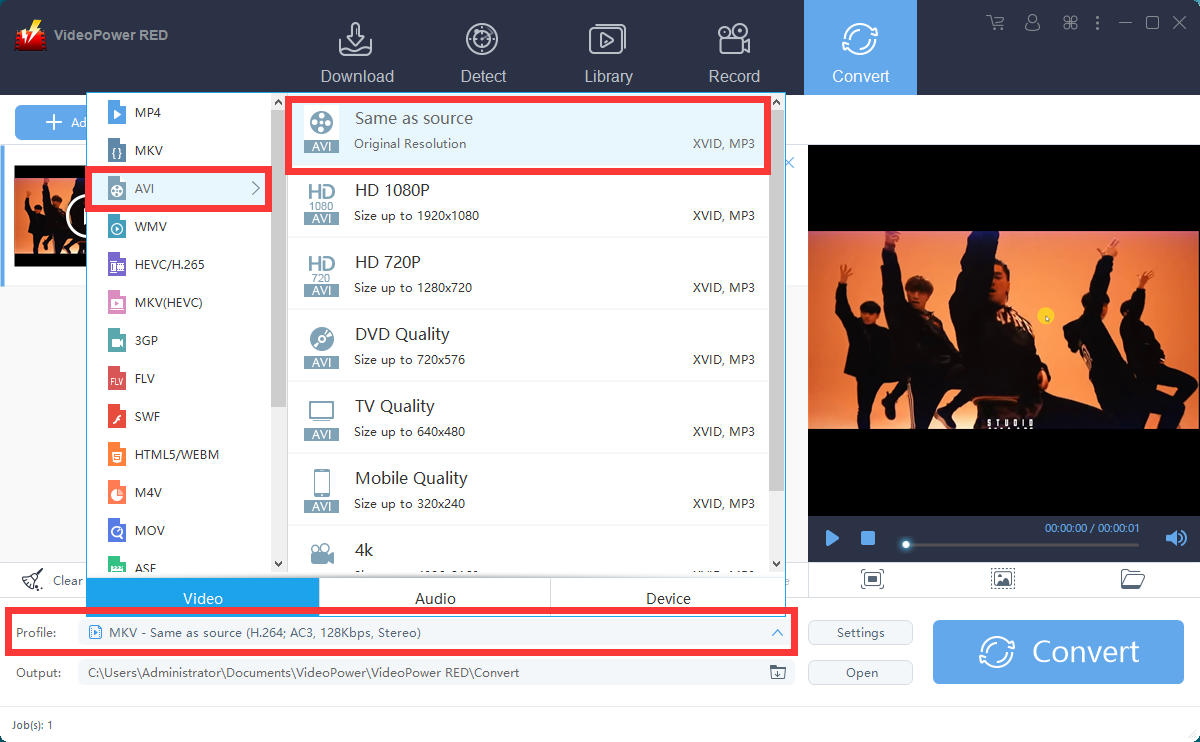
Click to open the “Profile” drop-down menu, then choose the format you want from the profile list. Here choose “Video”, “AVI”, and quality “Same as source” or other options like “HD”, “4K quality”, etc.
Step 3: Convert
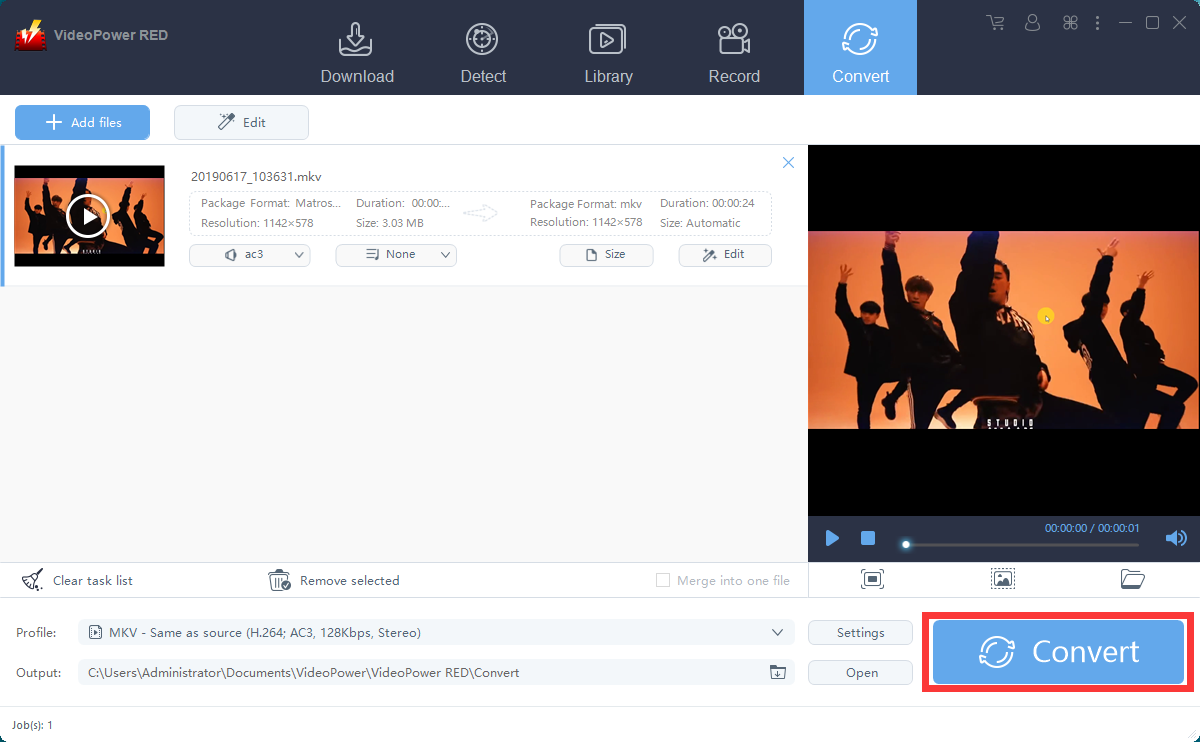
Now click the big blue “Convert” button to start the conversion process.
The program will pop up a window to inform you once the conversion is completed. Click “OK” to open the folder of your saved converted AVI files.

Conclusion:
Playing MKV videos is quite problematic for some devices that users use. Thus, downloading and converting it to AVI or other video formats can make things simple and at ease. A third-party tool would be the best option for this matter.
The most amazing part of this software is that you can download videos from many popular video-sharing sites like YouTube, Dailymotion, Vimeo, etc. It also allows you to record the video streaming on your PC.
Therefore, VideoPower RED, an amazing, hassle-free, trusted and professional features downloader application software would be the finest choice for it.


