





Tips Index
The advent of the internet created a massive impact on the sales of physical copies of music and video. An entirely new information territory was created; online access meant that people from different parts of the world in various time zones can connect and disseminate information like never before. Then came the online streaming platforms that took the industry by storm – the emergence created a rapid decline in the sales of CDs.
Much like how CDs eclipsed Vinyl, digital music and premium subscriptions have now completely overturned the musical landscape for the foreseeable future. Despite the overwhelming popularity of digital music, there are still people that opt to use the physical copies of their favorite music for reasons sentimental. Outside the US, there is growing interest in CDs because of its collectibility – much to the credit of the artists that found ways to innovate around the limitations.
If you are one of those people that still see the value in CDs and want to keep the declining technology alive, we suggest you use a software that can burn any music from YouTube to CD with the help of VideoPower YELLOW. YouTube to CD converter and YouTube to CD burner.
VideoPower YELLOW has multiple functions and features such as recording audio through different sound sources: system sound, microphone, and both. It also has a download feature where you can search your music, and it will be compiled in a list from different websites. In this article, we’re going to talk about the conversion feature and how to use the CD burner function.
To install the program, just click the link below and download the installer.
Before burning the music to your blank CD, first, you have to download or record the YouTube music unto your computer drive. To do that, just follow the instructions below. If you’ve done that, skip and go ahead to Step 2: Burn the music to a CD.
Part 1: Save Music
There are two methods to save YouTube music on your computer.
Method 1: Record the music.
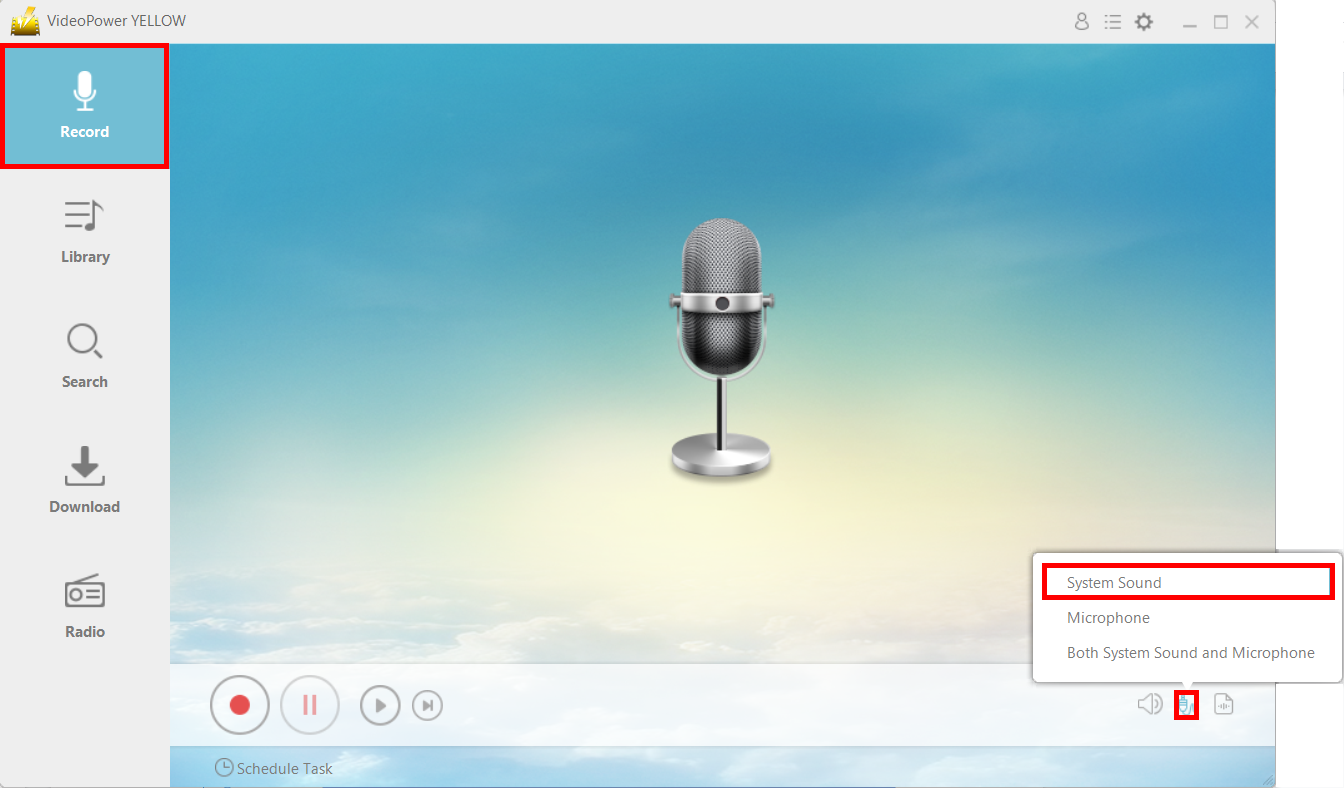
VideoPower YELLOW also has a record function where you can record the audio alone. Click on the “Record” tab on the main menu and then click the sound source icon. Make sure that it’s set to “System Sound” before recording. Click the record button.
Play YouTube music.
Go to the YouTube video that you want to download and play it.

After recording, just press the stop button and the audio of your video will be automatically saved in the designated output folder.
Method 2: Convert the Video to MP3
Open Video to MP3 Window.
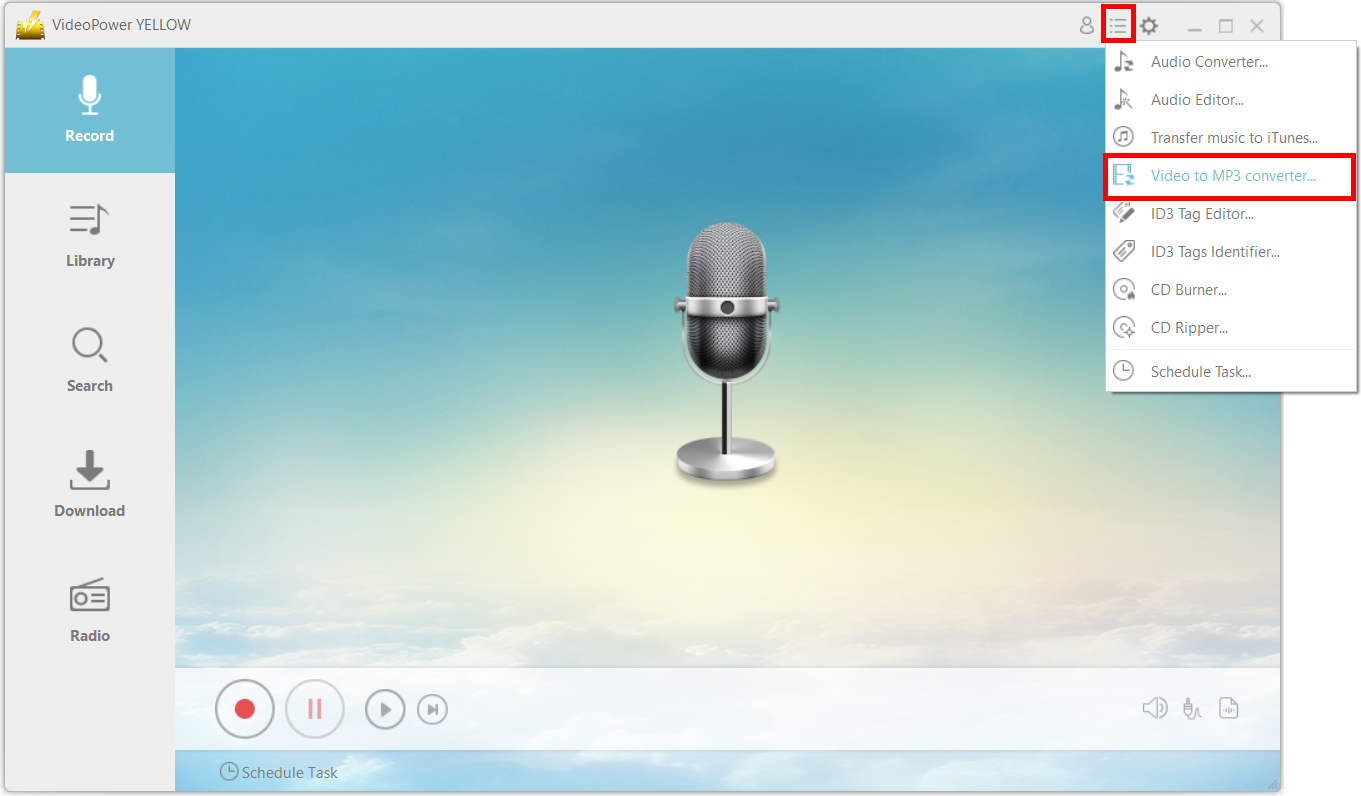
Click on the menu icon on the upper-right corner of the interface and choose “Video to MP3 converter.”
Convert the video to an audio file
A new window will pop up. Copy and paste the URL of the video that you want to convert into an audio format.
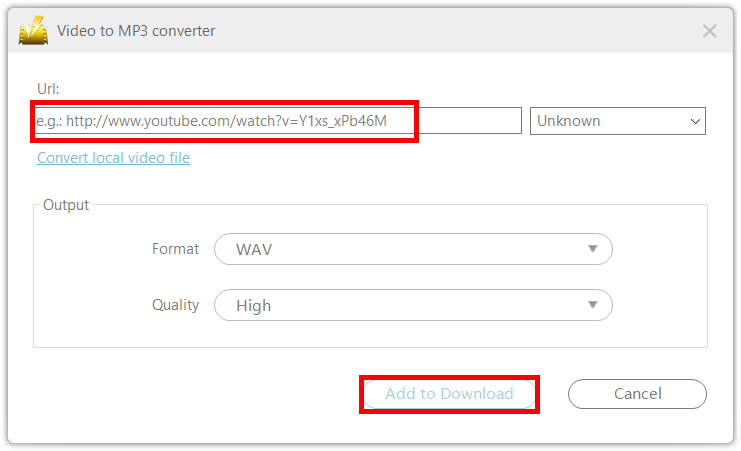
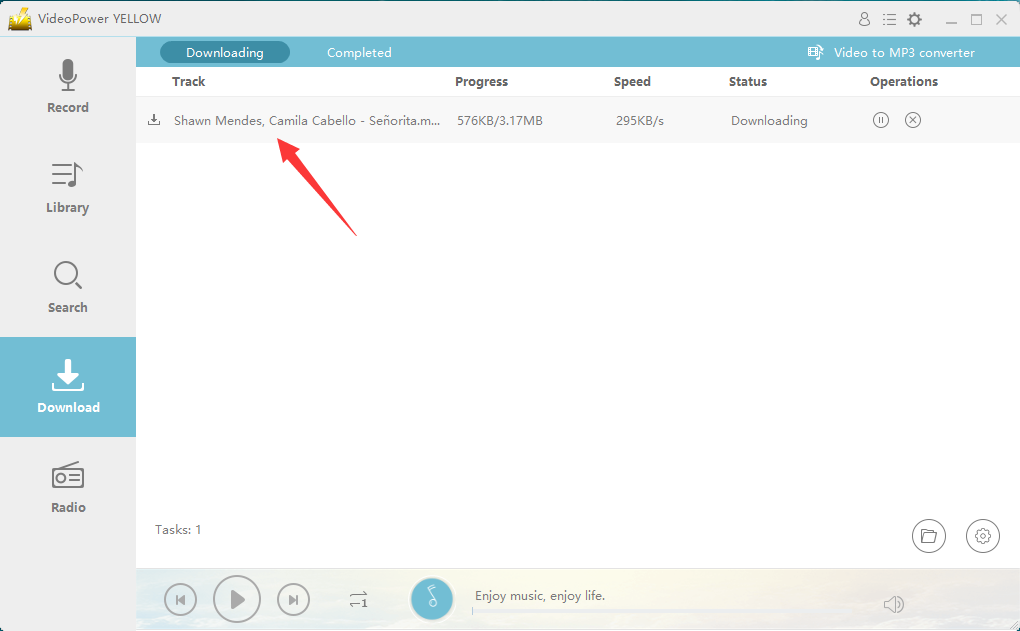
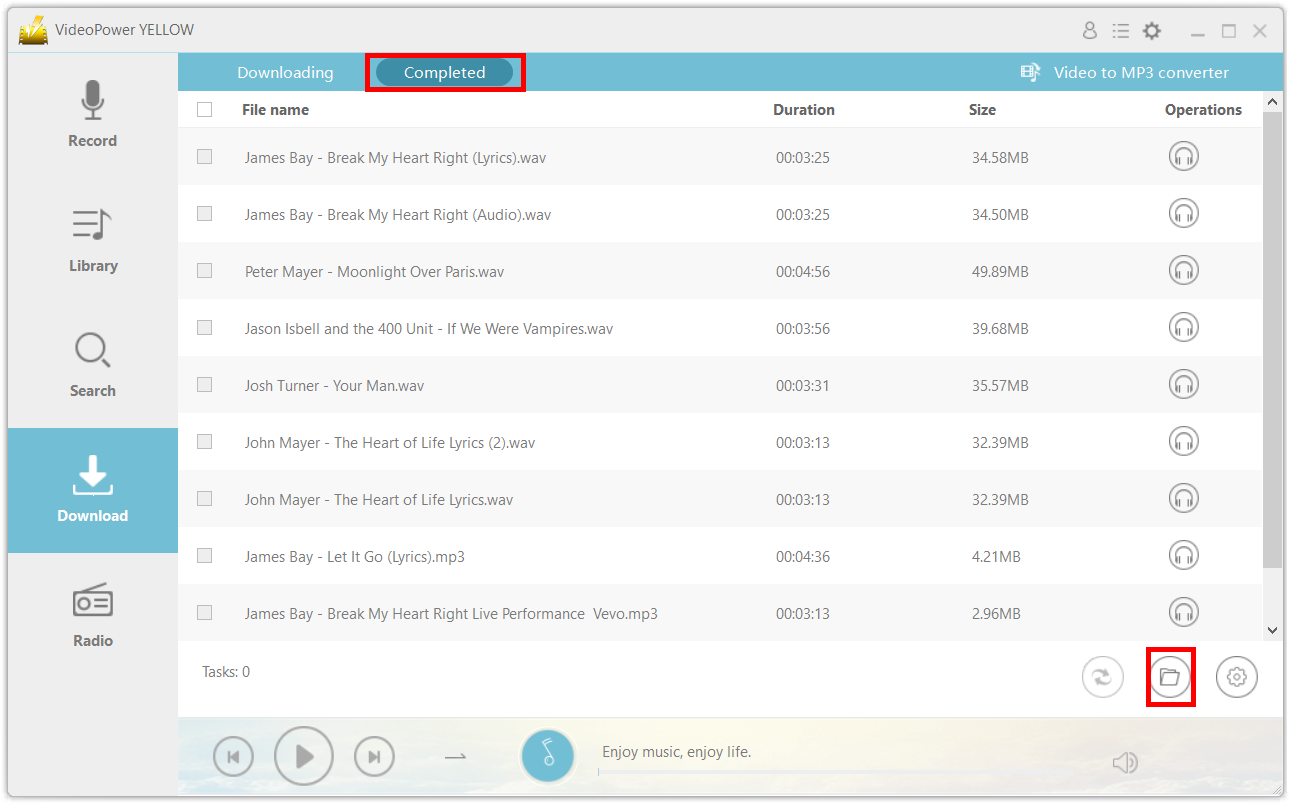
After clicking on “Add to Download” the file will automatically be taken to the “Downloading” tab.
Open file location.
After the download is complete, you can find the file by clicking on the open file location icon on the bottom-right part of the interface.
After saving the file on your computer, you can now burn it to your CD.
Part 2: Burn the Music to the CD
Step1: Launch CD Burner
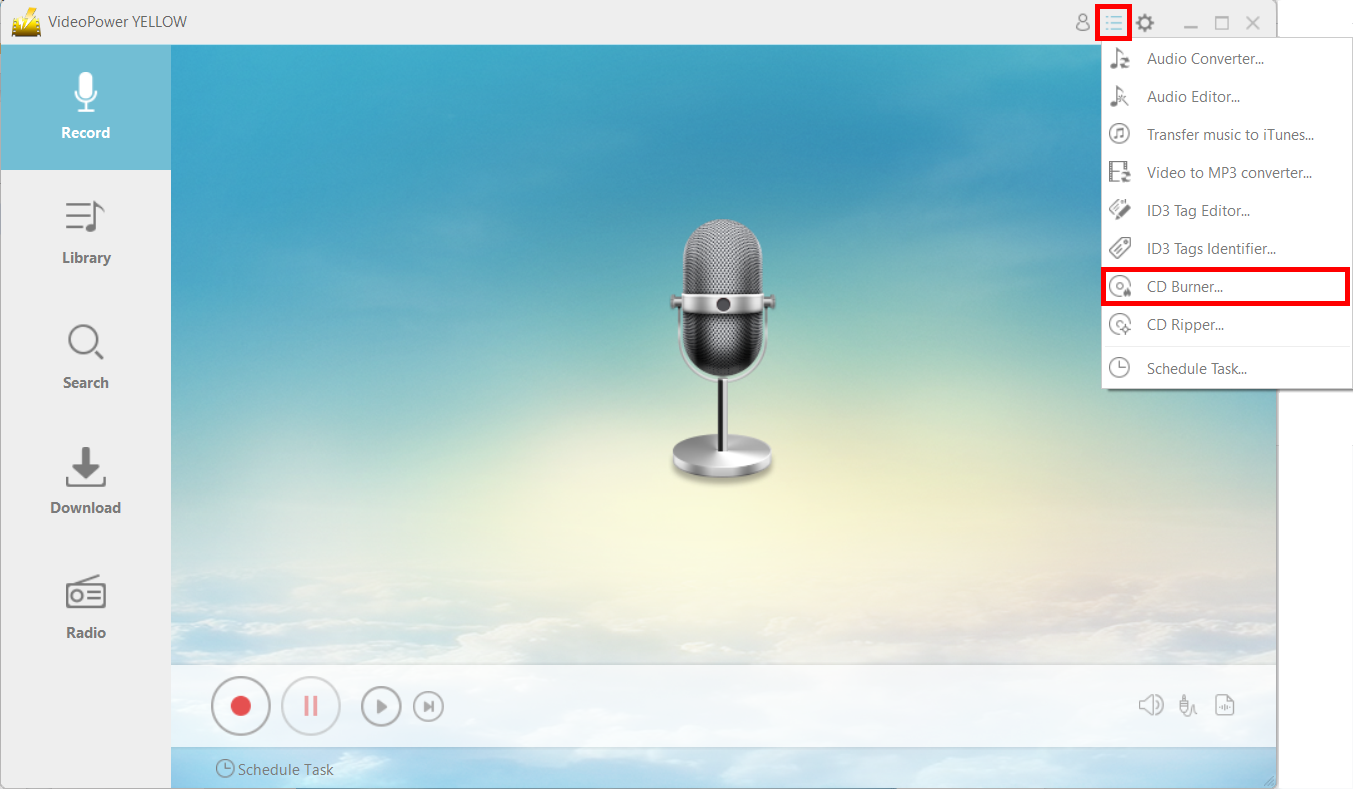
Click on the menu icon on the upper-right corner of the interface and choose “CD Burner.”
Step2: Add File
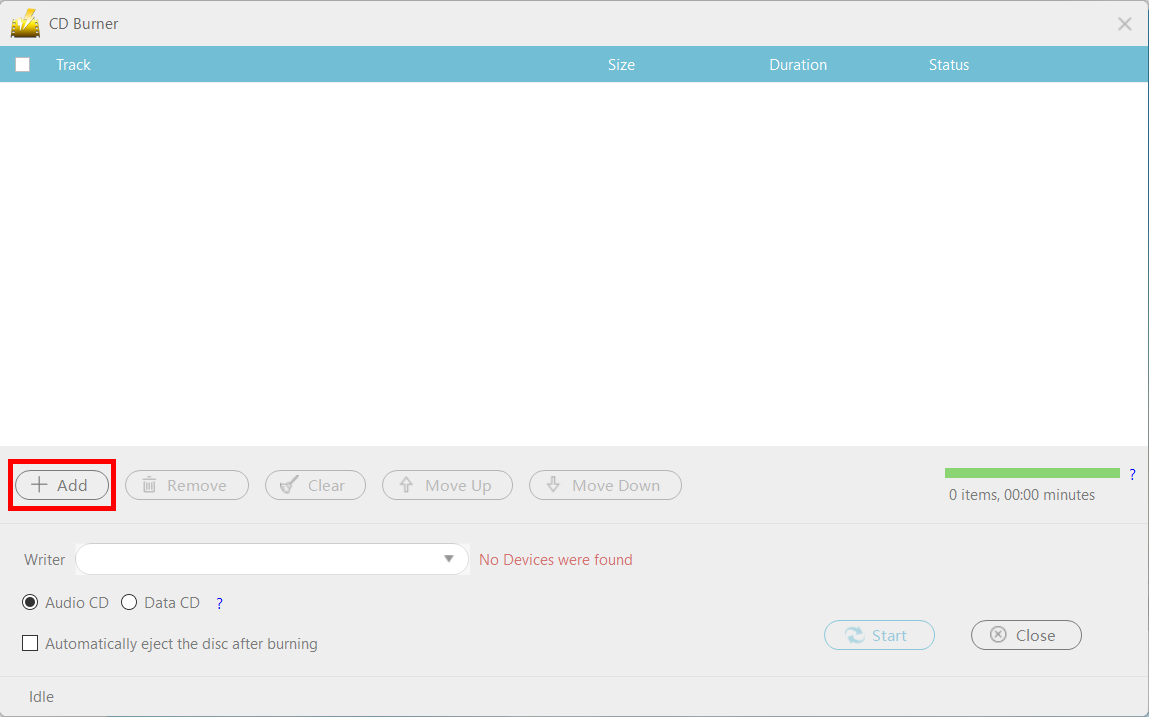
Click the “+Add” button to add the file that you want to burn to your CD.
Step3: Start Burning
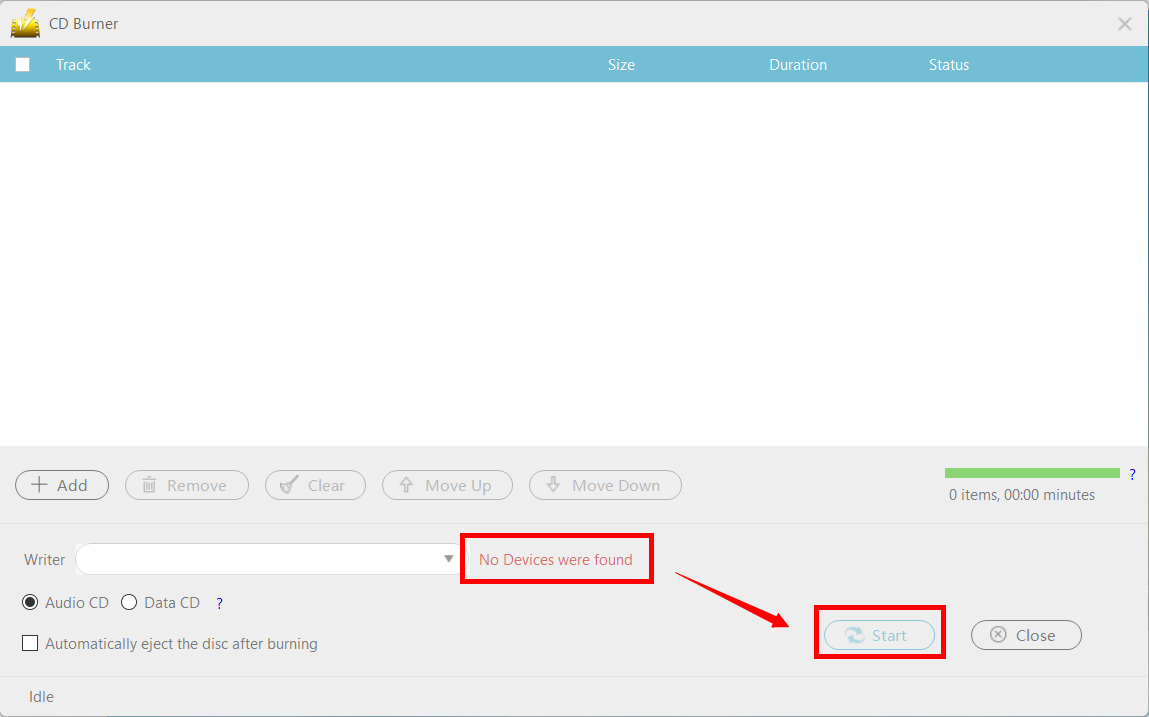
When you insert a writable blank CD into the drive, the red text “No Devices were found” should change to “CD-R” and you can now press the “Start” button to start the process.
Conclusion:
The glory of the compact discs has been great but short-lived since first introduced in 1982. Despite the still-growing popularity of online platforms and streaming services, there is still hope for the compact discs to once again emerge – perhaps not as the main medium for audio and video but as a collectible item, much like baseball cards. This possibility is seen through the rise in popularity of Vinyl as collectible items.
Using VideoPower YELLOW, you can still make use of your blank CDs that are left because of the rapidly changing landscape of the music industry.


