





Tips Index
Since everything around us is now high-tech, the way we used to watch videos, audio, and photographs is now out of date. We don’t need to buy or rent CDs or DVDs any longer. Instead, we can get the tracks from the Internet.
However, most online purchases of songs are under DRM.
DRM is short for Digital Rights Management. It refers to technologies used by publishers to control the use of rights of protected content. This technology protects digital content (software, music, movies) and hardware. That means all songs that are protected by DRM are not allowed to be converted or transferred.
Likewise, converting DRM WMA to MP3 is prohibited.
Does it mean there is no way to convert it? Of course not, with VideoPower YELLOW you can record the protected WMA in MP3 format instead.
This software enables you to record audio from the Internet easily. Besides, you can also download MP3 to iPhone using the software.
Step 1: Set the sound source
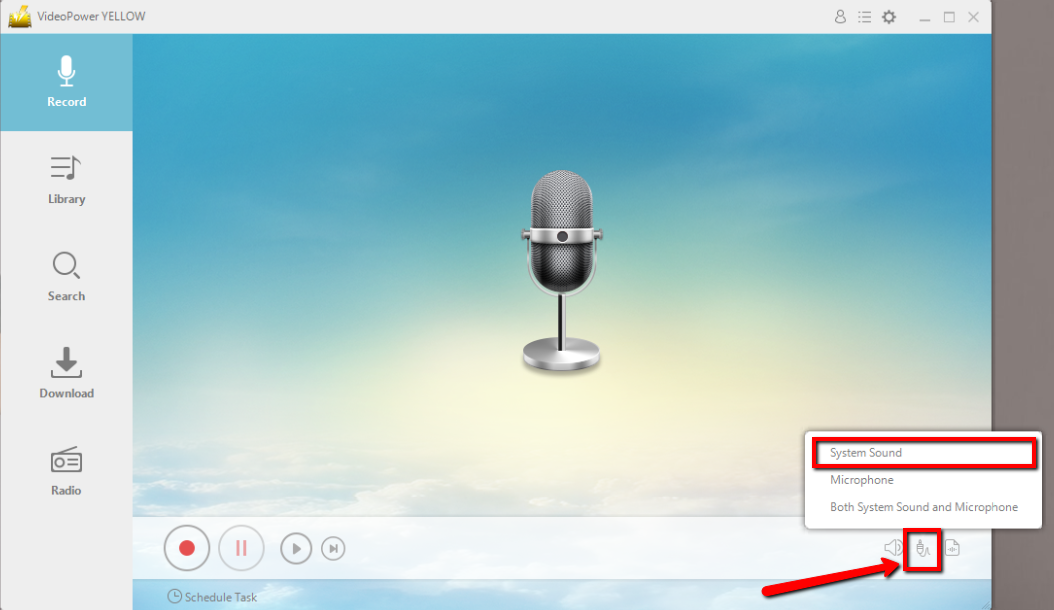
Before recording the WMA sound, set the sound source first. Click the audio jack icon below and choose from the sound sources such as “System Sound”, “Microphone”, “System Sound and Microphone”. In recording WMA, “System sound” is recommended.
Step 2: Set the file format
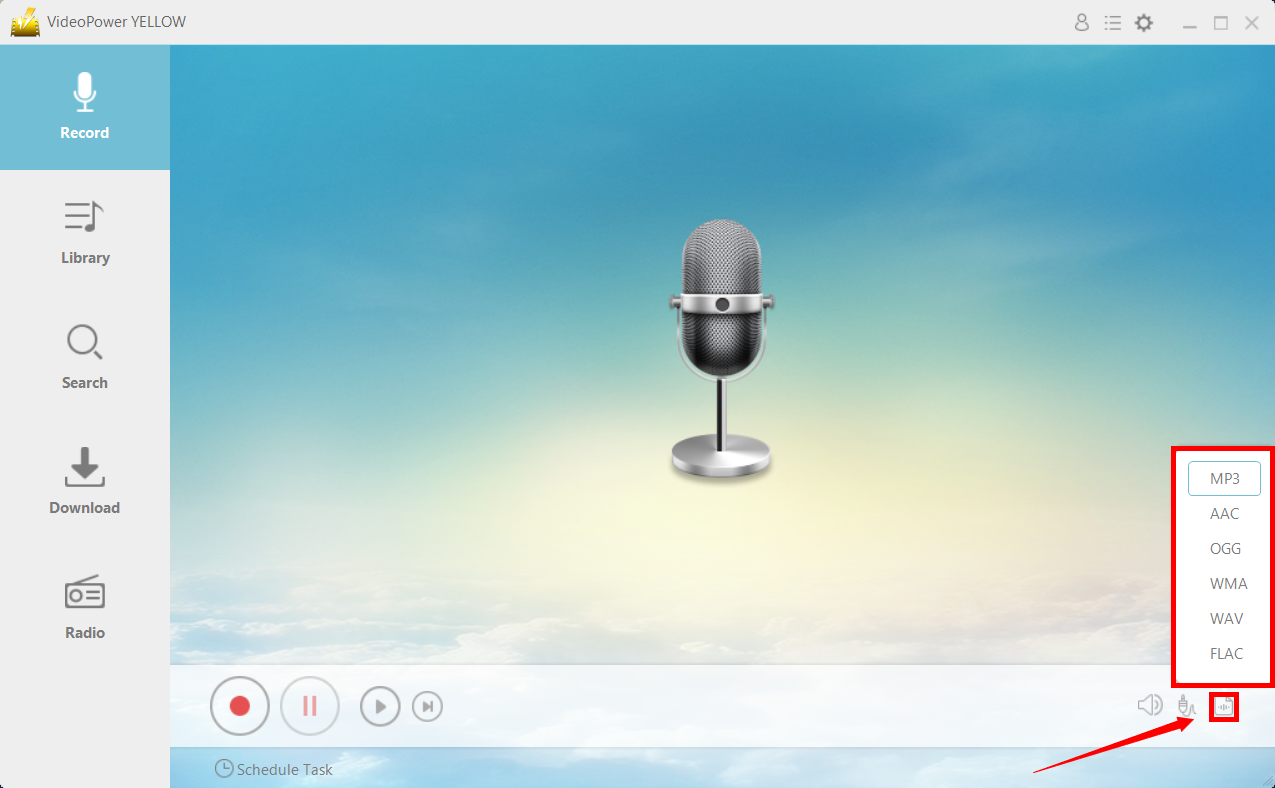
After setting the sound source, make sure that the output file format is set before recording. Select MP3 or whatever format you deem appropriate.
Step 3: Start Recording
Click the “Record” button to start recording and click the same button to stop.

Step 4: Play the music
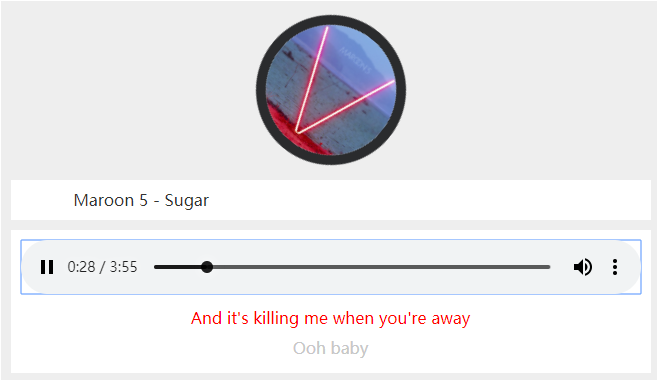
Go to the track that you want to record and save. Play it to be recorded.
Step 4: Navigate to Output File Location
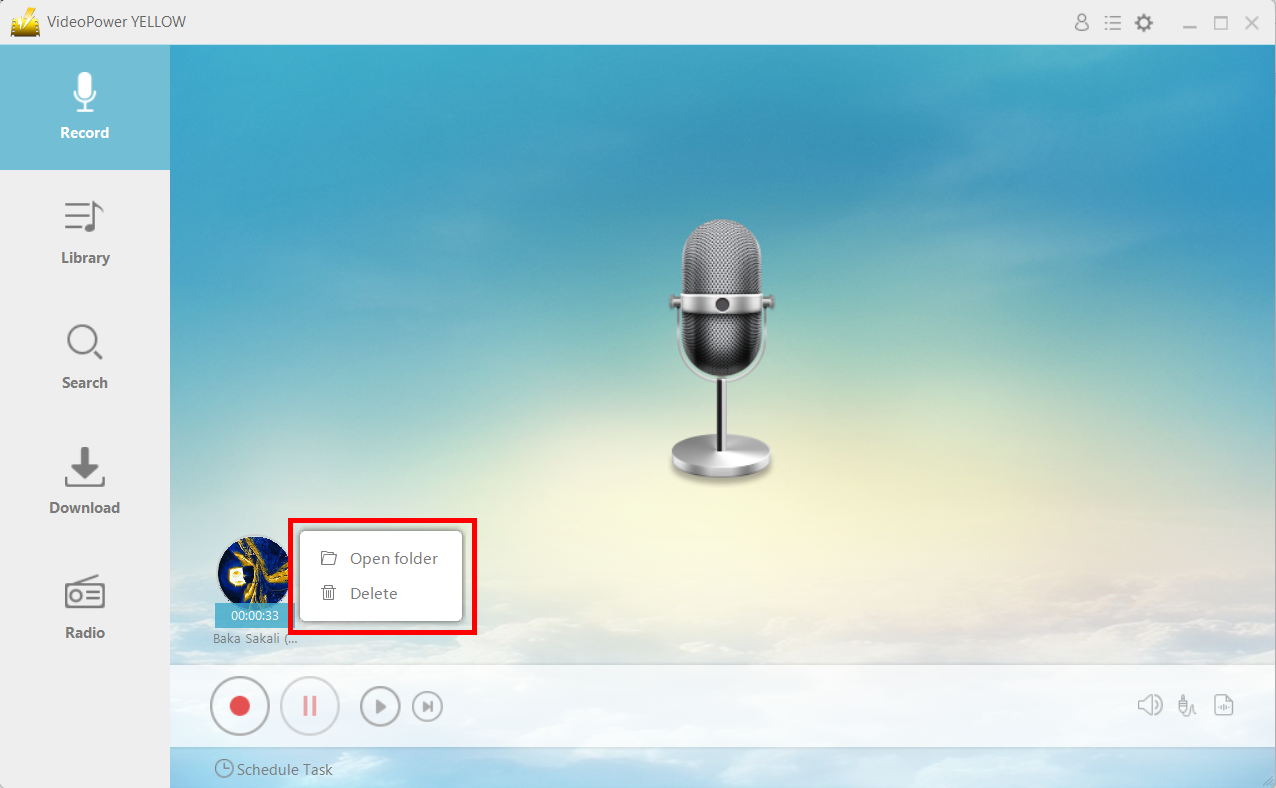
After recording, right-click the recorded track icon and click “Open folder” to open the storage location of the recorded audio file or click “Delete” if you want to delete the file and record again.
Conclusion:
Because online music is protected by DRM, sometimes you can’t download your favorite music. Using VideoPower YELLOW, you can bypass that security and record your favorite music for you to enjoy listening offline anywhere and anytime you want.



