





Tips Index
With the popularity of Apple’s iPhone and iPad, the M4A format files supported by the iPhone and iPad are now becoming popular too.
M4A is a filename extension developed by Apple, which works well with iTunes. Music purchased from the iTunes store is all in M4A format. However, it can’t be accepted by many portable devices that will probably make users have problems playing the M4A file on your device.
To play music purchased from iTunes on your device, convert music from M4A format to a more compatible format like WAV, MP3, MP2, ACC, OGG, etc.
To make it possible, use the third-party application software called VideoPower YELLOW. This is the perfect conversion tool to convert M4A to WAV as well as to other formats. This software provides you various features such as recording and music downloads.
Step 1: Import file for conversion
1.1 Open the converter
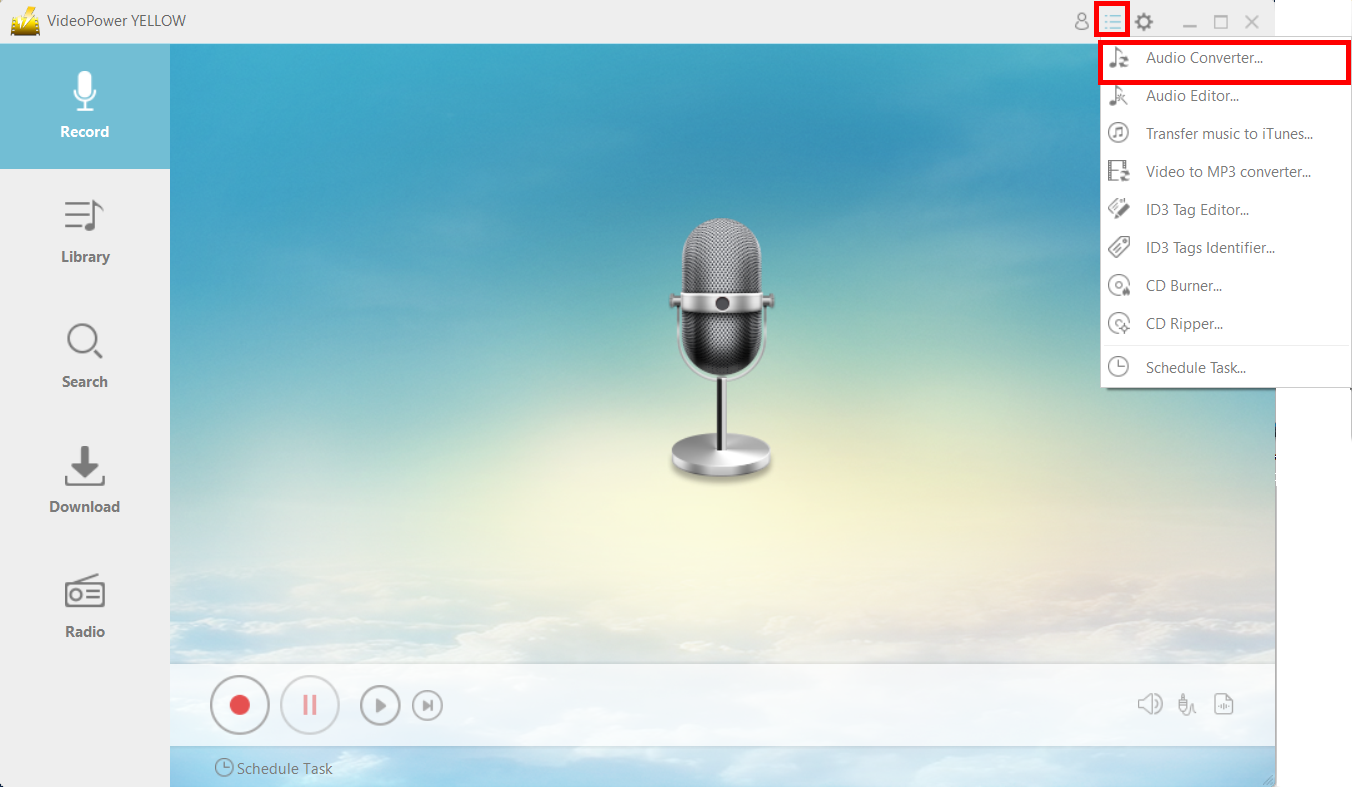
Click the menu icon on the upper-right corner of the interface and click “Audio Converter”.
1.2 Import files
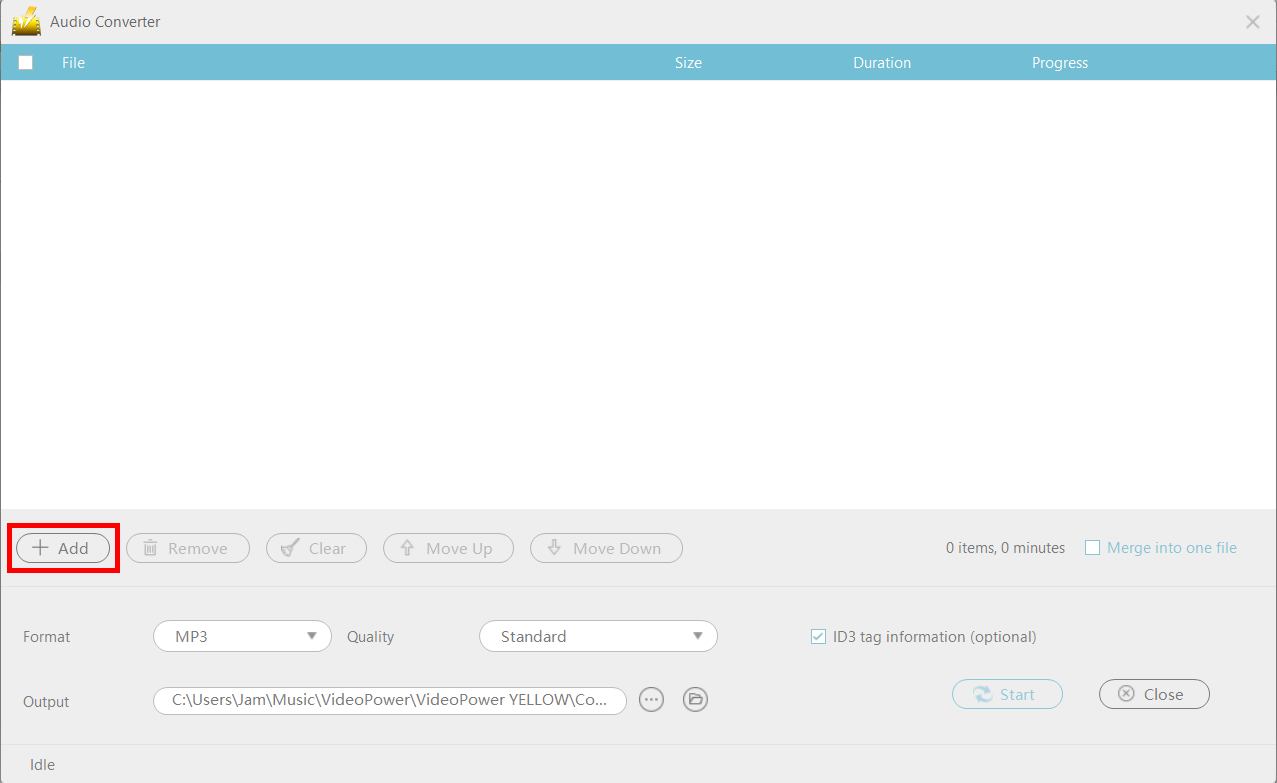
A new window will pop up. Click the “+Add” button to add the files you want to convert to an audio format.
Step 2: Convert the files
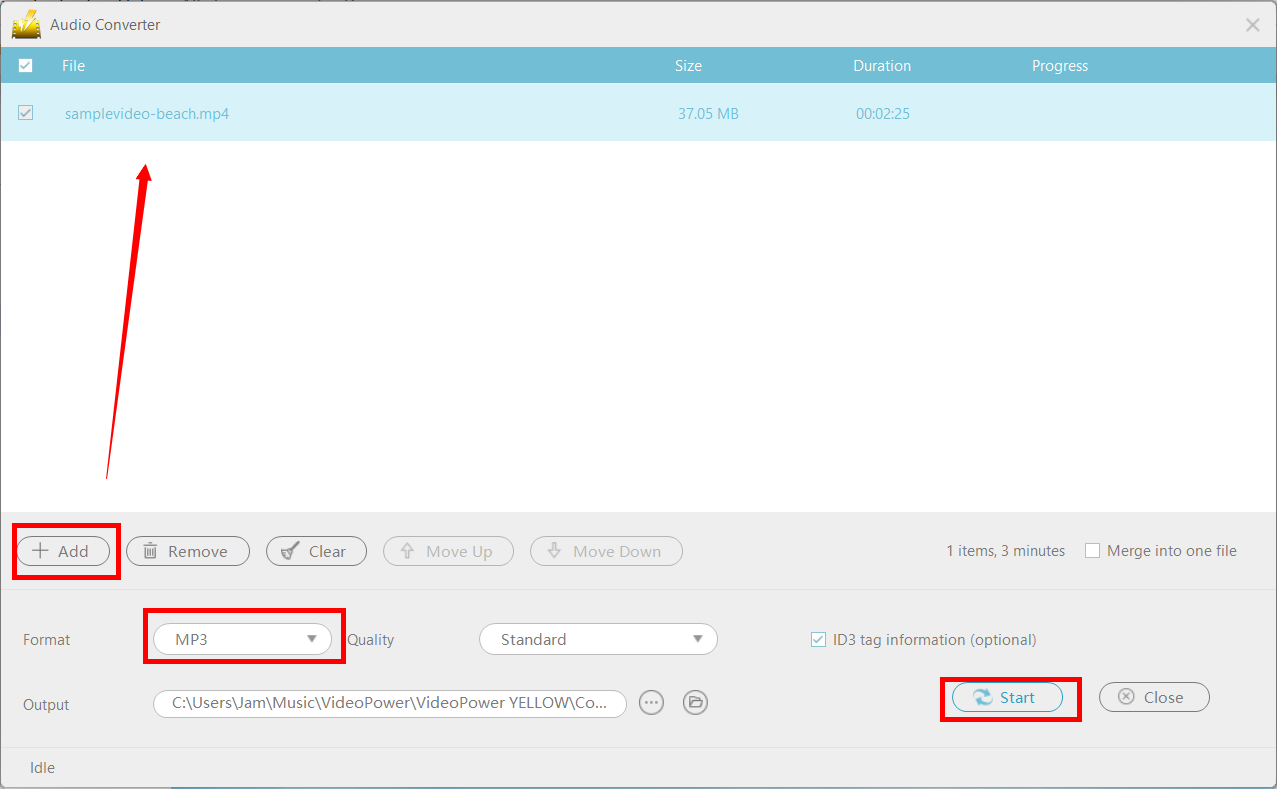
Once you’ve added the M4A files, make sure that the format is set to “WAV” or any audio format of your choice, then click “Start” to convert the files.
Step 3: Open the file location
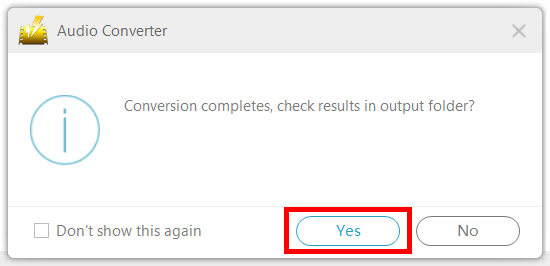
After converting the file, a new window will pop-up. If you want to open the file location on your drive, click “Yes.”
Conclusion:
Using Apple products is a bit of a hassle as it is incompatible in most of the system and applications software found on the internet and other devices. Most of the time playing M4A format in Android devices or etc. is indeed troublesome. Thus, converting M4A to other formats like WAV is very necessary.
Therefore, third-party application software called VideoPower YELLOW is highly needed since this app is an amazing, hassle-free and trusted software that is best suited in converting M4A to WAV or other formats. It also provides various useful professional features such as recording and downloading music.


