





Tips Index
Nowadays, making pictures into videos is nothing new. Especially in a world where mobile devices act as a camera as well.
With beautiful music embedded into the photo video, each flat picture turns to be dramatic and alive.
It is also a perfect way to gather your precious photos and keep them eternally.
So how to create a picture movie and put matching background music into it?
VideoPower BLUE is a very useful software that has a lot of features including screen recording, conversion, and basic music editing where you can add music to your pictures.
You can try to use the software for free by downloading its trial version below.
Step 1: Launch the MV maker
It will run automatically after the installation is finished. Open the “MV” tool and click “Add files” or drag-and-drop files into the interface to import your beautiful photos into your creation.
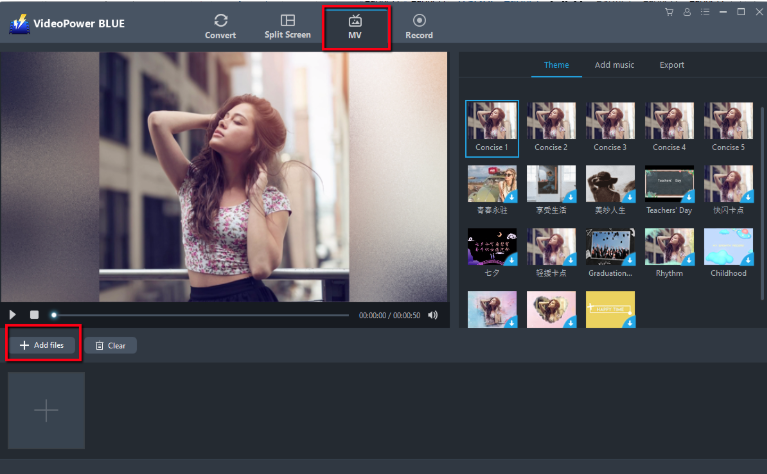
Step 2: Make a slideshow video with music
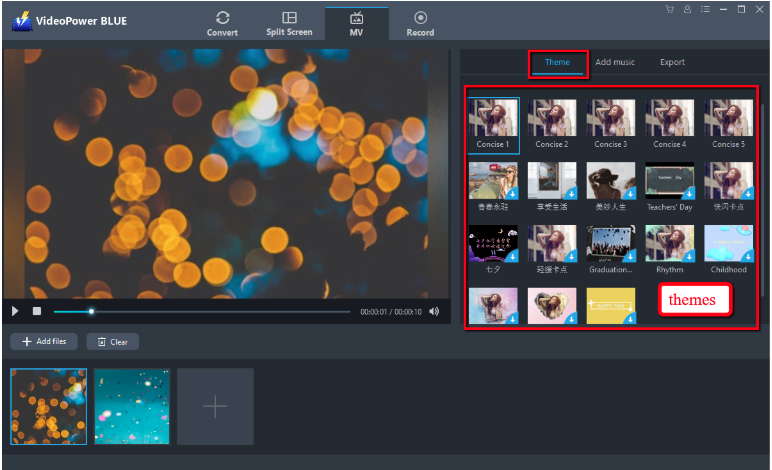
There are a lot of “Themes” available for you to choose on the right panel. Add a transition effect to each photo as per your preference. You’ll be able to change the order of pictures by drag-and-drop. If you want to delete a picture, click on the circle icon appearing at the top right of it when the mouse is on the picture.
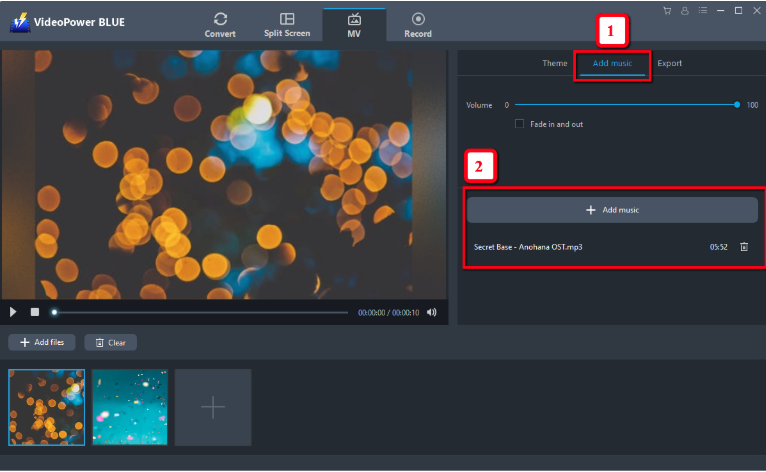
Add background music to the slideshow video to make it more vivid. Head to (1) “Music” and click the (2)“Add music” button to import music from your computer.
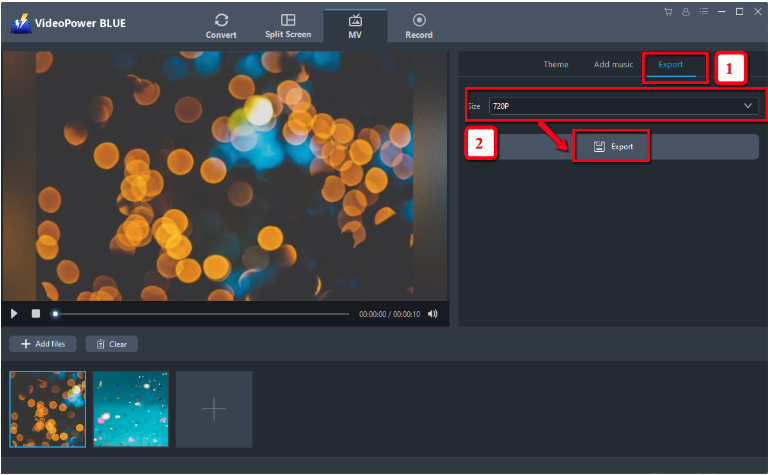
Customize the resolution of the slideshow video. Go to (1)“Export” so you can set a resolution freely. Click (2)“Export” to save all the changes.
Conclusion:
Many people opt to create a photo slideshow or movie along with matching music to make things more dramatic and entertaining. Using VideoPower BLUE to make a music-embedded photo movie, it’s now easy to share all those precious memories with your family, friends or video streaming websites.
VideoPower BLUE is a multi-faceted software that is a simple, easy-to-use and straightforward interface. It could convert files to various file formats, has a built-in video editor that will enable you to edit slideshows or videos, apply watermarks, effects, and other basic video editing options such as trimming or cropping. Moreover, it has a split-screen tool for your photos and videos and a screen recorder which allows you to capture any on-screen activity on your computer.


