





Tips Index
Is it possible to record the screen content of my computer? Can the video play on my computer be recorded? Recording the games I play or any activities I do on a computer including sounds from the computer itself and the microphone can be recorded? These are the common questions that were commonly heard from the users.
Of course yes! You only need a screen recording software to solve all these problems. Luckily, VideoPower GREEN, a powerful, reliable and easiest screencast software of all time is best for this kind of worry. Now, capturing gameplay is just a piece of cake.
Check this article out to learn more and click the link below to download and install this software. It can record microphone sound and system sound as well.
Now, you can try to make a gaming video using this Screen Recorder.
You can try to use the software for free by downloading its trial version below.
Step 1: Screen record game.
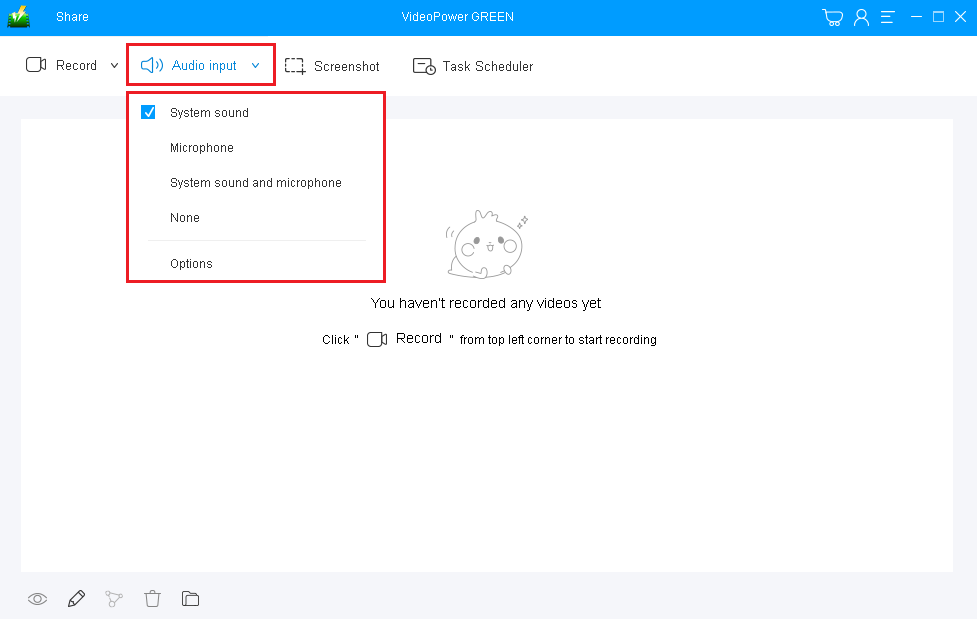
1) Choose a sound source
You can choose “System sound, Microphone, System sound and microphone or None.” In making game video, you ca use “System sound” or “System sound and microphone”.
2) Select a recording area
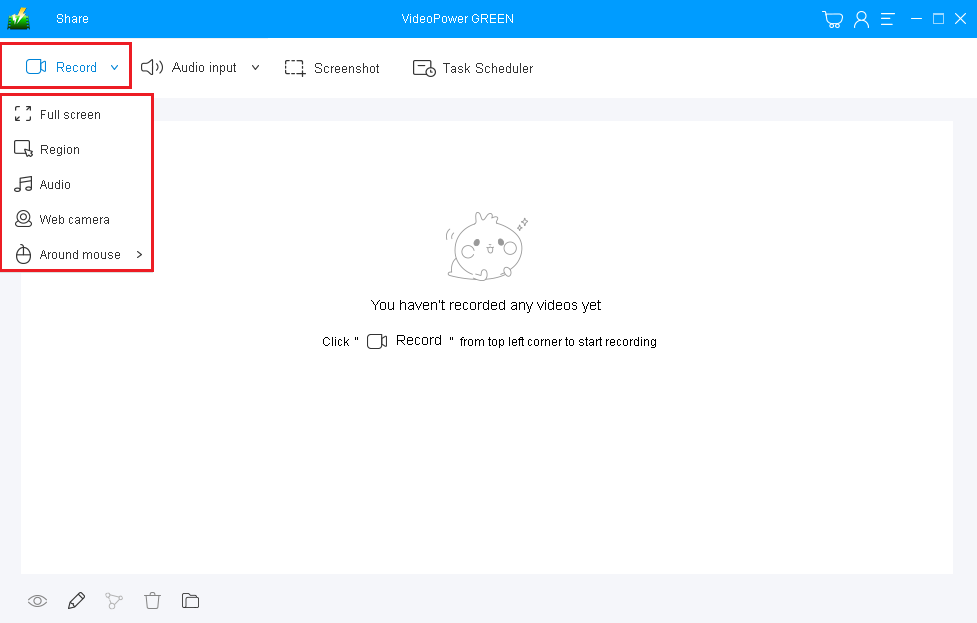
Click on the “Record” button to choose the recording mode from “Full screen, Region, Audio, Web camera, Around mouse”. Select the area you are going to record.
Step 2: Start recording games.
The pop-up window will ask whether you are ready to start recording, click “OK” to confirm when you are ready to record.

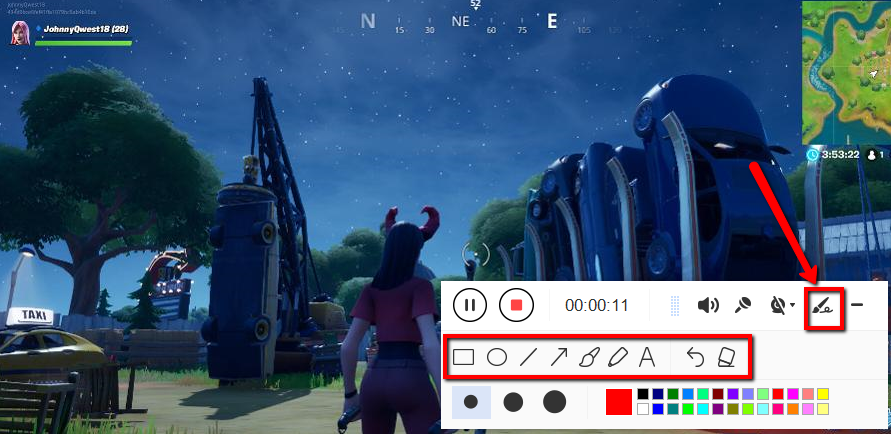
Annotate video while recording
While recording you can add lines, arrows, shapes, texts, highlight, blur, etc. by clicking the edit button.
Step 3: End the recording.
Click the “Stop” button to stop recording.

After that, the recorded file will be saved in the pointed output folder.
1) Your recorded file will be seen in the main interface. You can right-click the file and do more operations if you like.
2) Click the folder icon to view it in the pointed folder.

Conclusion:
As technologies continue to evolve, applications are also evolving along with it. In line with this, gaming videos are also making some noise on the internet. But then, most of the gamers are wondering about what would be the best recording software that can produce a good and professional gaming video.
VideoPower GREEN, a hassle-free, trusted, and amazing recording application software would be best suited for the job. Users can easily record their desired games and make a video of it for some purposes.


