





Tips Index
Zoom is a free multi-user cloud video conference software that provides users with both high-definition video conferencing and mobile network conferencing functions.
Users can communicate with their partners through mobile phones, tablets, PCs, video and voice calls, screen sharing, conference reservation management, etc.
Zoom supports up to 25 participants to hold a meeting by making a video call for free. It is also the leading video conferencing tool until now.
Zoom is available for Windows, iOS and Android systems. No expensive hardware is needed, just install Zoom software on your computer to initiate video conferencing at one click.
The emergence of platforms such as Zoom paved the way for remote work and remote meetings which means more people who have different time zones can meet at the same time. If you want to record Zoom meetings, here is a guide using software called VideoPower GREEN.
Step 1: Set up settings before recording Zoom meeting
Choose a sound source.
You can choose “System sound, Microphone, System sound and microphone or None.” To record Zoom meeting, you may need to select “System sound and microphone”.

Select a recording area.
Click on the “Record” button to choose the recording mode from “Full screen, Region, Audio, Web camera, Around mouse”. Select the area you are going to record.

Step 2: Start to record Zoom meeting on windows
The pop-up window will ask whether you are ready to start recording your Zoom meeting, click “OK” to confirm when you are ready to record.

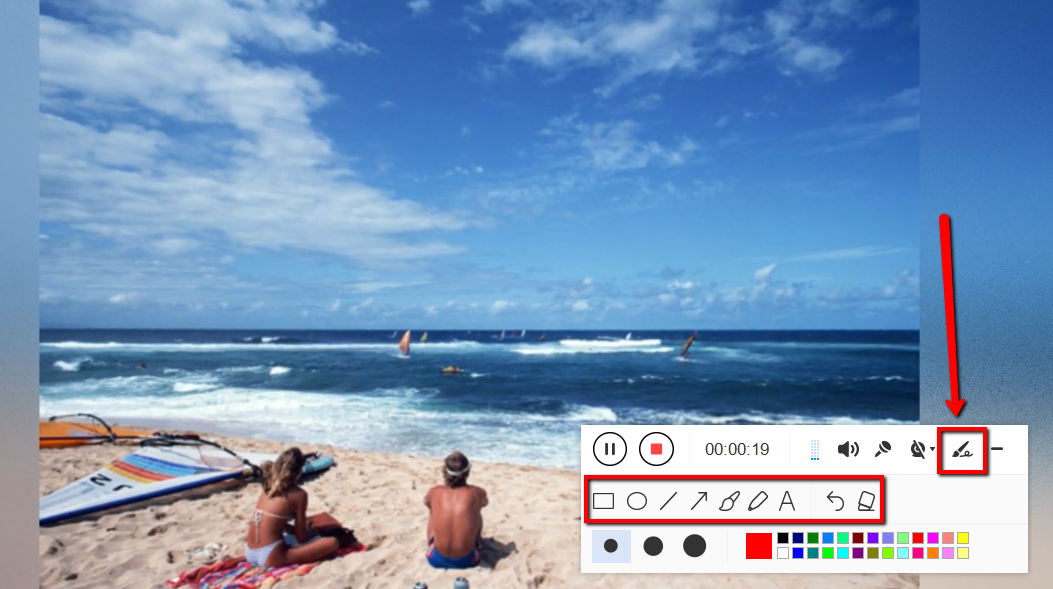
Edit video while recording:
While recording you can add lines, arrows, shapes, texts, highlight, blur, etc. by clicking the edit button.
Step 3: End the recording of Zoom meeting
Click the “Stop” button to stop recording.

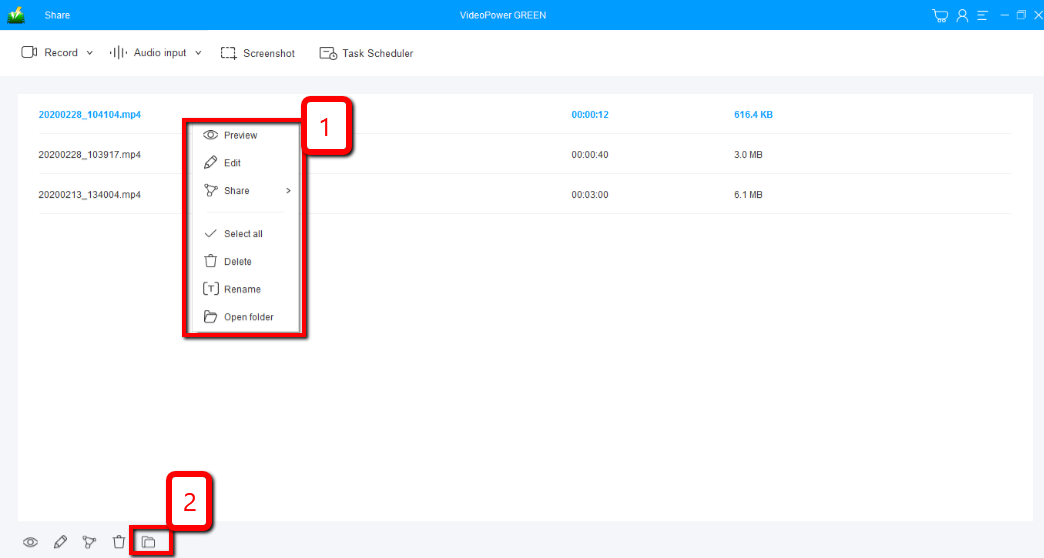
After that, the recorded file is already saved in the pointed output folder.
1) Your recorded file can be seen in the main interface. You can right-click the file and do more operations if you like.
2) Click the folder icon to view it in the pointed output folder.
Conclusion:
VideoPower GREEN software can record and take screenshots very well. Using this software you can convert all video and audio files into common formats and devices easily. It’s handy and reliable that you can even convert in batches simultaneously while preserving good quality.
It has an extension video editor that will enable you to edit slideshows or videos, apply watermarks, effects, and other basic video editing options such as trimming or cropping.


