





Tips Index
People these days tend to pay more attention to visual stuff like how high the quality will be produced by a single recording application. That’s why 4K videos and even higher definition videos are becoming more and more popular.
To gain a better visual experience while recording a 4K screen display, you may need to rely on a 4K screen recorder that can do it in high definition.
In this case, we highly recommend using the best and easy to use and very professional screen recording software called the VideoPower GREEN. Now you can record the on-screen activities with much higher quality on your computer in your own way with professional results.
What’s more, users can also capture memorable scenes while having a video call with friends, playing web games, watching amazing movies, and so on. Go through the guide on how to use this amazing tool and just click the link below to download this free app.
Step 1: Manage settings to record in 4k
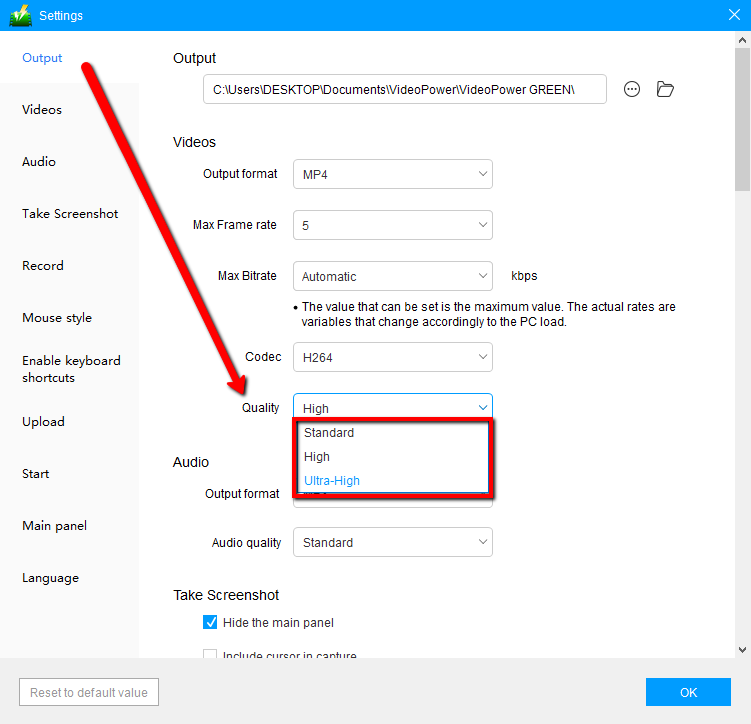
Click on the drop-down menu on the upper right part of the main interface, click “Settings”, go to “Videos” and navigate to “Quality” then choose “Ultra-high” to record in 4K. You can also change the quality and other formats as per your needs.
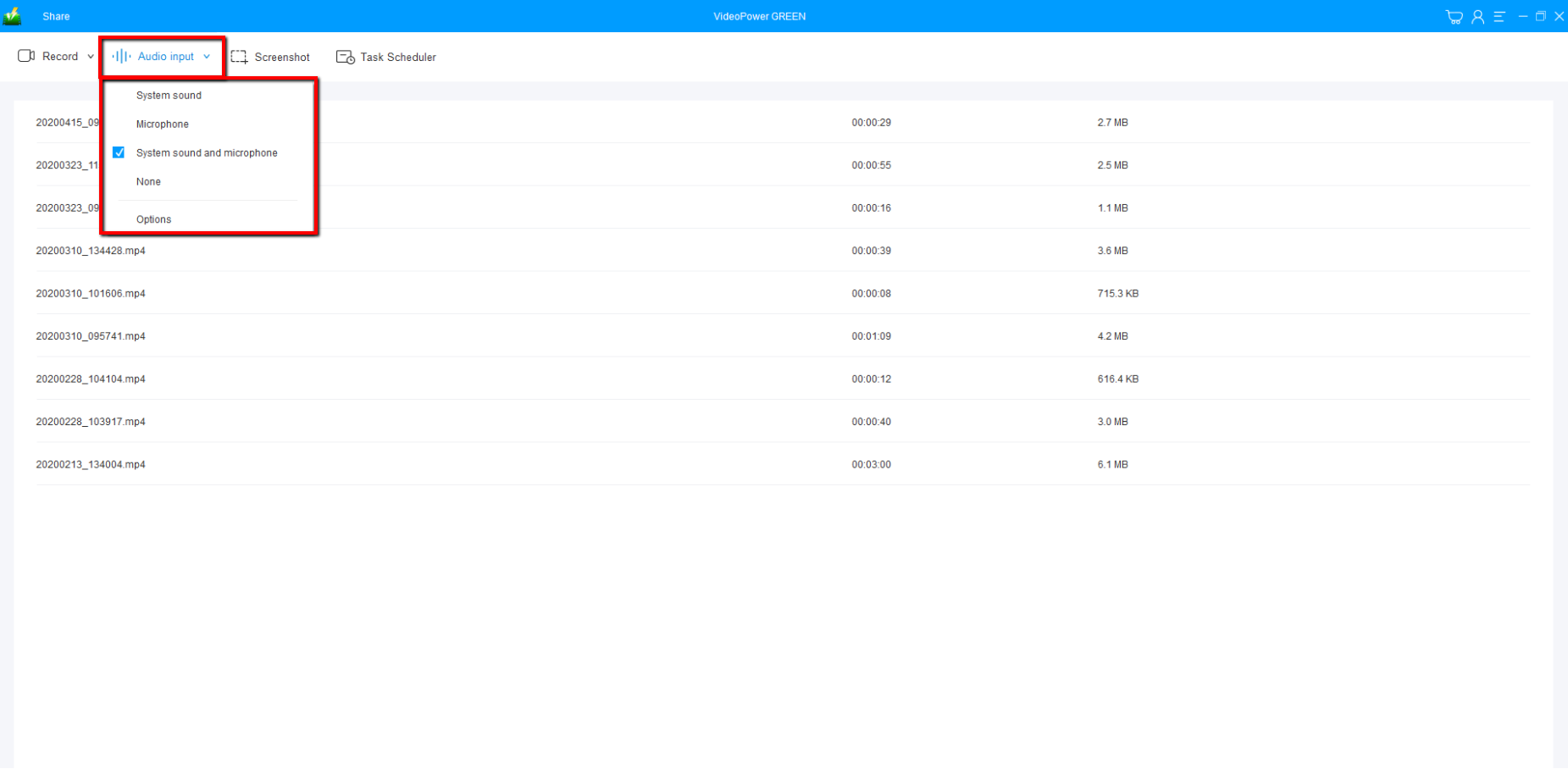
You can choose “System sound, Microphone, System sound and microphone or None.” To record streaming video, you can select “System sound”.
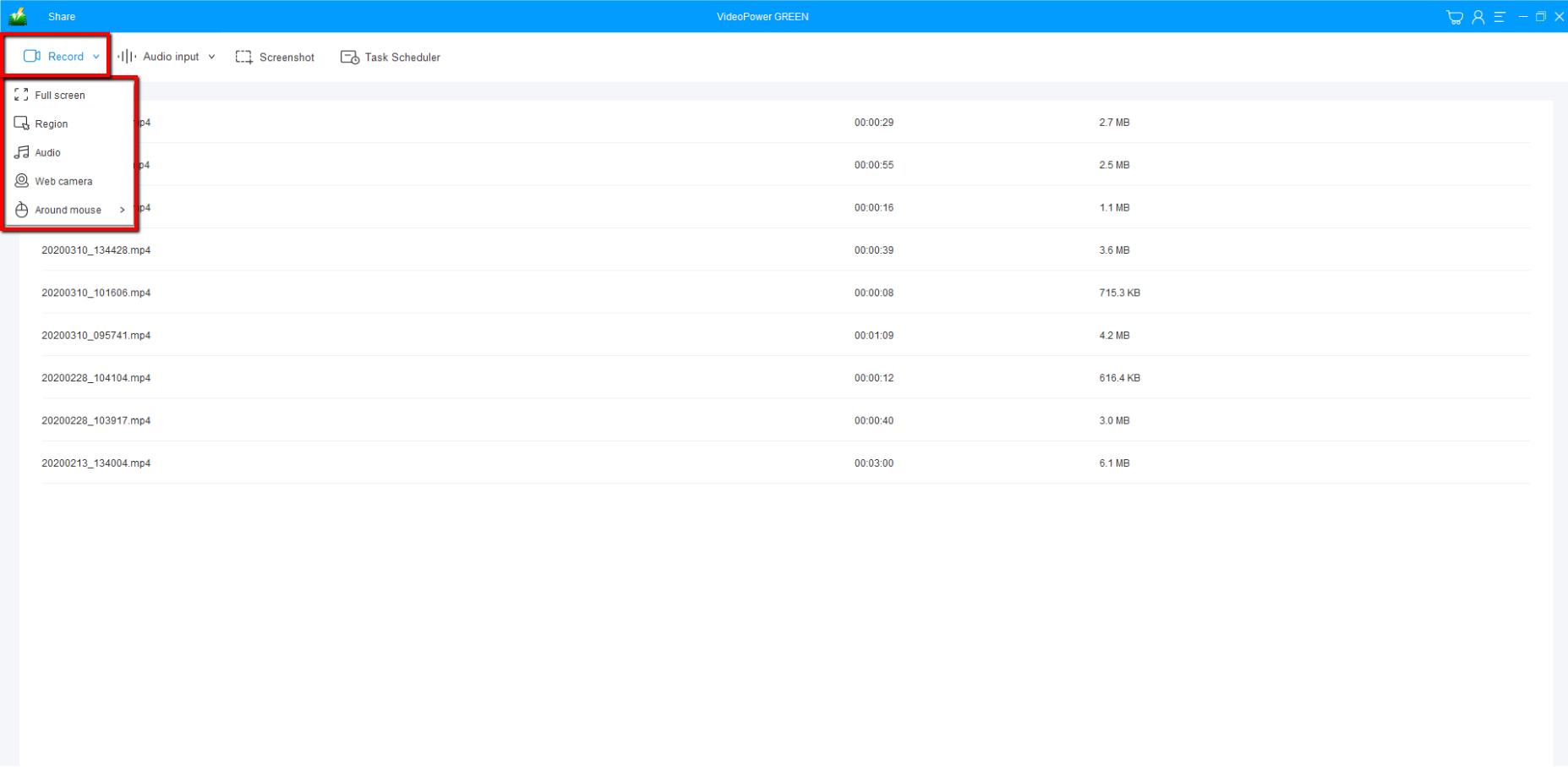
Select a recording area.
Click on the “Record” button to choose the recording mode from “Full screen, Region, Audio, Web camera, Around mouse”. Select the area you are going to record.
Step 2: Start to record in 4k
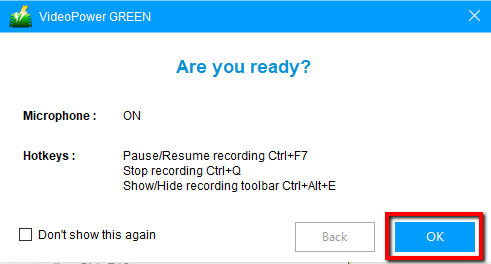
The pop-up window will ask whether you are ready to start recording, click “OK” to confirm when you are ready to record.
Edit video while recording:
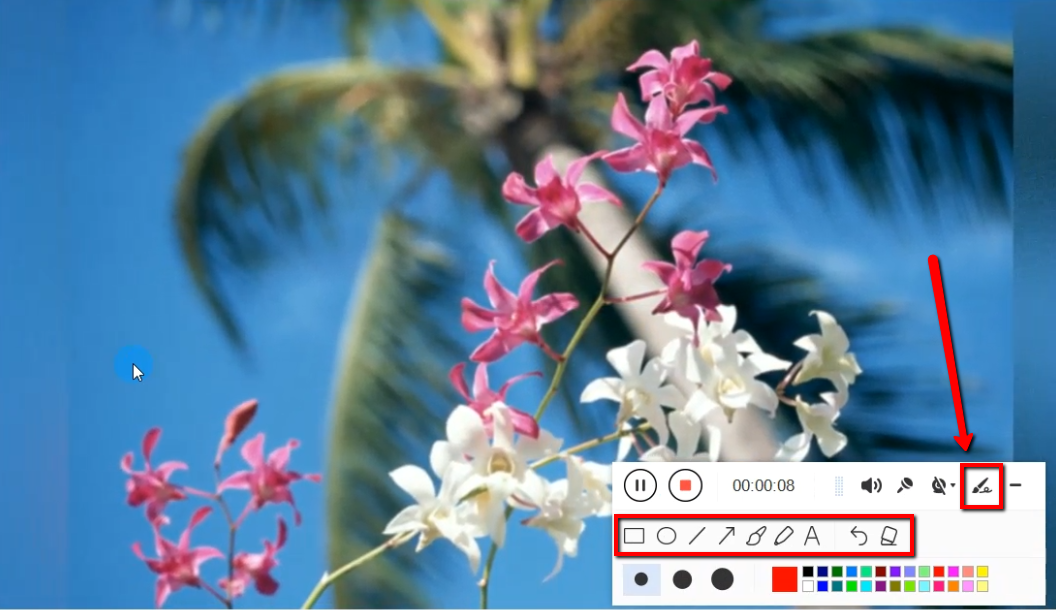
While recording you can add lines, arrows, shapes, texts, highlight, blur, etc. by clicking the edit button.
Step 3: End the recording
Click the “Stop” button to stop recording

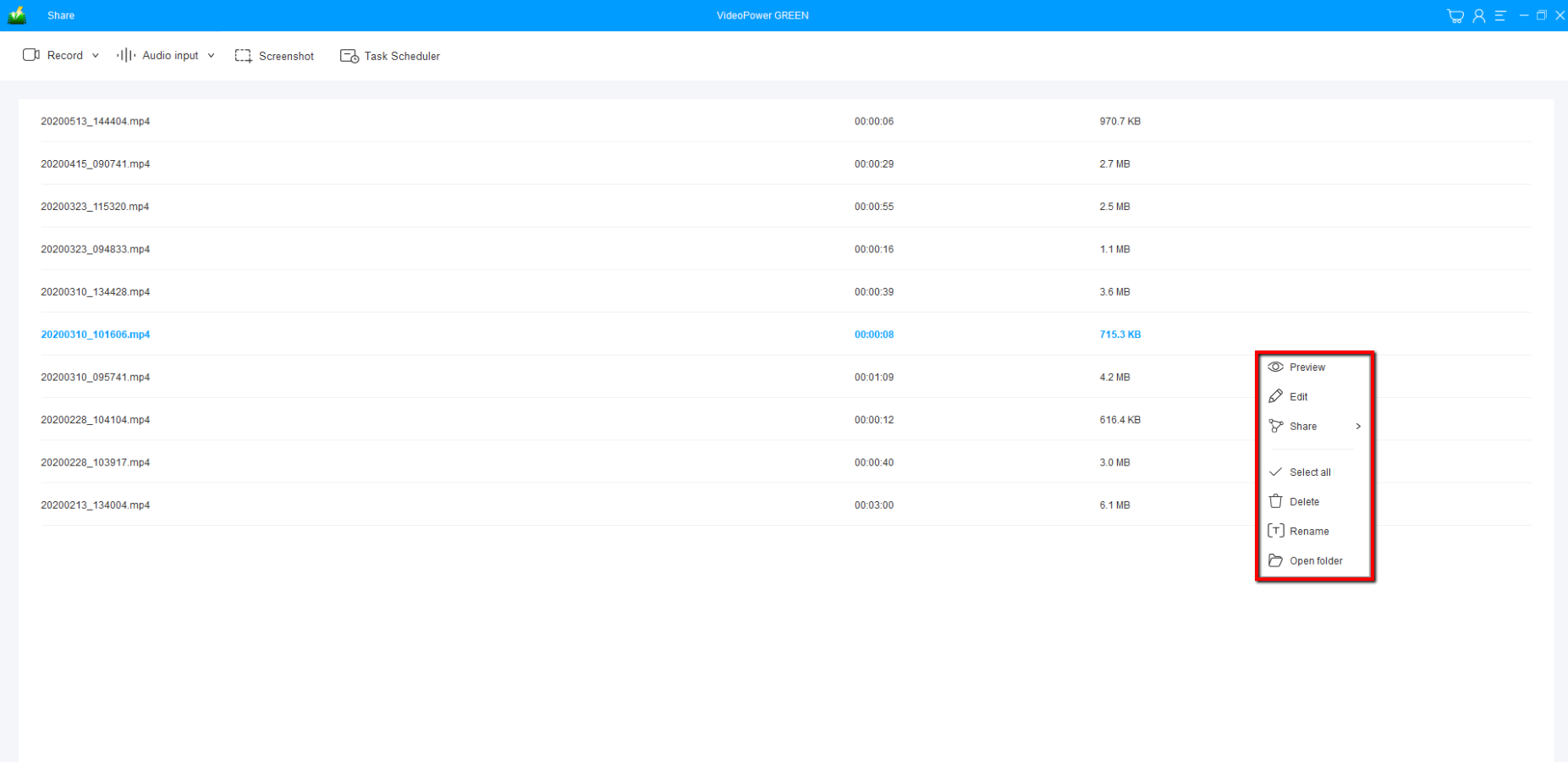
You can right-click on the recorded 4k video file to view, edit, share, or open folder.
Conclusion:
VideoPower GREEN delivers a dynamic and very satisfying result. This application is very intuitive whether you are a beginner or a pro, you can always record videos or audios with the best quality, and without a doubt, you can use this software without a problem. Download now.


