





Tips Index
HBO is a cable TV network media company, whose parent company is Time Warner Inc. HBO Go is a television service provided by HBO, which was first launched on February 18, 2010.
HBO Go allows users to select HBO content from HBO websites, through mobile devices, game consoles, and digital media players.
In order to catch up on your favorite shows and enjoy it anytime and anywhere you want, the best possible way is to record it for later and offline viewing.
In this case, VideoPower GREEN, an amazing, hassle-free, and trusted recording application software is highly recommended for this kind of job. You can easily record on-screen activities on your computer in your own way with professional and high-quality results. This app does not only record gameplays but also record tons of stuff or any screen activities on your PC and webcam.
Check out this article to learn more about this app and click the link below to download and install a free app.
You can try to use the software for free by downloading its trial version below.
Step 1: Record HBO programs.
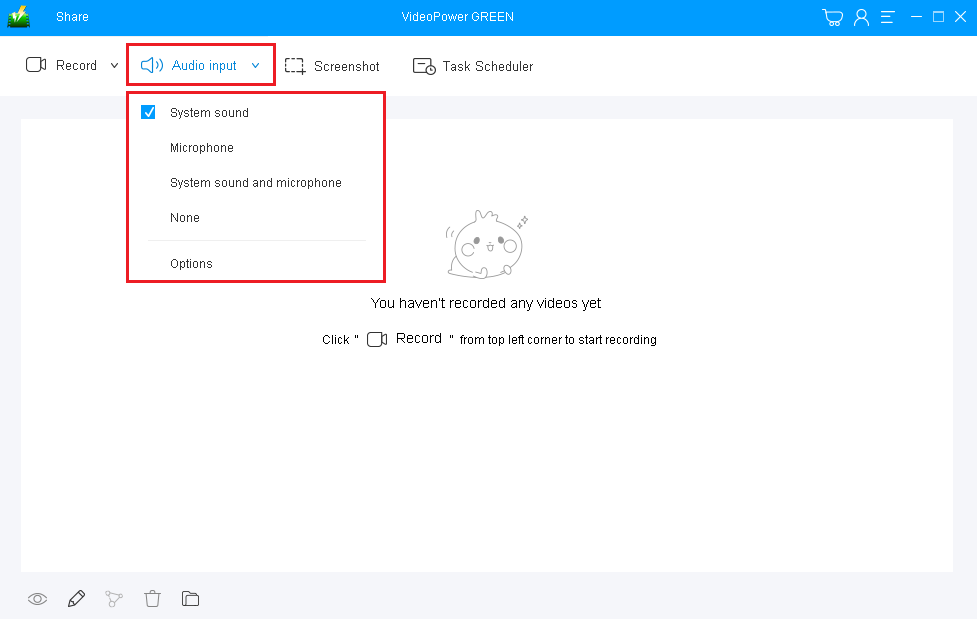
1) Choose a sound source
You can choose “System sound, Microphone, System sound and microphone or None.” In recording, HBP shows, using “System sound” is recommended.
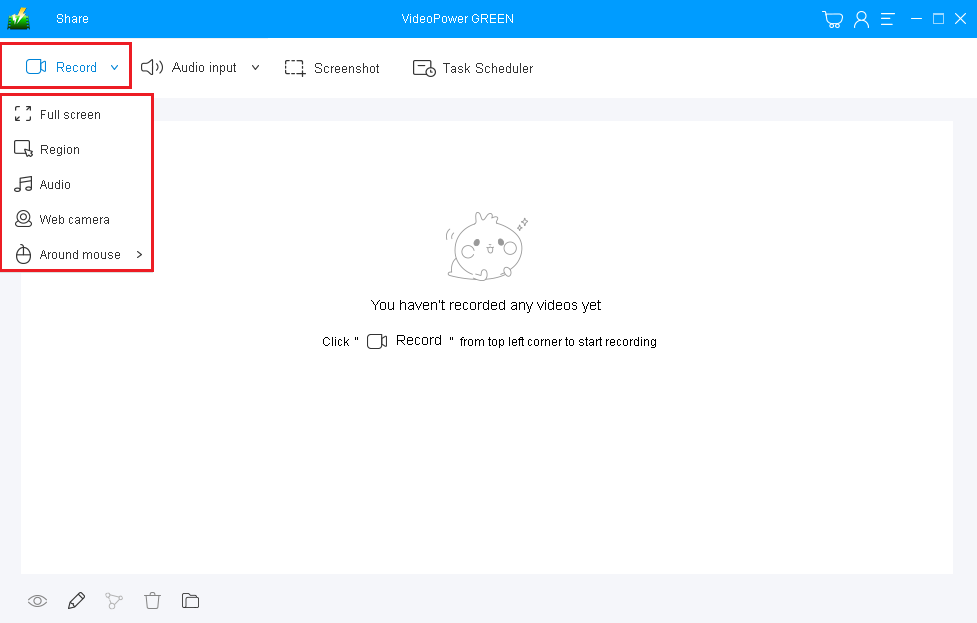
2) Select a recording area
Click on the “Record” button to choose the recording mode from “Full screen, Region, Audio, Web camera, Around mouse”. If you are going to record both a webcam and screen, you need to select a screen. And then open a webcam after starting recording.
Step 2: Start to record HBO programs.
The pop-up window will ask whether you are ready to start recording, click “OK” to confirm when you are ready to record.

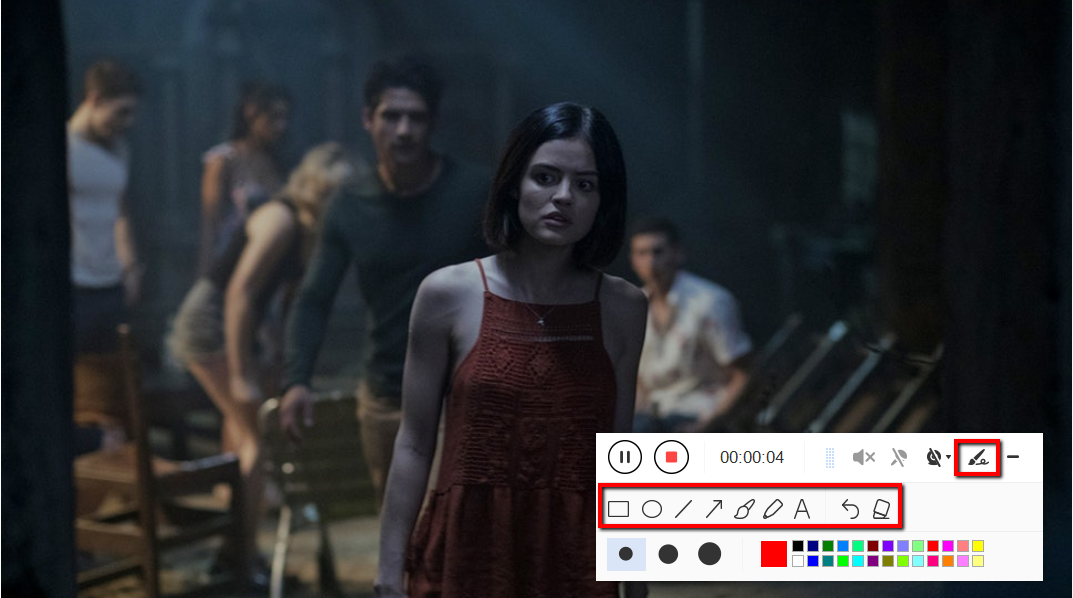
Edit video while recording
While recording you can add lines, arrows, shapes, texts, highlight, blur, etc. by clicking the edit button.
Step 3: End the recording.
Click the “Stop” button to stop recording.

After that, the recorded file will be saved in the pointed output folder.
1) Your recorded file will be seen in the main interface. You can right-click the file and do more operations if you like.
2) Click the folder icon to view it in the pointed output folder.

Conclusion:
Watching HBO site is one of the ways to help many people be entertained and have fun by just selecting any HBO content from the HBO website through Computer, Mobile Phone or any other devices. To continue watching and catching up your favorite movies or videos, capture a copy of it for later and online viewing with the help of an amazing, hassle-free and trusted recording application software with various professional features called VideoPower GREEN.


