





Tips Index
Web video is a convenient form of video playback nowadays. Watching videos online such as TV shows, movies, video clips, live broadcasts, game streaming, etc. is now possible without using any software. But then, this would be completely useless in the absence of an internet connection.
Watching videos without lagging in an area where there’s no internet connection and downloading ahead of time isn’t possible. In this case, a screen recording tool is the best option. Screen recording desired videos ahead of time for later viewing would be an easy way out for this kind of issue.
VideoPower GREEN an easy to use, hassle-free, and trusted recording application software would be best for this kind of job. It enables you to record movies, video tutorials, games, live streams, calls, and more. In addition, it can’t only offer screen recording features for better later viewing purpose but it can also assure recording activity to go smoothly without lagging.
Step 1: Record screen activities.
Run VideoPower GREEN if you have installed it on your PC.
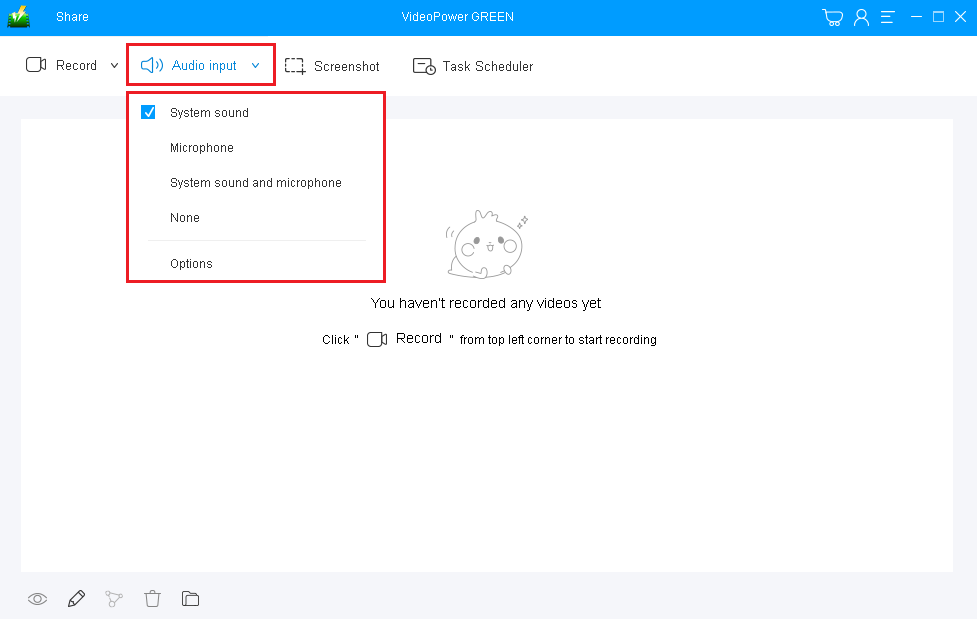
Choose a sound source.
You can choose “System sound, Microphone, System sound, and microphone or None.” To record streaming video, you can select “System sound”.
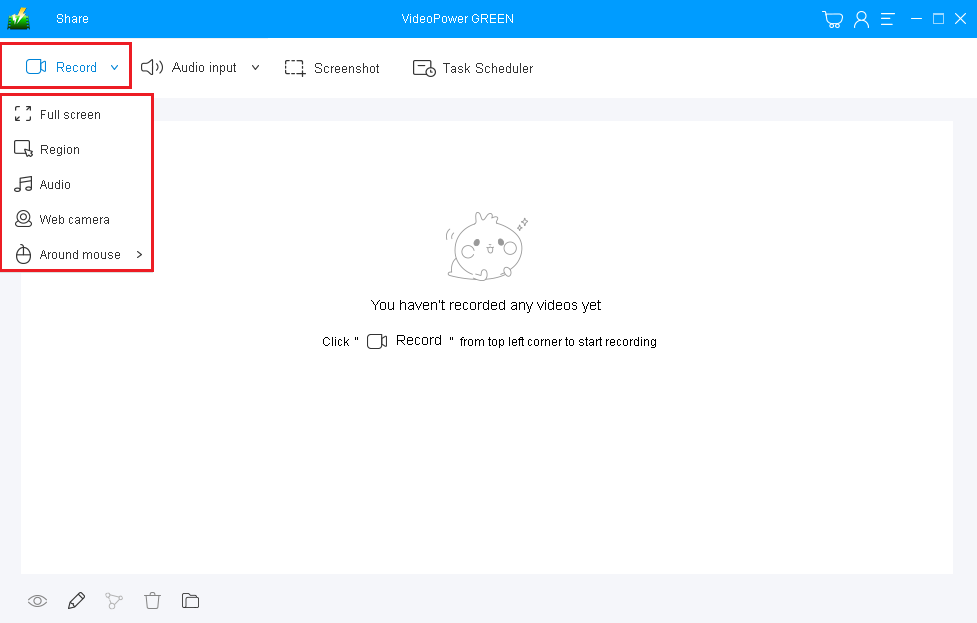
Select a recording area.
Click on the “Record” button to choose the recording mode from “Full screen, Region, Audio, Web camera, Around mouse”. Select the area you are going to record.
Step 2: Start to record.
The pop-up window will ask whether you are ready to start recording, click “OK” to confirm when you are ready to record.

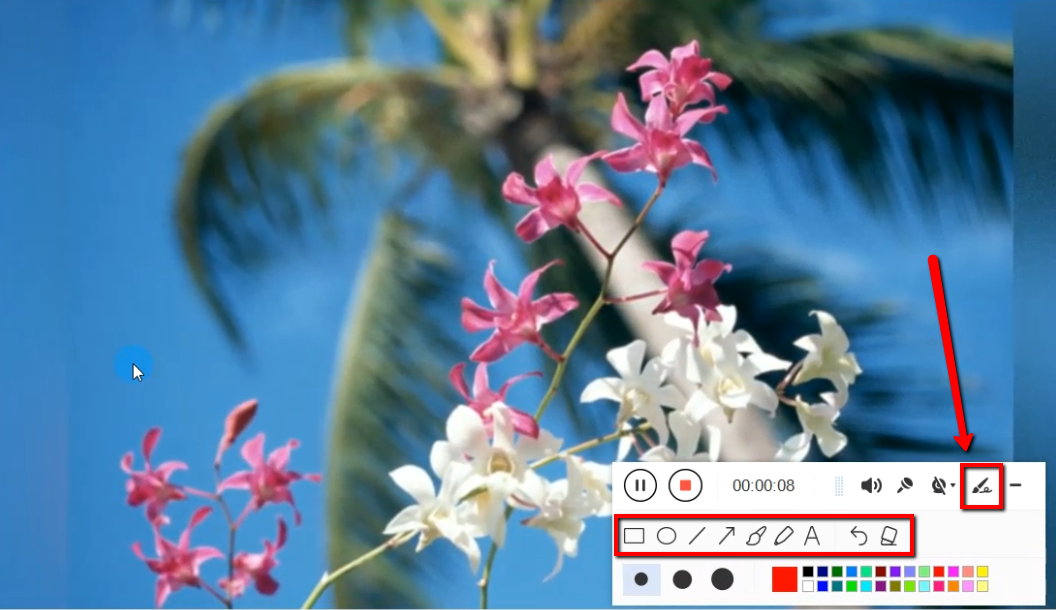
Edit video while recording:
While recording you can add lines, arrows, shapes, texts, highlight, blur, etc. by clicking the edit button.
Step 3: End the recording.
Click the “Stop” button to end the recording.

After that, the recorded file is already saved in the pointed output folder.
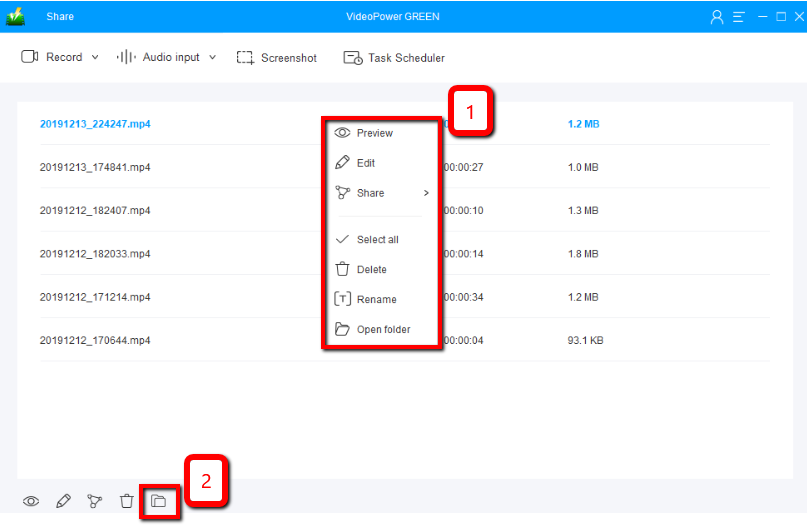
1) Your recorded file can be seen in the main interface. You can right-click the file and do more operations if you like.
2) Click the folder icon to view it in the pointed output folder.
Conclusion:
Movies, video clips, game streamings and many more are happy pills for most of the people especially those who were born and grown up along with modern technology.
It become frustrating when we can’t continue watching because of some reasons like an absence of internet connection. Screen recording would be the best tool in dealing this kind of worry and VideoPower Green would be the best software for it as it is an easy to use, hassle-free, trusted and of course the one that most of the us dreamed, a lag-free recorder.
VideoPower GREEN also has an editing feature that helps us add beauty and emphasis to our output and a task scheduler feature that helps us save time and effort.


