





Tips Index
YouTube, the world’s largest video-sharing website, has a large number of users visiting the site every day.
Despite its popularity, the website does not feature a download option for offline viewers. Using VideoPower YELLOW, you can convert YouTube videos to ringtone for your mobile phone.
When you hear a great song on YouTube, you want to download it and then transfer it to your mobile phone so that you can listen to it offline at any time. Or even want to set the song as a ringtone for your phone. What should you do to make it possible?
VideoPower YELLOW provides a free Video to MP3 Converter that can convert videos to audio in various formats including MP3, MP3, M4A, etc.
Below is the simple guide on how to convert YouTube Video to ringtone with this software.
Method 1: Download the video to audio
Step 1: Launch Video to MP3 Converter
After you run the program, click the settings tab and navigate to “Video to MP3 Converter”.
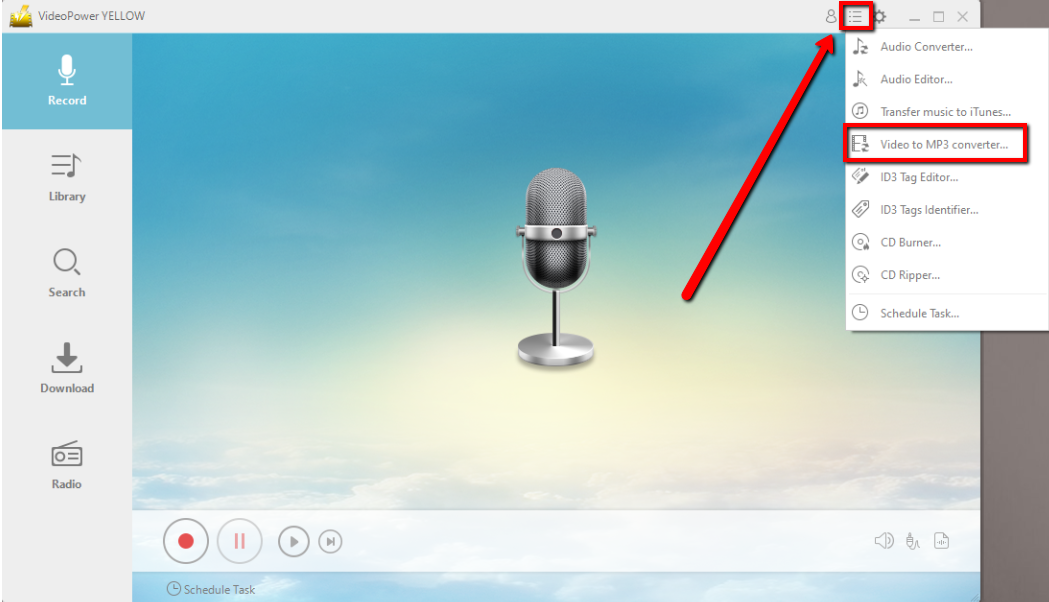
Step 2: Download the Video to MP3
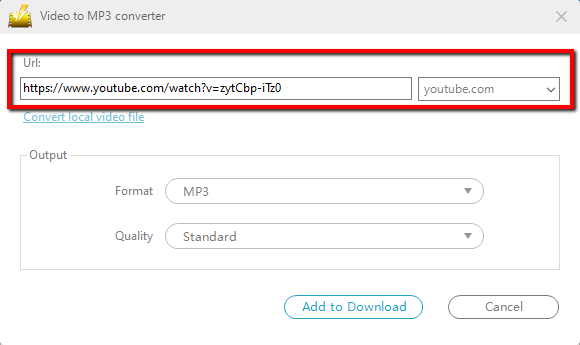
The built-in “Video to MP3 Converter” window will pop up, copy and paste the URL of the video that you want to convert.
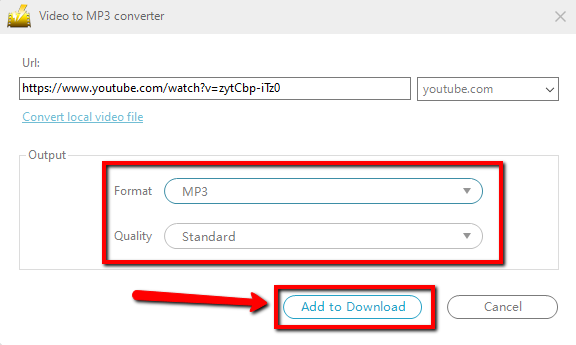
You can set up the output format and quality in the “Output” portion, and then click the “Add to Download” button to start the conversion.
Step 3: Find the downloaded audio file
Turn to the “Download” feature. You will see the “Downloading” control panel has a task displaying on it. If complete downloading, find it in the “Completed” list.

Method 2: Record the audio
For this method, you would need to play the video in its entirety while recording so that it’s saved.
Step 1: Set the sound source
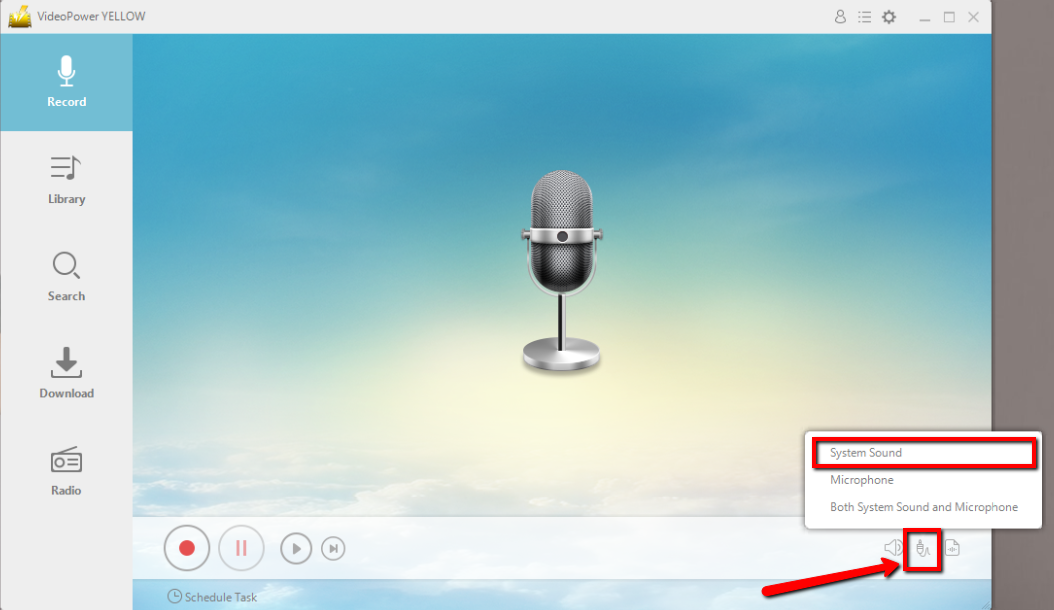
Before recording the YouTube video, make sure that the sound source is set to “System sound.”
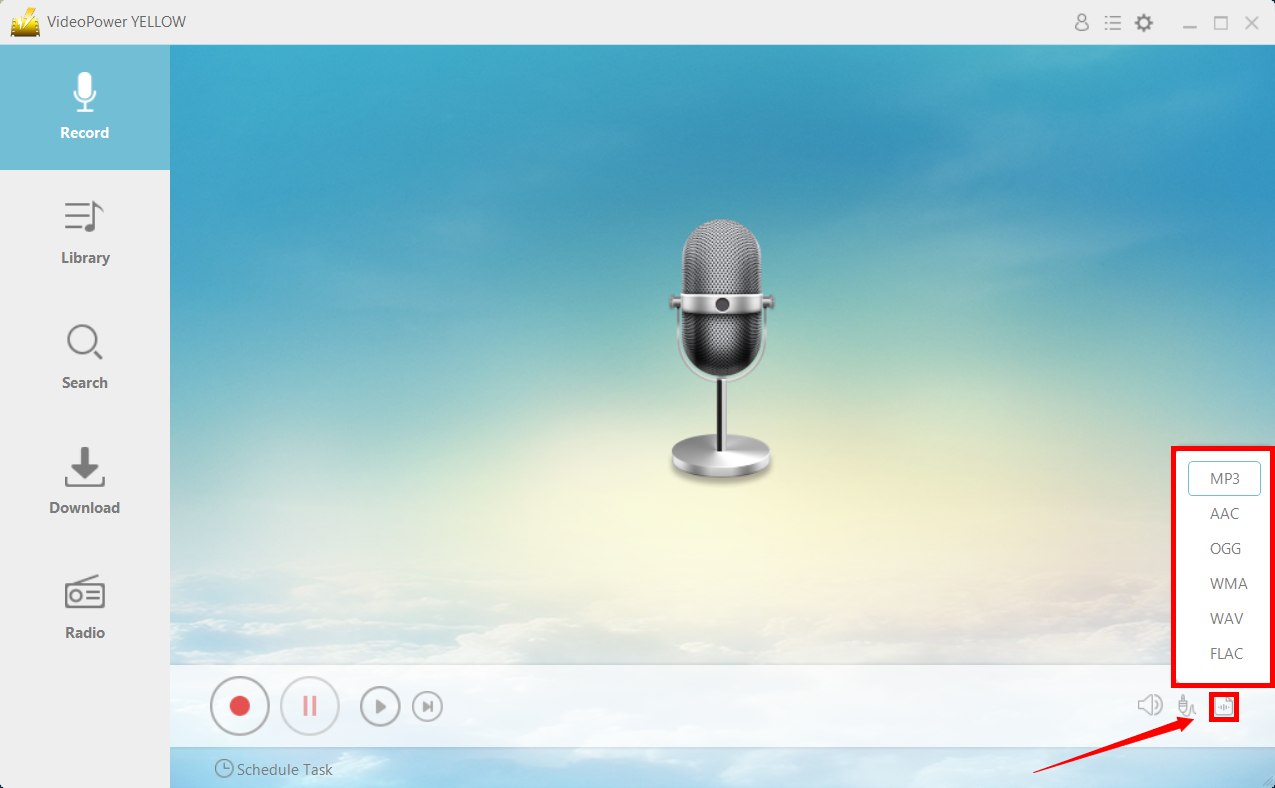
Step 2: Set the file format
Make sure that the recording is set in the format of “MP3.” – or whatever format you deem appropriate.
Step 3: Record
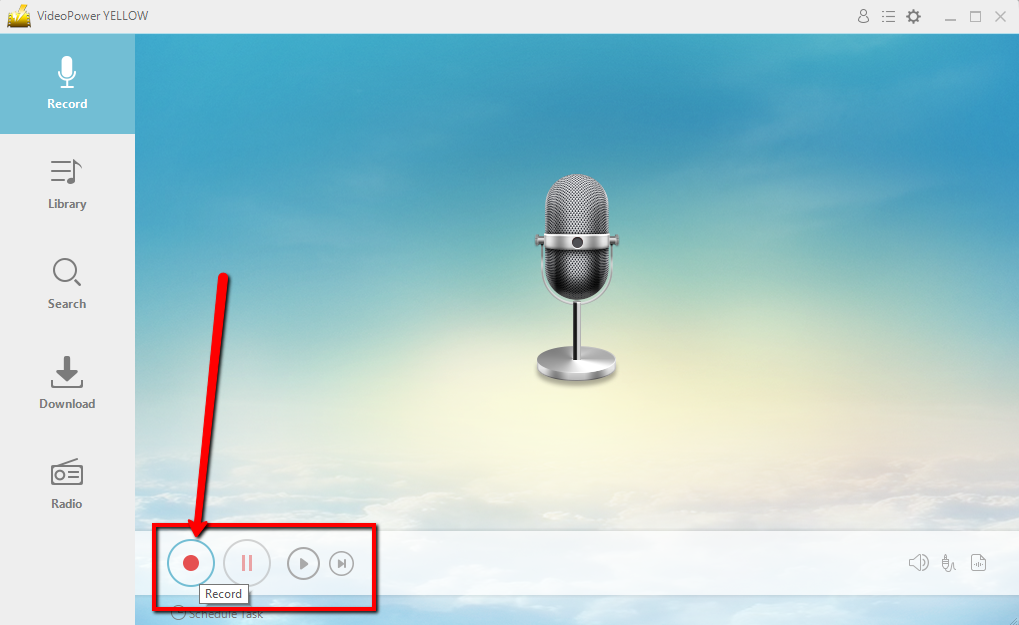
Click the “Record” button to start recording.
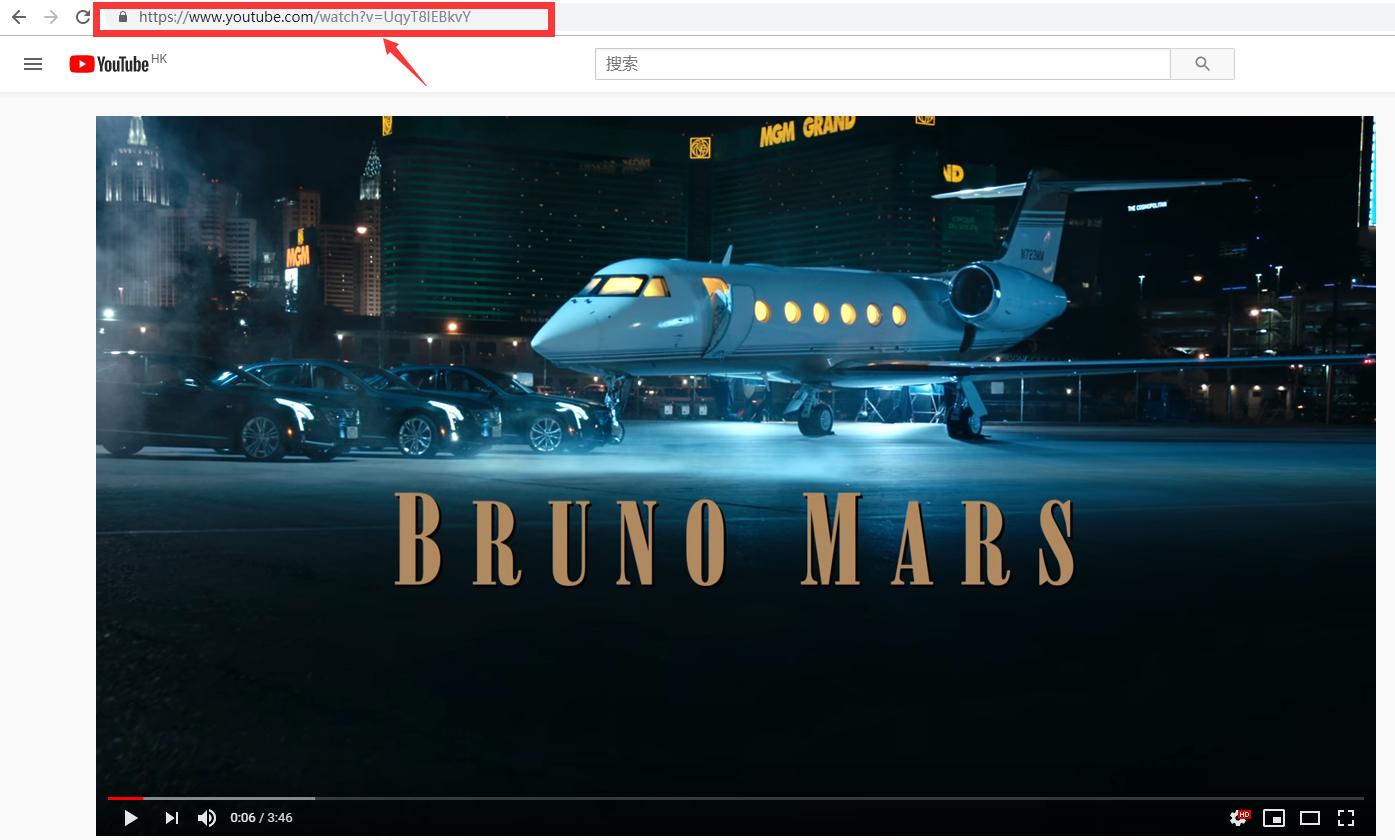
Go to the YouTube video that you want to download and play it.
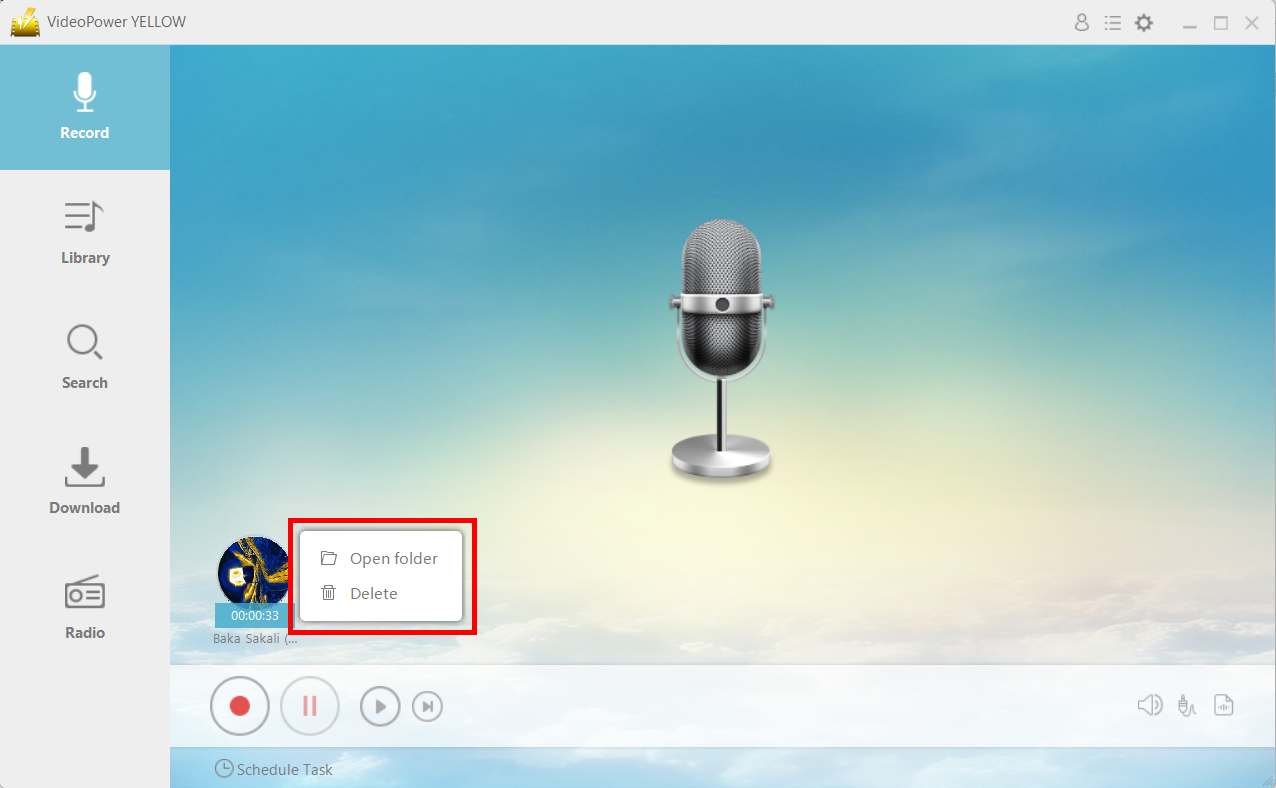
Find the file location.
After recording, right-click the recorded track icon and click “Open folder” to open the storage location of the recorded audio file or click “Delete” if you want to delete the file and record again.
Conclusion:
Because most of the popular music videos do not have download features on YouTube and most online converters are not really reliable, you can instead use VideoPower YELLOW to convert YouTube videos to ringtone for your mobile phone.
This is a multi-functional audio recording tool available for Windows OS. With this, you will be able to record desired music genres, kinds and number of music from different music streaming sites. Capture the music of your choice now and enjoy a convenient offline listening anytime and anywhere.



