





Tips Index
(Ogg Vobis) is a new generation audio format, similar to lossy compression audio format such as MP3, but the difference is that OGG is completely free, open and patent-free.
OGG was a very popular format when it came out but with the development of technology, it has been replaced with better audio formats. However, there are still people that opt to use this format, but because of newer devices, MP3 has been the most universal format for audio files.
However, we still often download the audio in OGG format from the Internet, even for recording. There are still mobile phones that use OGG format as output for recorded audio. People would then need to convert it to MP3 for use with other devices.
VideoPower BLUE is a very useful tool that can convert OGG to MP3 files. Besides that, it has multiple other features such as screen recording, editing, capture, and conversion.
Get this software now and convert the OGG file to a more usable format.
You can try to use the software for free by downloading its trial version below.
Step 1: Add the OGG file to VideoPower BLUE
Run the program if you have installed the converter successfully on your PC.
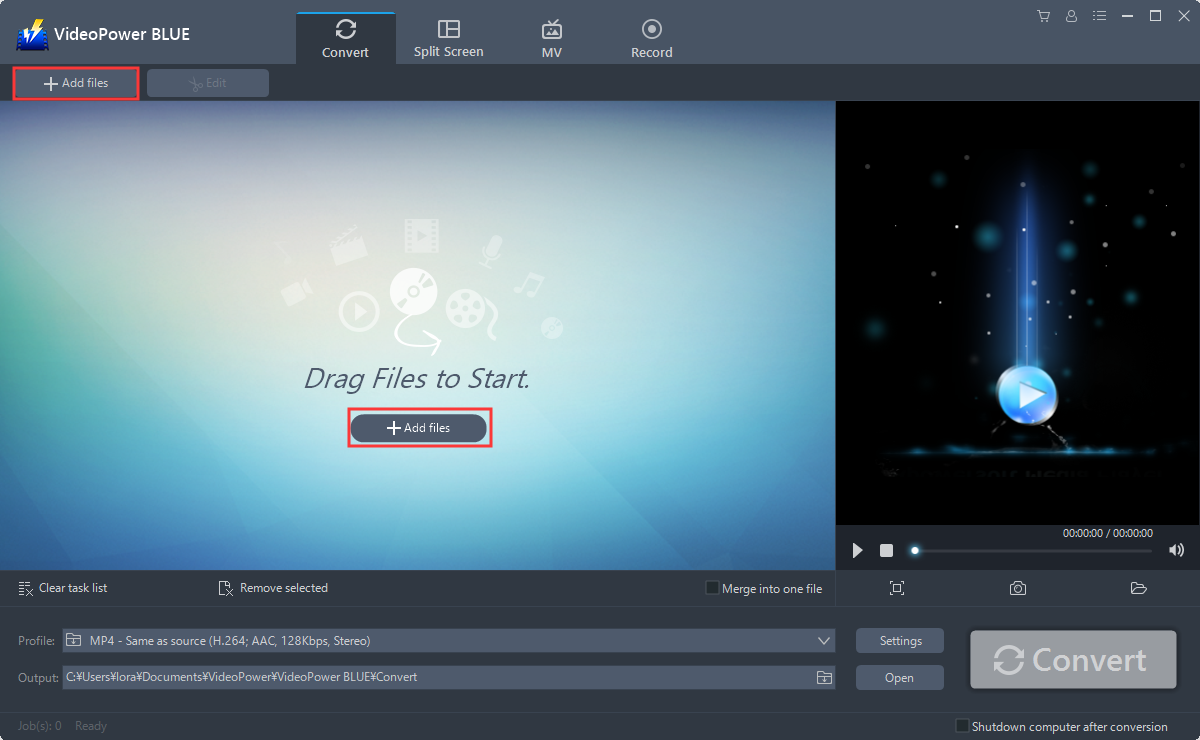
You can directly import the OGG files to the program for conversion. Click the “Add files” button to select files from your PC, or directly drag-and-drop the OGG files to the interface.
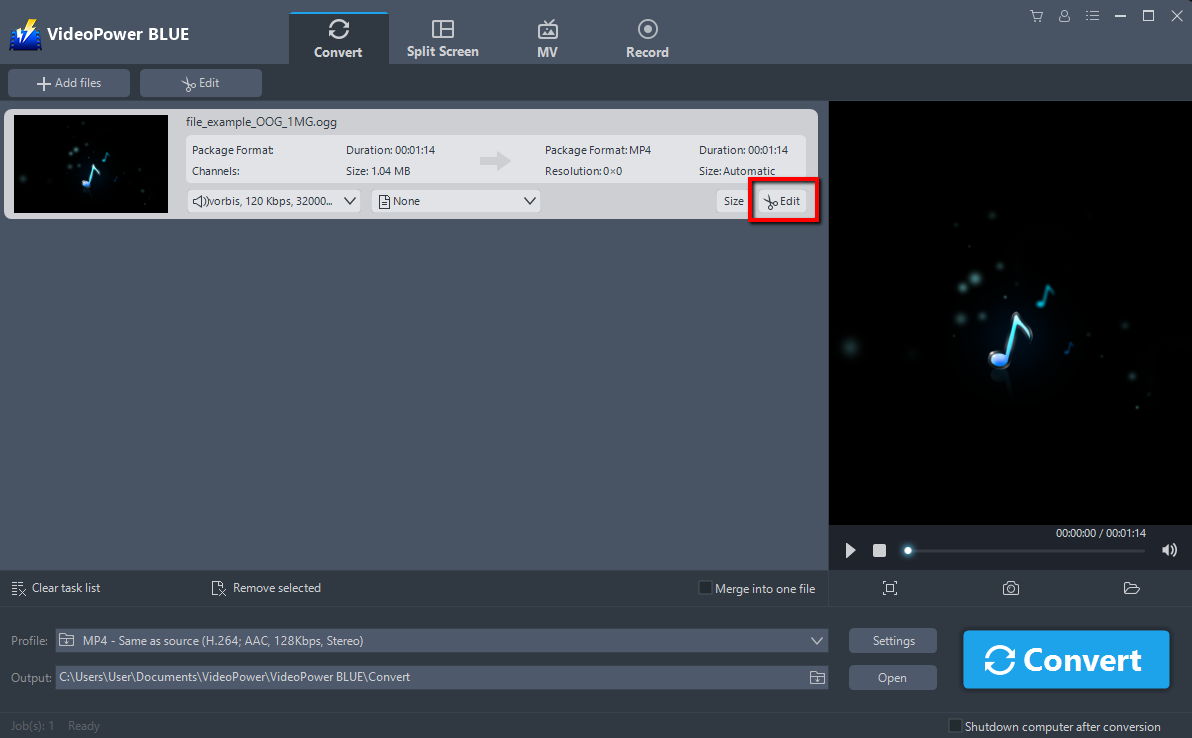
Step 2: Edit the OGG file.
Click the “Edit” button at the right side of the added OGG file to enter the Edit window so you can make some changes to your music. Here are some guidelines on how to edit your audio/video
Step 3: Convert OGG to MP3
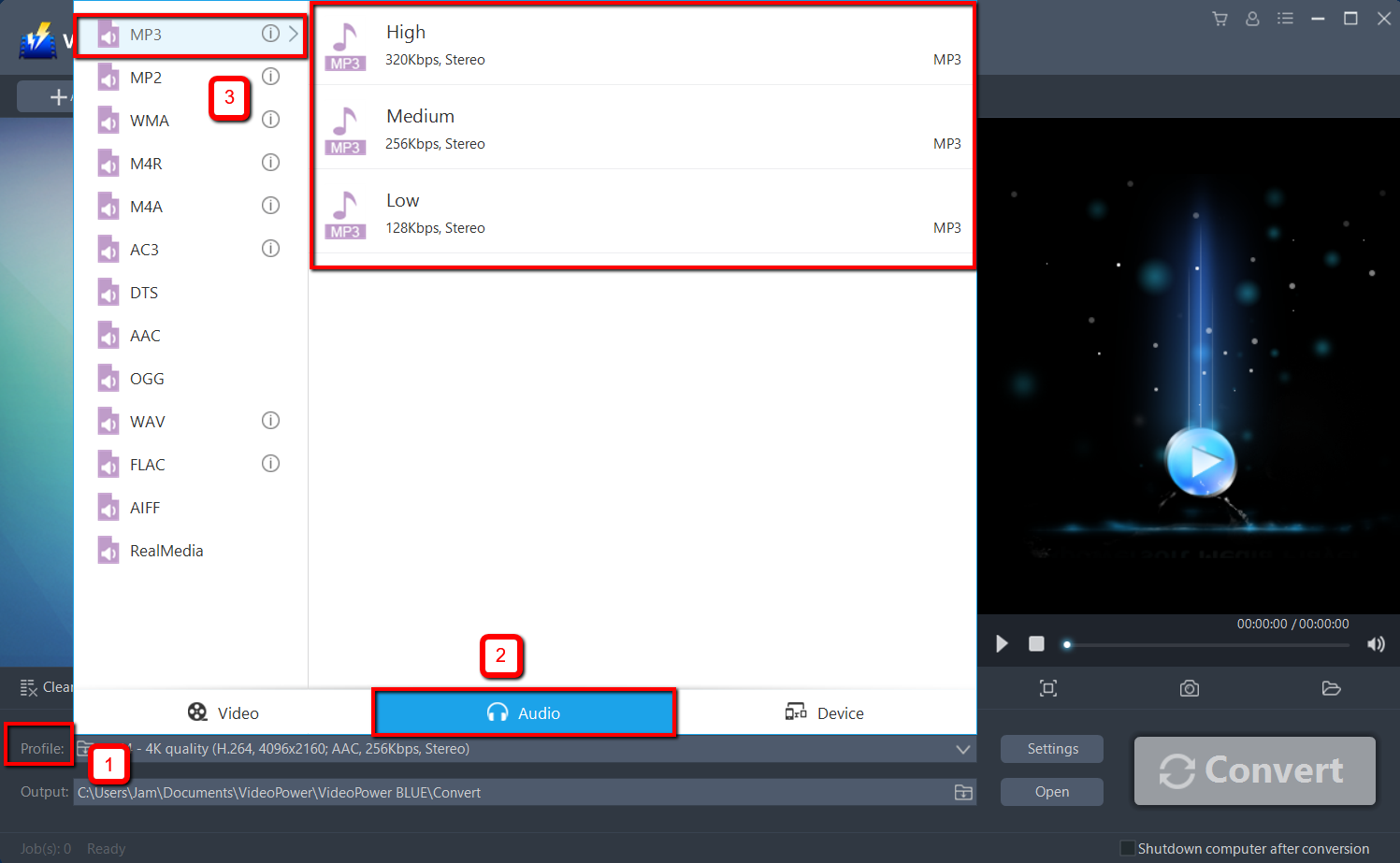
Before conversion, you should set the output format and folder first as the default output format is MP3.
1 ) Click the “Profile” bar.
2 ) Choose “Audio”.
3 ) Set the format to “Mp3 – High”.
If you are not satisfied with the default settings, you can customize the parameter in “Preset Editor” by going to “Settings”.
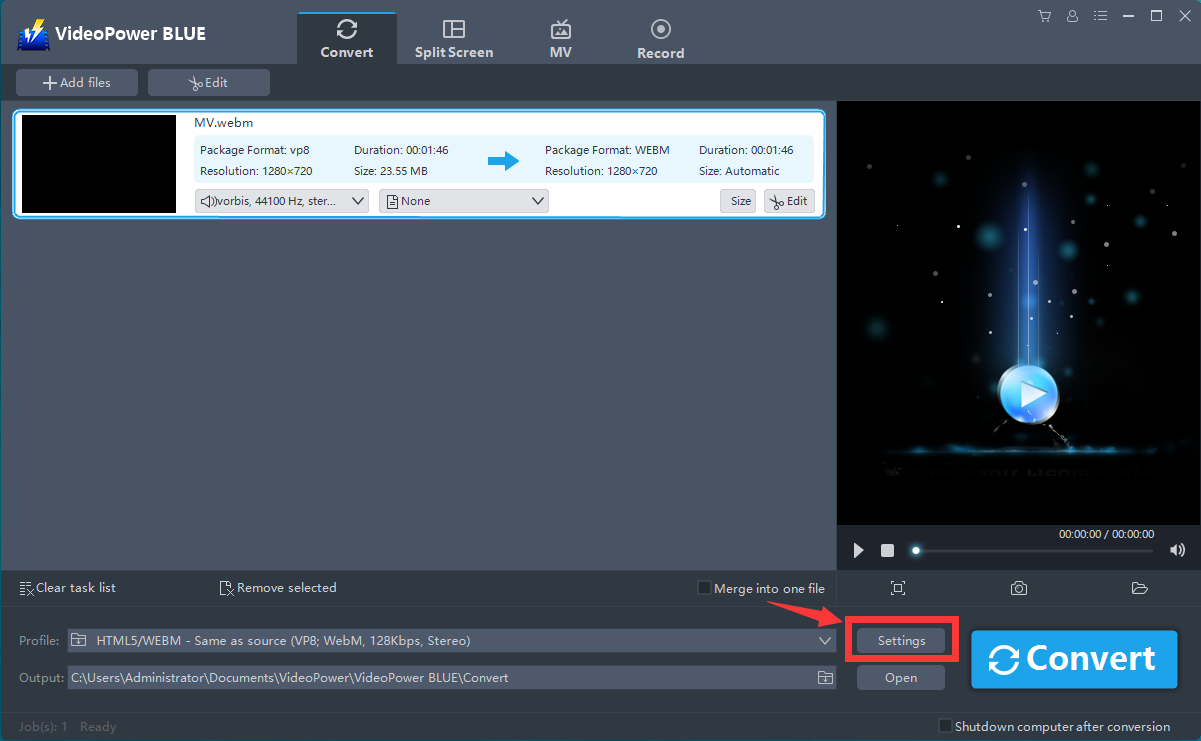
Now click the big blue “Convert” button to start the conversion process.

A pop-up window from the program will appear informing you that the conversion is complete. Click “OK” to open the folder of your saved converted MP3 files.

Conclusion:
VideoPower BLUE is a flexible desktop software which is probably the best conversion tool in the market today. It excels in audio and video conversion that could convert OGG to MP3. It’s efficient and it supports batch conversion of files. The conversion speed is more than double compared to other media converters.


