





Tips Index
M4A file has better quality and smaller file size than MP3. However, M4A audio format is not as widely used as MP3 because M4A files are only used in opening in certain programs like iTunes, Windows Media Player, Quicktime, Toast and Creator, and Roxio Popcorn.
Sometimes, you may want to play M4A file on some devices that don’t support. What you will need to do is to convert your M4A file to MP3 format so that you can open it in any media player.
In that case, we highly recommend you to download this astonishing application called VideoPower YELLOW. It is capable of converting your M4A file to Mp3 format in no time. Apart from that, it can also record or download music with ease. So what are you waiting for? just click the link below to download the app.
Just click the link below to download and install this app.
Step 1: Launch VideoPower YELLOW
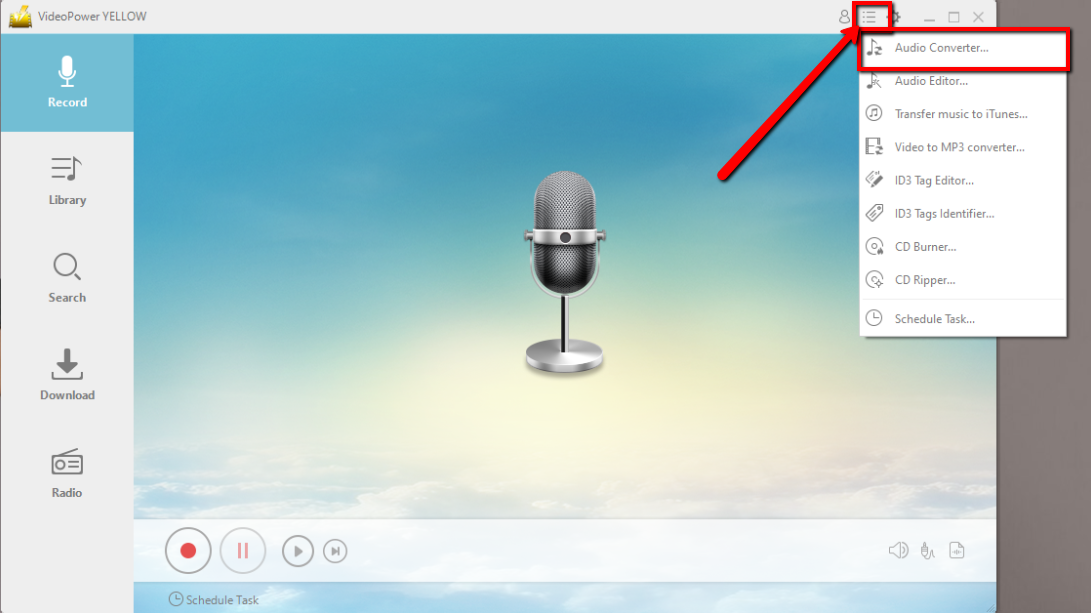
Run VideoPower YELLOW if you have installed it on your PC. Click the menu tab at the upper right part of the main interface and click “Audio Converter”
Step 2: Add the M4A file
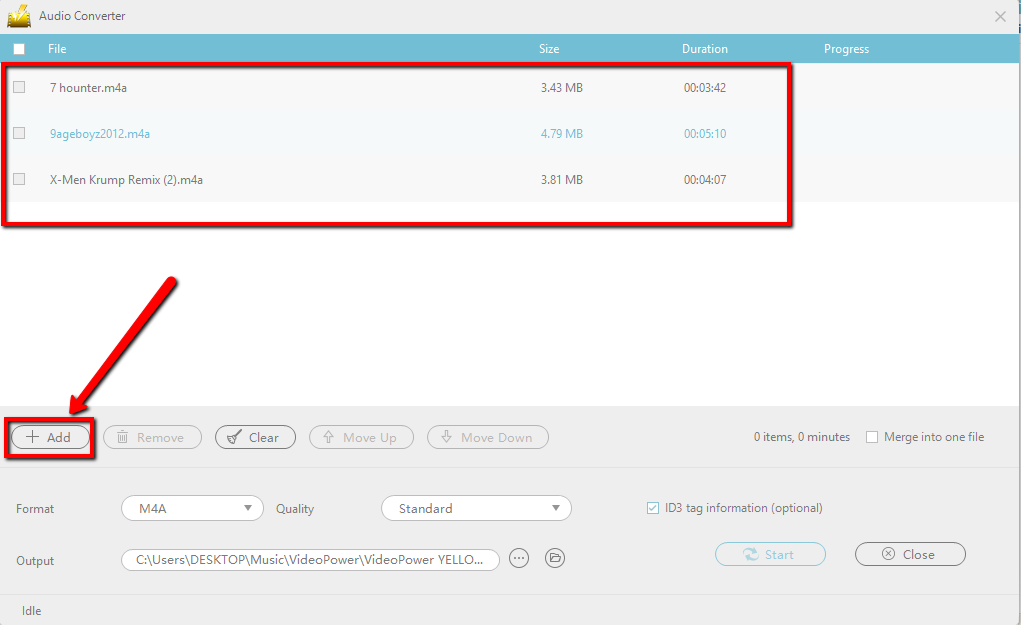
Click “Add” to import the M4A file. You can also add a bunch of files as preferred.
Step 3: Convert M4A to MP3
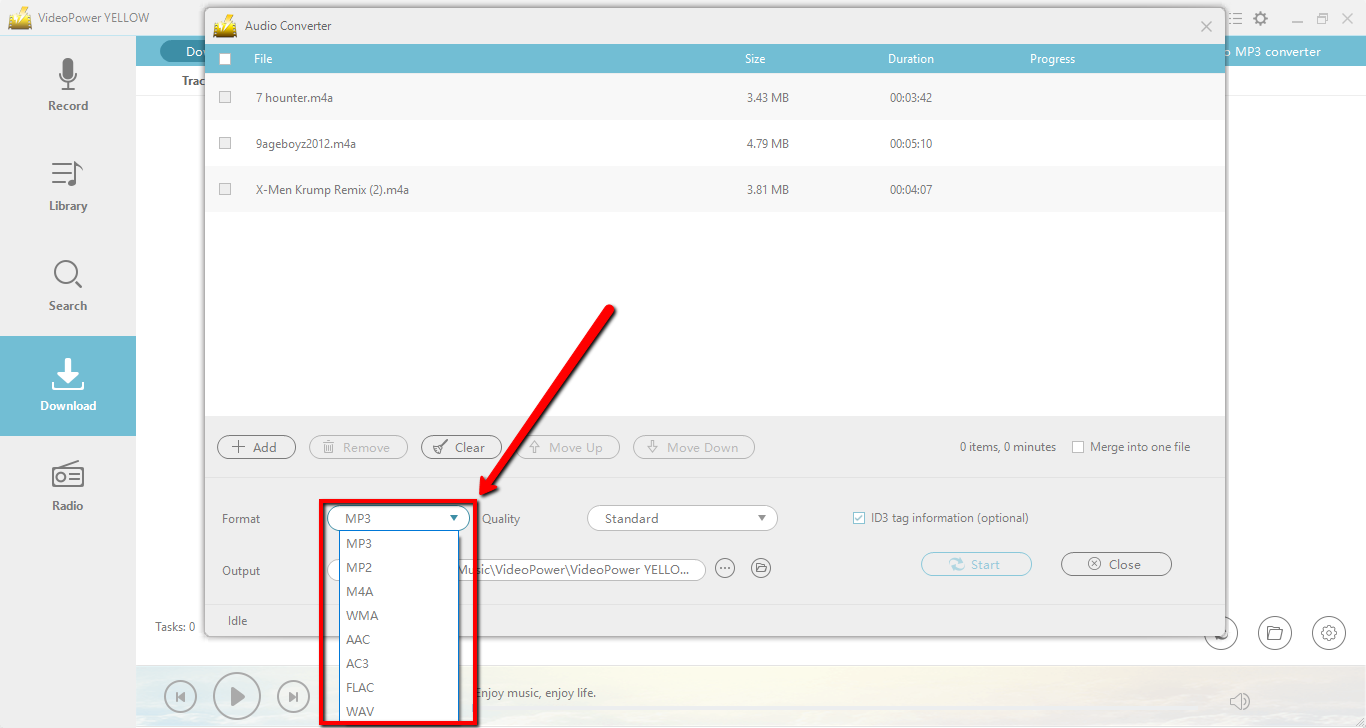
3.1 Set output format.
The default output format is MP3, you can also set another format for your M4A to MP2, WMA, AAC, etc.
3.2 Start Conversion.
Check the box on the left side of the M4A file(s) that you want to convert and click the “Start” button to start conversion.
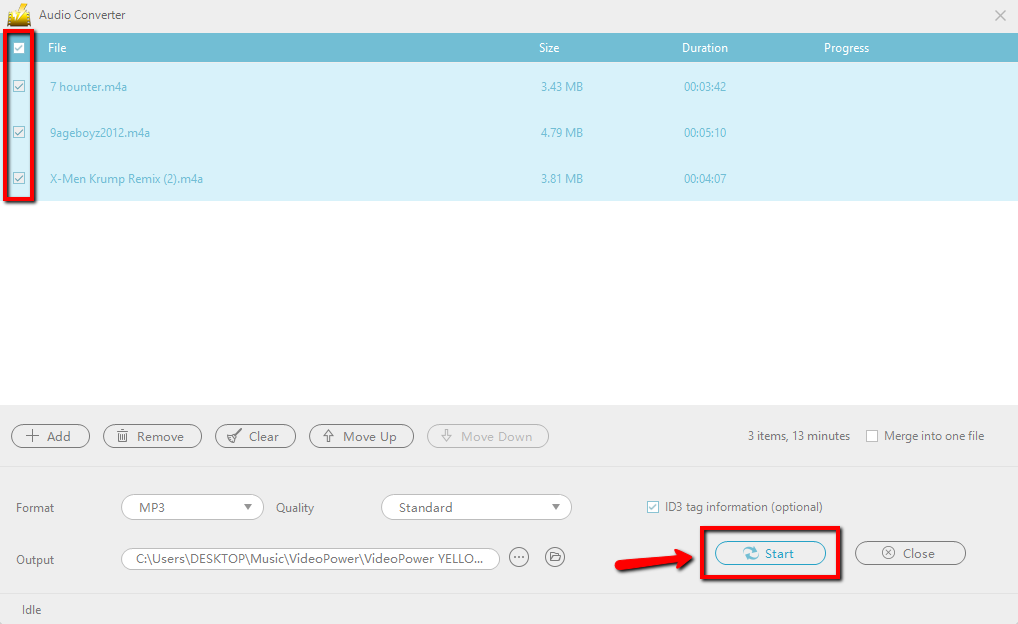
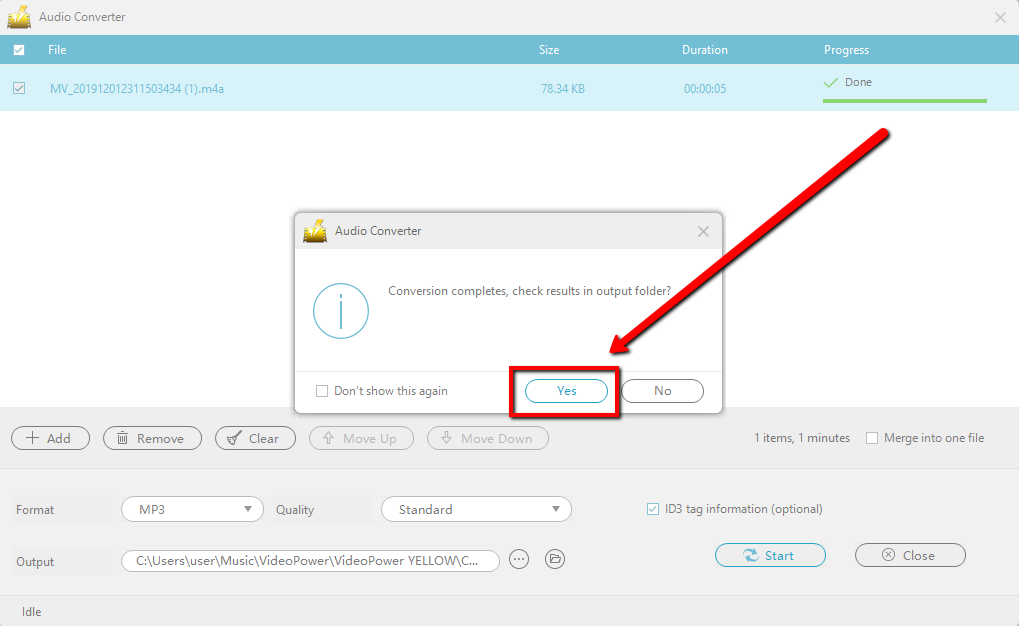
After the process is finished, a pop-up small window will ask you if you want to check the results in the output folder. Click “Yes” to open the converted and saved audio files.
Conclusion:
VideoPower YELLOW provides the easiest way to convert M4A to MP3 format. This is a powerful and stable software that offers more than just conversion.
It also supports recording and downloading music. If you need to rip or burn music to a CD, it can also meet your needs.
This is a great tool where you can enjoy your music life spontaneously.
What are you waiting for? Don’t delay any longer and download VideoPower YELLOW to experience its full features now!


