





Tips Index
OGG, short for Ogg Vorbis, is a compressed audio format, similar to MP3 and other music formats. OGG is completely free, open and has no patent restrictions. The OGG format file can continuously improve the size and sound quality without affecting the original encoder or player.
Despite the advantages in OGG format, it is not commonly used. Therefore, most audio players support MP3.
VideoPower BLUE is a flexible desktop application which is probably the best conversion tool in the market to date. It excels in audio and video conversion whether be it standard or high-quality media files.
Using this software, converting OGG to MP3 file format will be more efficient as it supports batch conversion of files. The conversion speed is more than double compared to other media converters.
Step 1: Add OGG files to VideoPower BLUE
After you have installed the software on your computer, it will launch automatically.
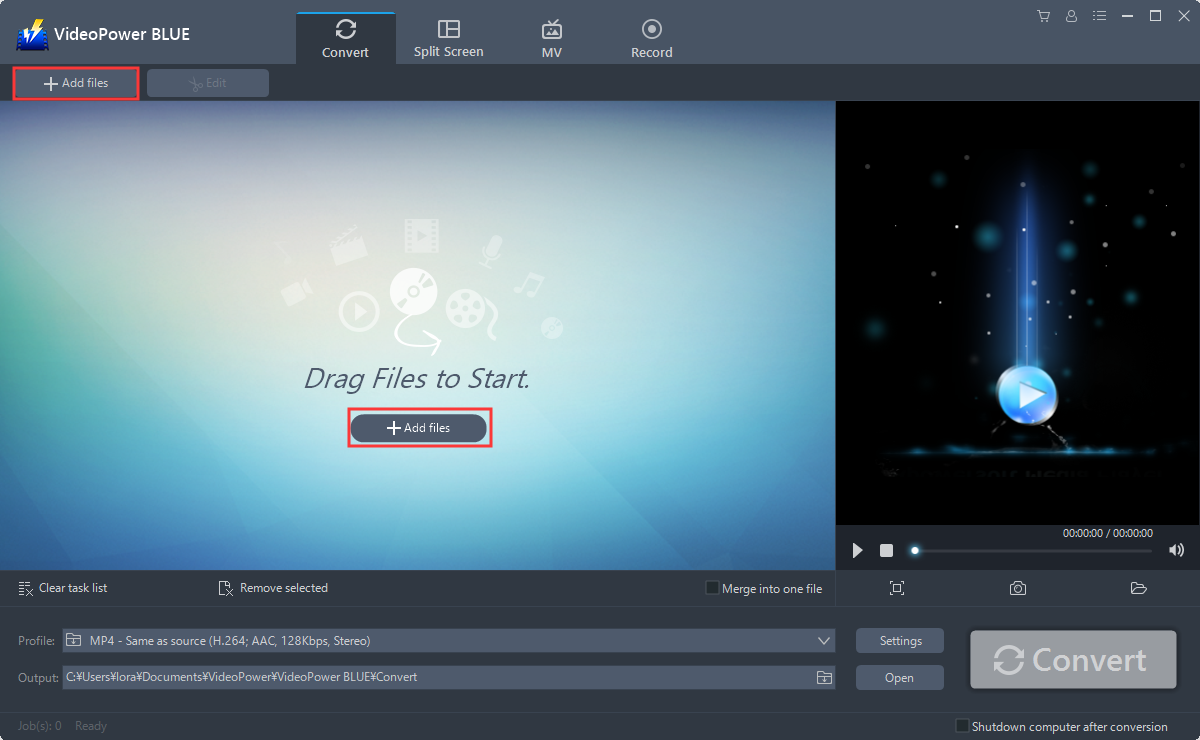
You can directly import the OGG file to the program for conversion.
Click the “Add files” button or drag and drop files from the local drive into the interface directly.
Step 2: Edit the OGG file
This step is optional, users can skip this step and go directly to Step 3.
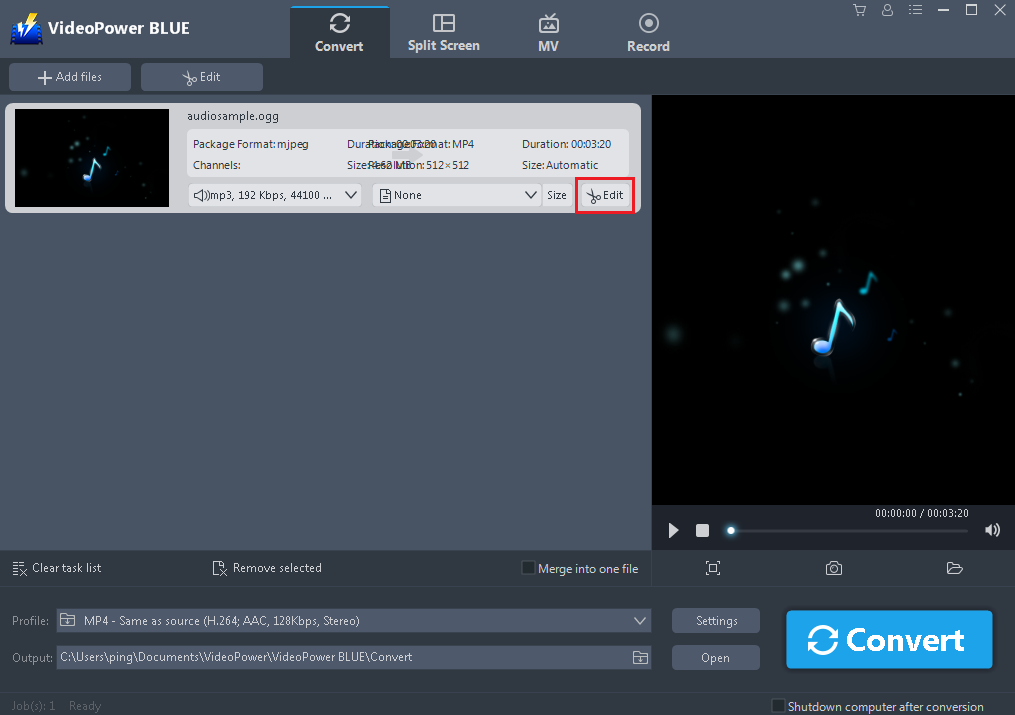
Click the “Edit” button at the right side of the added OGG file to enter the Edit window so you can do some changes to your music.
Step 3. Convert OGG to MP3 format
3.1 Set Format
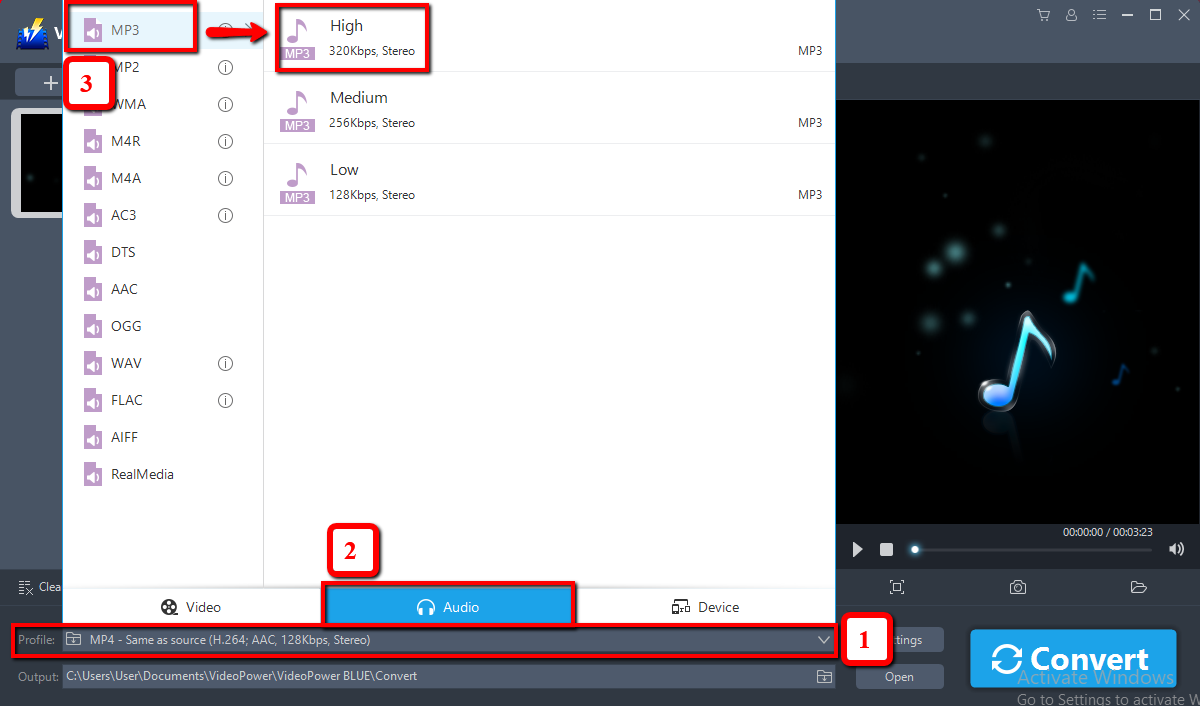
You should change the output format first as the default output format is MP4.
1) Click the “Profile” bar
2) Choose “Audio”.
3) Set the format to “MP3 – High”.
3.2 Choose Location
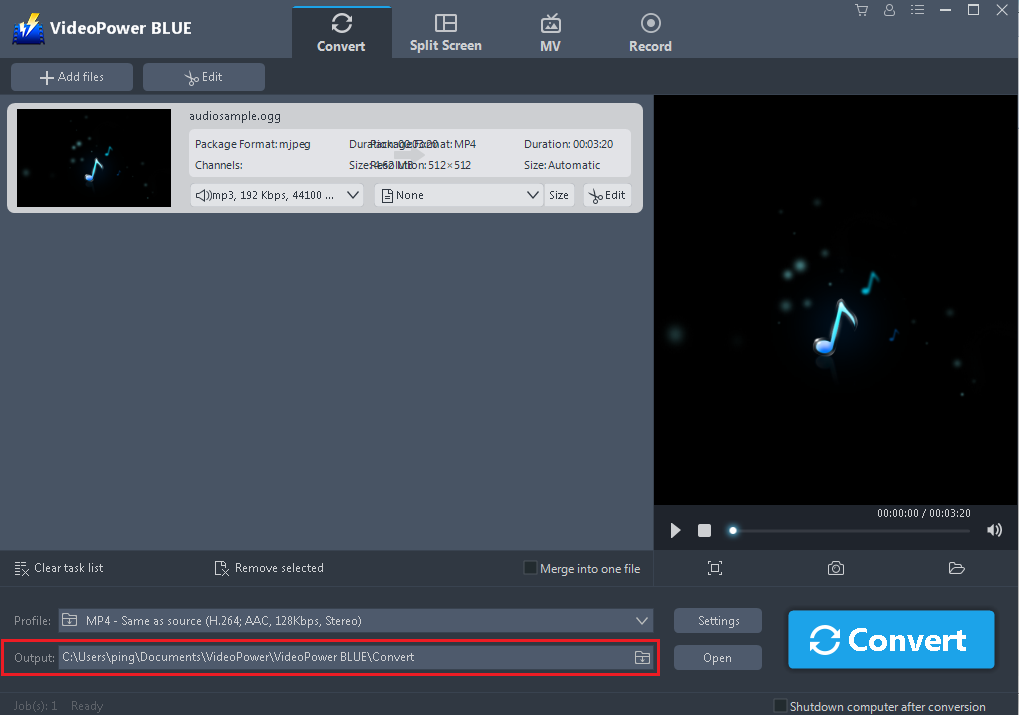
Choose a location to save the converted files. Click the output icon and select the destination wherever you want to store the file.
3.2 Click Convert
After the editing is finished, click the “Convert” button, then the software will start to convert and save the edited OGG file in MP3 format.
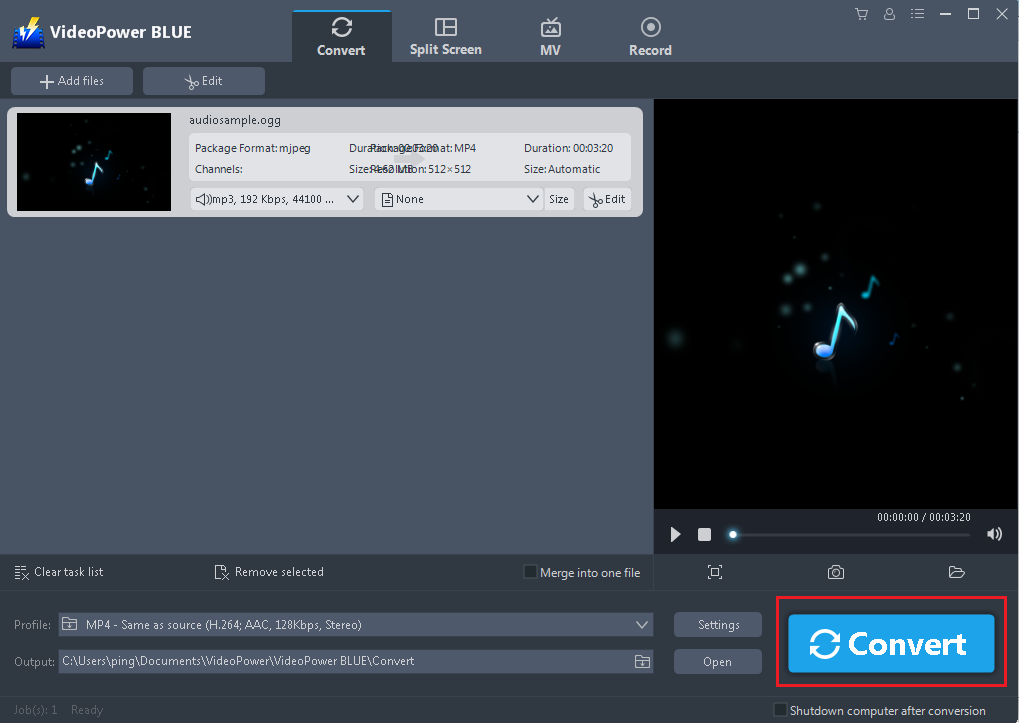
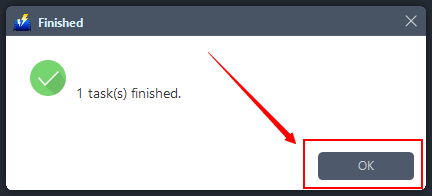
A pop-up window from the program will appear informing you that the conversion is complete.
Click “OK” to open the folder of your saved converted MP3 files.
Conclusion:
VideoPower BLUE is a flexible desktop application which is probably the best tool in the market to date especially for the conversion of files. This is the perfect conversion tool to convert OGG format to MP3 as well as to other formats. This software provides you various features such as recording, video editing which includes trimming, rotating, adjusting the resolution, speed, volume, brightness, adding subtitles, and a lot more.
It has a split-screen feature for your photos and videos, a screen recorder which allows you to capture any on-screen activity on your computer.


