





Tips Index
The MP3 format is the most well-known and used audio format by users. Most of the popular online music files are also MP3 format because of its small file size and good compatibility.
Because of the quick emergence of online streaming platforms, CDs have now become a thing of the past.
However, many people still collect these items especially those who are fond of physical albums. With VideoPower YELLOW, you can transfer music files from MP3 to CD.
Making music playlist in CDs is a good way to share your favourite songs with others.
Just click the link below to download and install this app.
Step 1: Redirect to CD burner and Add file.
1.1 Open CD Burner Window
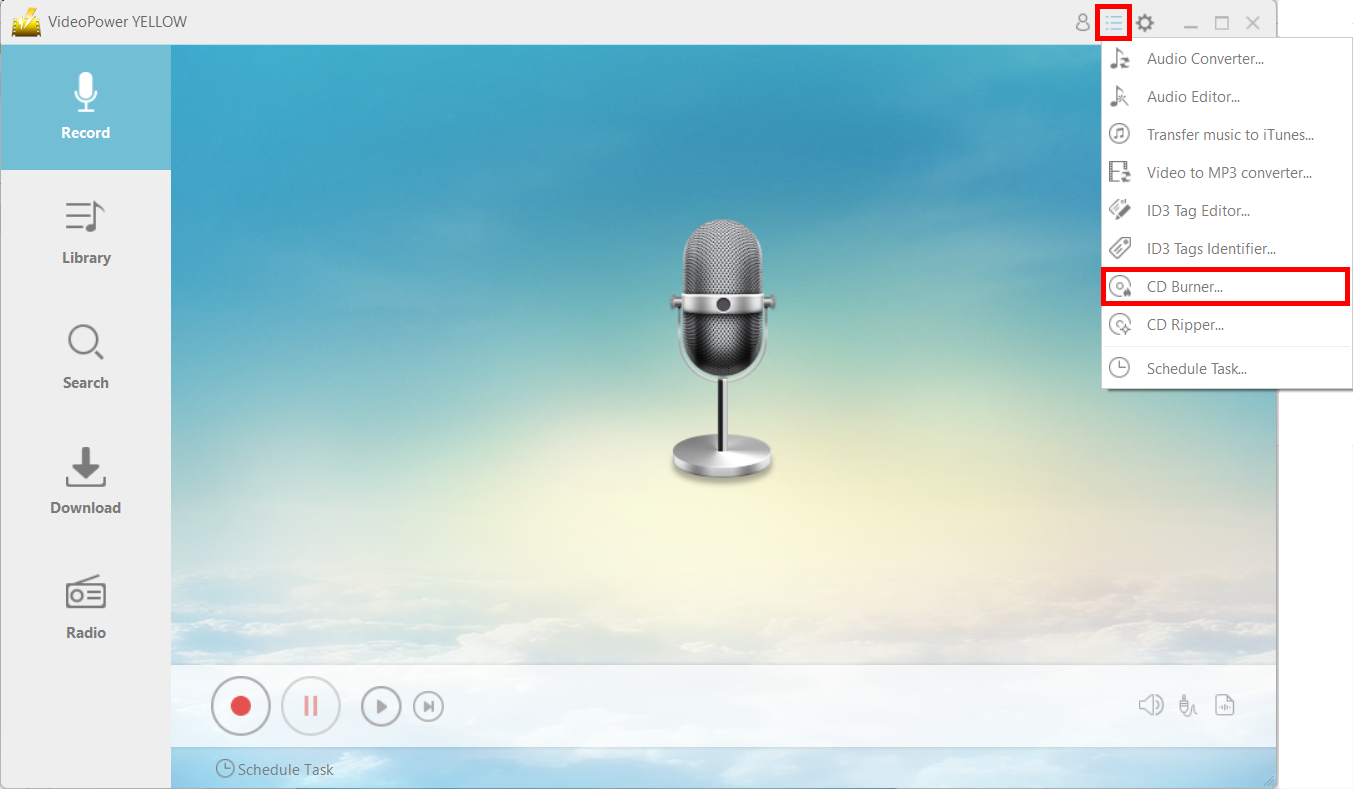
After a successful installation, run the program and click on the menu icon and choose “CD Burner.”
1.2 Add file
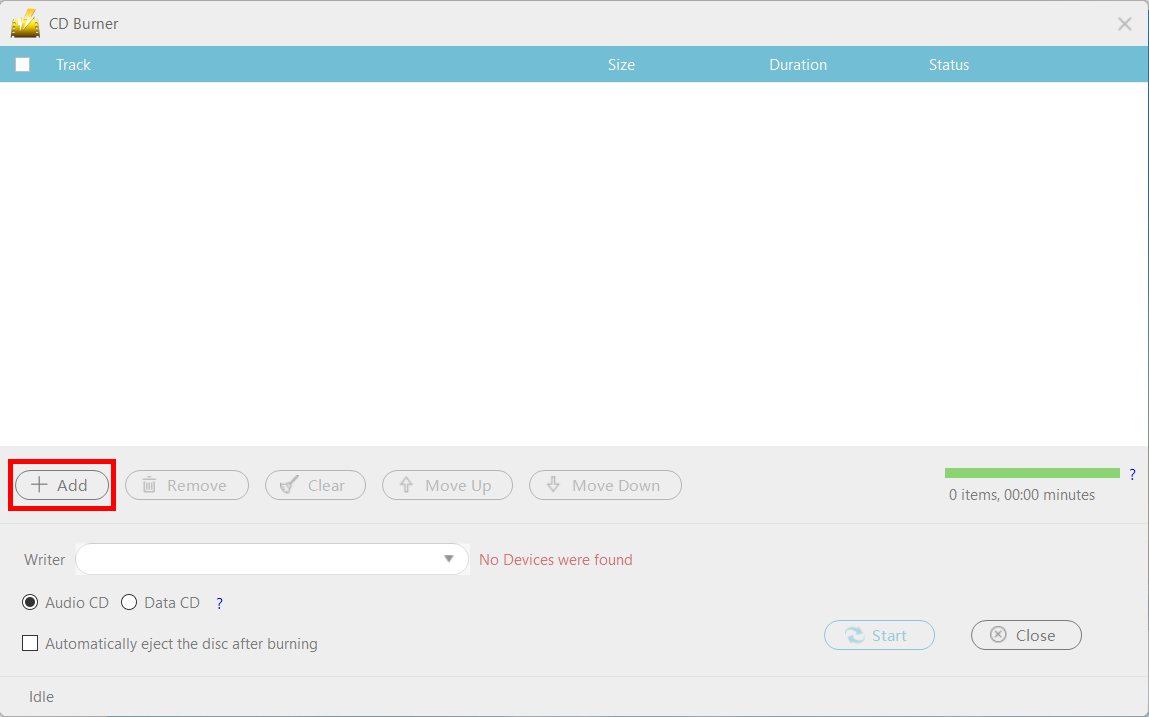
Click the “+Add” button that you can find at the buttom of the CD Burner interface to add the file that you want to burn on the CD.
Step 2: Burn the music data to the CD.
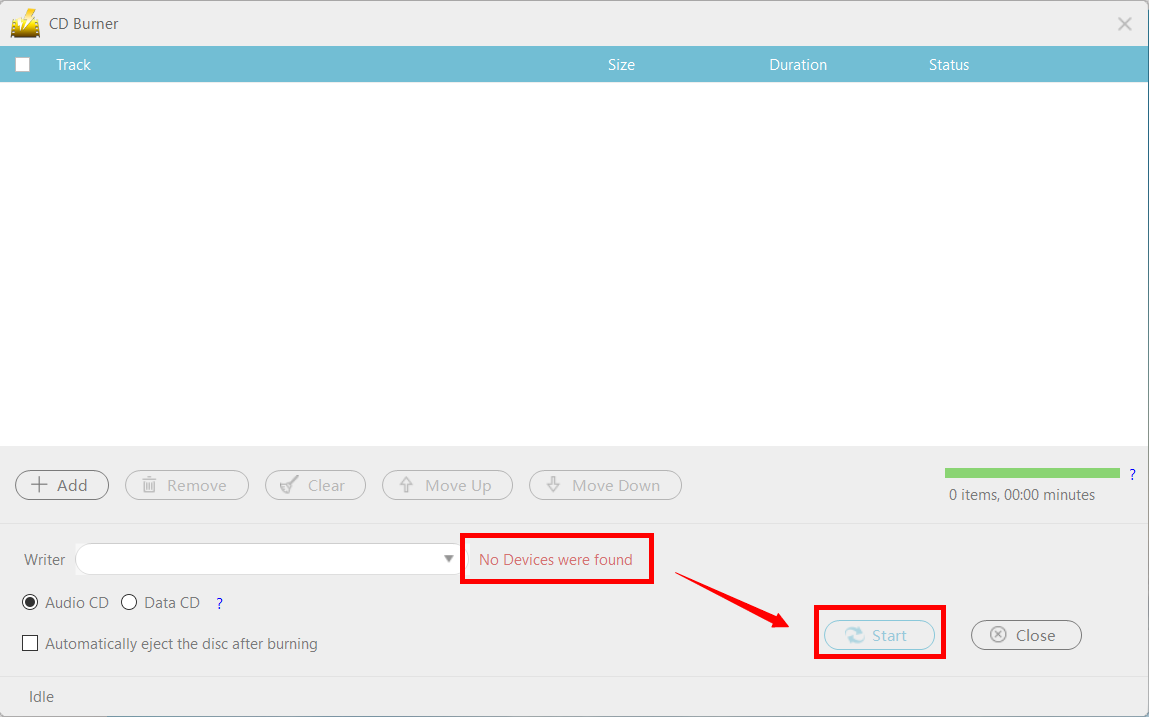
When you insert a writable blank CD disc into the drive, the red text “No Devices were found” should change to “CD-R” and you can now press the “Start” button to start burning.
Conclusion:
Despite the age of CDs being almost completely gone because of the emergence of technological advancements such as online streaming platforms, there is still a number of people that opt to use CDs whether it’s for sentimental or for practical reasons. Burning MP3 audio into your CDs will be a lot easier because of VideoPower YELLOW.



