





Tips Index
MP4 has become the most popular video format on the Internet. Most of the video files that can be downloaded from the internet or from video sources sites are in MP4 format. Even those music videos that most of the users desired are stored in this format in order to achieve high-quality videos to meet the expectation of most of the viewers.
However, videos and music in MP4 format can be enjoyed mostly by the users who are connected online. This format makes it difficult for users to store numerous music files as it is composed of a large quality size that can easily fill users’ device’s space. Also, unlike MP3, MP4 music cannot be continuously played unless users manipulate it.
Therefore, to help users enjoy countless of music they desired in their device in any way and anytime they want, a third-party tool that can convert MP4 to Mp3 would be needed.
VideoPower YELLOW, an amazing, hassle-free and trusted third-party application software with various professional features will make MP4 to MP3 conversion be possible.
Step 1: Launch the VideoPower YELLOW.
If you installed the program successfully, you can now run the program.
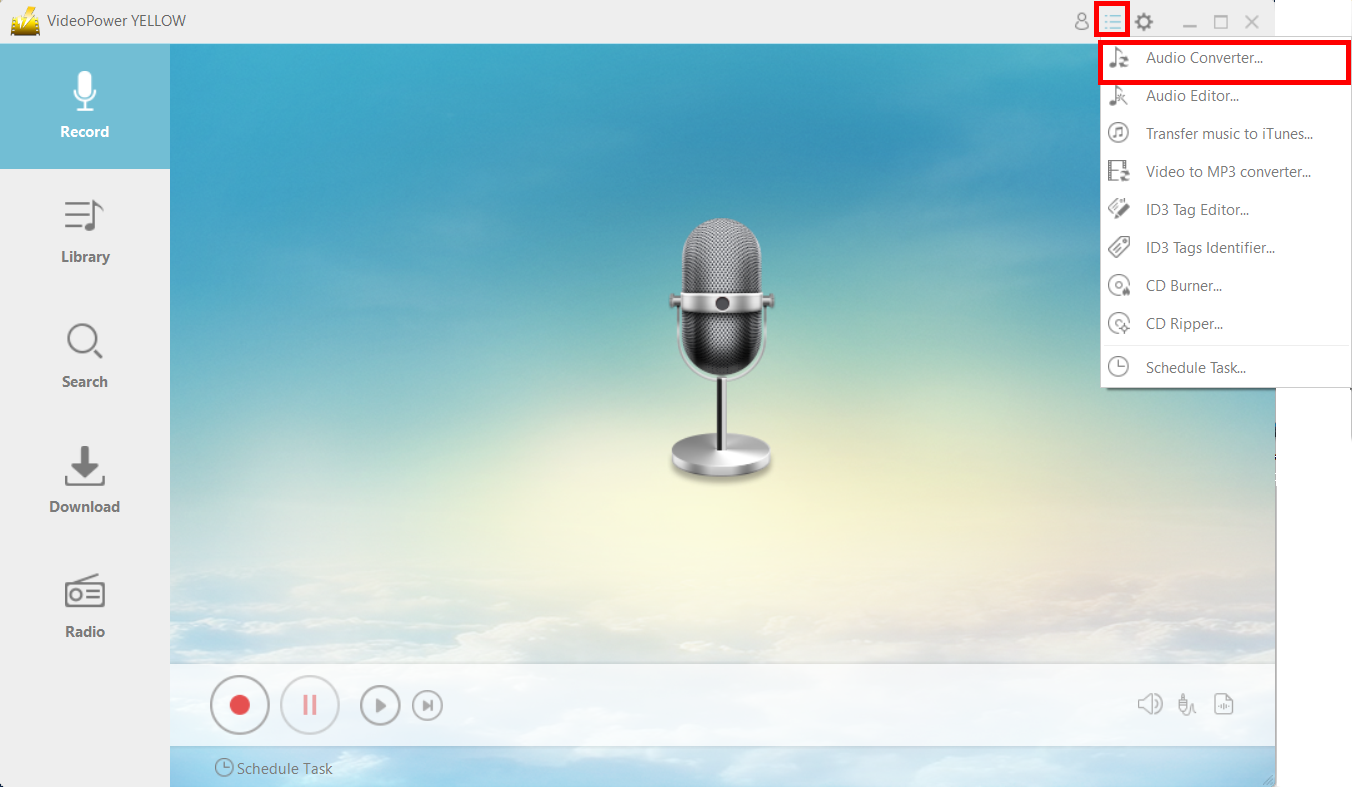
Click the menu icon on the upper-right corner and click “Audio Converter.”
Step 2: Add the MP4 files.
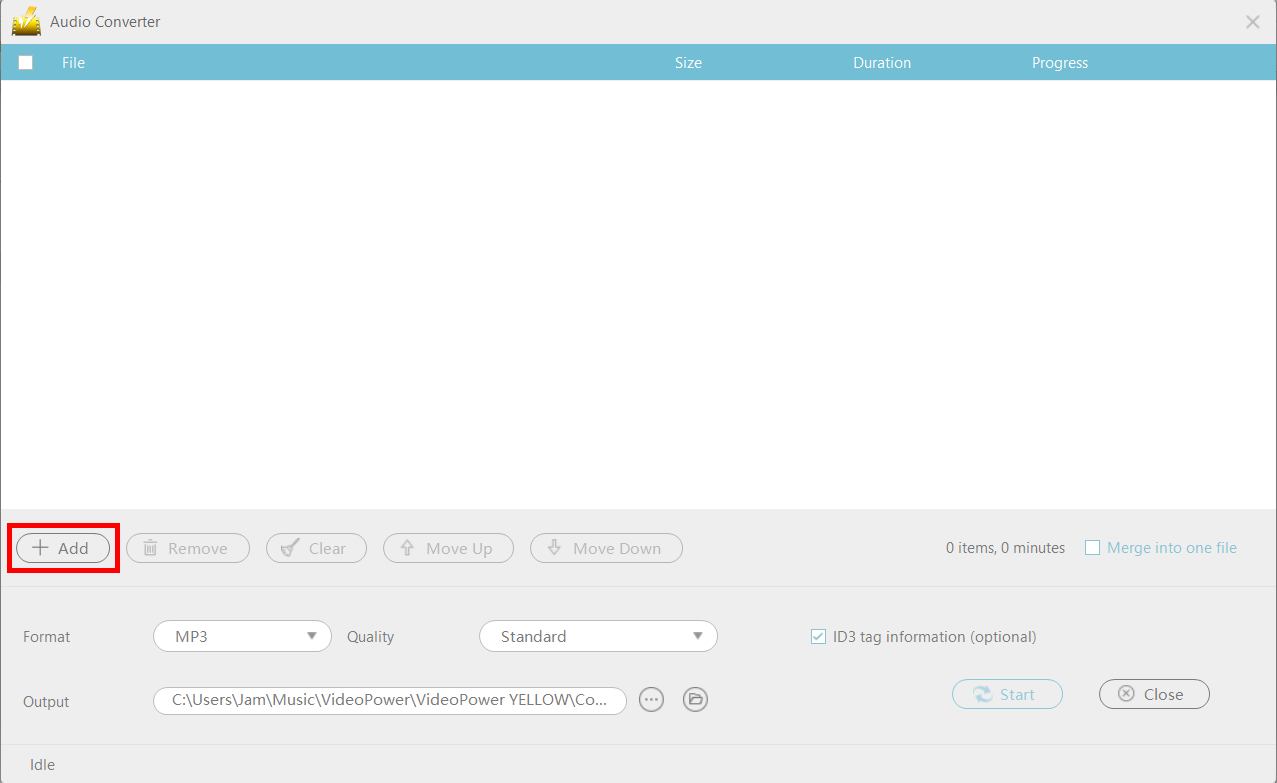
A new window will pop up. Click the “+Add” button to add the MP4 files you want to convert to the program.
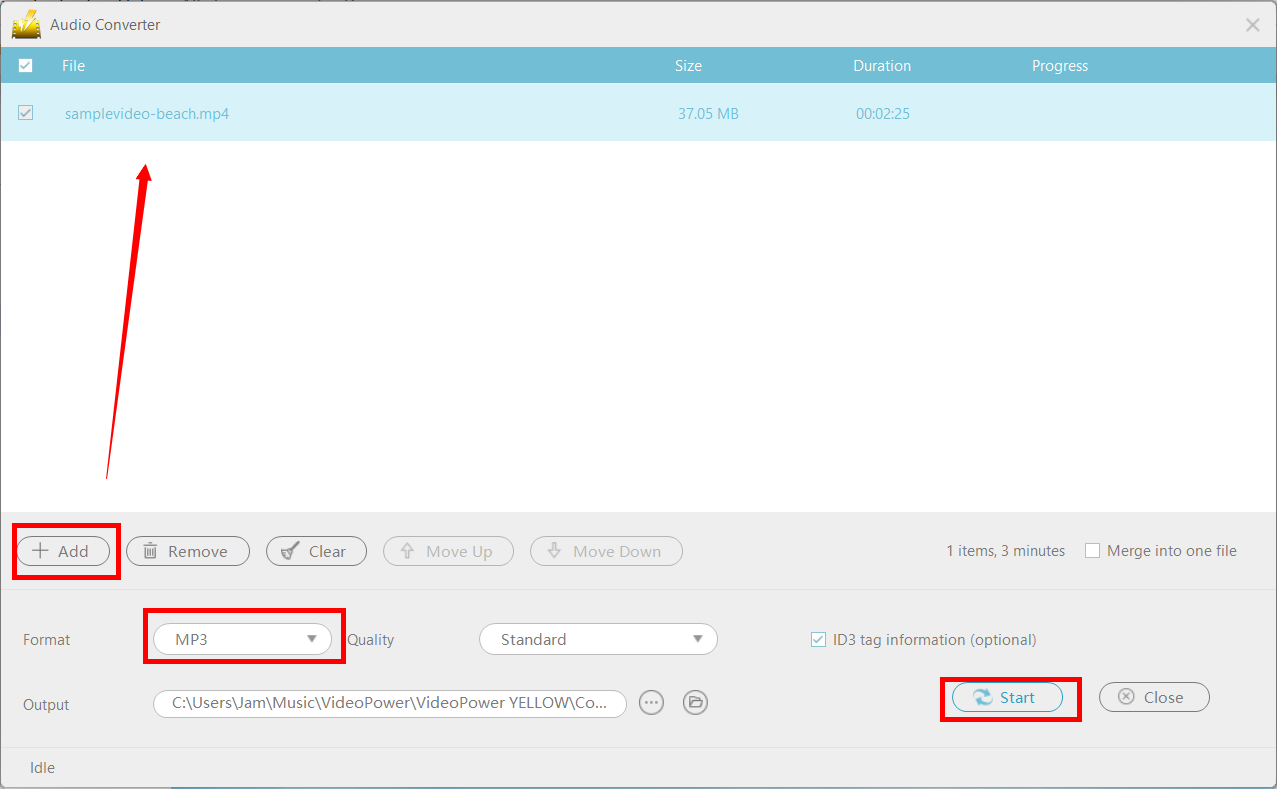
Once you’ve added the files, make sure that the format is set to “MP3” then click “Start” to convert the files. Aside from MP4, you can also add MOV, FLAC, WAV, etc.
Step 3: File location.
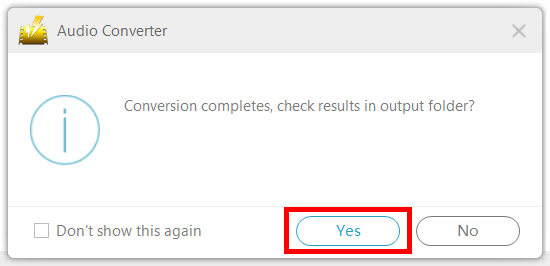
After converting the file, a new window will pop-up. If you want to find the file location on your drive, click “Yes.”
Conclusion:
Because MP4 and MP3 files are the most dominant and compatible files with devices, there’s a lot of software that offers conversion whether it’s online or offline converters. The danger with these is that there is always the risk of malware or virus that may harm your computer. With VideoPower YELLOW, converting MP4 to MP3 is risk-free.


