





Tips Index
Apple Music is a music and video streaming platform by Apple. It is compatible with Microsoft Windows PC with iTunes and Android devices with Apple Music client.
Despite the rapid decline in sales of physical copies for music, there is still a number of people that opt to use it rather than online streaming. With VideoPower YELLOW, you can burn your Apple Music to a CD.
It’s going to be effortless, just a few clicks using VideoPower YELLOW and you’re good to go to listen to your favorite music from Apple Music in your CDs.
Just click the link below to download and install this app.
Step 1: Record Apple Music
The first step is to make sure that the audio file that you want to burn is on your computer. To do that, just follow the steps below.
1.1 Set the sound source.
Before recording the Apple Music track, make sure that the sound source is set to “System sound.”

1.2 Set the file format.
Make sure that the recording is set in the format of “MP3.” – or whatever format you deem appropriate.
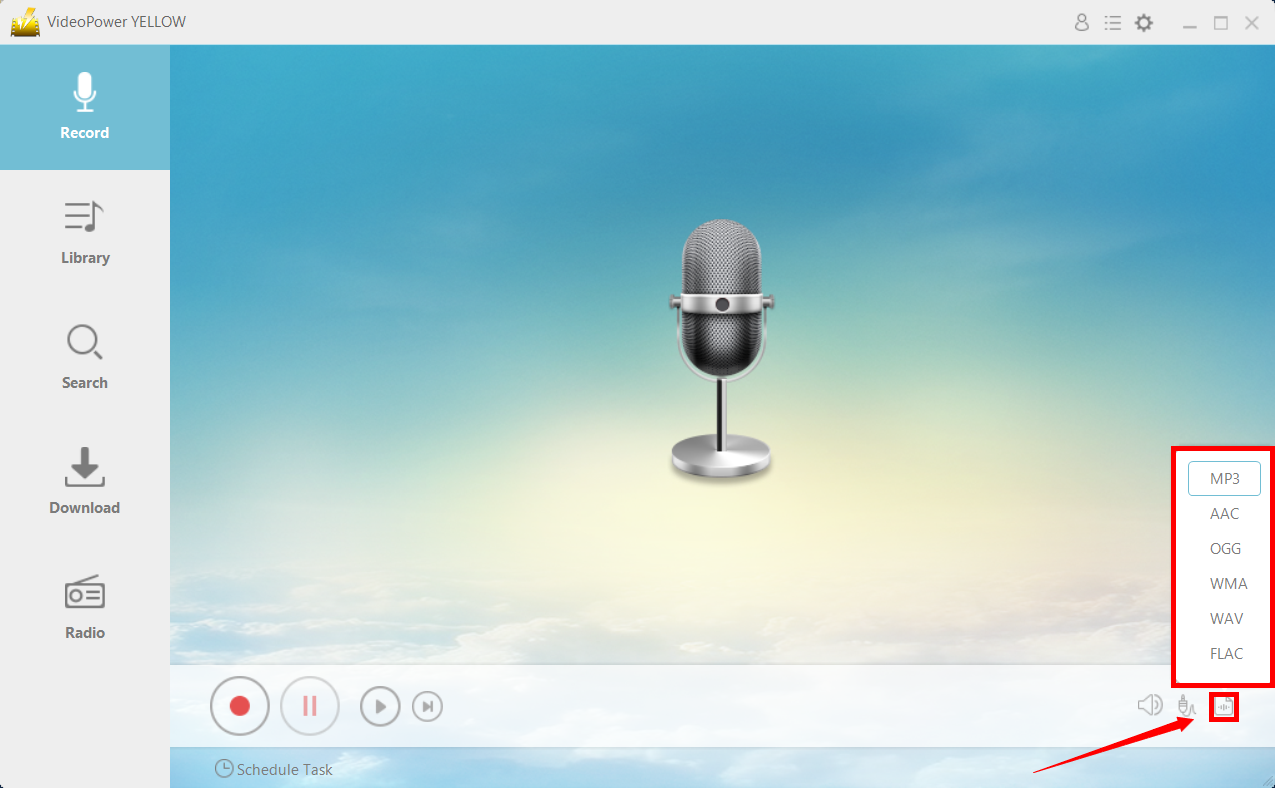
1.3 Process Recording.
Click the “Record” button to start recording. Press the “Stop” button to stop the recording. The file will automatically be saved.

After you’ve done that, you can now proceed to burn the music into your empty CD.
Step 2: Burn into CD
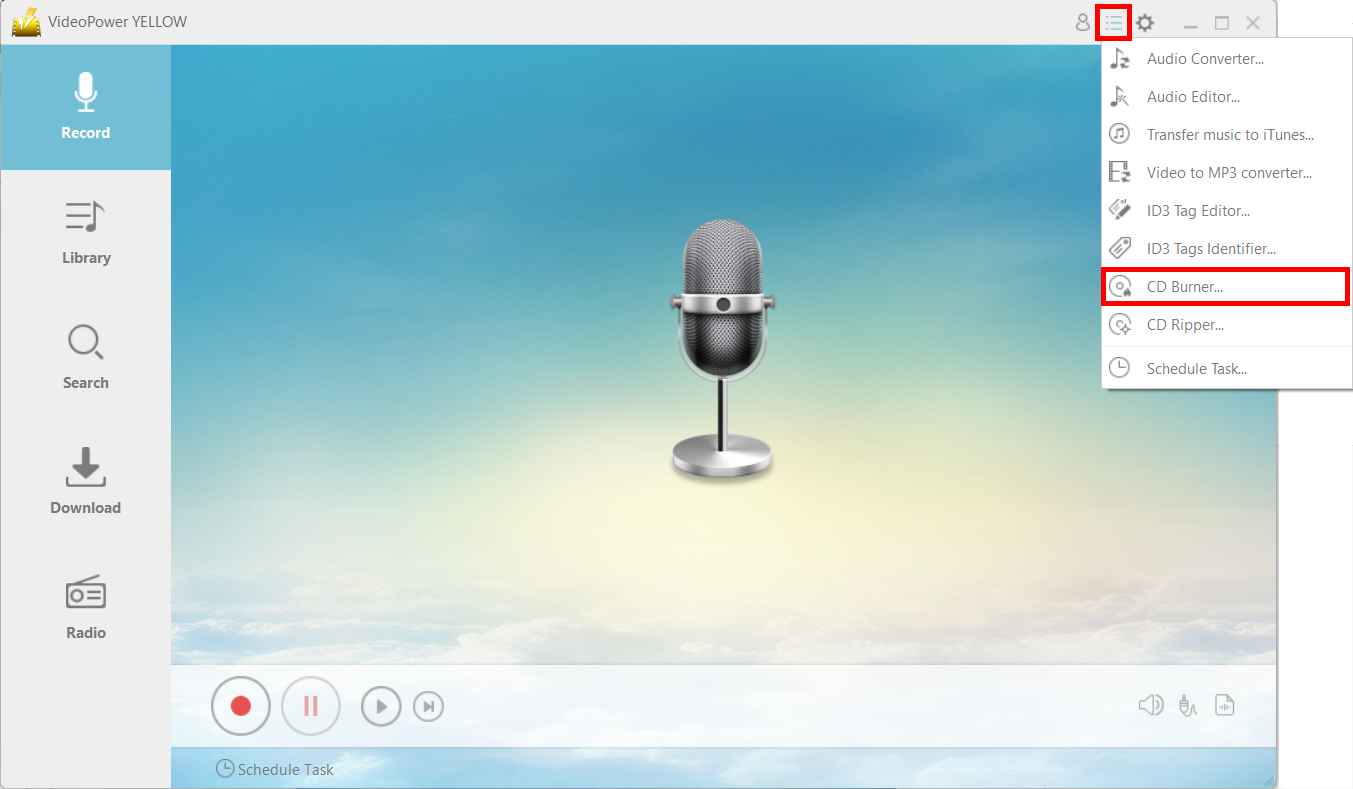
2.1 Launch CD Burner.
After a successful installation, run the program and click on the menu icon and choose “CD Burner.”
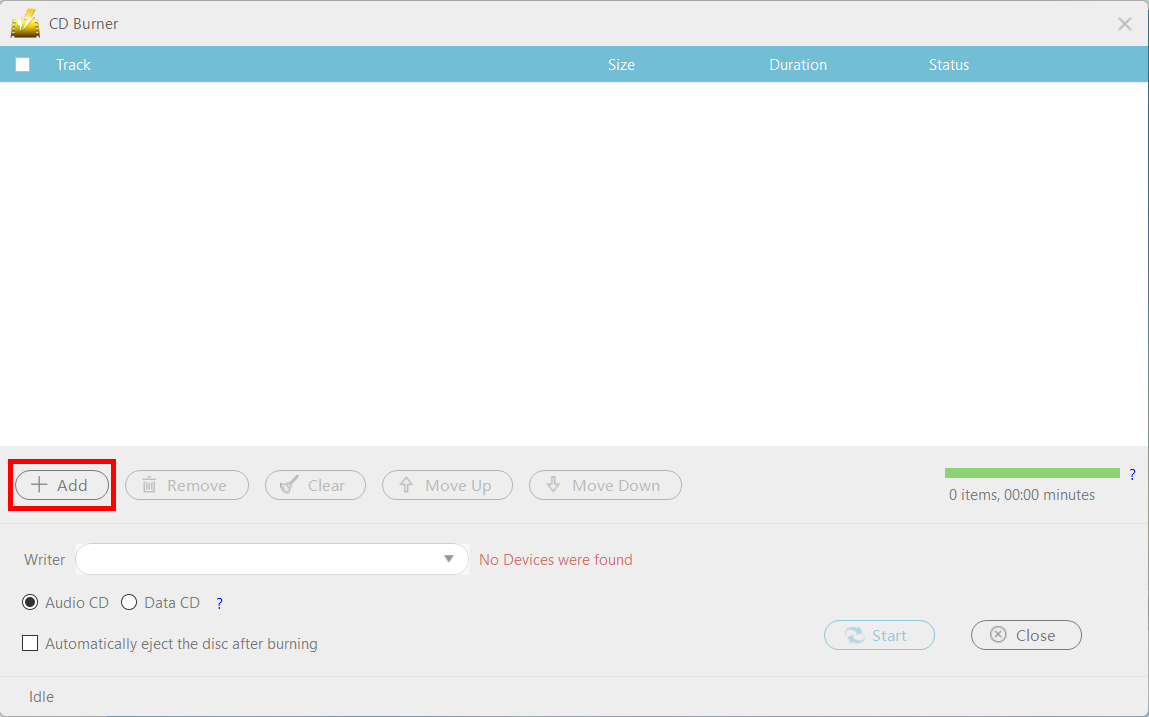
Click the “+Add” button to add the file that you want to burn to the CD.
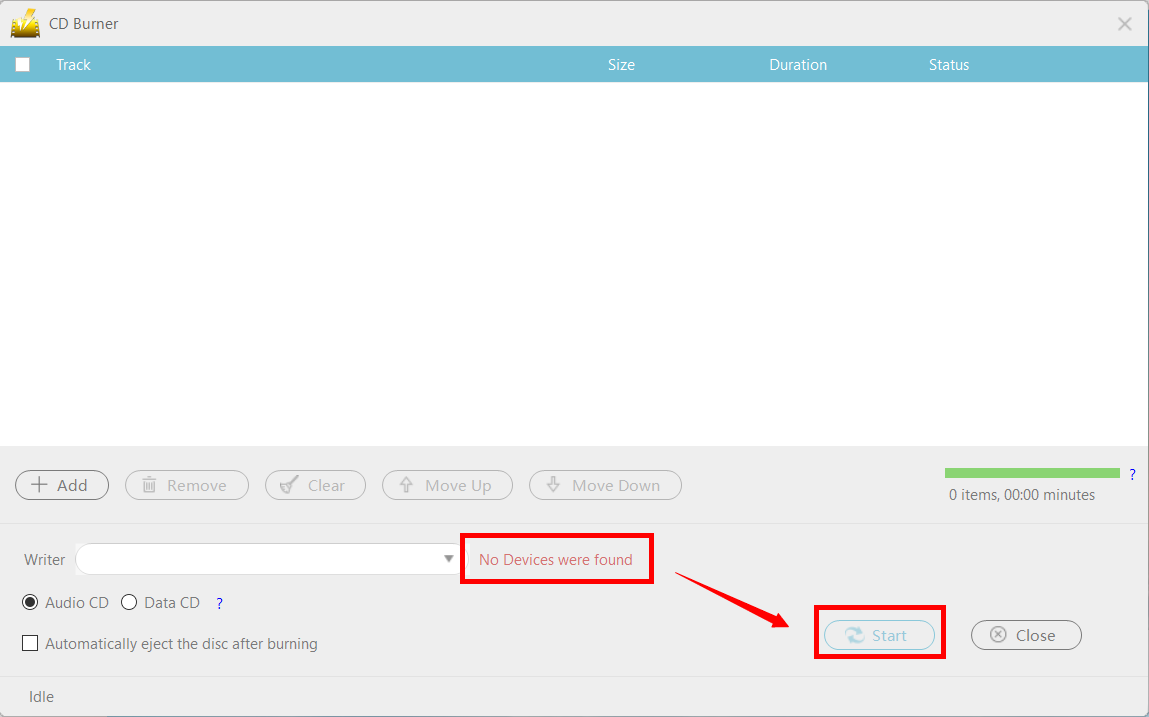
2.2 Burn the recorded music data to the CD.
When you insert a writable blank CD disc into the drive, the red text “No Devices were found” should change to “CD-R” and you can now press the “Start” button to start the burning.
Conclusion:
Usually, with these online streaming platforms, exclusivity is a big factor for its success. However, with VideoPower YELLOW, you can break those barriers and listen to Apple Music on your CD.
VideoPower YELLOW has a smart music search interface where songs on famous music streaming services are found. You can record any music and video from distribution services such as streaming broadcasting, net radio, live broadcasting, LINE, and Skype calls, voice calls such as chats, and YouTube, Spotify, Apple Music, etc.



