





Tips Index
With the emergence of streaming and online music platforms, there has been a massively steady decline in demand for physical copies or CDs.
However, there are a number of people that collect these items for sentimental purposes and such – much like collectors of the now-extinct vinyl.
If you are one of those people and you want to transfer music to a CD, this article is for you. Using VideoPower YELLOW you can burn your favorite music to CDs.
To download the program, just click on the link below.
Step 1: Launch CD Burner
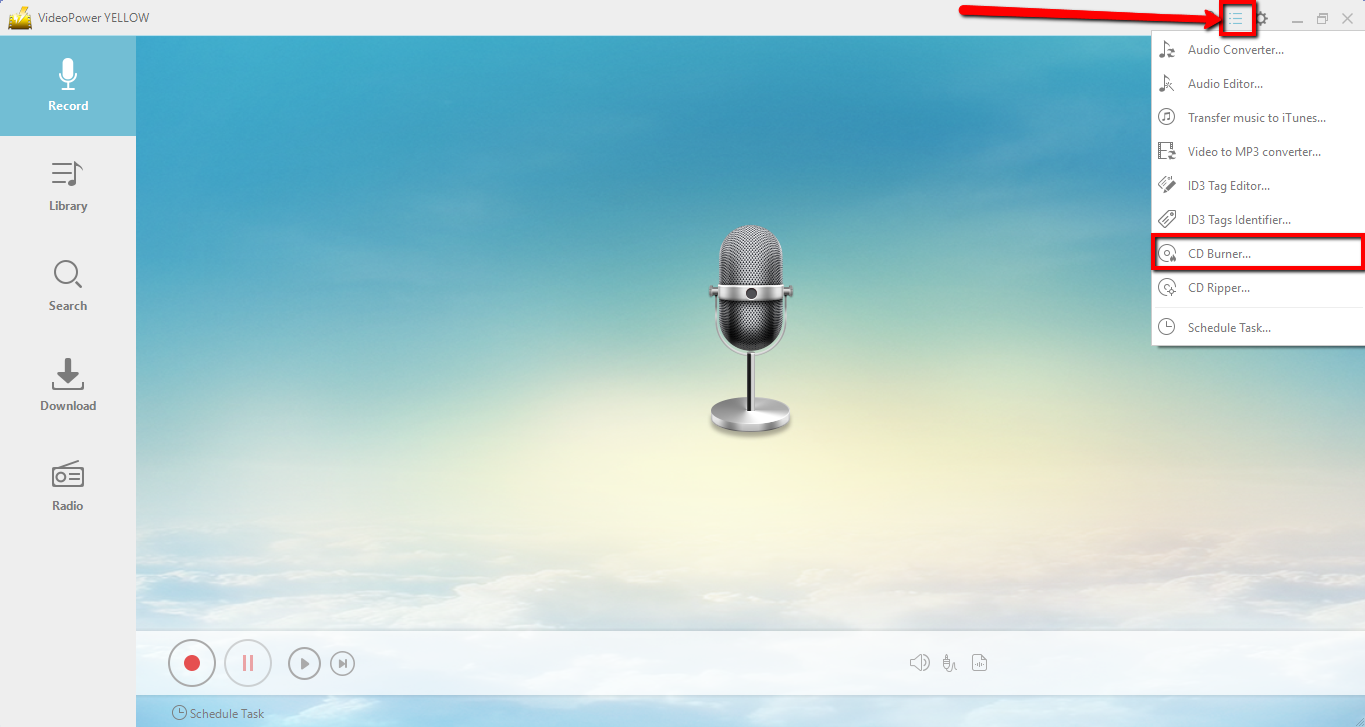
1) After a successful installation, run the program and click on the menu icon and choose “CD Burner.”
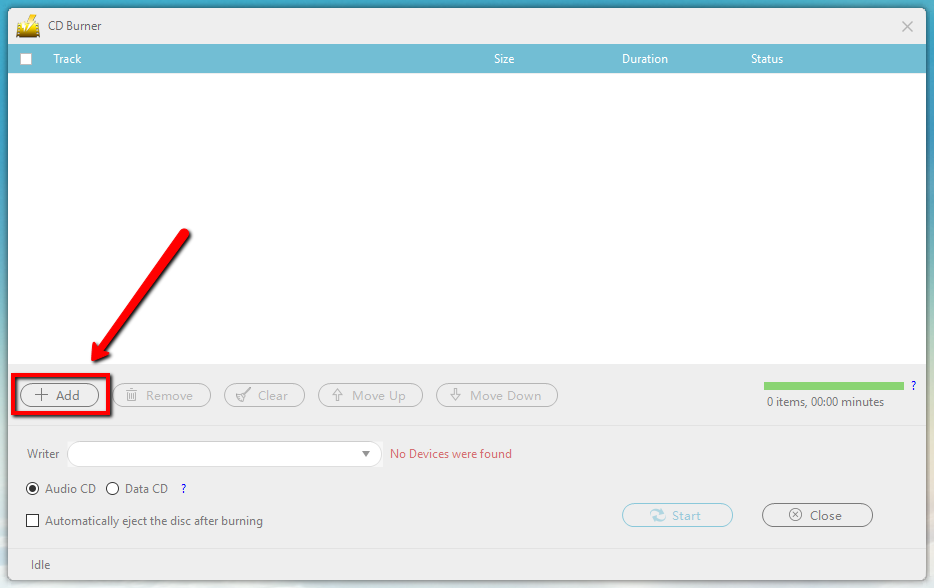
2) Click the “+Add” button to add the file that you want to burn to the CD.
Step 2: Burn the music data to the CD.
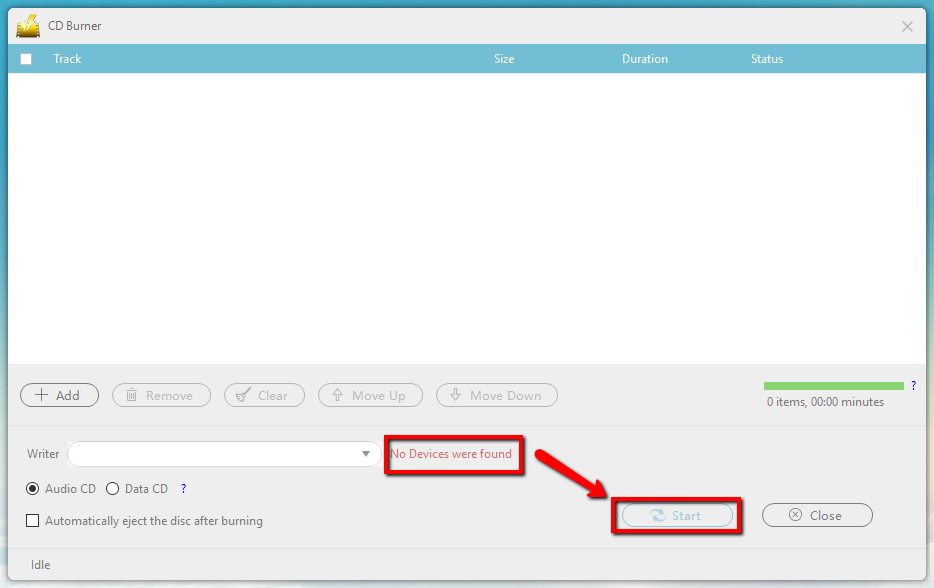
When you insert a writable blank CD disc into the drive, the red text “No Devices were found” should change to “CD-R” and you can now press the “Start” button to start the burning.
Conclusion:
Despite the decline in demand of CDs, people born in the era of the physical copies of music still hold CDs with very high regard. With VideoPower YELLOW, burning your favorite music to your CDs and making your own music CDs becomes easy and uncomplicated.


