





Tips Index
MP3 is a common audio file format. However, as time goes by and technology develops, it is gradually unable to meet the high sound quality requirements of iPhone users.
Therefore, Apple has developed the M4A audio format. Compared to MP3, it takes less memory and has higher sound quality. Regarding this, it is a good idea to convert MP3 to M4A if you are an iOS user.
Thus, this article will show you the fastest way to convert MP3 music to M4A format without any hassle.
VideoPower BLUE is a very useful video editing software bundled with a variety of features such as screen recording capture and conversion. This software can convert MP3 to M4A.
You can use the software for free by downloading its trial version below.
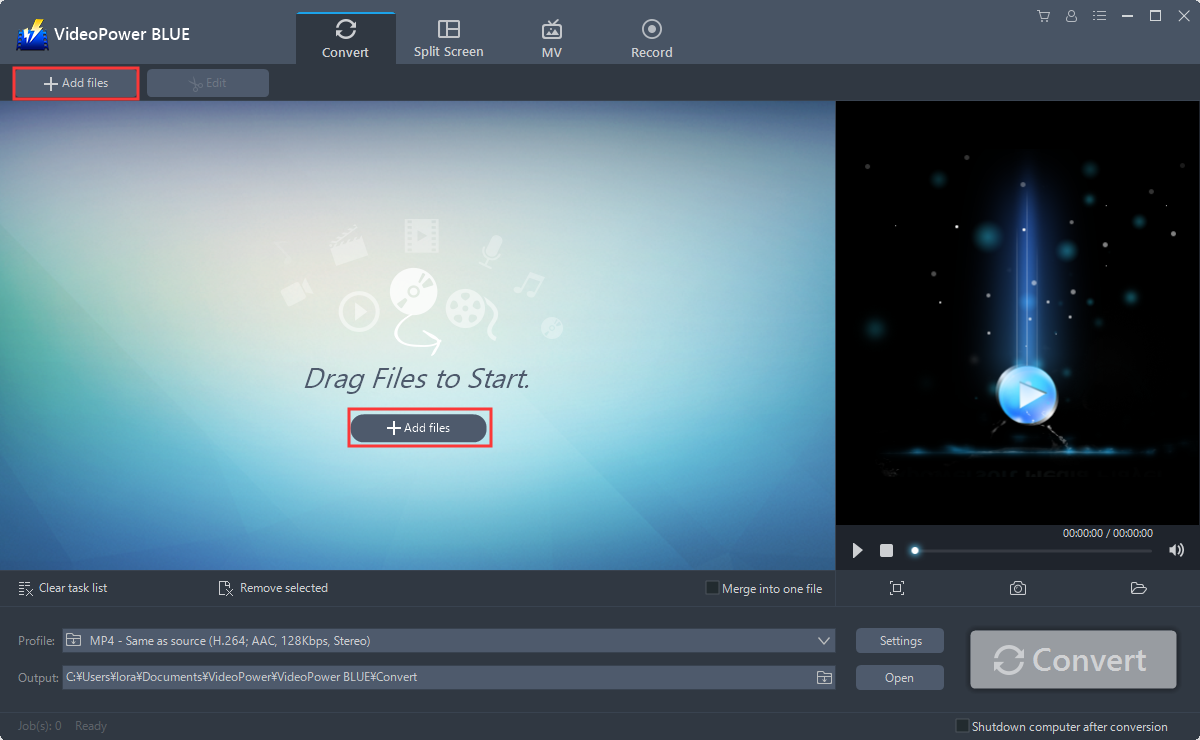
Step 1: Add MP3 File on VideoPower BLUE interface.
Run the program if you have installed VideoPower BLUE successfully on your PC. You can directly import the MP3 file to the program for conversion. Click the “Add files” button or drag and drop files from the local drive into the interface directly.
Step 2: Edit the MP3 file.
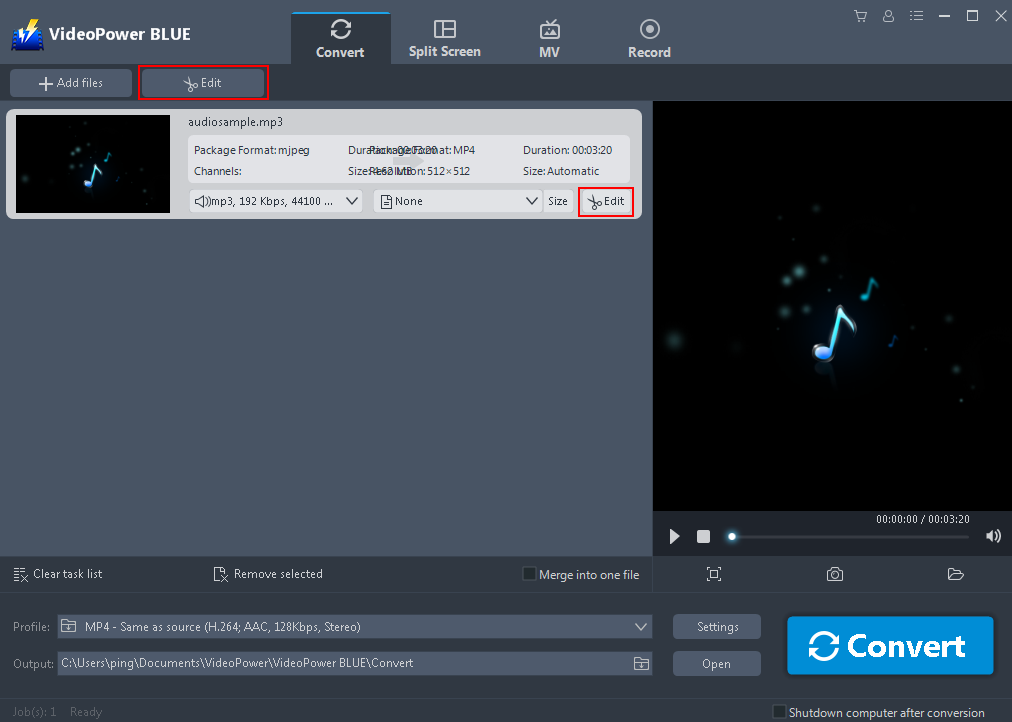
If you need to edit the file before converting, just follow the instructions below.
The imported MP3 file is displayed in the list. Click the “Edit” button at the right side of the added MP3 file to open the Edit window so you can make adjustments to your MP3.
Step 3. Convert MP3 to M4A
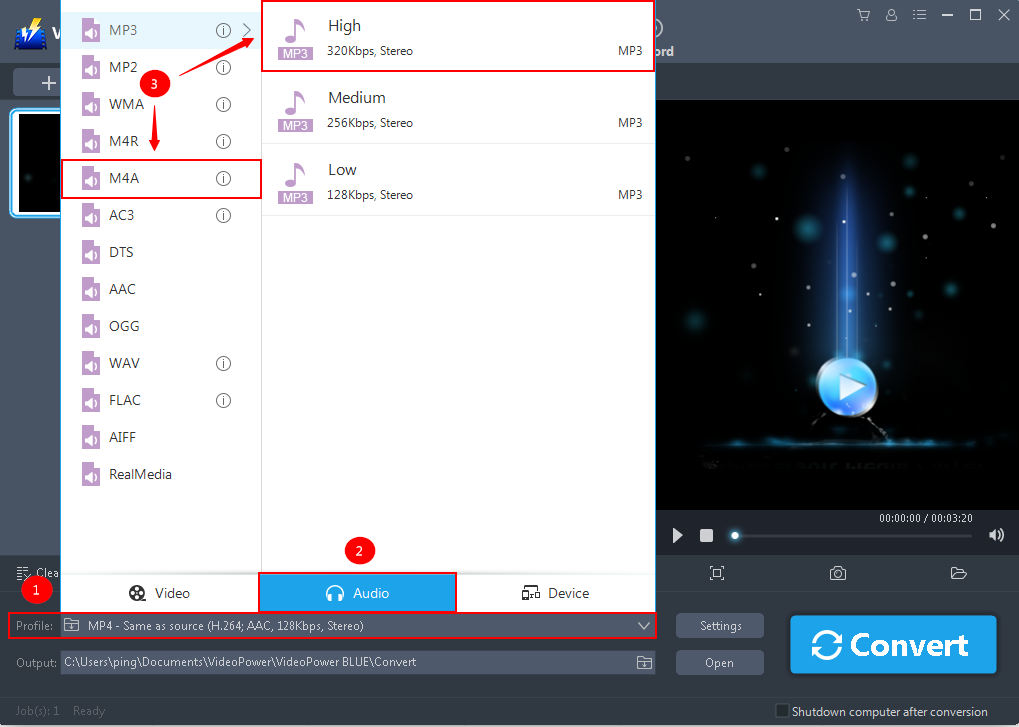
3.1 Set Output Format
You should change the output format first to MP4.
1) Click the “Profile” bar
2) Choose “Audio”.
3) Set the format to “M4A – High”.
3.2 Set Output Location
Choose a storage location to save the converted files. Click the “Output” icon and select the destination wherever you want to store the file.

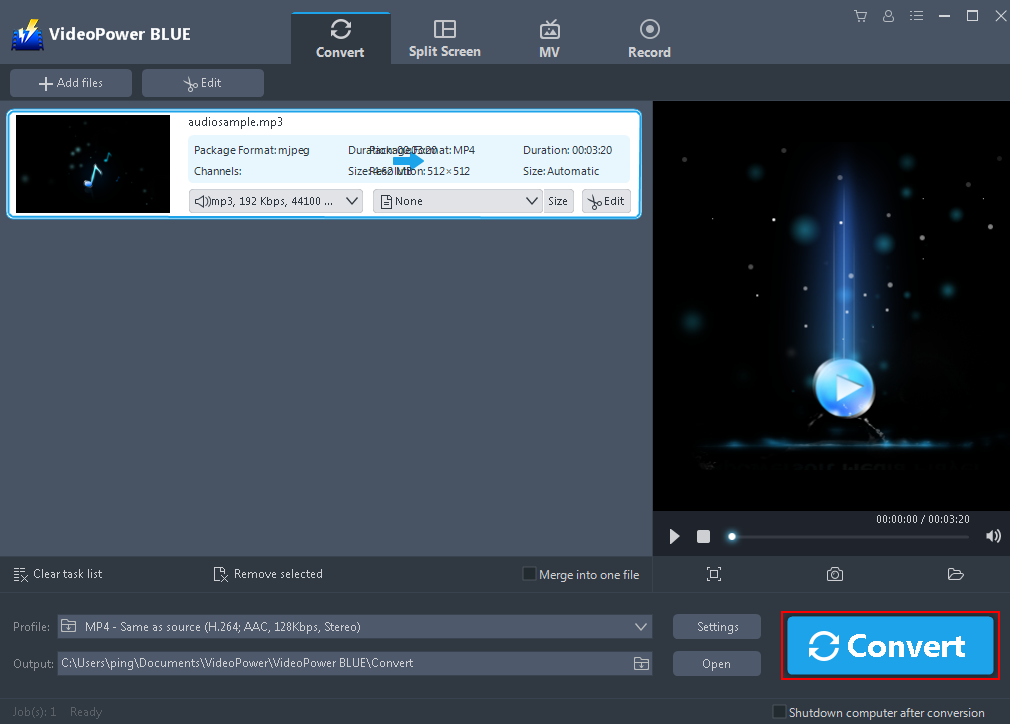
3.3 Start Conversion
After editing, click the “Convert” button, then the software will start to convert and save the edited video in M4A format.
3.4 Conversion Complete
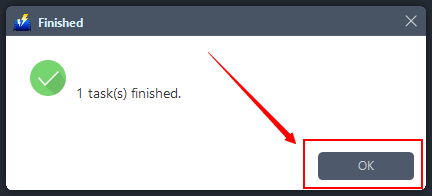
A pop-up window from the program will appear informing you that the conversion is complete. Click “OK” to open the folder of your saved converted M4A files.
Conclusion:
VideoPower BLUE is a flexible desktop application which is probably the best conversion tool in the market to date. It excels in audio and video conversion whether be it standard or high-quality media files. Using this software, converting MP3 to M4A will be more efficient as it supports batch conversion of files. The conversion speed is more than double compared to other media converters.


