





Tips Index
Digital technologies are now a must in today’s’ generation. Many people are now using not only moving visual images recording tools but also audio recording tools for entertainment, taking notes of some important details for replay and later viewing purposes and for a hassle-free job.
Recording audios from any windows especially windows 10 is a nuisance if you don’t have the right application. VideoPower GREEN, a multifaceted tool that has features such as screen recording, task scheduler, screenshot, and audio recorder is a great ally software in recording audios on Windows 10.
To download this product, just click the link below and install it on your computer.
Step 1: Record Audio for Windows 10
Run VideoPower GREEN if you have installed it on your PC.
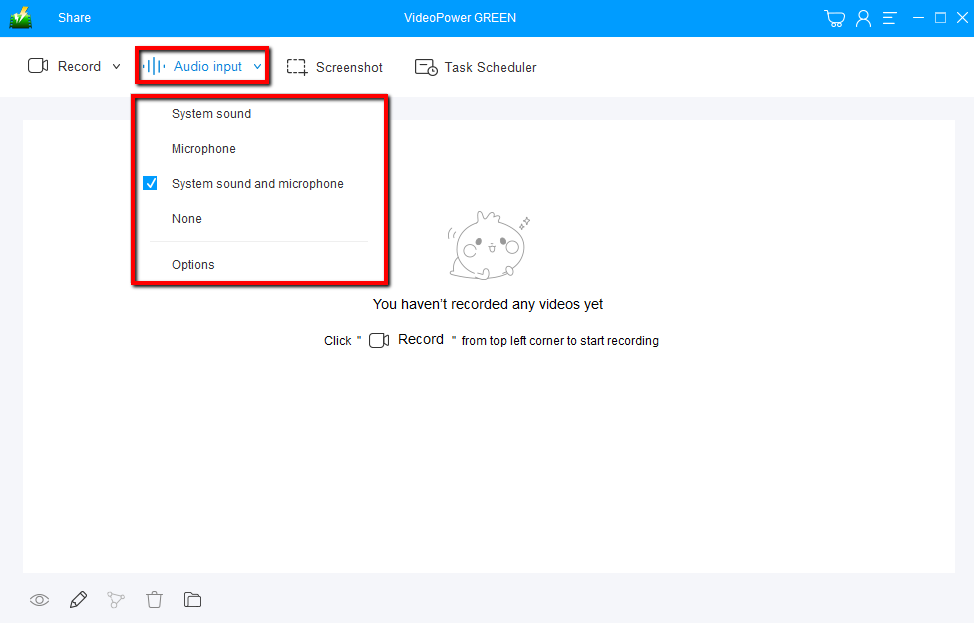
Choose a sound source.
You can choose “System sound, Microphone, System sound and microphone or None.” Since we are recording audio on Windows 10, click on System sound.
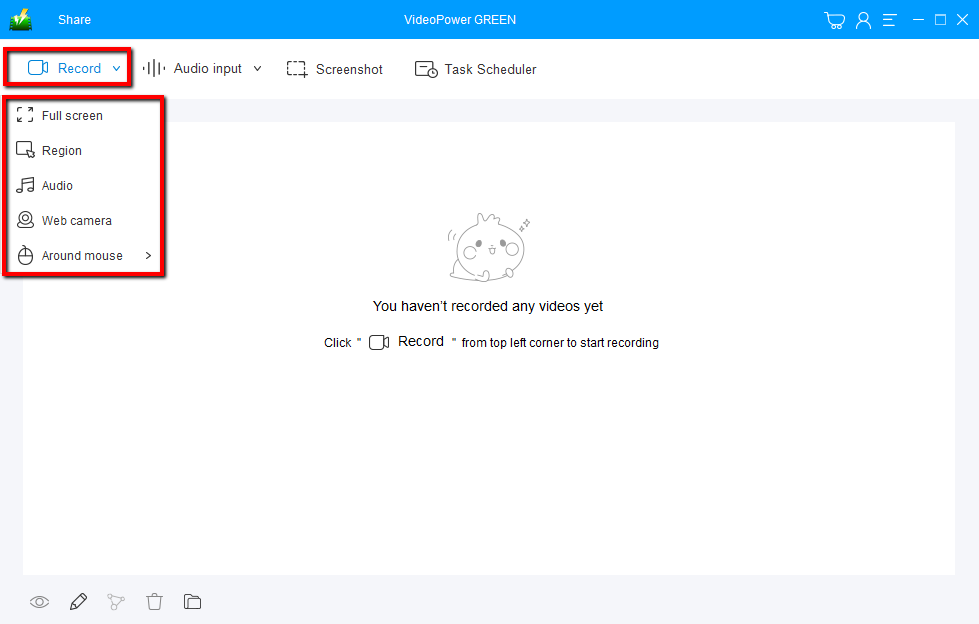
Select a recording mode.
Click on the “Record” button to choose the recording mode from “Full screen, Region, Audio, Web camera, Around mouse”.
Select “Audio.”
Step 2: Start to Record
The recording will start right after you set the recording mode to “Audio”.
Click the “Stop” button to stop recording when you are done.

After that, the recorded file is already saved in the pointed output folder.
1) Your recorded file can be seen in the main interface. You can right-click the file and do more operations if you like.
2) Click the folder icon to view it in the pointed output folder.

Conclusion:
Development of digital technology is now a day to day ally and companion of every human being in having fun and most especially in working. Recording visual images or audios of some fun and important things makes most of the work easier, faster and more convenient.
VideoPower GREEN, an easy to access and trusted recording application software would be the best partner for this kind of job. It can help users to record any computer activities in any kind of windows and can also record desired audios for specific purposes. This product is surely compatible with regards to recording audios in Windows 10.
Moreover, this product isn’t only best for its recording feature in both moving visual images and audios but it also has a promising editing feature that lets users add text, shapes, watermarks, and subtitles to beautify each and every file. This also offers an hassle-free feature called task scheduler that lets the user continue doing his or her tasks even in their absence.



