





Tips Index
Dxtory is a well-known professional gameplay recording software in Japan that is popular among users.
However, despite its popularity, the software is quite demanding with regards to computer specs – that’s why this article will focus on an alternative gameplay recording software that does not need high computer specs but still keeps that professional quality found in Dxtory.
VideoPower GREEN is a powerful software that has multiple features and functions like screen capturing and recording. This software would be the best alternative to Dxtory for gameplay recording.
To record gameplay, download VideoPower GREEN through the link below.
Step 1: Record Dxtory Gameplay
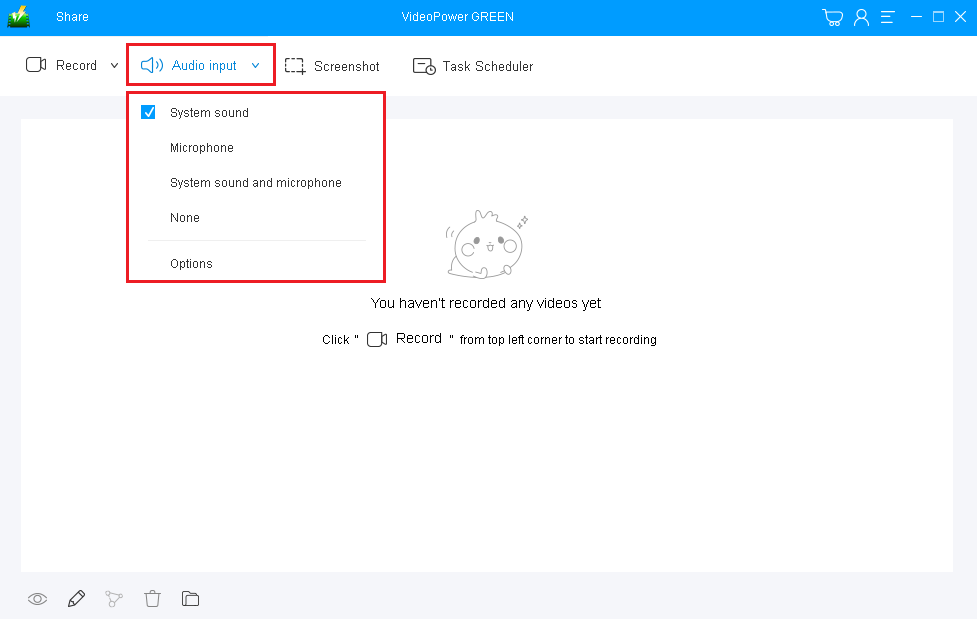
1) Choose a sound source
You can choose “System sound, Microphone, System sound and microphone or None.” To record Dxtory gameplay, you can select “System sound” or “System sound and microphone”.
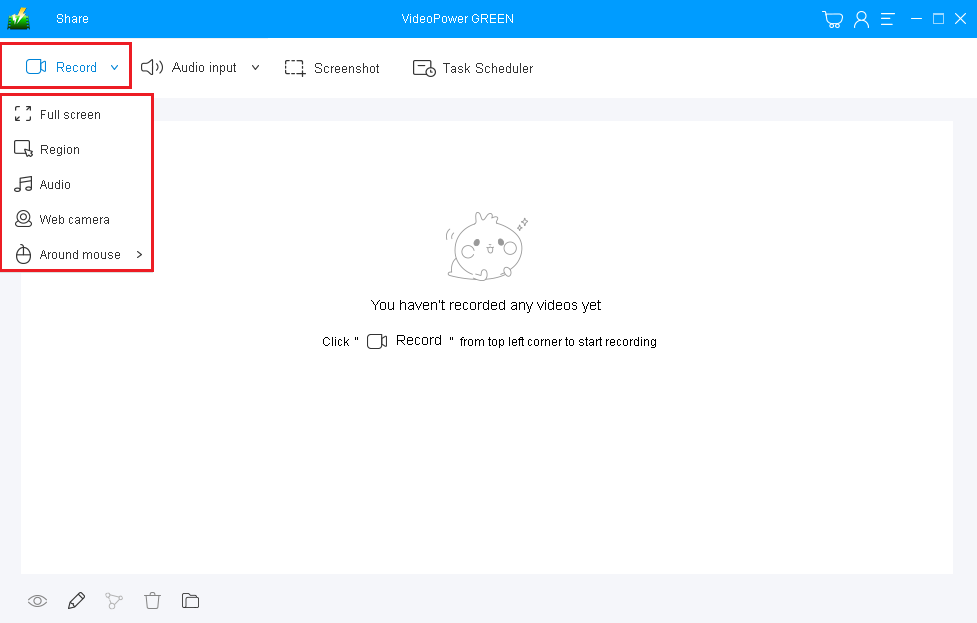
2) Select a recording area
Click on the “Record” button to choose the recording mode from “Full screen, Region, Audio, Web camera, Around mouse” then select the area you are going to record.
Step 2: Start Dxtory recording
The pop-up window will ask whether you are ready to start recording, click “OK” to confirm when you are ready to record.

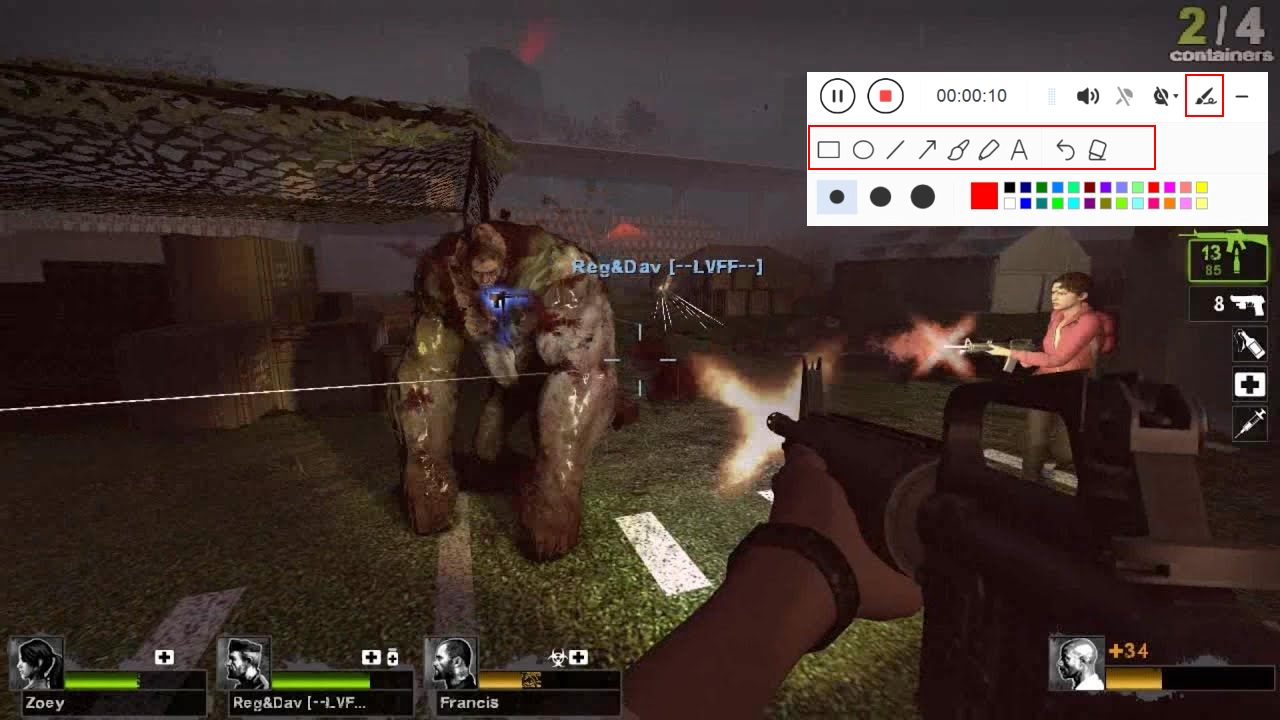
Edit video while recording
While recording you can add lines, arrows, shapes, texts, highlight, blur, etc. by clicking the edit button.
Step 3: End the recording.
Click the “Stop” button to stop recording.

After that, the recorded file will be saved in the output folder.
1) Your recorded file can be first seen in the main interface. You can right-click the file and do more operations if you like.
2) Click the folder icon to view it in the exact output folder.

Conclusion:
As technology started to become part of human’s life, many people became fans of online games and more. As it became popular, gamers discovered Dxtory, a professional gameplay recorder to document or preserve their games most especially those games where they performed well. But then, using this software isn’t fair for those who use computers with poor specs.
Therefore, there is VideoPower GREEN, a simple, easy to use and trusted recording application software that is the best alternative for Dxtory recorder. It allows users to record anything they want on any computer. This product also offers an editing feature that helps users to beautify and emphasize the details of their recorded video file. Moreover, it has a task scheduler feature that helps users to save time and effort.


