





Tips Index
Online video-sharing sites such as YouTube do not really offer a download option for desktop despite many users opting to watch offline videos.
However, with VideoPower GREEN, you can record videos online. This is also ideal if you have a slow internet connection.
VideoPower GREEN, a powerful and trusted recording application software with varied useful and hassle-free features helps you record videos from different online sites you desired. It lets you watch videos offline anytime you want and anywhere you are.
Just download the product through the link below.
Step 1: Record screen activities.
Run VideoPower GREEN if you have installed it on your PC.
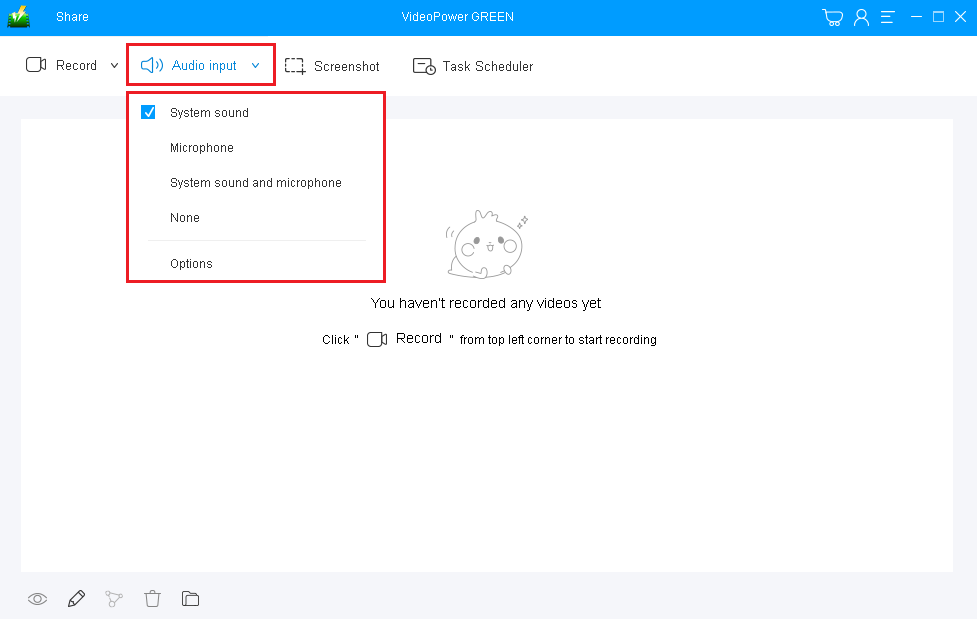
Choose a sound source.
You can choose “System sound, Microphone, System sound, and microphone or None.” To record online video, you can select “System sound”.
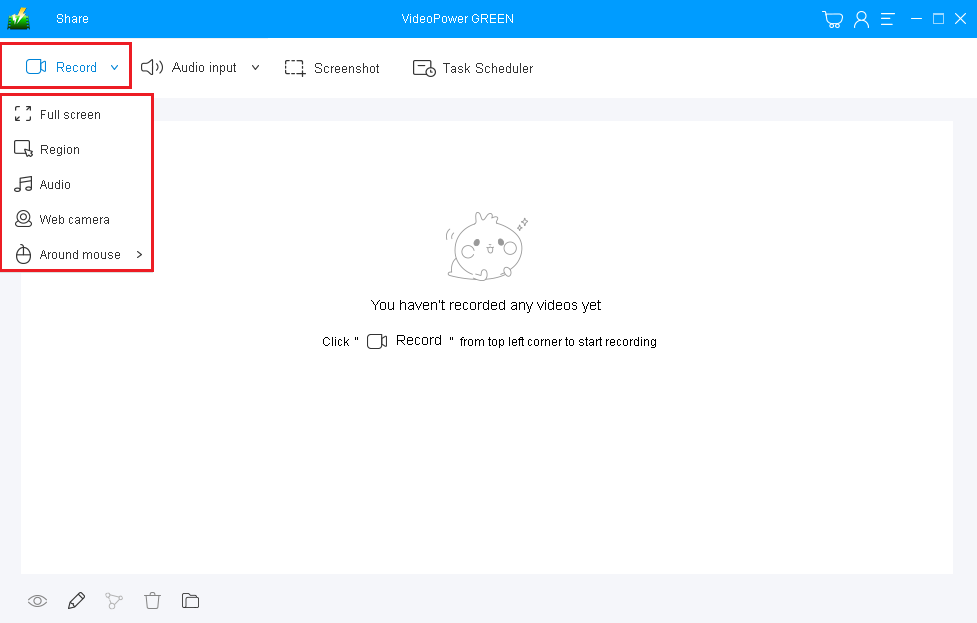
Select a recording area.
Click on the “Record” button to choose the recording mode from “Full screen, Region, Audio, Web camera, Around mouse”. Select the area you are going to record.
Step 2: Start to record.
The pop-up window will ask whether you are ready to start recording, click “OK” to confirm when you are ready to record.

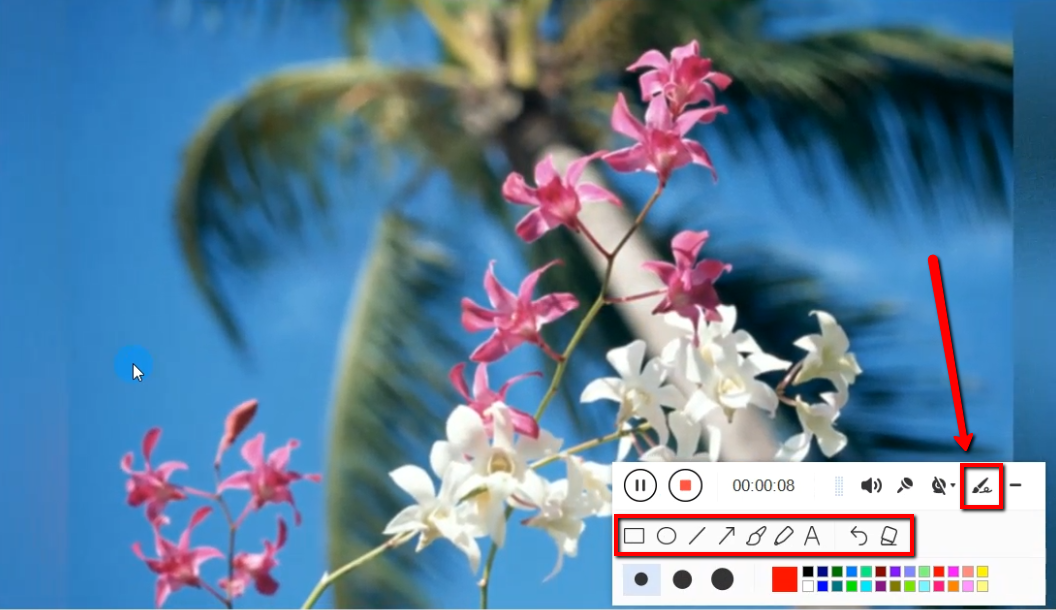
Edit video while recording:
While recording you can add lines, arrows, shapes, texts, highlight, blur, etc. by clicking the edit button.
Step 3: End the recording.
Click the “Stop” button to stop recording.

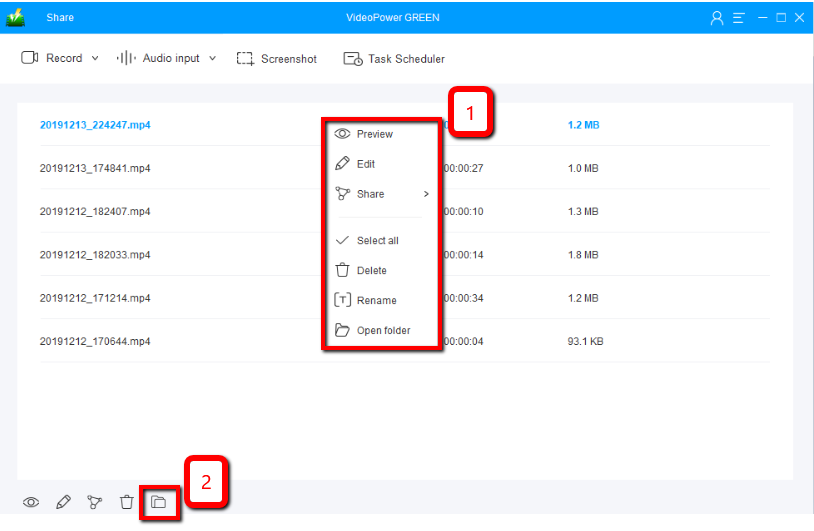
After that, the recorded file is already saved in the pointed output folder.
1) Your recorded file can be seen in the main interface. You can right-click the file and do more operations if you like.
2) Click the folder icon to view it in the pointed output folder.
Conclusion:
Many people are fun of watching videos online. It helps them remove and forget stressful thoughts and be entertained. But, watching online isn’t always available most especially in the absence of the internet. Downloading videos would be the best option for this concern. However, some of the sites don’t allow downloading videos.
VideoPower GREEN is a powerful and trusted recording application software is best suited for this kind of issue. It has a particular feature in capturing screen activities. Thus, online videos would be easily recorded for later viewing.
Moreover, this product doesn’t only record screen activities for later viewing but also beautifies the recordings by using its editing feature. It can also help you save some time and effort by setting its task scheduler feature.


