





Tips Index
Pandora is the most popular online music service in the United States. Users can listen to high-quality music on Pandora Radio.
Like most online music streaming platforms, Pandora does not provide a download feature for songs – this is most likely to control website traffic.
Pandora is a music station where users are not able to choose which songs to play, but the radio station always gives surprises to them. However, if you like the song playing in Pandora and you’d like to enjoy music on your computer, then you are in the right place.
Using VideoPower YELLOW, you can record Pandora music and save it for offline consumption.
To download the free software, just click on the link below.
Step 1: Set the output format settings
1.1 Set the sound source.
Before recording the Pandora track, make sure that the sound source is set to “System sound.” Click the audio jack icon bellow and choose among the sound sources such as “System Sound”, “Microphone”, and “Both System Sound and Microphone”.

1.2 Set the file format.
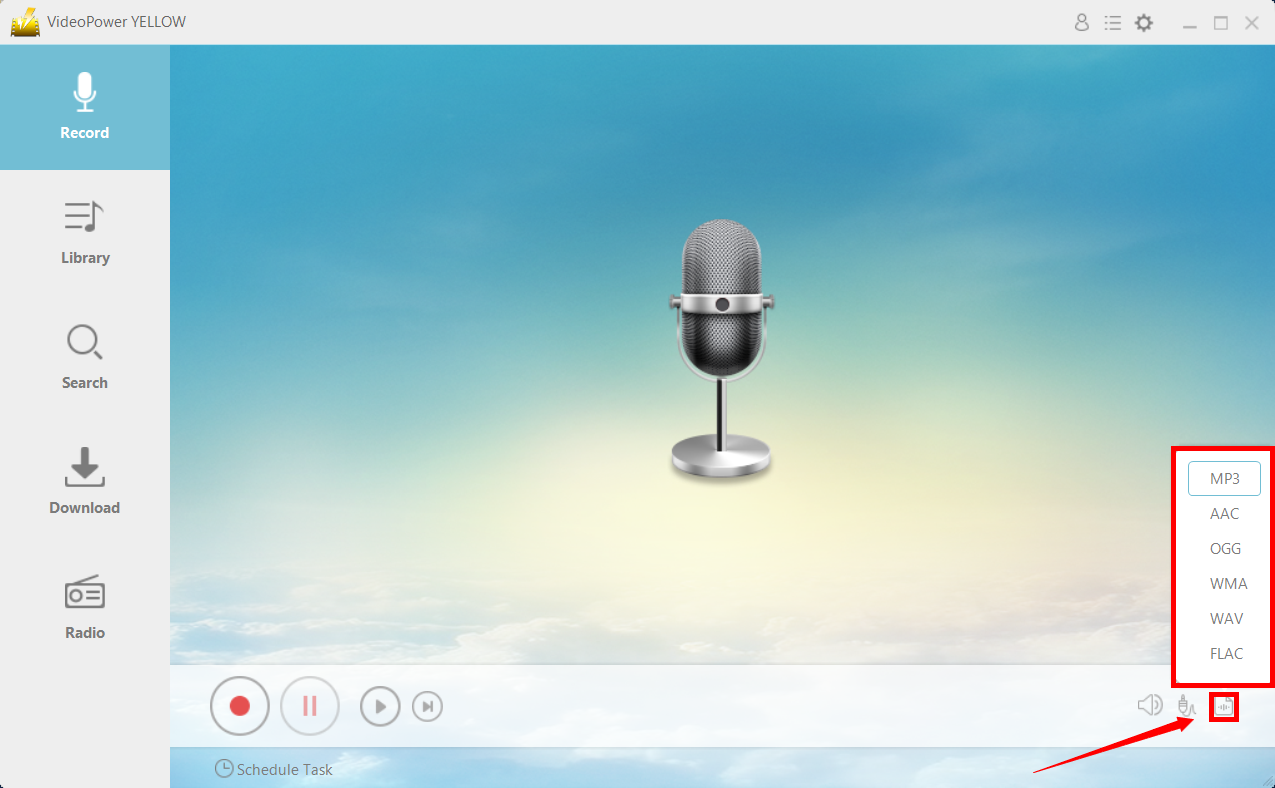
Make sure that the recording is set as a “MP3” format or whatever format you deem appropriate. Click the icon behind the audio jack icon to choose the format needed.
Step 2: Record Pandora Music
2.1 Start Recording
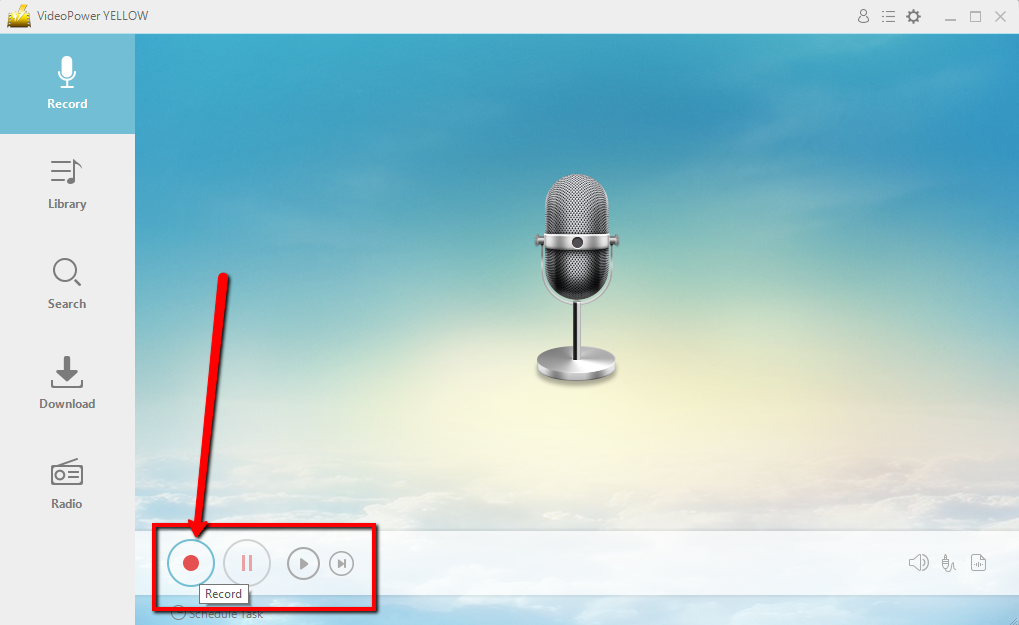
Click the “Record” button to start recording.
Go to Pandora and play the music that you want to download.

2.2 Navigate to Output Folder
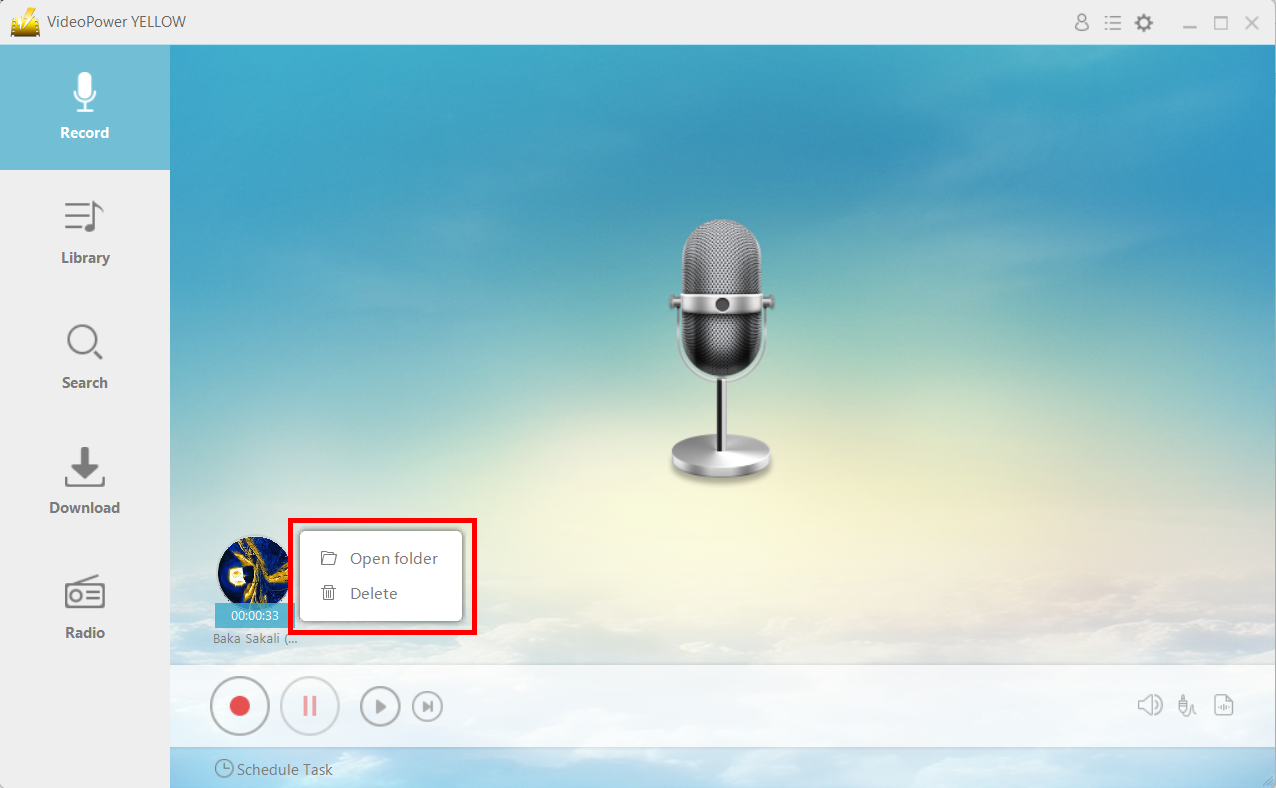
After recording, right-click the recorded track icon and click “Open folder” to open the storage location of the recorded audio file or click “Delete” if you want to delete the file and record again.
Conclusion:
The emergence of digital music and streaming platforms pushed physical copies and downloads to almost non-existence. However, for people in areas with a slow internet connection, offline consumption is sometimes the only way to listen to music. Pandora, like most music platforms, does not provide an offline feature – this is most likely to ensure that website traffic is consistent. Using VideoPower YELLOW, you can record your favorite music and listen to them offline.



