





Tips Index
Google Play Music is an online music streaming service launched by Google Users. It allows users to store music to the cloud, and instantly get access to their personal music collection.
You can listen to your favorite music anytime, anywhere on the web or any compatible device. The service, however, includes some restrictions and it is paid.
If you wish to download music from Google Play Music without any limitation, here is the finest way that you can grab as many songs as you want.
With VideoPower YELLOW, you can bypass restrictions for your personal use and record your music anytime, anywhere.
To install the program, you must first download the software by clicking the link below.
Steps:
1. Run the VideoPower YELLOW
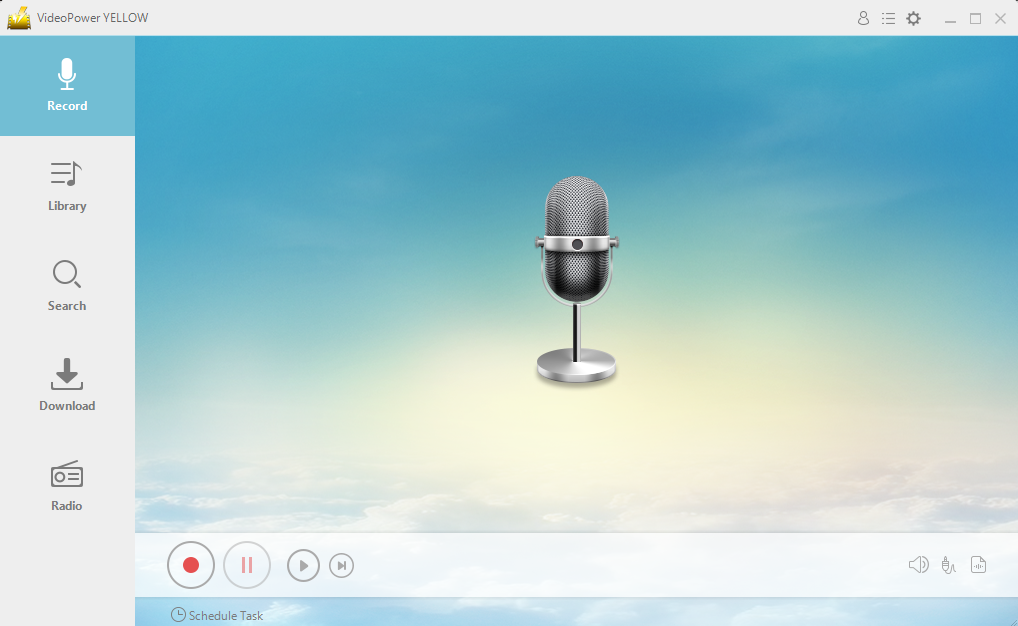
After you run the program, you will automatically be directed to the recording interface. It should look like this:
2. Set the sound source
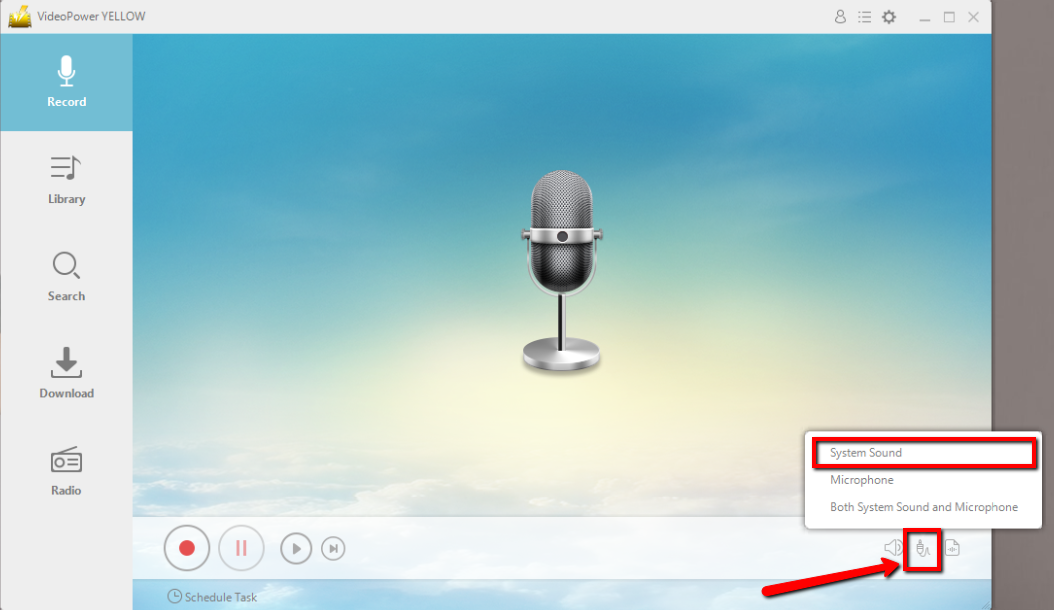
Before recording the track, make sure that the sound source is set to “System sound.”
3. Set the file format
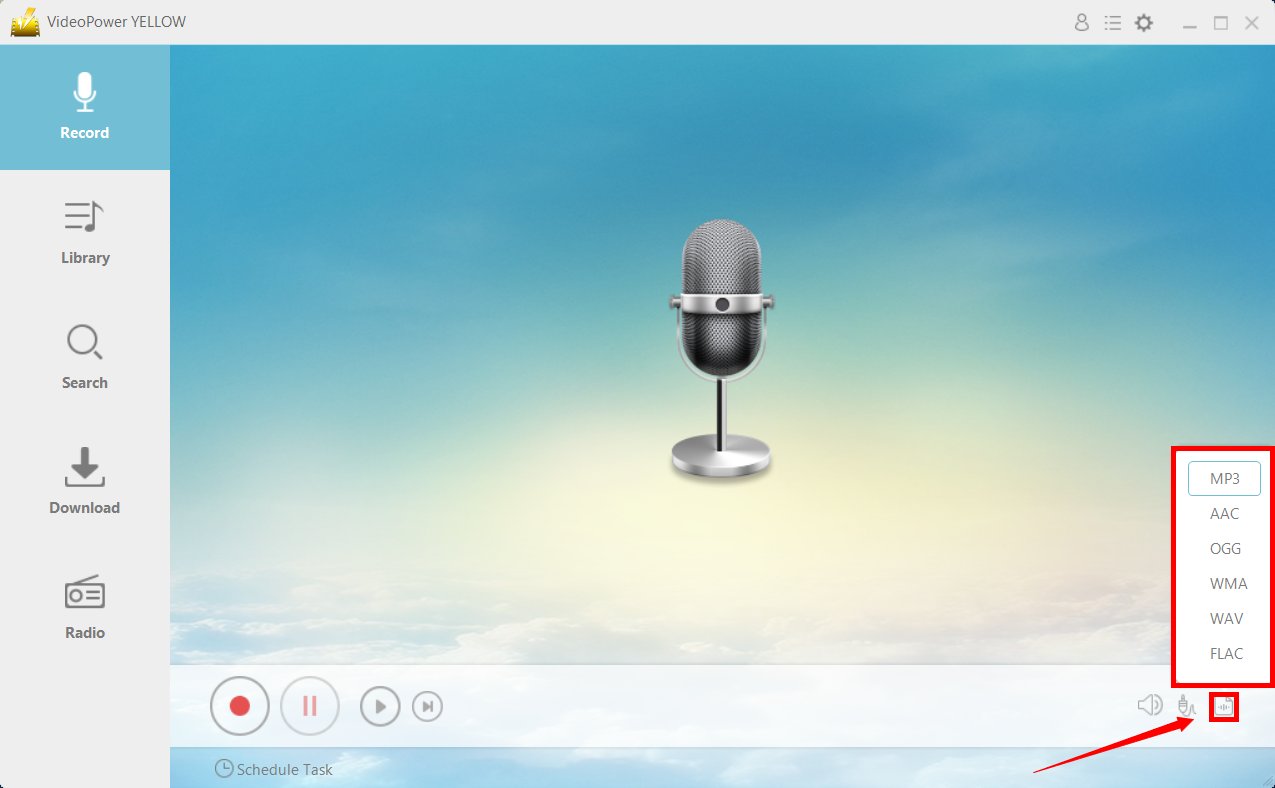
Make sure that the recording is set in the format of “MP3.” – or whatever format you deem appropriate.
4. Record
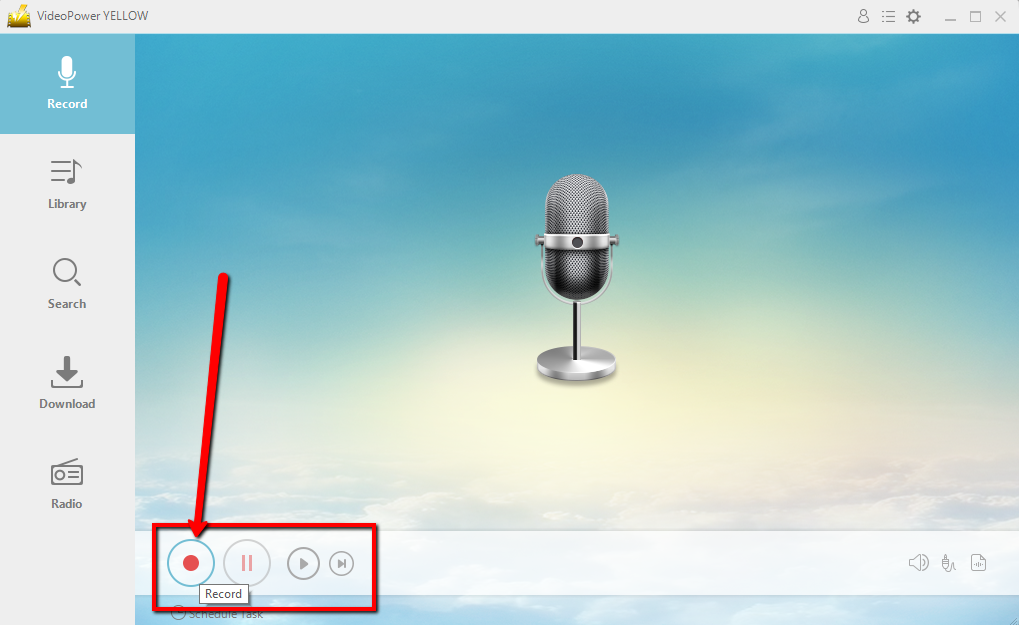
Click the “Record” button to start recording.
5. Play music
Go to the Google Play Music track that you want to download and play the track.
6. File location
After recording, right-click the recorded track icon and click “Open folder” to open the storage location of the recorded audio file or click “Delete” if you want to delete the file and record again.

Conclusion:
The rapid rise of online streaming platforms have created users who almost solely rely on the internet for everything – whether it’s listening to music or watching movies and videos, such is the case with Google Play Music where you can listen to music online with restrictions. With VideoPower YELLOW, you can bypass those restrictions and listen to music offline through recording the audio file.



