





Tips Index
Spotify is a genuine streaming music service platform that was officially launched in Stockholm, Sweden in October 2008.
Spotify provides both free and paid services. Free users will have advertisements when using Spotify while paid users will have none and have better sound quality.
It has a 14-day free period for its first use and once the trial ends, the user will have to pay to use it. The software has an advanced algorithm that can track the user’s listening history and can recommend songs according to the gathered data.
However, the songs that are accessible in Spotify can only be played in Spotify itself. Also, the songs from it can only be downloaded with a paid subscription. But then, once it expires, the downloaded songs become inaccessible.
To make Spotify songs accessible locally without worrying about any subscriptions and more, a third-party tool would be needed.
VideoPower YELLOW, an amazing, hassle-free, trusted audio recorder application software with various features would be best suited for this matter as it can record Spotify music and save it as an MP3 format on your mobile devices for offline use.
Just click the link below to download and install the app and continue checking out this article to learn more.
Steps:
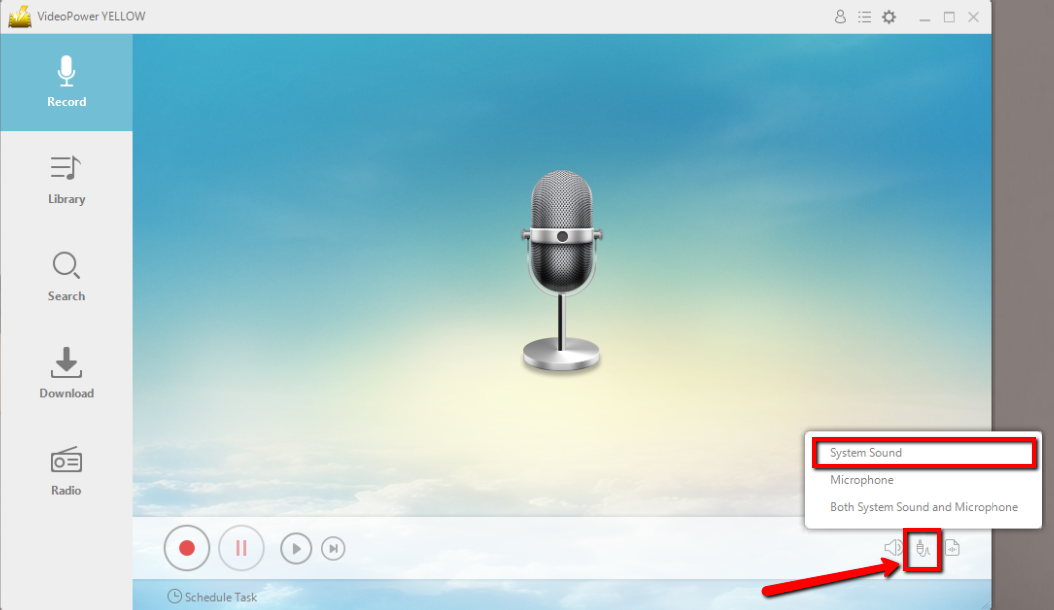
1. Set the sound source.
Before recording the Spotify track, make sure that the sound source is set to “System sound.”
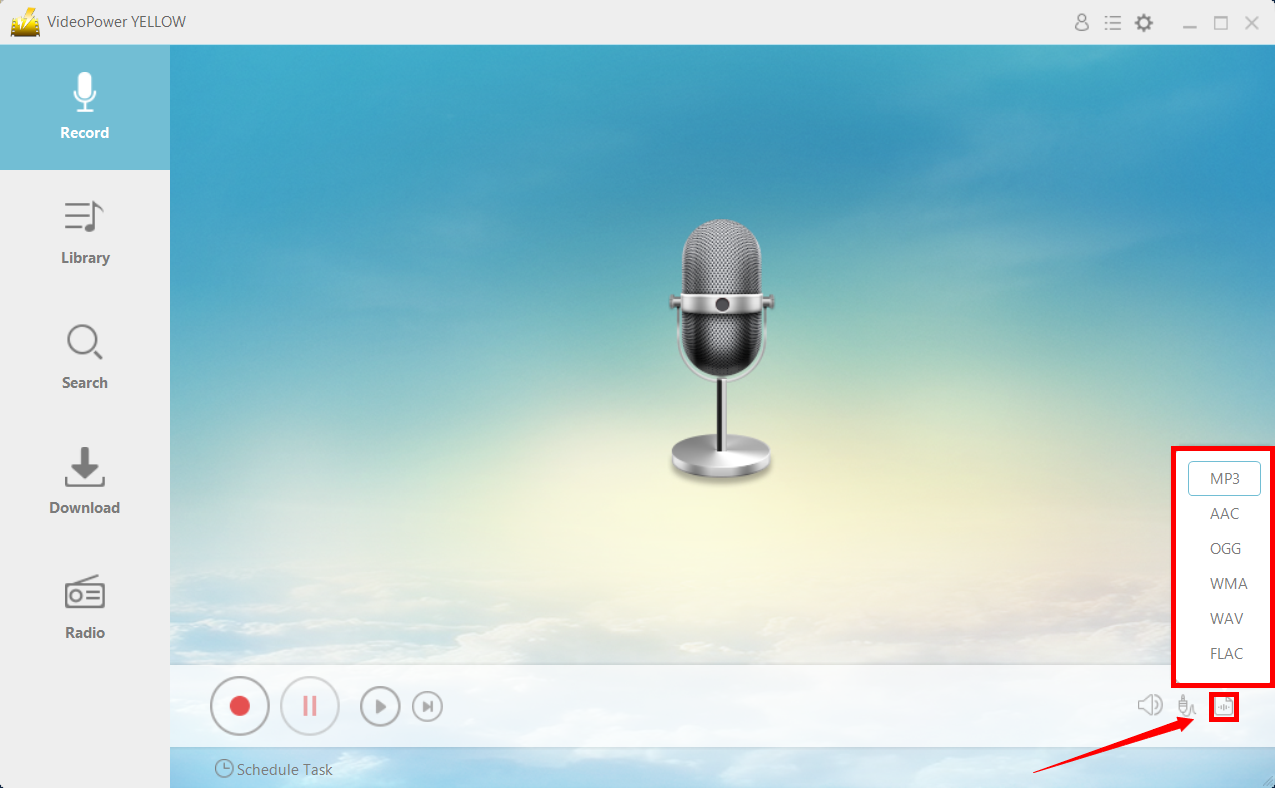
2. Set the file format.
Make sure that the recording is set in the format of “MP3.” – or whatever format you deem appropriate.
3. Record.
Click the “Record” button to start recording.

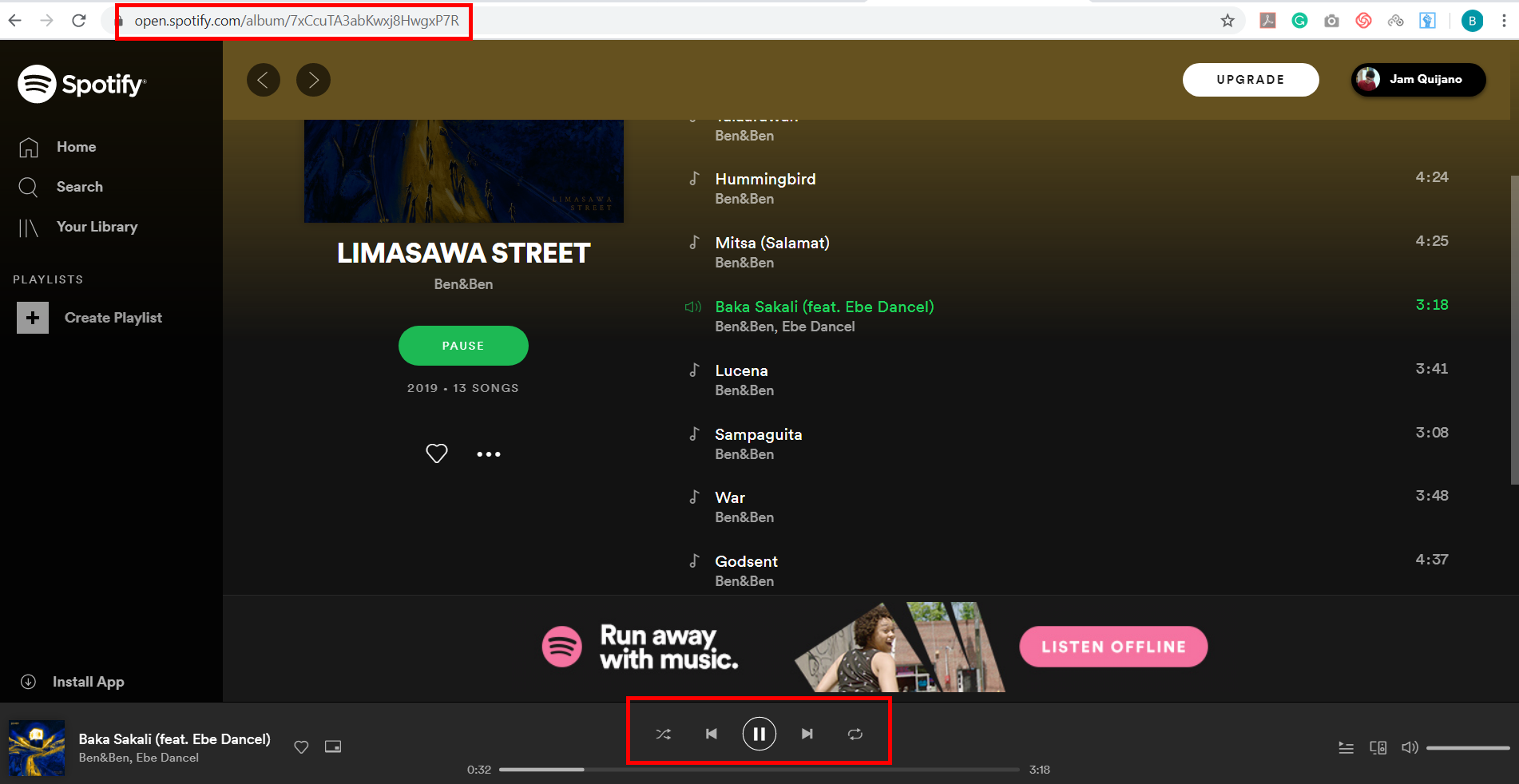
4. Play Spotify music.
Go to the Spotify track that you want to download and play it.
5. File location.
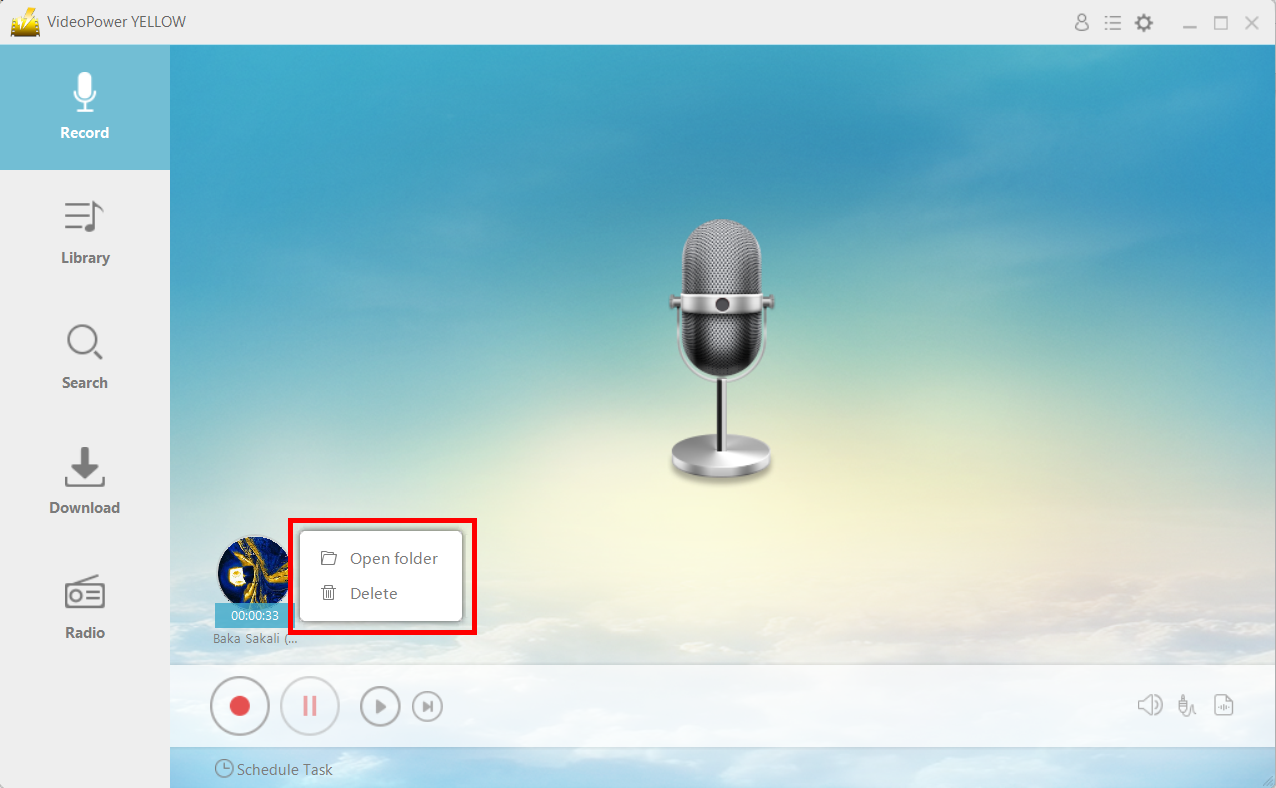
After recording, right-click the recorded track icon and click “Open folder” to open the storage location of the recorded audio file or click “Delete” if you want to delete the file and record again.
Conclusion:
Spotify is an exclusive online music streaming platform that doesn’t allow users to download their desired music on their digital devices for offline use. To make this matter possible, users should need to have a third-party tool called VideoPower YELLOW, an amazing, hassle-free, trusted and has various professional features audio recorder application software that is best suited in recording music from Spotify and convert and save it as MP3.



