





Tips Index
AMR is an audio format that is widely recognized by major mobile phone manufacturers as a recording audio format.
The capacity of the AMR audio file is very small, which can be controlled at about 1 KB per second.
So even an audio file of up to 1 minute can be controlled at about 50 KB. As a result, most of the voice MMS is in this format.
However, since the audio capacity of this format is too small, you can imagine how poor the sound quality is. This is where converters come in because people wants to convert AMR file into MP3 which is more convenient to play in almost any kind of audio player and very easy to edit.
Well, how do you convert it?
VideoPower BLUE is a powerful AMR to MP3 Converter. Many functions include screen recording, music conversion, video editing, collage making, and slideshow creation.
You can try to use the software for free by downloading its trial version below.
Step 1: Add the AMR file to the program.
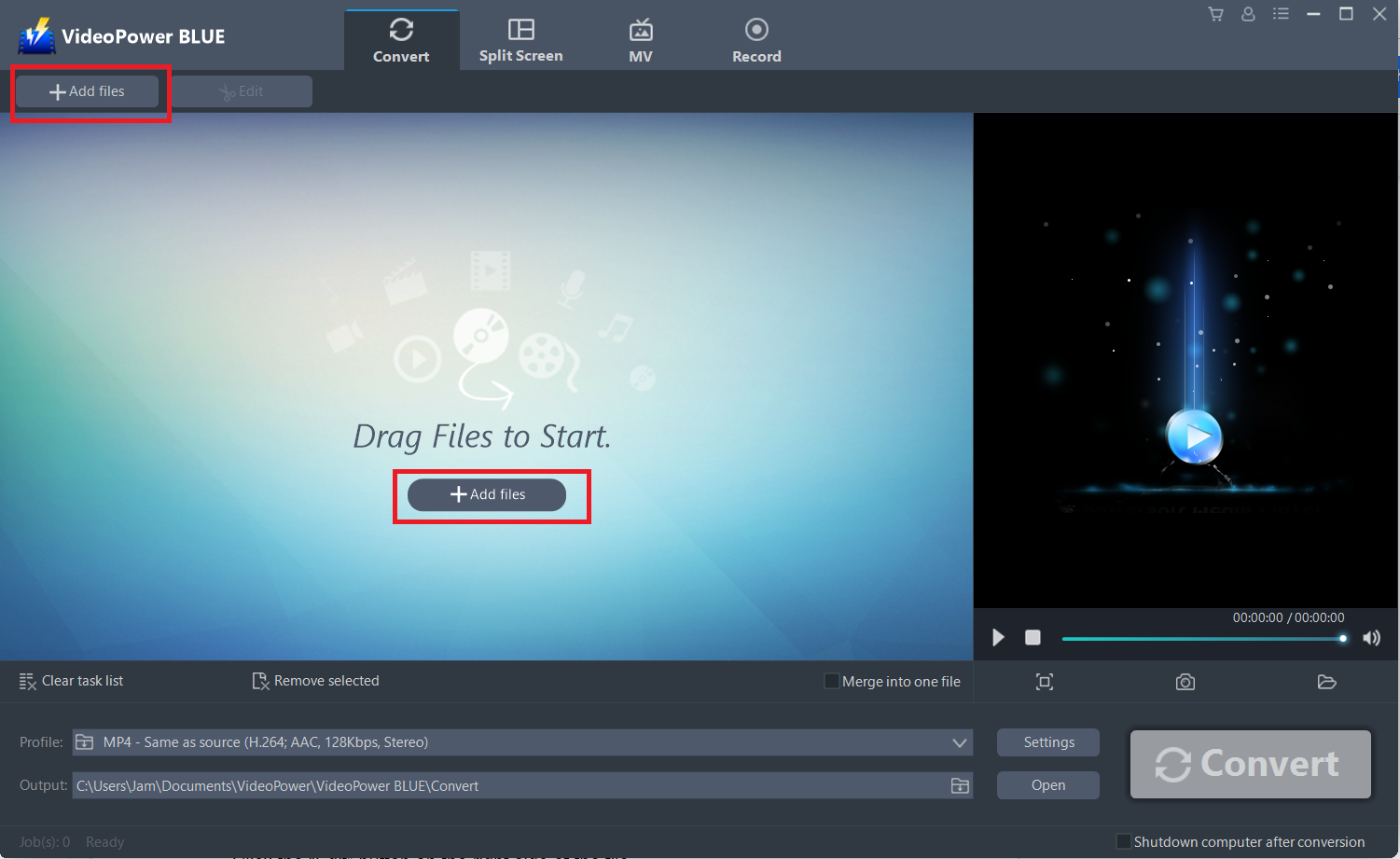
Launch VideoPower BLUE if you have installed it successfully on your PC. You can import the AMR file to the program by clicking the “Add files” button or by dragging and importing the file manually into the interface.
Step 2: Edit the AMR audio.
If you need to edit your audio file before converting, just follow the instructions below.
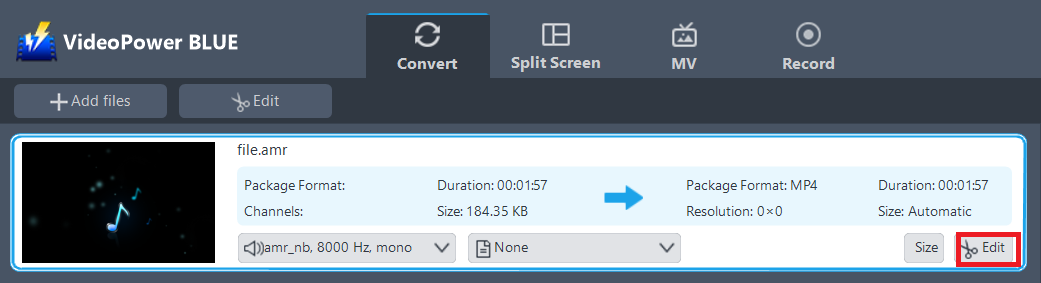
The imported AMR file is displayed in the list.
Click the “Edit” button on the right side of the file.
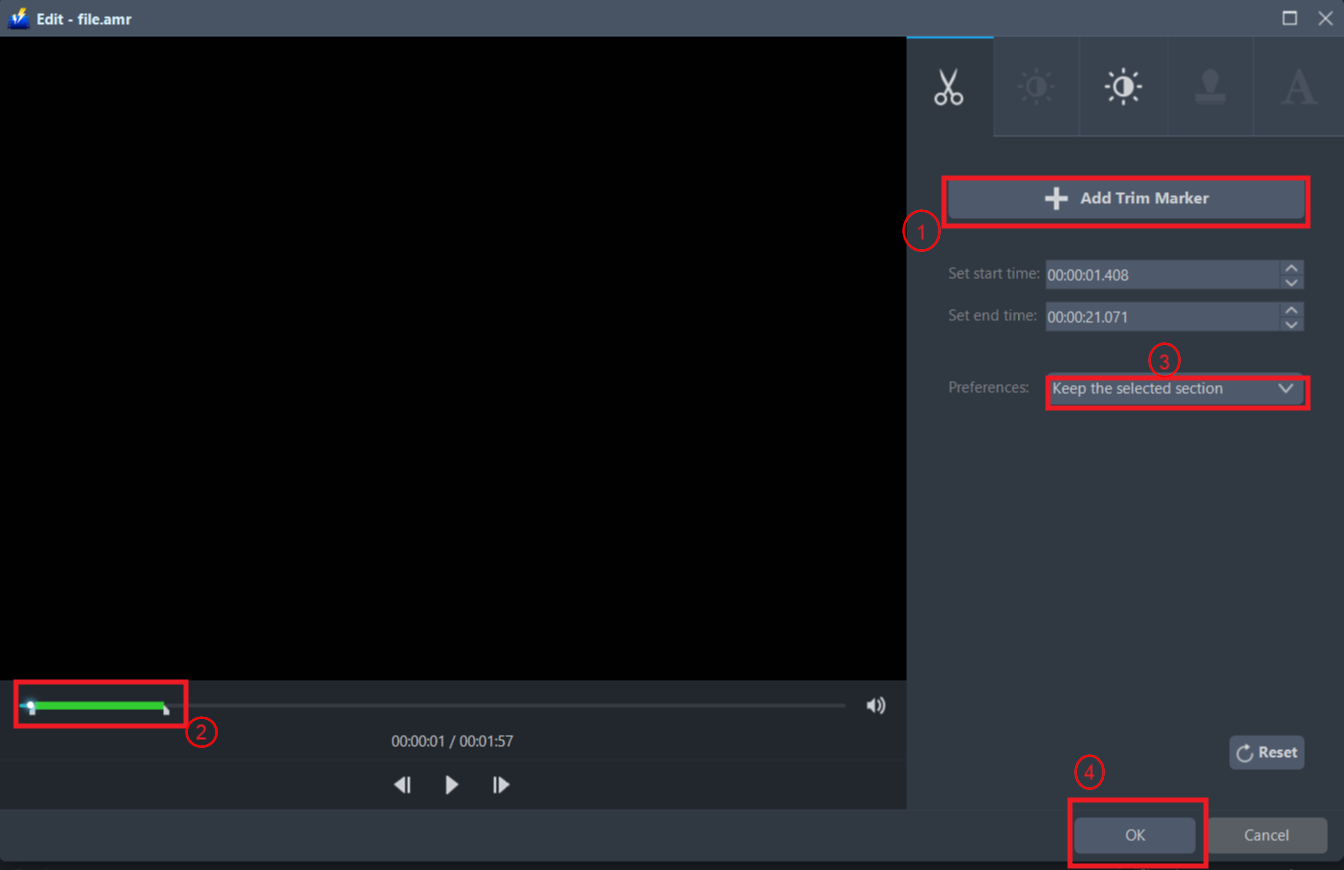
The built-in audio/video editor will pop up. Here, you can make adjustments to the audio’s volume, length, etc.
For example, you can trim your audio as shown below:
1) Click “Add Trim Marker”.
2) Drag the mark as shown below to select the part you want to cut. If you want to select multi-sections, please repeat 1 and 2.
3) Choose “Keep the selected section” or “Delete the selected section” from “Preferences”.
4) Click “OK” to save the setting.
Step 3: Convert AMR to MP3 format.
3.1 Set the output format
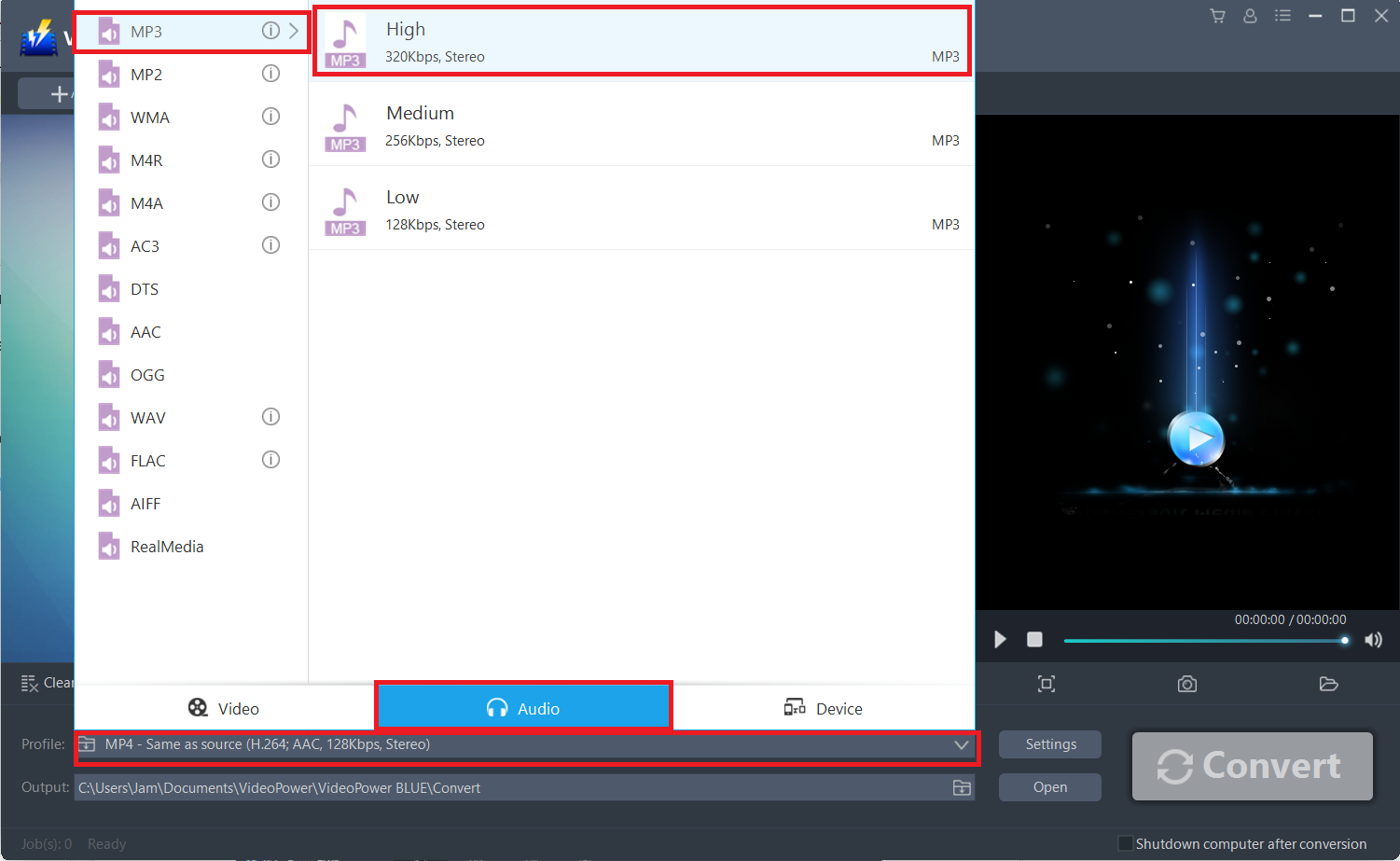
Click to open the “Profile” drop-down menu, then choose the format you want from the profile list. Here choose “Audio”, “MP3”, and quality “High” or other options like “Medium” and “Low.”
3.2 Start Conversion
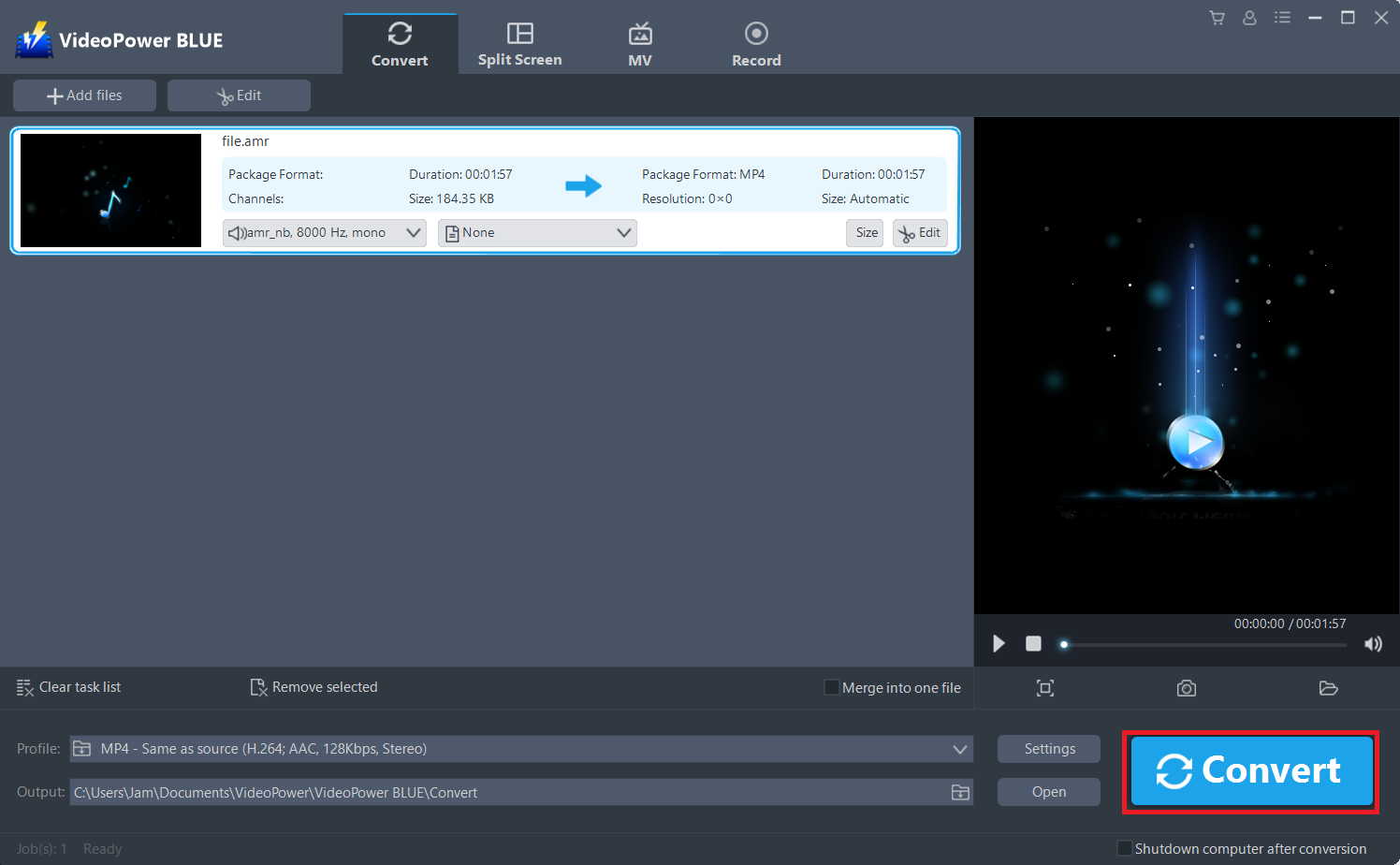
Return to the file list.
Click the “Convert” button, then the converted MP3 file will be saved in the default output folder.
3.3 Find the Converted MP3 files
A window will pop up once the conversion is complete. Click “OK” to open the folder of your saved converted MP3 files.
Or you can click the “Open” button to find the MP3 file.

Conclusion:
The size of this software is small so it will not take much space on your system, you don’t have to worry. It’s packed with features that you need like its simple user interface. Making it intuitive to convert AMR to MP3 format. VideoPower BLUE also supports batch conversion, screen recording tool, and a basic video editor.


