





Tips Index
Prezi is presentation software that makes ideas more lively and interesting by zooming and quick motion. It breaks the single-line sequence of traditional PowerPoint and demonstrates it in a systematic and structural way.
In the way of route presentation, it suddenly pulls from one object to another, and it has more visual impact when it cooperates with rotation and other actions.
Create and edit documents through multi-terminals (the desktop side of Windows and Mac on the web page of the website, iPad and iPhone mobile) to help you develop ideas and make the connection between ideas clearer.
Do you want to turn these visually fascinating presentations into videos so that you can upload them to YouTube for sharing? It’s a piece of cake if you’ll use a third-party and recommendable tool called VideoPower GREEN.
This software can help you record live streaming videos, video conferences, and make a live game video, tutorial video, etc. In this post, we will show you how to convert Prezi to video step by step.
You can try to use the software for free by downloading its trial version below.
Step 1: Screen record Prezi activities.
Run VideoPower GREEN if you have installed it on your PC.
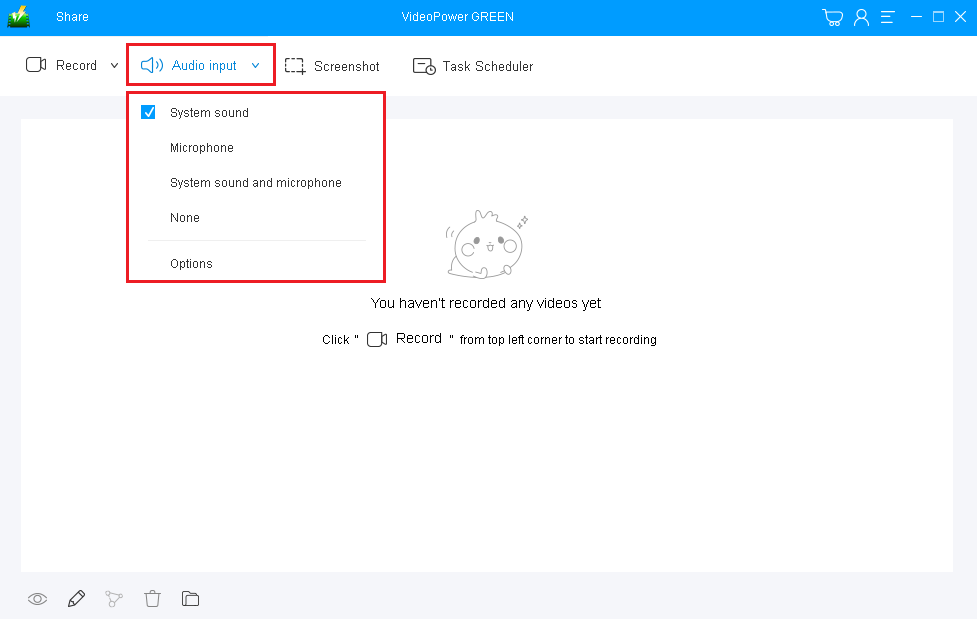
1) Choose a sound source.
You can choose “System sound, Microphone, System sound and microphone or None.” In recording Prezi, you can use either “System sound” or “System sound and microphone”.
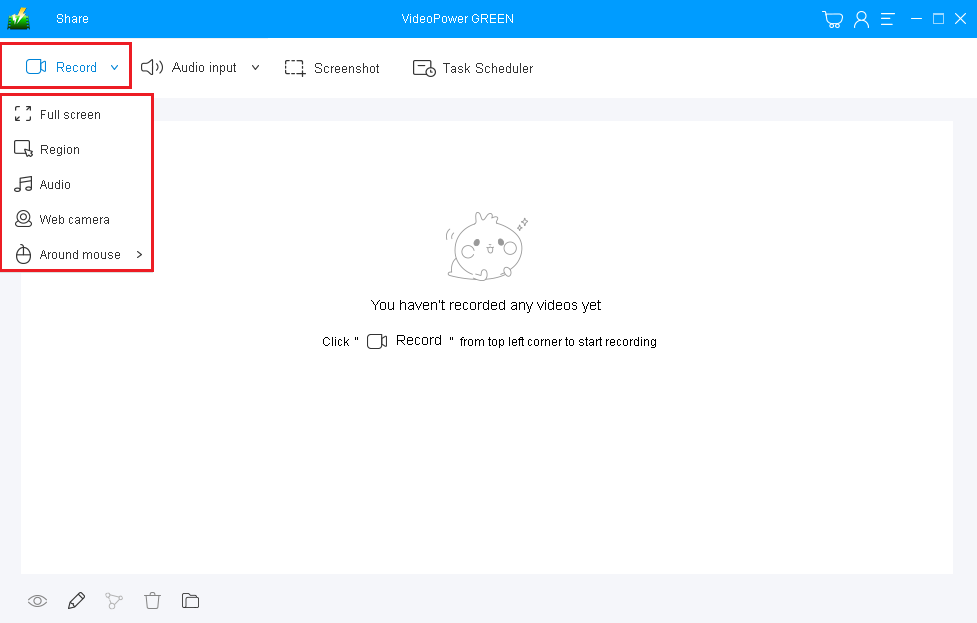
2) Select a recording area.
Click on the “Record” button to choose the recording mode from “Full screen, Region, Audio, Web camera, Around mouse”. Select the area you are going to record.
Step 2: Start recording Prezi activities.
The pop-up window will ask whether you are ready to start recording, click “OK” to confirm when you are ready to record.

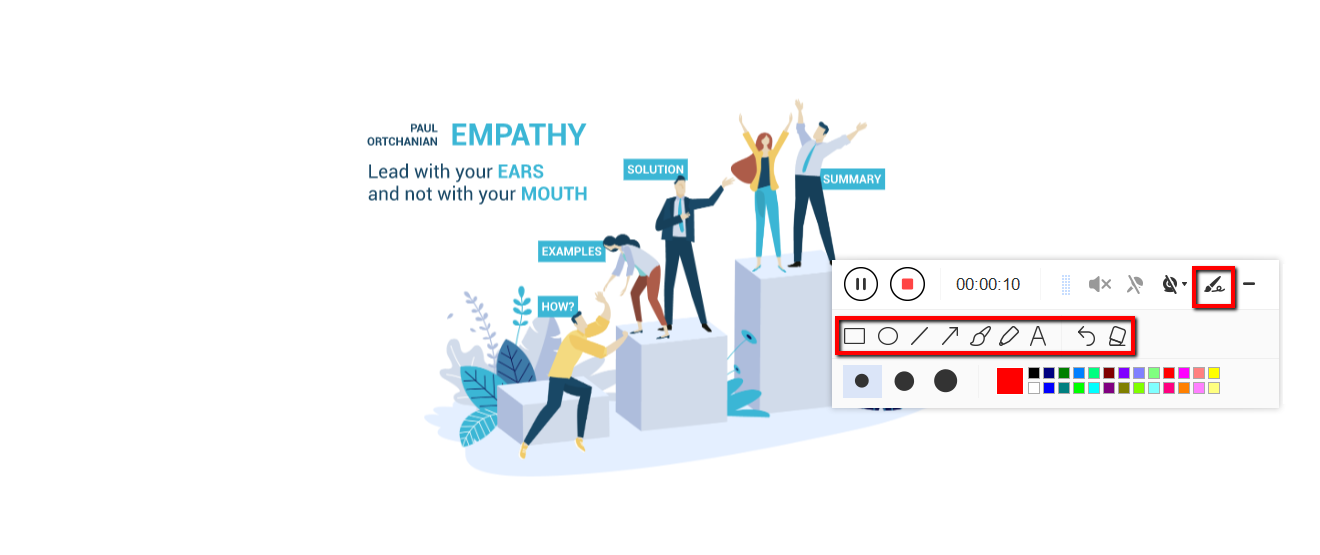
Annotate video while recording
While recording you can add lines, arrows, shapes, texts, highlight, blur, etc. by clicking the edit button.
Step 3: End the recording.
Click the “Stop” button to stop recording.

After that, the recorded file will be saved in the output folder.
1) Your recorded file will be seen in the main interface. You can right-click the file and do more operations if you like.
2) Click the folder icon to view it in the output folder.

Conclusion:
Digital pedagogy is now prominent since the birth of digital technologies and applications. This development became a great bridge in the improvement and development of teaching and learning.
Most of the students and educators use Prezi to transmit knowledge in a lovely and interesting way as it uses one large canvas that allows users to pan and zoom to various parts of the canvas and emphasize the ideas presented in the presentation.
Nowadays, users also record and convert Prezi presentations into videos but then, some of them don’t know what would be the exact and suited software to use. Thus, VideoPower GREEN, an easy to use and trusted recording application software with professional features is here to help.


