





Tips Index
Some people are looking for a way to remove the unwanted part of an audio file, and only keep the part they like, so that they can use it to make their own personalized ringtones, or as sound for computer switching on and off.
So how to cut audio?
There are many audio editing software on the Internet but it is difficult to identify which one is better.
Here we would like to share a powerful audio editing software, VideoPower BLUE.
VideoPower BLUE is a multi-faceted software that has a lot of functions. These functions include recording screen activity, basic video, and audio editing, and file conversions. Its superb audio editing tool will give you what you want including cut audio files.
You can try to use the software for free by downloading its trial version below.
Step 1: Add the video you want to cut
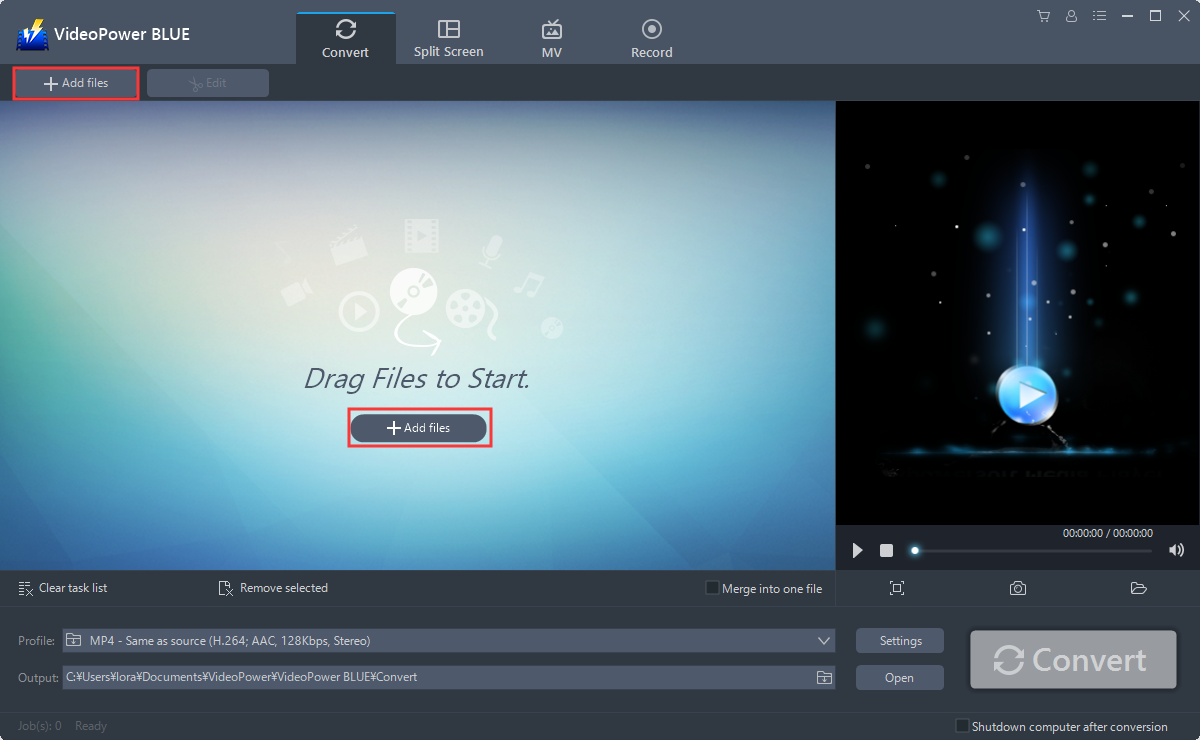
Run the program if you have installed the VideoPower BLUE successfully on your PC. You can directly import the Video to the program by clicking the “Add files” button or by drag-and-drop the file to the interface.
Step 2: Edit audio
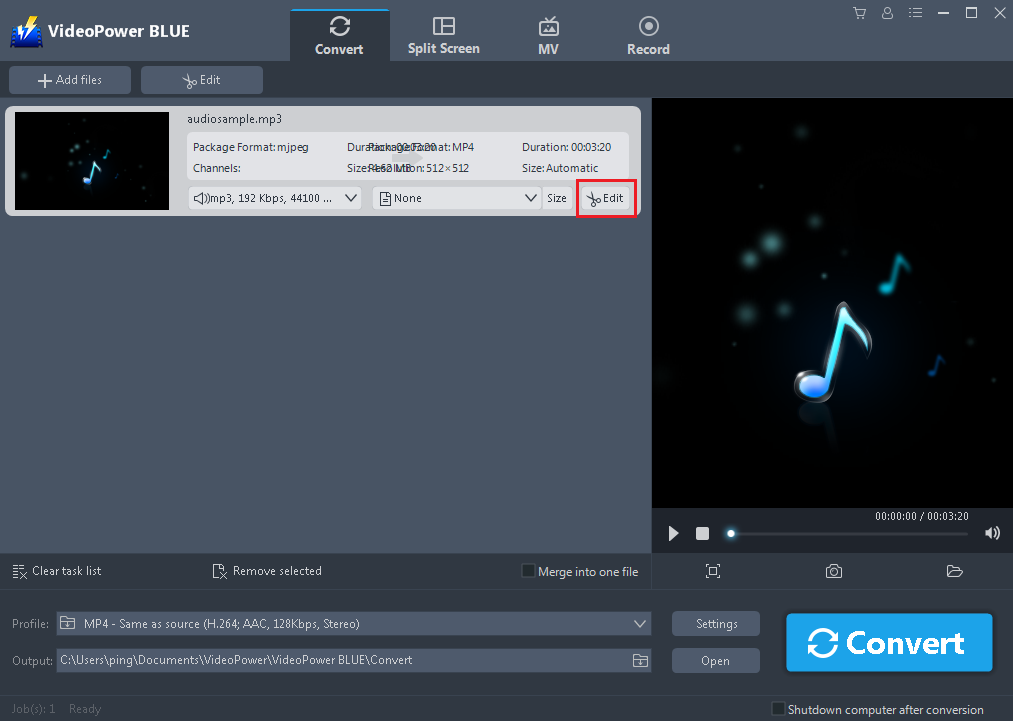
The imported file is displayed in the list.
Click the “Edit” button on the right side of the file.
You can do the following steps to cut your audio:
1. Click “Add Trim Marker” to add a trim marker to the progress bar, you can also add multiple trim markers by clicking this button multiple times.
2. Drag the slider to select the part you want to hold.
3. You can click the up or down button to set the start and end time as well.
4. Now you can choose to keep or delete the selected section.

Step 3: Save edited audio
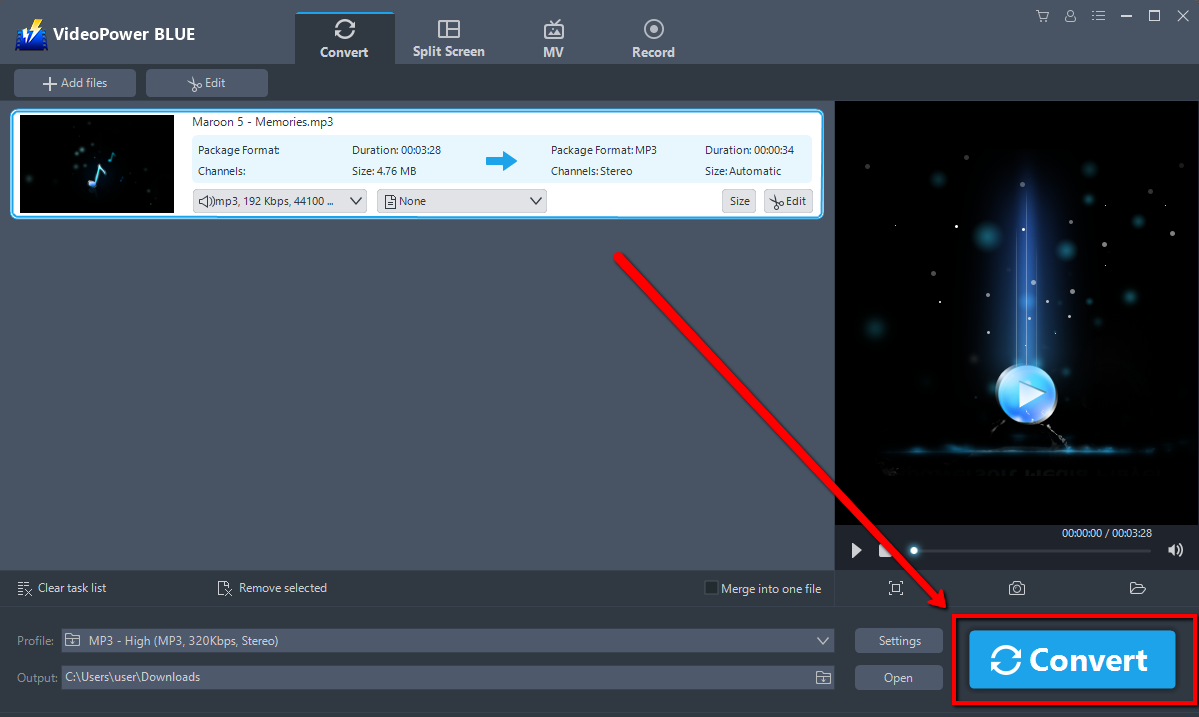
Click the “Convert” button, then the edited audio file will be saved in the default output folder.
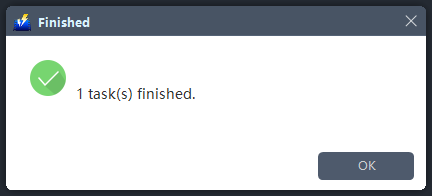
A pop-up window from the program will appear informing you that the conversion is complete.
Note: The edited audio will be saved as a new file, and the original file still exists without anything changed.
Conclusion:
This software does a very clean trimming of an audio file. VideoPower BLUE comes with a user-friendly interface that users of any level of skill would find it simple to get started.
It could convert files to various file formats, has a built-in video editor that will enable you to edit slideshows or videos, apply watermarks, effects, and other basic video editing options such as trimming or cropping. Moreover, it has a split-screen tool for your photos and videos and a screen recorder which allows you to capture any on-screen activity on your computer.


