





Tips Index
PlayerUnknown’s Battlegrounds or PUBG online, in short, is an online multiplayer battle royale game published and developed by PUBG Corporation, a company called Bluehole. The game was developed on earlier mods that were made by Brendan Greene for other games, Stirred by the 2000 Japanese film Battle Royale, and broadened under Greene’s creative direction.
In the game, there are one hundred players dropping off onto an island in search of medicines, weapons, and equipment to kill others while hiding to avoid getting killed by other online players. The safe area of the game’s map will decrease in smaller sizes over time, forcing surviving players into tighter areas to encounter each other. The last man or team standing will win the round or what they call “Chicken dinner”.
In March 2017Battlegrounds was released first on Microsoft Windows by way of Steam’s beta program and was released fully in December 2017. The game was officially released in September 2018.
There is also a free-to-play mobile version of Pubg online on Android and iOS that was released in 2018. Until now it is one of the most-played and best-selling games of all time, they have sold over 50 million copies worldwide by June 2018, with hundreds of millions of players when including the mobile version.
PlayerUnknown’s Battlegrounds is a type of battle game in which players from different servers fight to survive and outlive others and the last man standing will rise victoriously. The game attains places on the bestselling release of 2017 with more than 2 million registered.
If you are an avid fan or a player of PUBG, performing a good offensive play or setting up an outstanding defense is an achievement you perhaps want to record and show off to your friends. In this article, we introduce VideoPower GREEN, screen capture, and recorder capable of recording your PUBG gaming experience of Pubg lite pc and you can save on your PUBG highlights folder and can be shared through your social media accounts like Facebook, Instagram and many more.
Just click the link below to download its trial version and follow through the steps on How to Capture Highlights on your Pubg Play online.
Download the software through this link and follow the instructions.
Step 1: Manage settings.
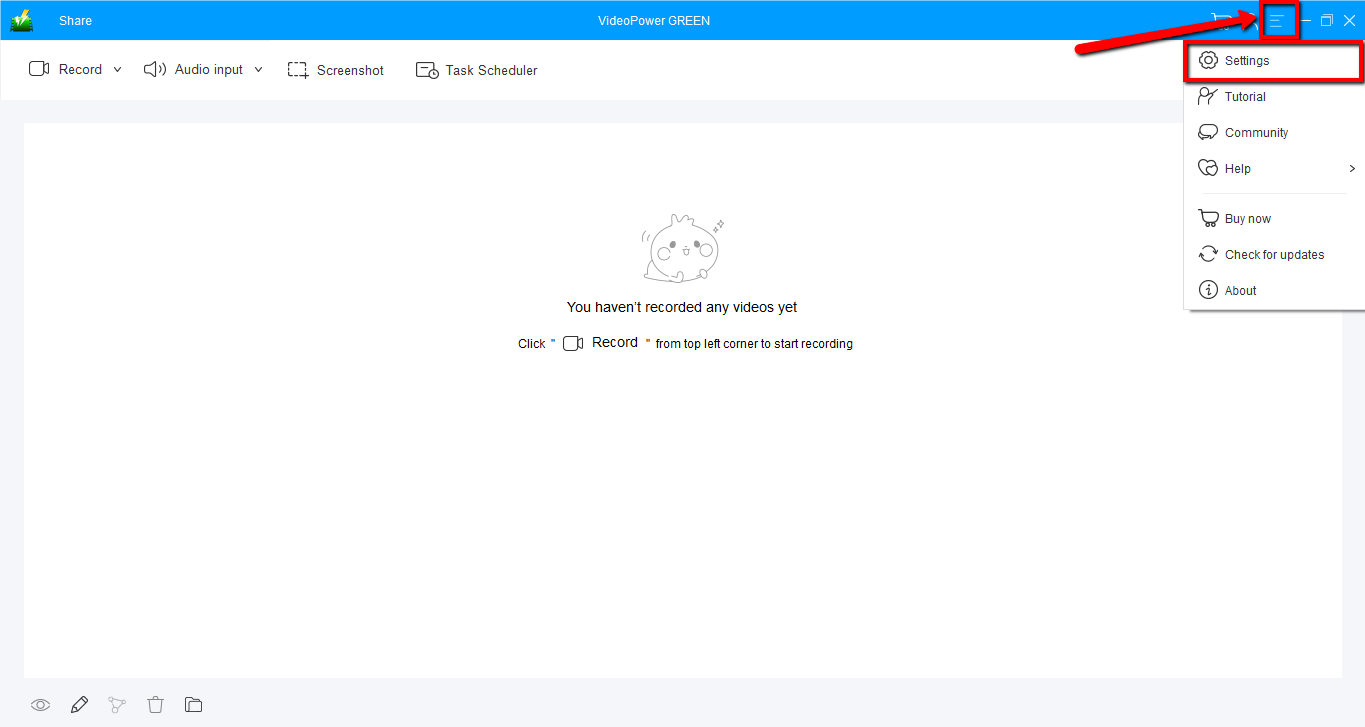
1) Click the menu on the upper-right corner of the interface and choose “Settings” from the drop-down menu before recording your Pubg online gameplay.
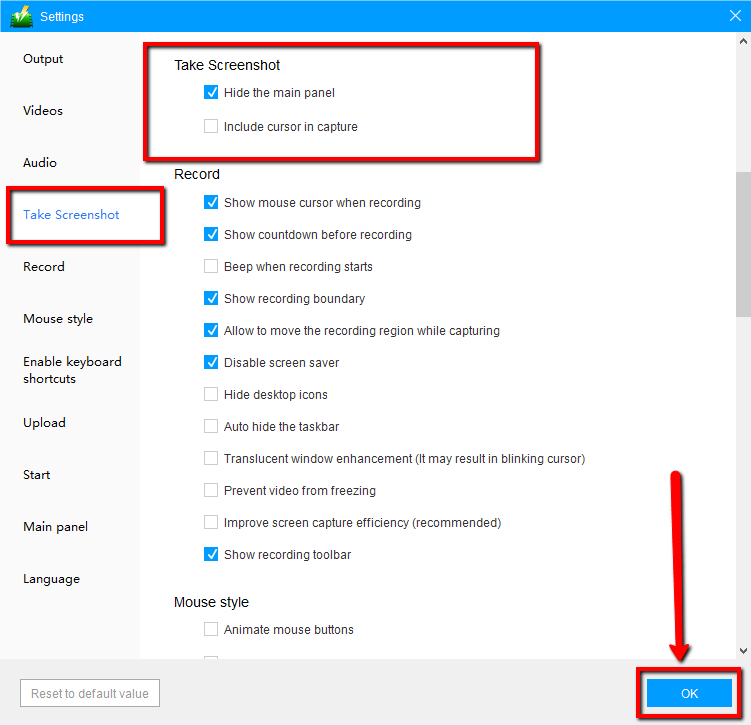
2) Navigate to the “Take Screenshot” section. Make changes accordingly then click “OK.”
Step 2: Take a screenshot on your PUBG
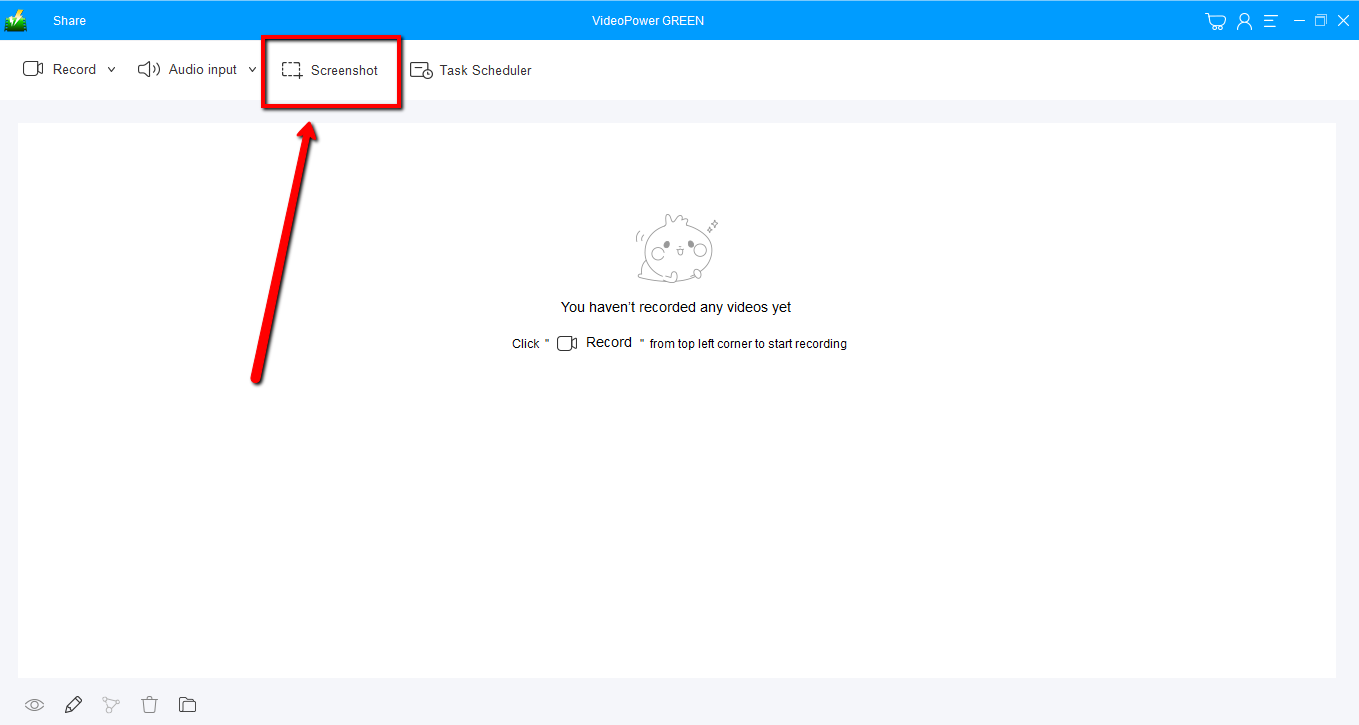
1) Click on the “Screenshot” tab.
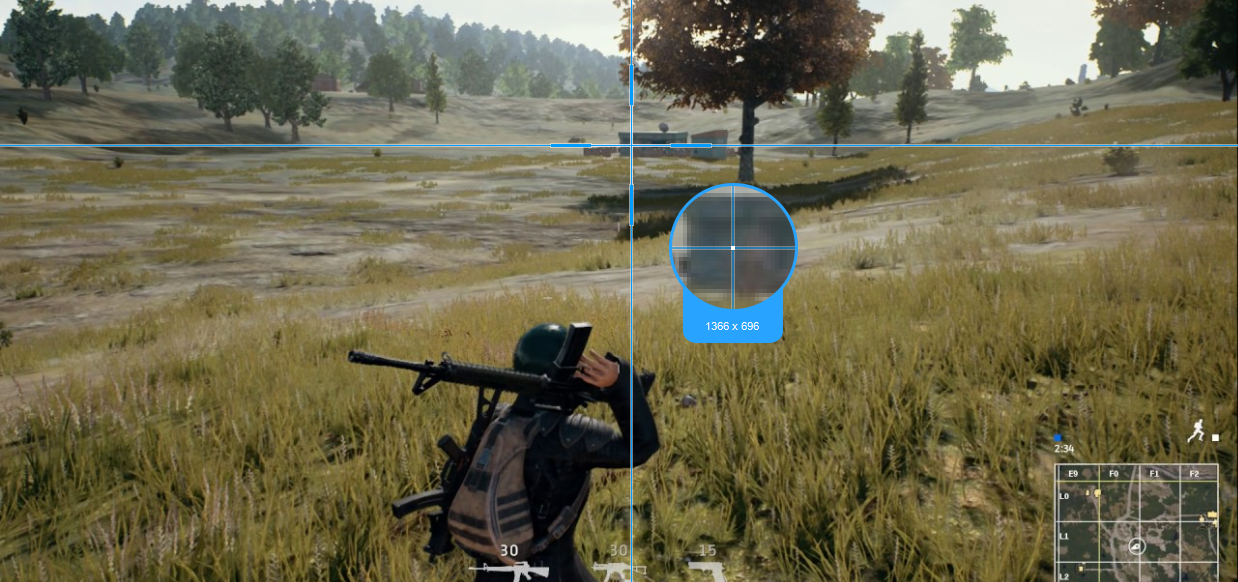
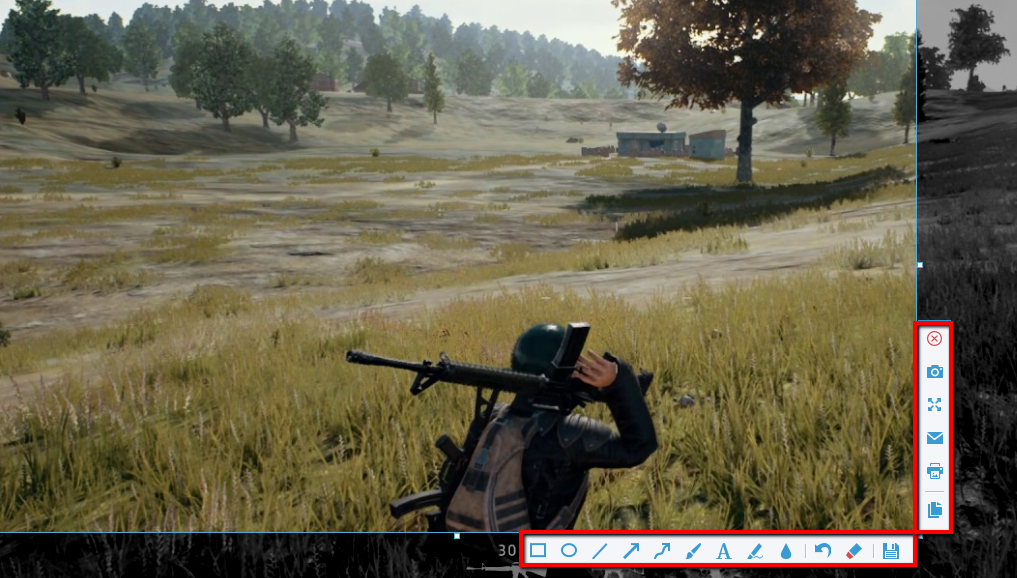
2) Select the region on the screen that you want to take a screenshot of. By moving the mouse around the screen, you’ll be able to see what types of screenshots you can do on your Pubg online game.
3) After clicking, you will get a snapshot of the selected region. You can make changes to it accordingly by exploring the menu (highlighted in red) before saving the screenshot.
Step 3: Screen Record PUBG online
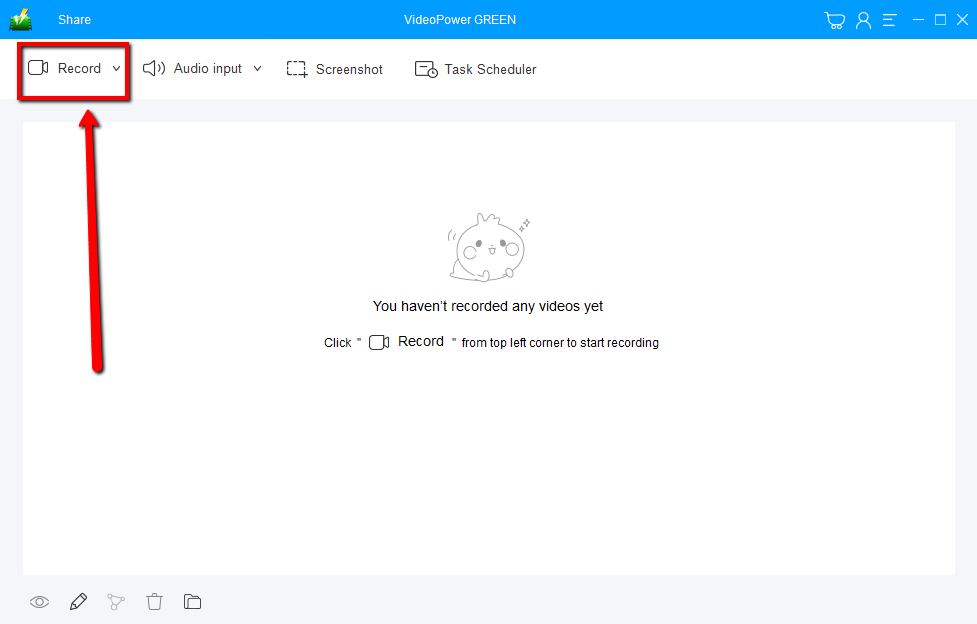
1) Click on the “Record” tab
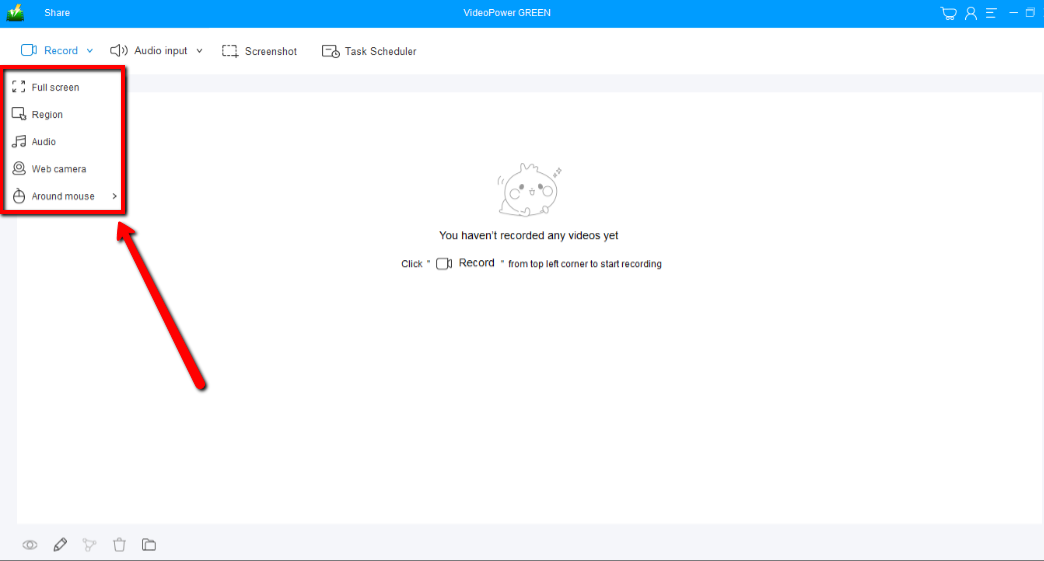
2) Pick among “Full screen, Region, Audio, Web camera, and Around mouse” to record your screen activities.
Conclusion:
There are many different ways you can try recording your PUBG online experience but we recommend you use VideoPower GREEN Screen Recorder/Capture, a stable, secure, versatile, and powerful software, best in the recording. It is very intuitive and has ultimately satisfying results. Download now to start recording!


