





Tips Index
Nowadays, there are countless of audio sources online that users can listen to. But then, there are users who sometimes find it interesting in listening to the audio found in a web video.
Listening online is limited to most of the users. Therefore, they wanted to bring out and enjoy their desired music anywhere they are and anytime they want using their mobile devices. Thus a third-party tool would be a must for this kind of matter.
In this case, we highly recommend VideoPower YELLOW, A free and powerful audio downloader and recorder. It is capable of recording audio of a web video and save it in MP3, MP2, AAC, WAV, WMA, or any other common audio format to your computer. Just Click the button below to download this app.
Method 1: Audio Recorder
Before recording, make sure that the sound resource you chose is “System Sound”.
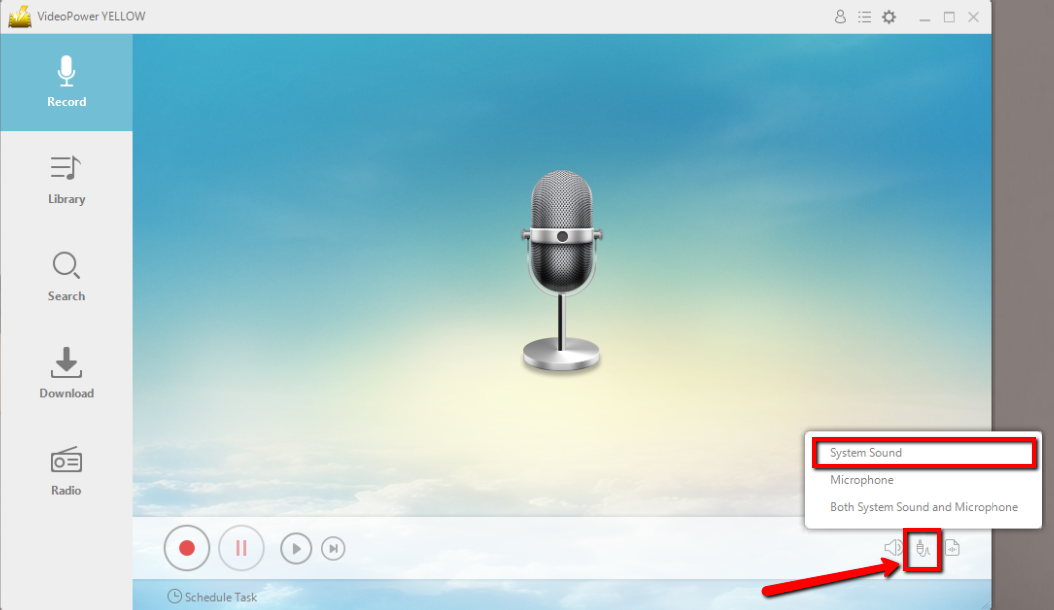
Click the start recording button at the bottom left of the screen and play the video you want to record sound from.

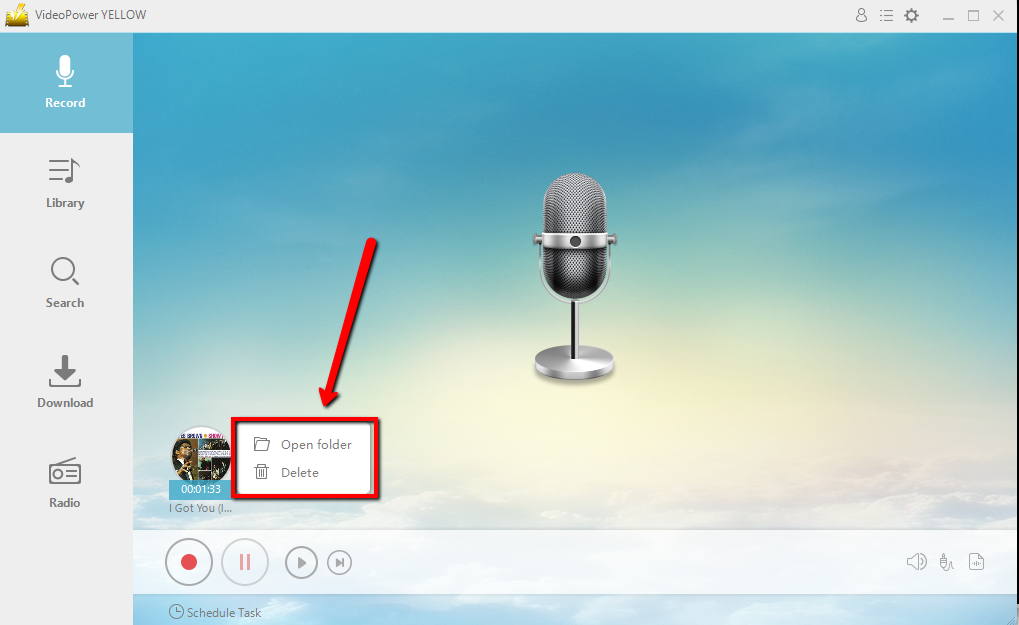
After recording, right-click the recorded track icon and click “Open folder” to open the storage location of the recorded audio file.
If you don’t have time to sit in front of the computer and keep waiting for the recording to end, this setting is for you.
Method 2. Scheduled Task
Click “Scheduled Task” at the lower left of the main interface.
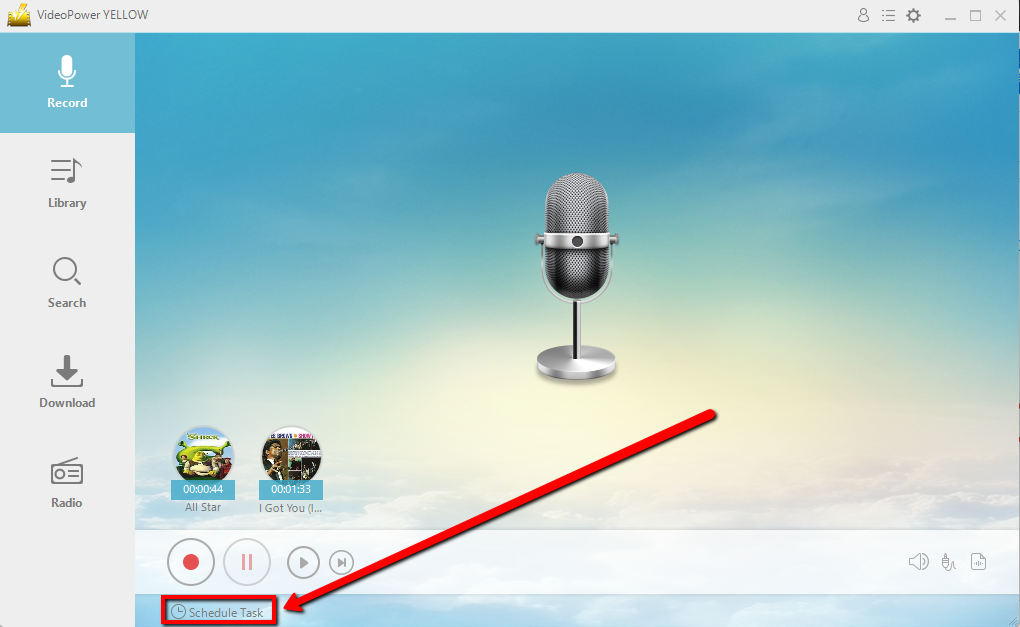
Create a task and Set the start and end time as preferred. Click “Ok” to save the task.

Conclusion:
Despite having countless audio sources online, there are users who chose to listen to the audio found in a web video. Also, listening to an audio offline is highly preferable for most of the users who usually cannot go online.
In this case, a third-party tool would be needed. Thus, VideoPower YELLOW, an amazing, hassle-free, trusted and has a variety of professional features application software can help audio recording possible. This product is best suited for this kind of matter as it doesn’t only record audios but it also has different useful and professional features to help improve recorded files like converting videos to MP3, ripping music, burning music to cd, downloading audios, task scheduler and many more.



