





Tips Index
Creating a training video is one of the great ways to help people better understand how to play games, use a particular program or anything that can be done on a computer.
Moreover, many people find watching training videos more effective than reading a whole article of instructions just to fully understand a thing. Watching training videos is satisfying because of the fact that users can easily understand the things that are taught in the presentation and as it was clearly shown in the video what exactly needs to be done.
To make this thing possible, users need to use the best recording tool to also produce the best and professional training video.
VideoPower GREEN, an easy to use, hassle-free, trusted recording application software would be best suited in making training videos on computer as this software has varied professional features that a user can use to improve the recorded training videos.
You can try to use the software for free by downloading its trial version below.
Step 1: Screen record Training Videos on PC.
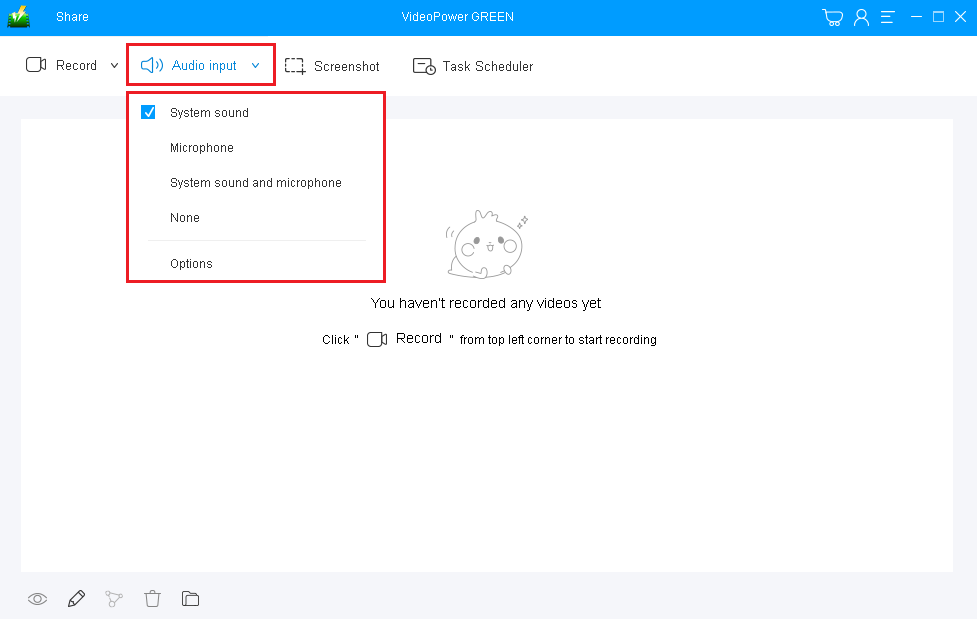
1) Choose a sound source
You can choose “System sound, Microphone, System sound and microphone or None.” In recording training videos in PC, either “System sound” or “System sound and microphone” is recommended.
2) Select a recording area
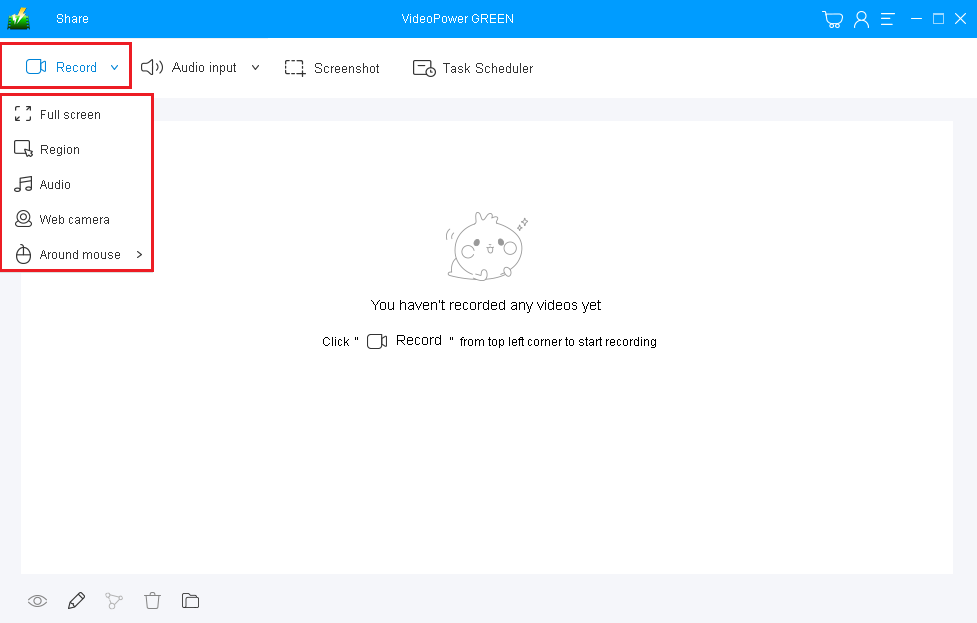
Click on the “Record” button to choose the recording mode from “Full screen, Region, Audio, Web camera, Around mouse”. If you are going to record both a webcam and screen, you need to select a screen and then open a webcam after starting recording.
Step 2: Start recording training videos on PC.
The pop-up window will ask whether you are ready to start recording, click “OK” to confirm when you are ready to record.

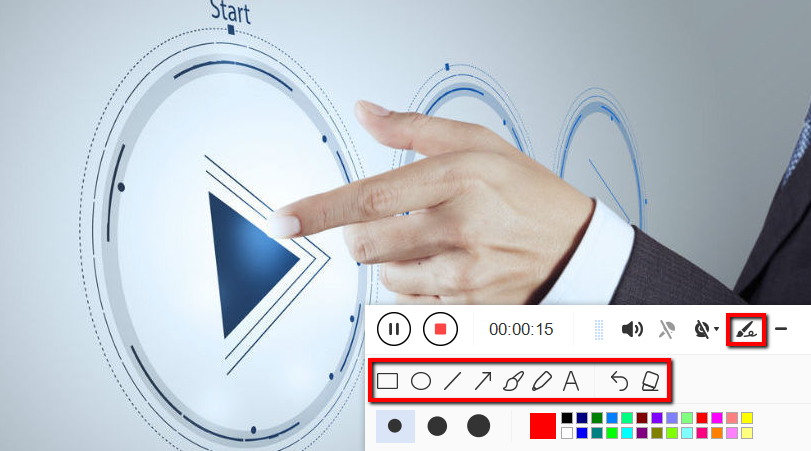
Annotate video while recording.
While recording you can add lines, arrows, shapes, texts, highlight, blur, etc. by clicking the edit button.
Step 3: End the recording.
Click the “Stop” button to stop recording.

After that, the recorded file will be saved in the pointed output folder.
1) Your recorded file will be seen in the main interface. You can right-click the file and do more operations if you like.
2) Click the folder icon to view it in the output folder.

Conclusion:
In following instructions about a certain task or training, a video format would be preferred than the written one. Thus, a training video is desirable as it can save the hassle in interpreting the context of the instructions as it already shows the exact thing to do.
But the question is, what would be the right software to use if you are the one who needs to do the video training? It is, of course, the VideoPower GREEN, an easy to use, hassle-free, and trusted recording application software that has varied professional features to offer.


