





Tips Index
Is there any software that is capable of downloading the 8tracks playlist?
8tracks is a popular web-based radio and social networking provider. The reason why it‘s called 8 tracks is that any user can upload a playlist consisting of 8 songs from different genres and share it with others. Users can only listen to the playlist that is created by someone else, but not able to download it, unfortunately. Thus, many users are looking for ways to download the 8tracks playlist.
If you also want to download 8tracks playlists, you’ve come to the right place. We highly introduce to you this free Audio Recorder called VideoPower YELLOW. Now getting your favourite 8tracks songs is just a piece of cake. Just click the download link below and follow the steps below.
Step 1: Set the settings before recording
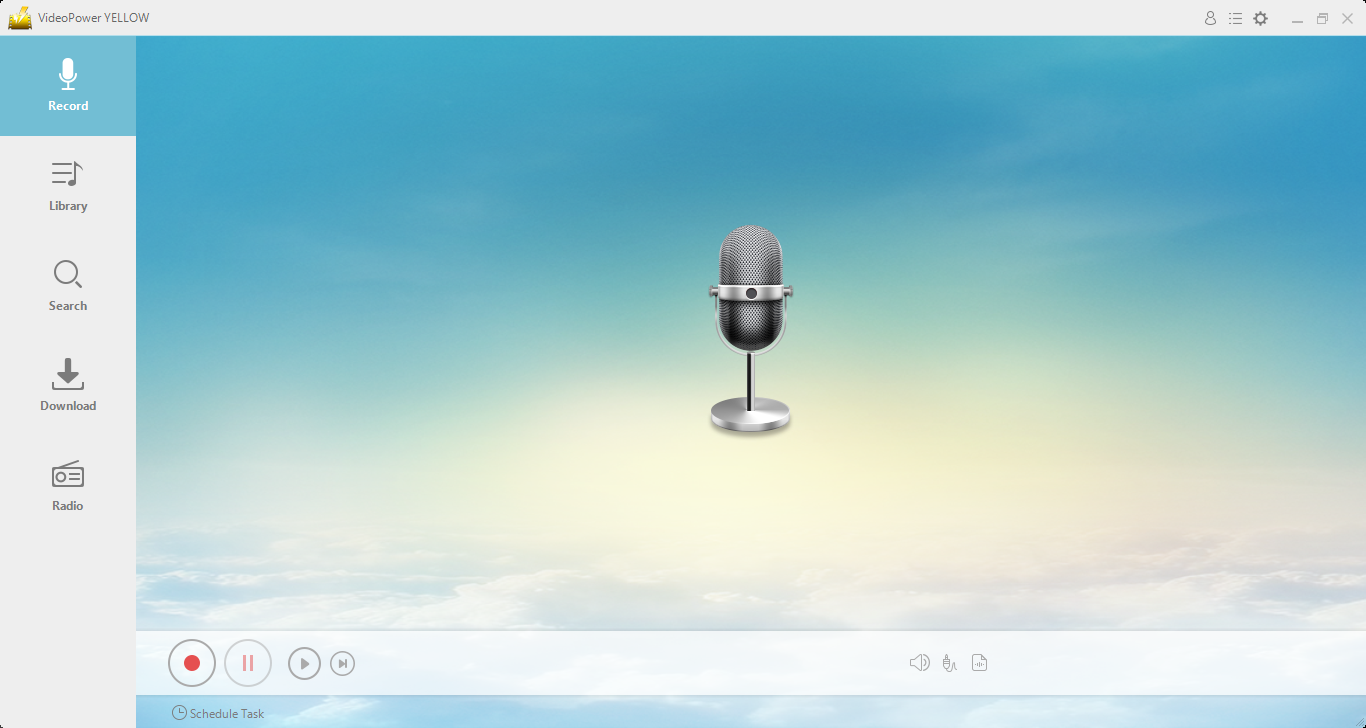
After you run the program, it will automatically direct you into the record interface.
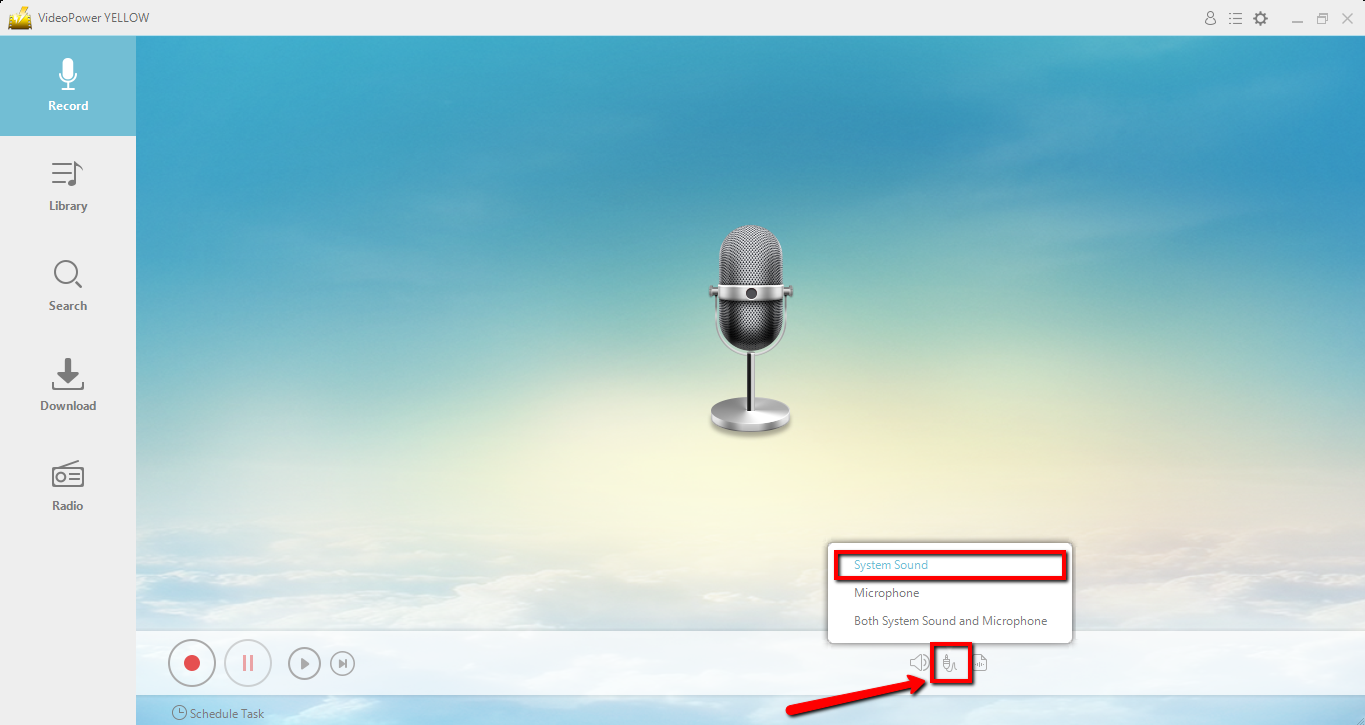
1.1 Sound Source
To record audio streaming on the PC, make sure that the sound resource you chose is “System Sound”.
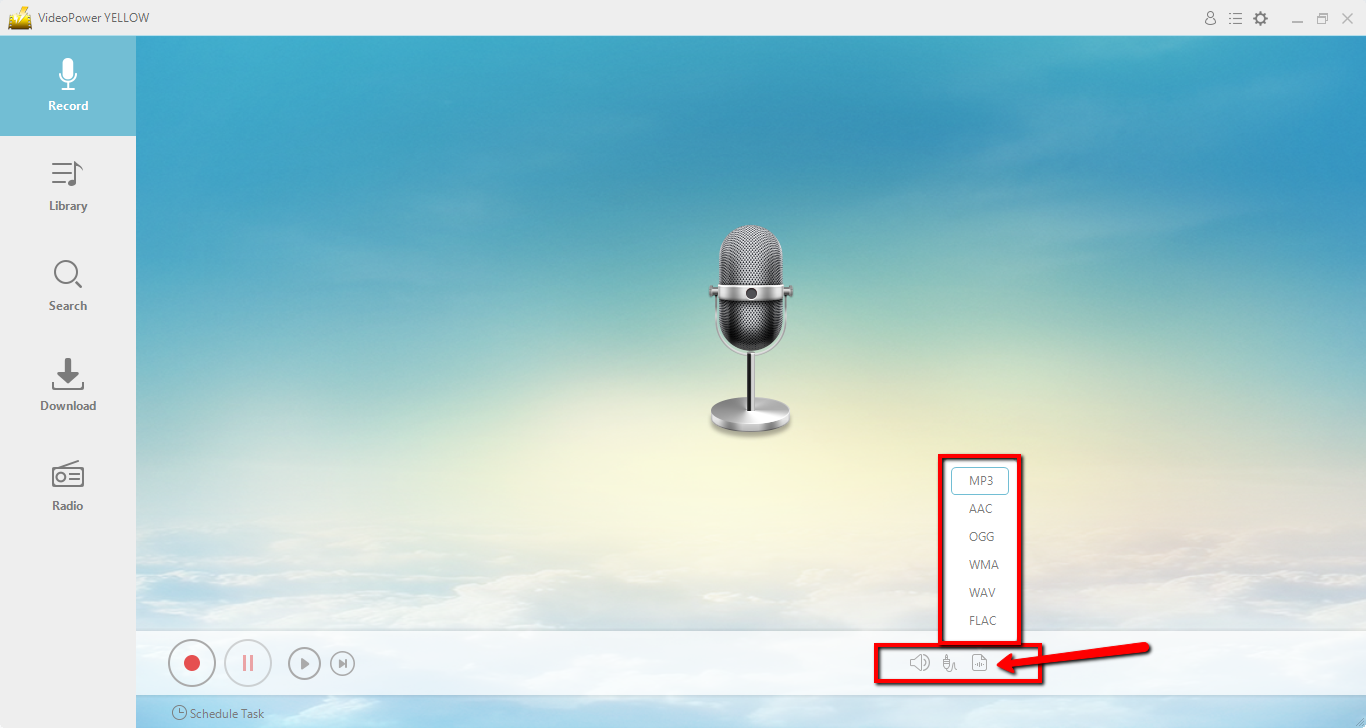
1.2 Format Setting
Make sure that the recording is set in the format of “MP3”, or whatever format you deem appropriate.
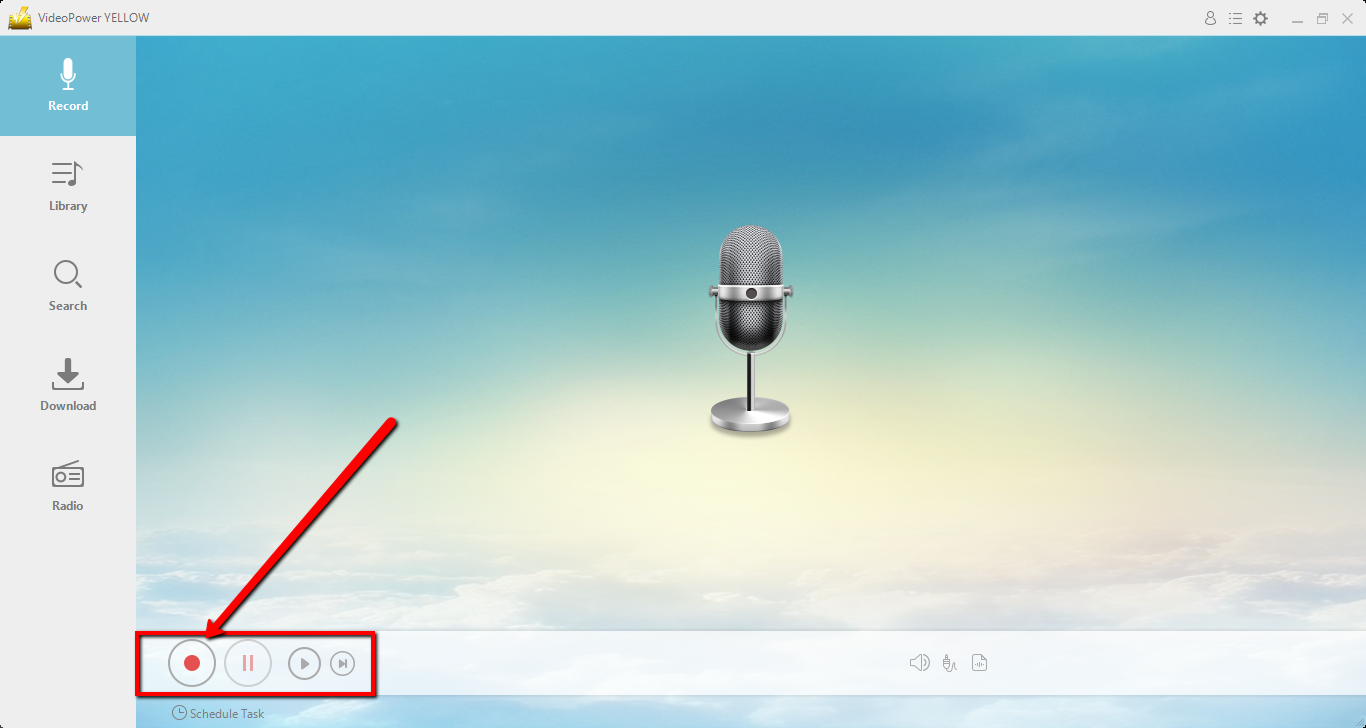
Step 2: Start recording
Click the start recording button at the bottom left of the screen and play your 8tracks playlist.
Step 3: End the recording
While recording, you can pause in case you have some parts that you don’t want to include in the recording. To pause, click the button beside the start/stop button.
When you are done, click the stop button to end the recording.

Optional Operations
After clicking the stop button, you can listen to your recording. Just click the music icon bellow or the play button to check if recorded it successfully.
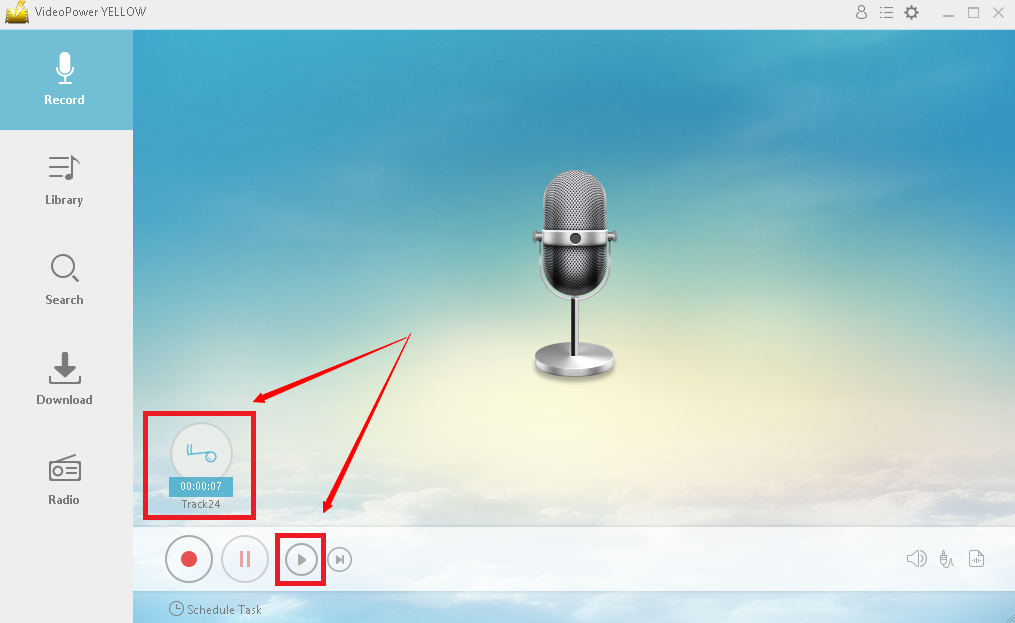
After checking your recorded file you can either delete it or navigate to its output location. Right-click the recorded file and choose what to do.

Conclusion:
VideoPower YELLOW provides the easiest way to download the 8tracks playlist. This is a powerful and stable software that offers more than just recording.
It also supports converting and downloading music. If you need to rip or burn music to a CD, it can also meet your needs.



