





Tips Index
WeChat is a cross-platform communication tool. It supports both single-person and multi-person participation. Users can send voice messages, videos, pictures, emoji, and text messages over mobile networks. WeChat provides a public platform, message notification, and other functions. Users can add friends and follow the public platform through “shake”, “search number”, “people nearby”, scan QR code, and share content by WeChat. It is really a very interesting communication software.
VideoPower GREEN is here to help you out. It is the best desktop tool for basic video/audio recording and screen capturing. It has multiple functions but easy to use with no tech knowledge required at all. It enables you to record movies, video tutorials, games, live streams, calls, and more. You can use this screen recording software to record WeChat video calls and save it to your computer within a few steps.
Step 1: Record screen activities.
Run VideoPower GREEN if you have installed it on your PC.
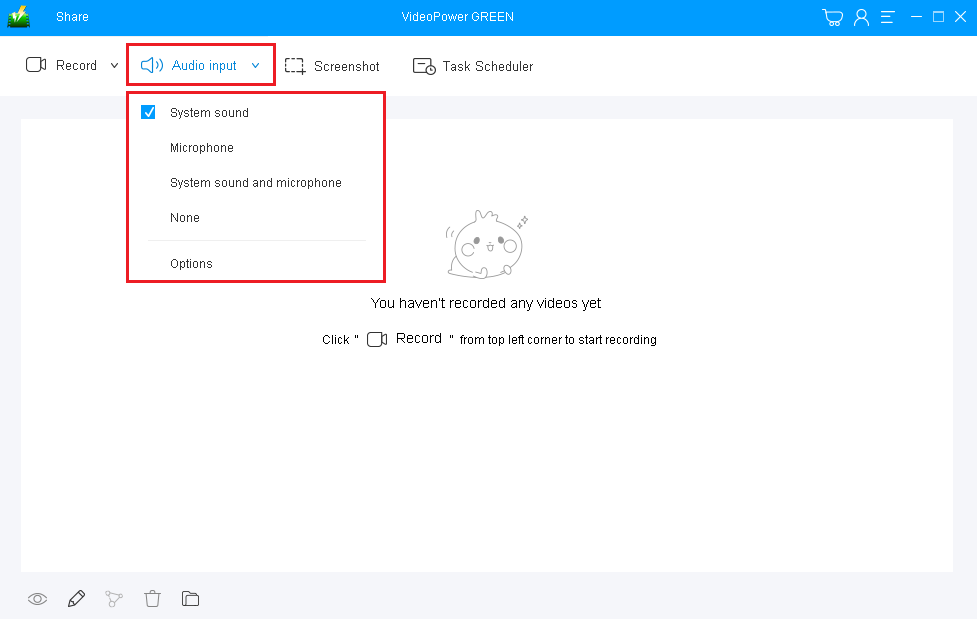
Choose a sound source.
You can choose “System sound, Microphone, System sound, and microphone or None.” To record the WeChat video call, you should select “System sound and microphone” to include both sides’ voices.
Select a recording area.
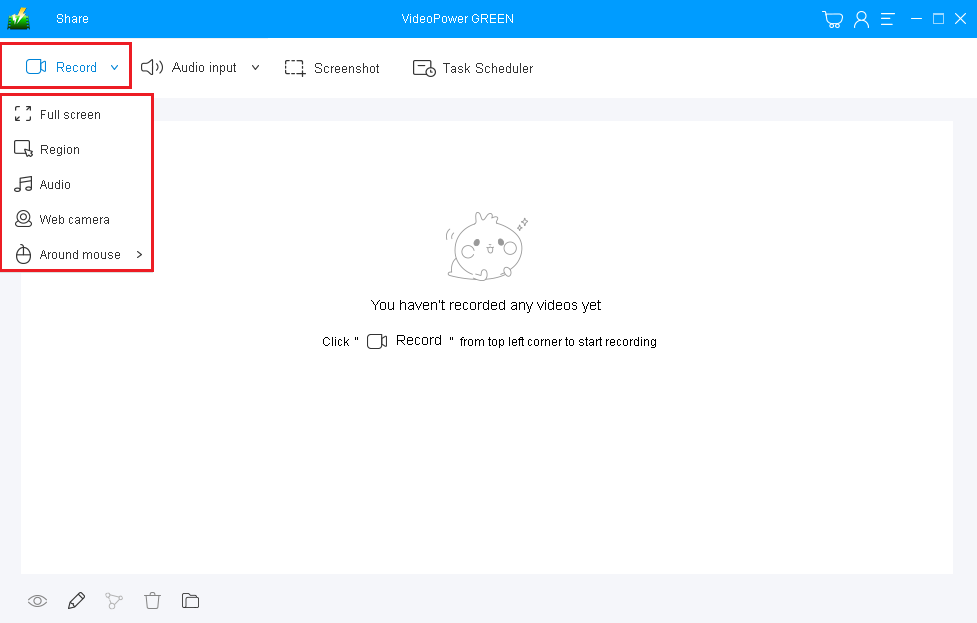
Click on the “Record” button to choose the recording mode from “Full screen, Region, Audio, Web camera, Around mouse”. Select the area you are going to record.
Step 2: Start to record.
The pop-up window will ask whether you are ready to start recording, click “OK” to confirm when you are ready to record.

Edit video while recording:
While recording you can add lines, arrows, shapes, texts, highlight, blur, etc. by clicking the edit button.

Step 3: End the recording.
Click the “Stop” button to stop recording.

After that, the recorded file is already saved in the pointed output folder.
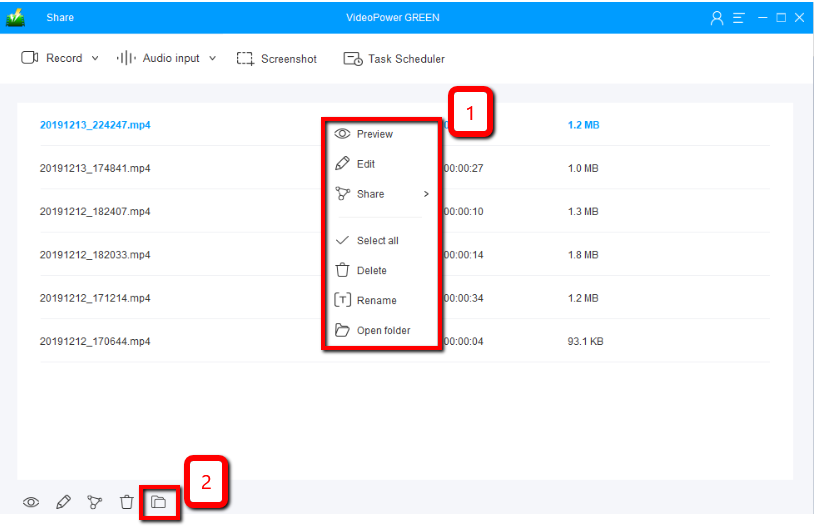
1) Your recorded file can be seen in the main interface. You can right-click the file and do more operations if you like.
2) Click the folder icon to view it in the pointed output folder.
Conclusion:
WeChat is a free alternative to cellular text messaging and video calling. It also supports sending text, photos, videos and etc. With this, users can easily communicate despite their locations. But then, communicating online with this application wasn’t still enough for some of the users. Sometimes they wanted to record WeChat video calls because of some reasons and varied purposes.
VideoPower GREEN , a powerful and trusted recording application software is best suited for recording WeChat video calls along with a webcam video for later viewing purposes. This product has a particular feature in capturing screen activities that can capture videos for offline viewing. Thus, online videos would be easily recorded without any hassle.
Moreover, this product doesn’t only record screen activities for later viewing but also beautifies the recordings by using its editing feature. It can also help you save some time and effort by setting its task scheduler feature.


