





Tips Index
Most people nowadays are being fond of using Facebook to have fun and communicate with other people who are far away from them. But most of the time, Facebook is activated to turn on entertainment.
On Facebook, you are sometimes making online video calls and caught high-quality videos that are entertaining and amazing to watch but some of them cannot be found on YouTube and any other video sites. So sometimes, when you suddenly think of converting it to a recorded video and saving it for later, you’d get frustrated because you can’t.
Thus, worry no more because we strongly recommend the best and easiest screen recorder software of all time called VideoPower GREEN.
Now, there is no need for you to be bothered about recording videos on Facebook anymore since you have come to the right track.
Step 1: Customize video settings
1.1 Open Settings
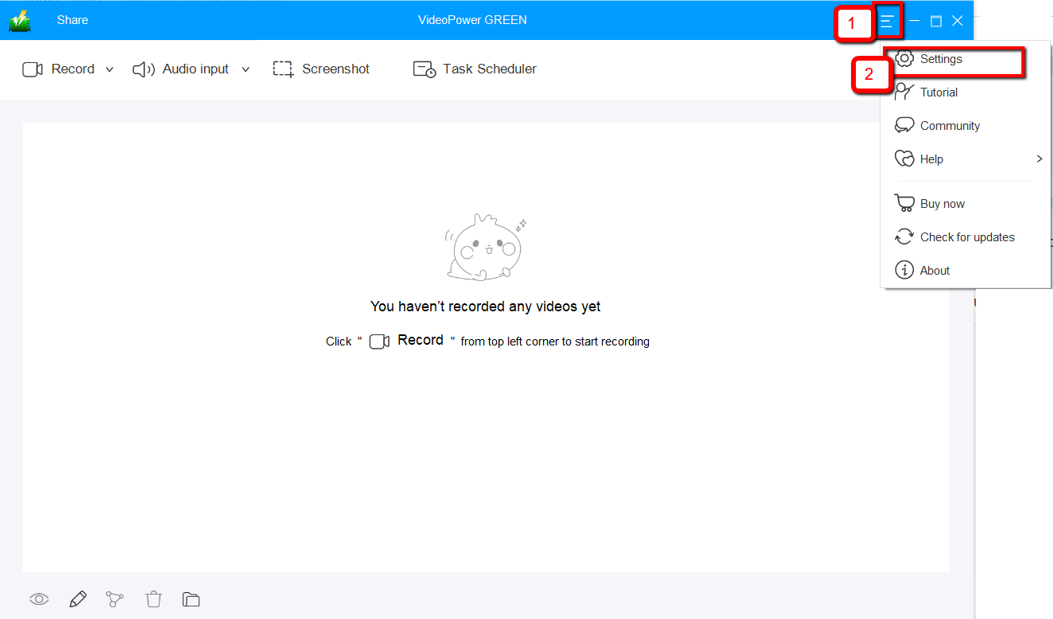
1) Click the menu on the upper right corner of the interface.
2) Choose “Settings” from the drop-down menu.
1.2 Change video settings
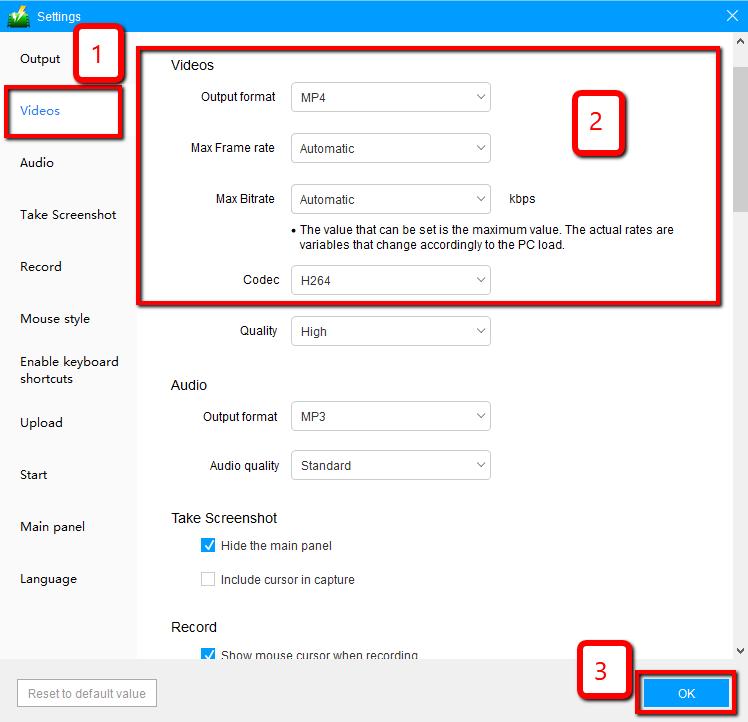
1) Click the “Video” tab on the left side of the interface.
2) You are now able to customize the Output format, Codec, Bitrate, and Frame rate of the recording video as per need.
3) Click “OK” to save settings.
Step 2: Record screen activities
2.1 Choose a sound source
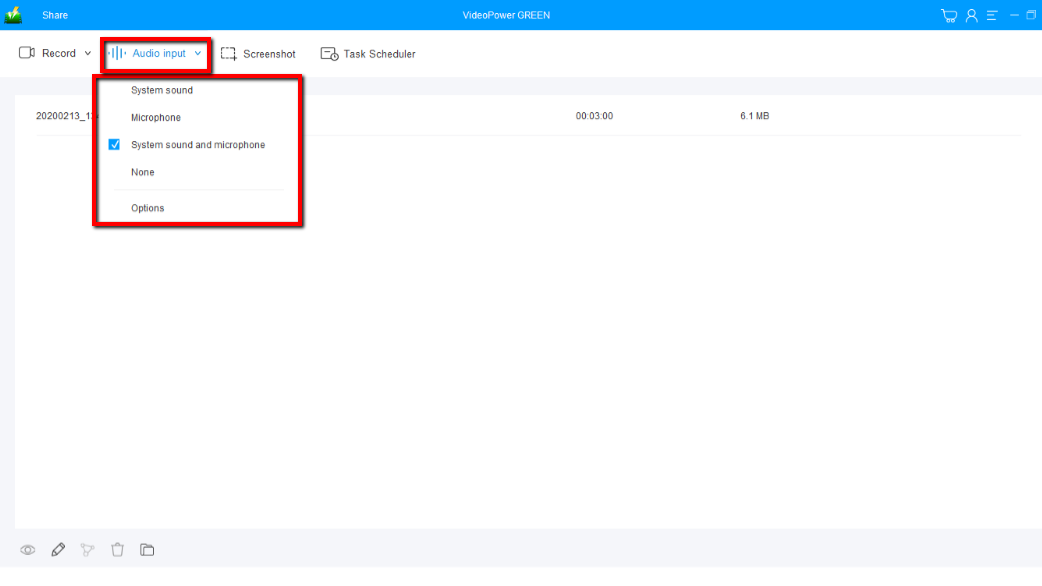
You can choose “System sound, Microphone, System sound and microphone or None.” To record streaming video, you can select “System sound”.
2.2 Select a recording area
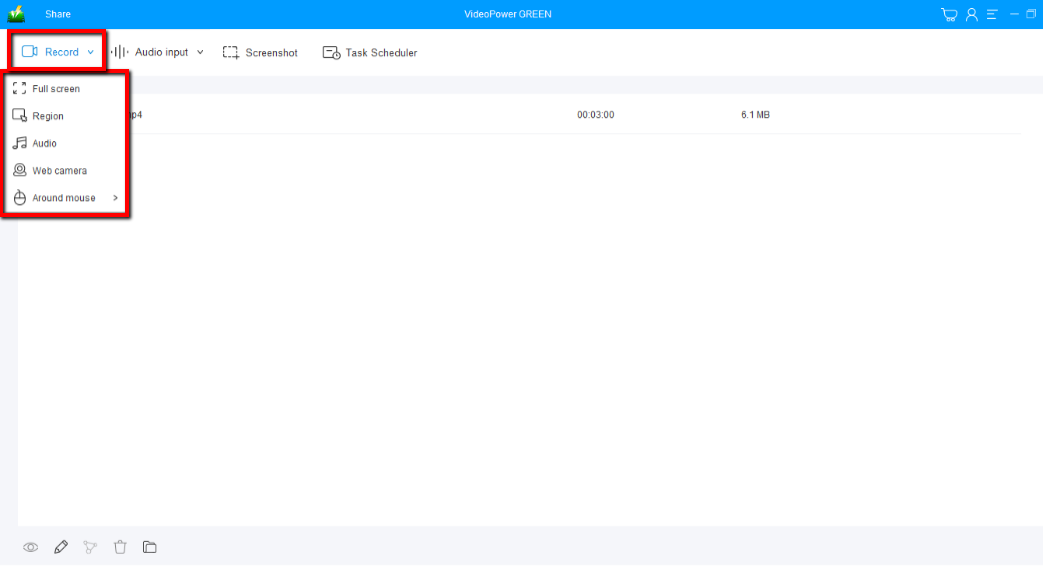
Click on the “Record” button to choose the recording mode from “Full screen, Region, Audio, Web camera, Around mouse”. Select the area you are going to record.
2.3 Start to record
The pop-up window will ask whether you are ready to start recording, click “OK” to confirm when you are ready to record.

2.4 Edit video while recording
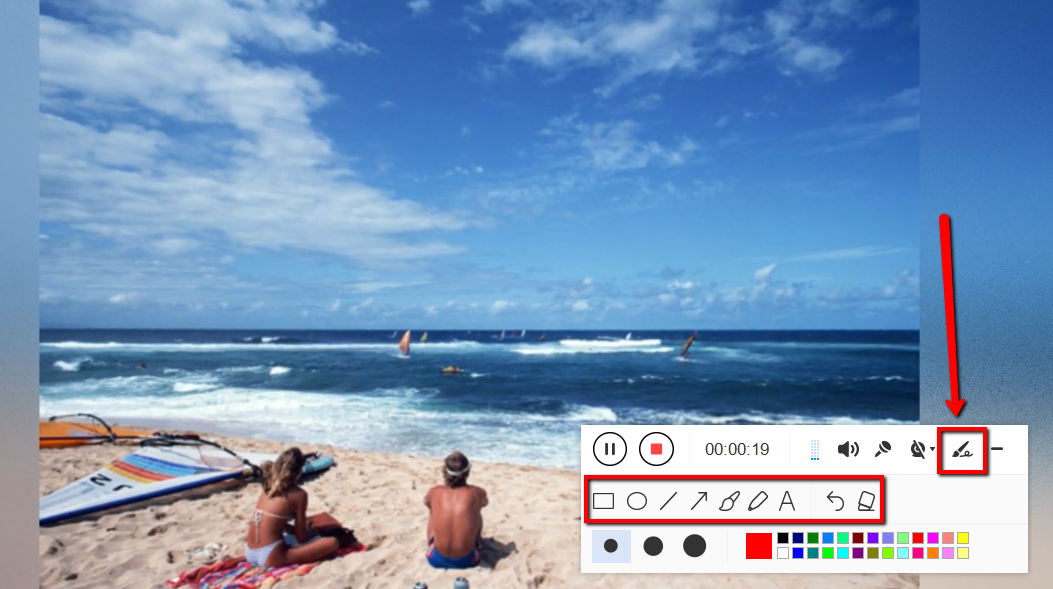
While recording you can add lines, arrows, shapes, texts, highlight, blur, etc. by clicking the edit button.
2.5 End the recording
Click the “Stop” button to stop recording.

Step 3: Manage your recorded video
After that, the recorded file is already saved in the pointed output folder.
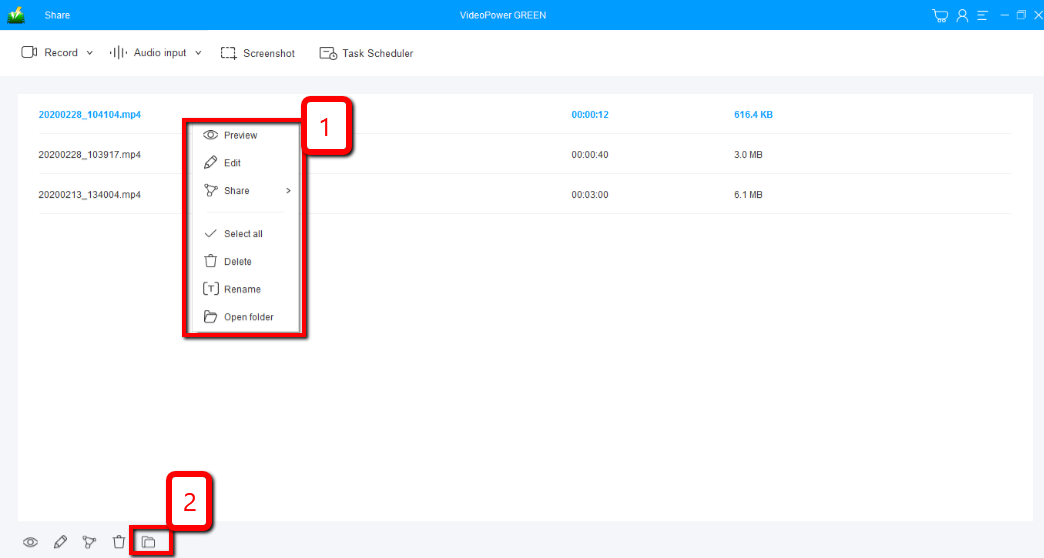
1) Your recorded file can be seen in the main interface. You can right-click the file and do more operations if you like.
2) Click the folder icon to view it in the pointed output folder.
Conclusion:
Almost everyone uses Facebook these days and videos on Facebook are not easily downloaded. So VideoPower GREEN to record Facebook videos is such an amazing thing to find out.
You can choose the area that you want to record, and you can edit it using the video editor where you can apply watermarks, effects, and other basic video editing options such as trimming or cropping. Adjust the speed, volume, contrast, brightness and saturation of a video using VideoPower GREEN editor. Moreover, this video editor supports the conversion of files into various formats.


